New to Rust? Grab our free Rust for Beginners eBook Get it free →
Popular AWS CLI Commands Explained with Examples (2026 Updated)

Working with AWS from a terminal goes through the AWS CLI, the tool that sends your commands to AWS services. Each command names a service and an operation, and a profile tells the CLI which credentials to use.
You’ll set up a profile and confirm which account it uses before you run service commands.
How AWS CLI commands are structured
Each AWS CLI command names a service and operation, then adds parameters and optional global settings. The –profile option selects its credential source, while –region locates regional service calls.
aws --version
AWS CLI 2.37.8 is the version in the terminal capture. The version command reads the local executable, not your account or its permissions.
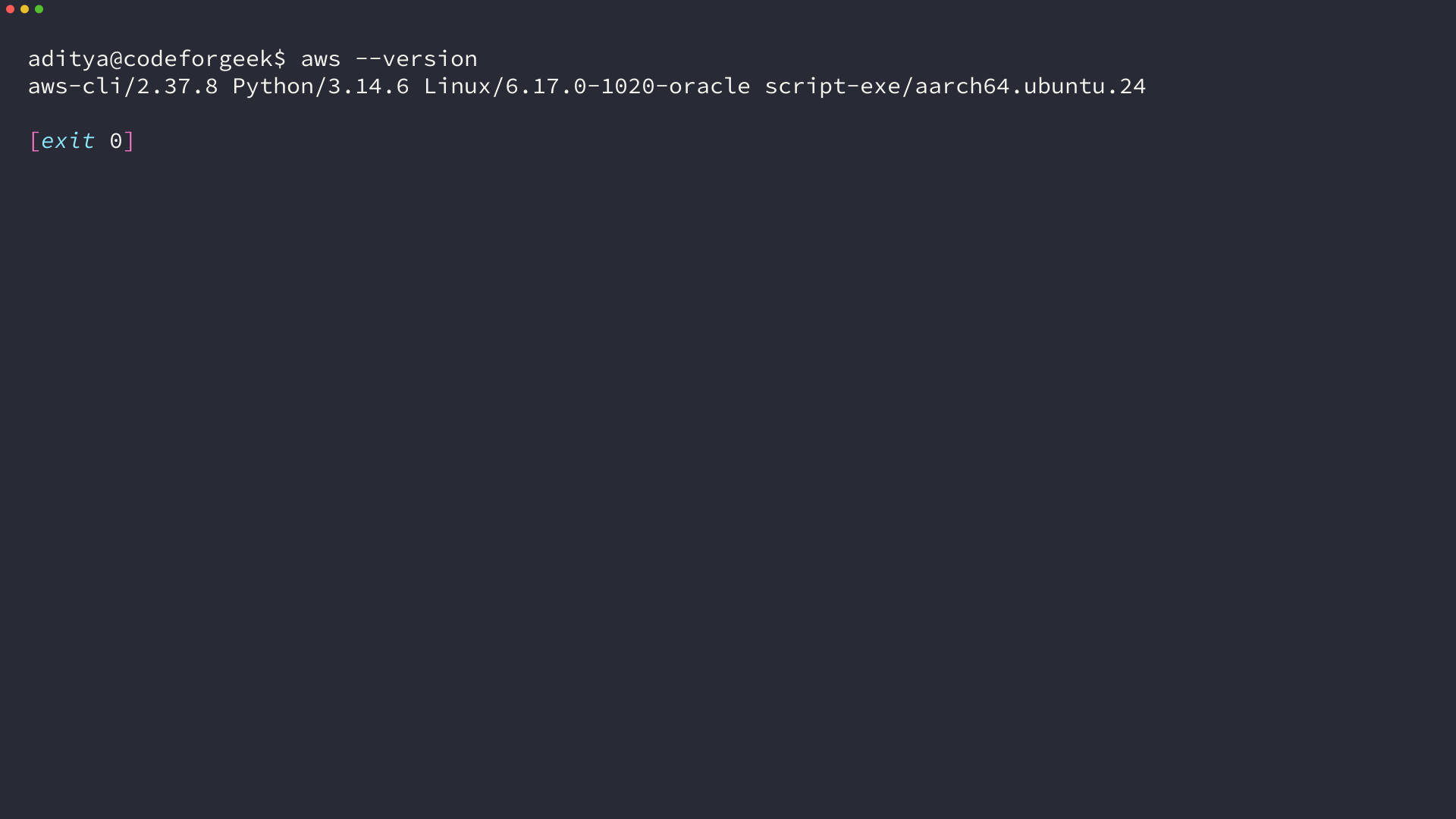
I installed the client in an isolated directory, so the version check did not need AWS credentials.
Set up a profile before calling a service
A profile groups local AWS CLI settings and credentials for an account or role. For a human user, AWS documents IAM Identity Center sign-in with temporary credentials as a supported profile path.
- Ask your AWS administrator for the IAM Identity Center start URL and region, plus the account and permission set you should use.
- Run the configuration wizard and choose a profile name you can recognize in each command.
- Sign in to that profile before using it to call AWS services.
aws configure sso --profile work
aws sso login --profile work
The wizard asks for your organization’s sign-in details and the profile settings, then the login command opens the authorization flow for that profile. Use a permission set that grants the actions your task needs, not an administrator profile by default.
If your organization supplies credentials through another approved method, keep using that method rather than copying long-term access keys into a new profile. The AWS IAM security guidance recommends temporary credentials for human users and least-privilege access.
Check the caller before reading AWS resources
Run an identity check with the same profile you plan to use for the service command. Add a region when the next operation is region-scoped, so the account and location stay visible in the shell history.
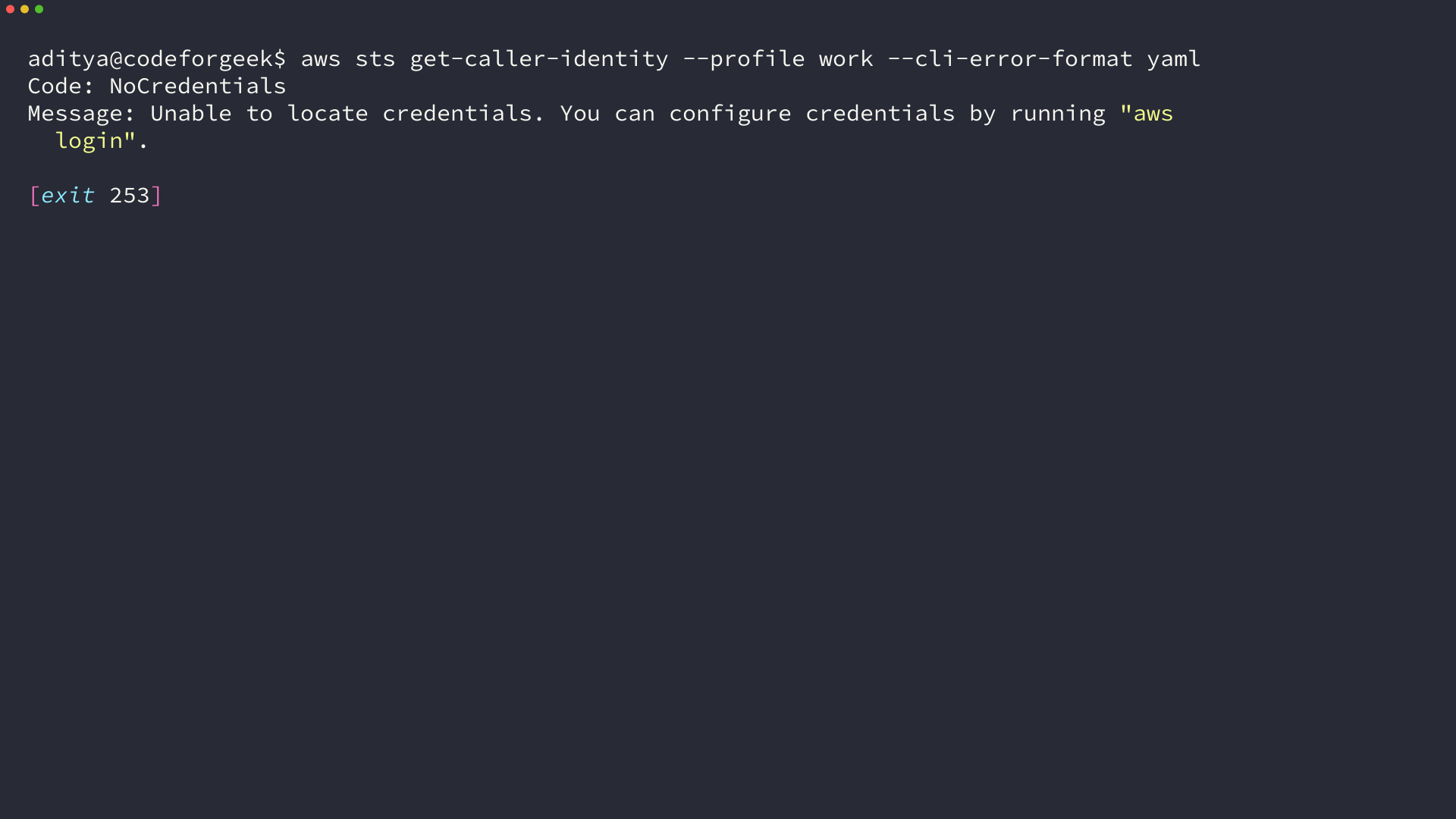
aws sts get-caller-identity --profile work --cli-error-format yaml
A successful response contains the AWS account ID and the caller’s ARN. AWS says this STS operation does not require an IAM permission, but the CLI still needs valid credentials to identify the caller.
I ran the identity command in an isolated profile with no AWS credentials, and the CLI returned NoCredentials before any service request. A command that cannot identify its caller has not verified the account you intend to use.
Inspect AWS resources without changing them
Read operations let you inspect resource state without asking AWS to create or delete that resource. The selected identity still needs permission for each service operation.
List running EC2 instances
Filter the EC2 request to running instances, then select the fields you need from its paginated response.
aws ec2 describe-instances --filters Name=instance-state-name,Values=running --query 'Reservations[].Instances[].{Instance:InstanceId,State:State.Name}' --output table --region us-east-1 --profile work --no-cli-pager
The filter asks EC2 to return running instances, while the JMESPath query keeps only each instance ID and state in the displayed result. AWS recommends paginated requests for DescribeInstances because an unfiltered response can include every instance in the account.
List Lambda function names
List function names when you need to choose a function before invoking it.
aws lambda list-functions --query 'Functions[].FunctionName' --output text --region us-east-1 --profile work --no-cli-pager
This command reads function metadata and prints the selected names, but it does not run the functions. The account still needs the Lambda list permission for the request.
List IAM users
The IAM list-users operation accepts a path prefix and paginates its results.
aws iam list-users --profile work --no-cli-pager
This request reads user records and does not create an IAM user or access key. The caller still needs the IAM permission for listing users.
Check RDS database instance status
RDS database instances have their own identifiers and status values, so inspect the instance before choosing a start, stop, or provisioning operation.
aws rds describe-db-instances --query 'DBInstances[].{DB:DBInstanceIdentifier,Status:DBInstanceStatus,Engine:Engine}' --output table --region us-east-1 --profile work --no-cli-pager
The query keeps the instance identifier, status, and database engine in the displayed result. DescribeDBInstances is paginated, and this read does not create, start, stop, or delete a database.
The RDS command reference lists the accepted parameters for database changes. Check the target and the effect before using a mutating operation.
Use S3 commands for buckets and files
The high-level S3 commands work with buckets, object prefixes, and local folders. Start with a listing or a dry run when you need to check the target before transferring files.
- Use ls to read bucket and object names.
- Use cp to copy a single object or file between local storage and S3.
- Use sync to compare a folder and a bucket prefix, then copy missing or changed files.
Run the listing without a bucket path to see buckets, or supply a bucket path to list its objects.
aws s3 ls --region us-east-1 --profile work --no-cli-pager
The command reads bucket and object names. If access is denied, check the profile’s S3 permissions and the bucket policy rather than changing the command to use a broader identity.
Use a dry run to list the transfers that a local-to-S3 sync would make before you upload the folder.
aws s3 sync ./test-site s3://amzn-s3-demo-bucket/site/ --dryrun --region us-east-1 --profile work --no-cli-pager
The AWS CLI S3 guide says sync copies missing or changed files between the source and destination. The dry-run option previews those actions without transferring files, while adding –delete can remove destination objects that have no matching source.
Only add –delete after the dry run confirms that S3 should remove destination objects missing from the source.
Shape output and narrow results
Use this command to see which local settings the CLI resolved for that profile.
aws configure list --profile work
| Option | Use | What it controls |
|---|---|---|
| –profile work | Select the named profile | Credentials and profile settings used for the call |
| –region us-east-1 | Set the service region for this command | Where a regional service request is sent |
| –output json | Keep structured output | Readable JSON for inspection or another program |
| –query expression | Select response fields | Client-side filtering of returned data |
| –cli-error-format yaml | Structure error details | Formats errors as YAML-style fields |
| –no-cli-pager | Print output directly | Disables the configured terminal pager for this call |
Add –cli-error-format yaml when you want the error code and message in structured fields. The AWS CLI configuration-variable reference documents this format.
The –query option filters response data on the client. For a paginated request with –output text, AWS CLI applies the query to each page, so use JSON when you need one structured result across the full response.
The AWS CLI output guide explains the available formats and pagination behavior. Its version 2 command reference lists each service operation and its accepted parameters.
Trace credential, profile, and region failures
Missing credentials, the wrong profile, a region mismatch, and a missing permission can look similar at first. Check the CLI source and AWS response code before changing the command.
| Symptom | Check | Next action |
|---|---|---|
| NoCredentials or Unable to locate credentials | Does the profile exist, and is its sign-in active? | Run the sign-in command for the profile or use the credential source your organization assigned. |
| The account or resources are unexpected | Which profile and region did the command resolve? | Run the STS caller check with the same profile and region. |
| AccessDenied | Did the command authenticate but lack the requested service permission? | Use an approved role with only the task permissions you need. |
| The command returns no regional resources | Does the resource exist in the selected region? | Pass the region that contains the resource and check the profile configuration. |
NoCredentials means the CLI could not find the caller, while AccessDenied means AWS identified the caller and denied the requested action. That distinction tells you whether to repair sign-in or check the selected role’s permissions.
Keep the target explicit before writing
Before a write, check the caller with the same profile and region, then confirm the operation and its target.
aws sts get-caller-identity --profile work --cli-error-format yaml
When the account is not the one you intended, stop before the resource call and select the correct profile. A caller check is read-only, so it is a safe place to begin again.
Frequently Asked Questions
Which AWS CLI command invokes a Lambda function?
Use aws lambda invoke –function-name my-function response.json. This invokes the function and writes its response to the named file, so check the function and profile before running it.
Can aws s3 sync delete objects?
It can remove objects from the destination when you add –delete. Preview the transfer first and confirm the destination prefix before using that option.
What does NoCredentials mean in the AWS CLI?
The CLI could not find usable credentials for the selected profile or credential source. Sign in with the profile your organization assigned, then check the caller identity before running a service command.