New to Rust? Grab our free Rust for Beginners eBook Get it free →
Best Practices for Cybersecurity in Web Development: An Australian Perspective


Cybersecurity in web development starts by protecting each request before it reaches code that handles money, accounts, or personal data.
Set a narrow security baseline
Disable framework fingerprinting, set a modest request-body limit, return generic login failures, and keep secrets outside source control.
Use HTTPS for every public route and redirect HTTP at the edge because transport encryption protects data in transit without validating input, deciding who may act, or repairing an exposed credential.
Add headers and rate limits in Express
Helmet supplies a defensible set of HTTP response headers, including a content security policy, while rate limiting gives a login endpoint a boundary for repeated requests.
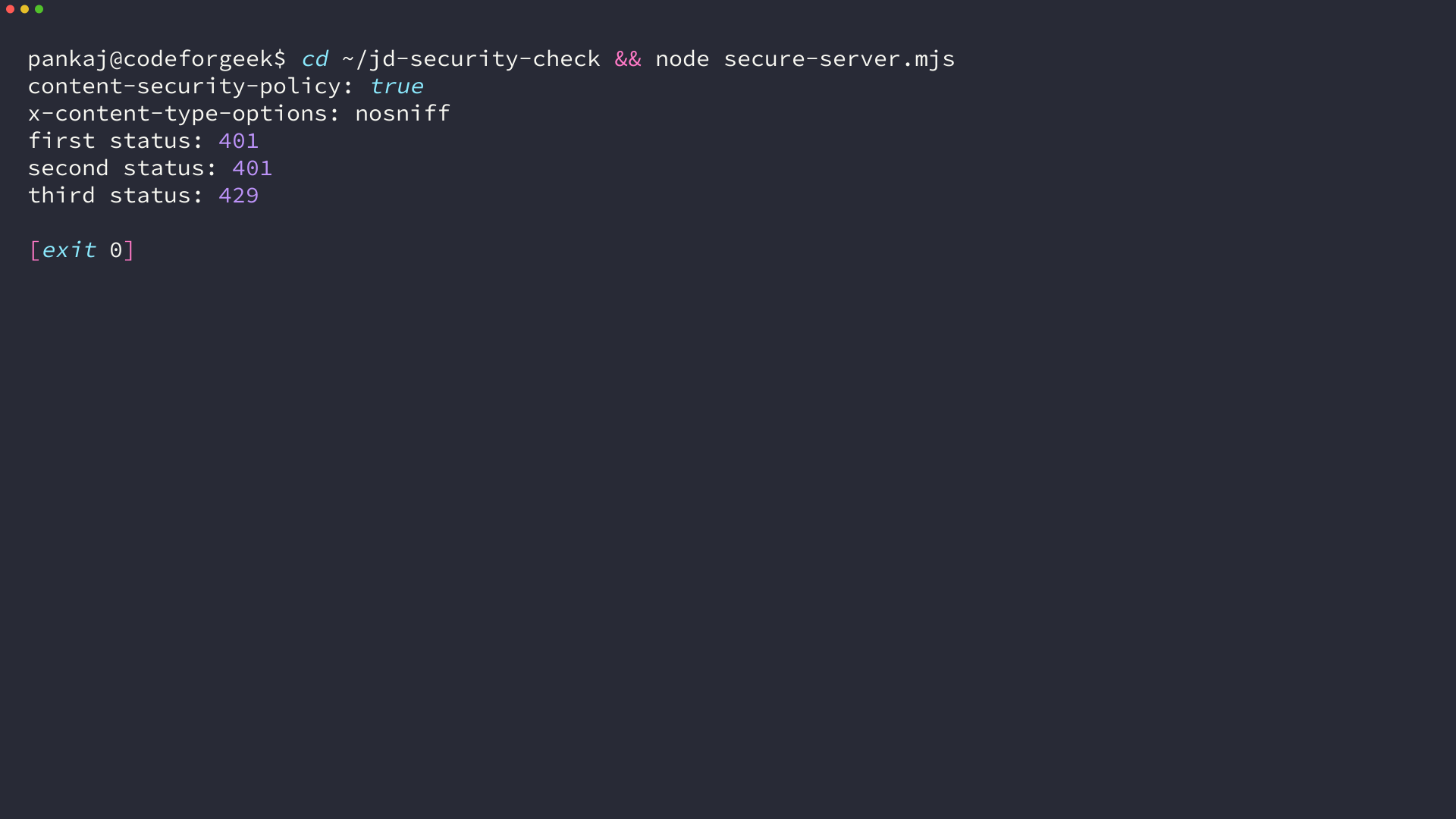
The verified Express run returns a content security policy and nosniff header, then returns 401 for invalid credentials and 429 after the limiter reaches its configured limit.
import express from "express";
import helmet from "helmet";
import { rateLimit } from "express-rate-limit";

const app = express();

app.disable("x-powered-by");
app.use(helmet());
app.use(express.json({ limit: "16kb" }));

const loginLimiter = rateLimit({
  windowMs: 60_000,
  limit: 2,
  standardHeaders: "draft-8",
  legacyHeaders: false,
  message: { error: "Too many login attempts. Try again later." },
});

app.post("/login", loginLimiter, (req, res) => {
  const { email, password } = req.body;

  if (typeof email !== "string" || typeof password !== "string") {
    return res.status(400).json({ error: "email and password must be strings" });
  }

  return res.status(401).json({ error: "Invalid credentials" });
});
Apply a limiter where an attacker can cheaply repeat work, such as login, password-reset, account-creation, and expensive search routes.
Treat input and authorization as separate checks
Validate type, length, format, and allowed values at the request boundary, then use parameterized database queries and output encoding so user-controlled text cannot become a query or executable markup.
Authentication answers who sent a request, while authorization answers whether that identity may read, change, or delete a specific resource.
For the token lifecycle and route-protection flow, use this JWT authentication API in Node.js walkthrough.
Keep dependencies and configuration under review
Run your package manager’s audit command, update supported dependencies, restrict production secrets, and remove unused middleware and routes.
For a broader Node.js checklist, see these Node.js security practices, the OWASP Node.js Security Cheat Sheet, Express security guidance, and MDN CSP guide.
Make security checks part of delivery
Put header checks, rate-limit checks, authorization tests, and dependency scanning into continuous integration so a security control does not disappear during a route change.
Middleware improves the server baseline but cannot replace threat modeling, code review, incident response, or a decision about which identities may access a resource.
What are the most important cybersecurity practices for web development?
Use HTTPS, set security headers, validate input, enforce authentication and authorization separately, rate-limit repeatable routes, protect secrets, and review dependencies before deployment.
Does rate limiting secure a login endpoint by itself?
No. Rate limiting reduces repeated requests, but you still need secure password handling, authentication controls, authorization checks, HTTPS, monitoring, and safe error responses.