New to Rust? Grab our free Rust for Beginners eBook Get it free →
Set Up an Express.js App with npm and Express Generator

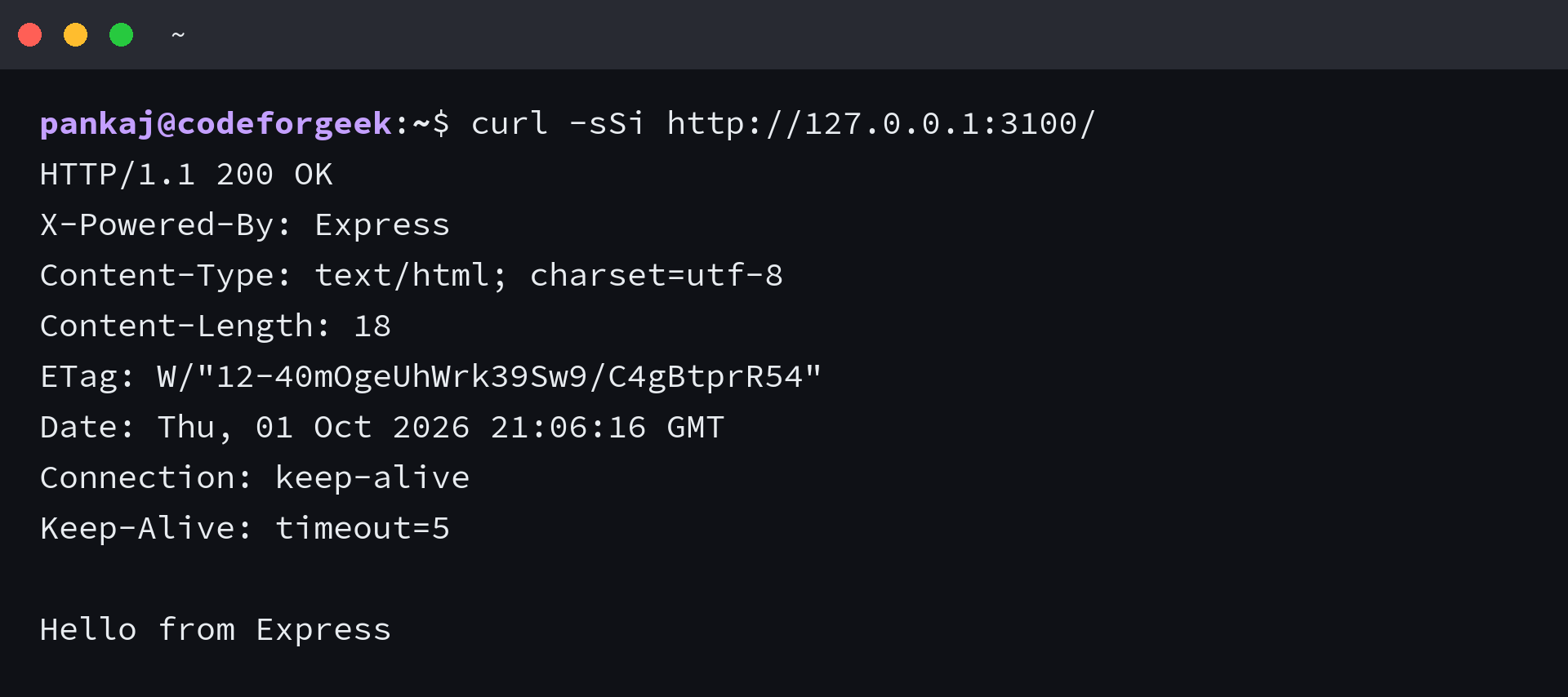
The root route in app.js can return “Hello from Express” as soon as the one-route server is running. That first response makes me curious how little project structure the route needs.
Decide whether to keep the app in one file or use Express Generator’s project tree. Let that choice set how much structure to put around your first route.
Choose a manual app or a scaffold
Express is a Node.js web framework that maps HTTP requests to handlers and sends responses. You can start with one app file, or let Express Generator create a directory structure around it.
I chose the one-file app first because its route and listener stay together, so the first request is visible before a generated tree becomes useful.
| Start | Choose it when | What it gives you |
|---|---|---|
| Hand-built app | You want to see how one request becomes a response. | A package manifest, one app file, and the route you write. |
| Express Generator | You want separate route and public folders from the start. | A starter tree with a launcher and sample files to review. |
An Express Generator project starts with a directory tree, but that tree does not tell you which Express release its manifest depends on. Check the app’s dependency before choosing the next step.
Check Node.js and prepare a project directory
Express 5 requires Node.js 18 or newer, according to the Express installation guide.
- Install Node.js and npm, then make sure both commands are available in your terminal.
- Choose an empty folder for this app.
- Keep a text editor open for the app file.
node --version
npm --version
npm ships with Node.js. If it is missing, reopen a terminal after installing Node.
Build and run a one-route Express app
An Express app needs a route and a listener for the first request, so its handler can answer when the request method and path match.
Step 1: initialize a local project
Run the setup commands in the app folder. npm init writes the manifest, and npm install adds Express to that project.
mkdir express-manual
cd express-manual
npm init -y
npm install express
npm pkg set scripts.start="node app.js"
Step 2: handle the root request
Create app.js and use a port that is free on your machine.
const express = require('express');
const app = express();
const port = 3100;

app.get('/', (req, res) => {
  res.send('Hello from Express');
});

app.listen(port, () => {
  console.log(`Listening at http://localhost:${port}`);
});
Express matches app.get against both GET and /. The handler sends its text through the response object, which ends that request.
I kept the response short so the status and body fit in the same terminal result.
Step 3: start the server and inspect its response
Start the app from its project folder and leave that terminal open. Request the root path from another terminal.
npm start
curl -sSi http://127.0.0.1:3100/
HTTP 200 and Hello from Express confirm the route answered, but they do not establish that the app is ready for deployment.
Generate a larger project when you need the folders
Express Generator creates a starter tree, but its package version and the Express runtime are separate decisions. I left views out because the first route does not render a template.
Step 1: create a view-free scaffold
The Express Generator documentation lists its command-line options. This command creates a public folder and separate route files without a view engine.
npx --yes express-generator --no-view express-no-view-run
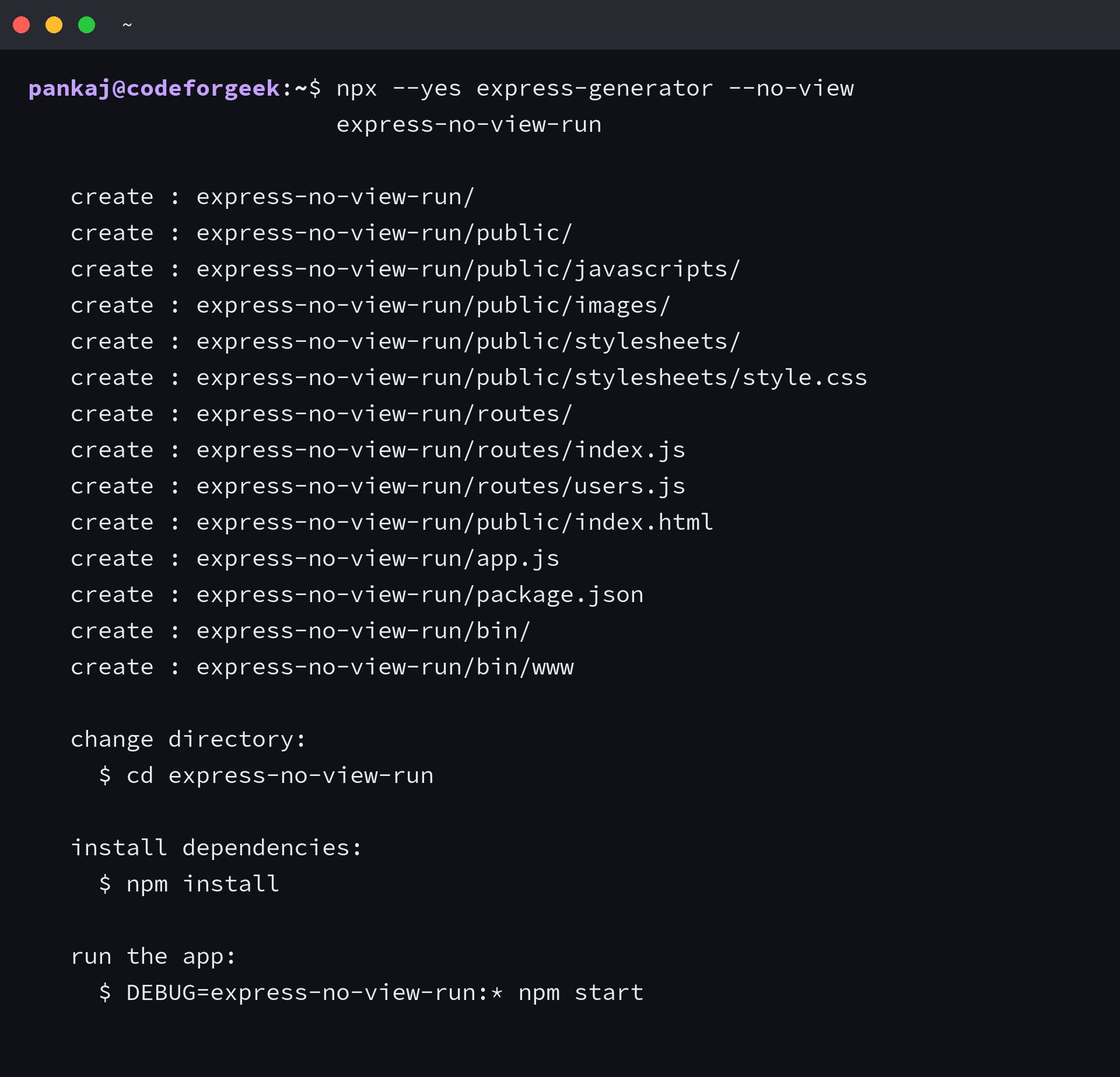
- app.js configures the application and mounts middleware and routes.
- bin/www starts the HTTP server and reads its port from the environment.
- routes holds the sample route modules.
- public holds static files such as the generated index page and stylesheet.
Step 2: check and replace the generated dependencies
The generated manifest selected an Express 4 dependency. I kept its file tree but changed the package versions before using the app.
A newer generator CLI does not mean the generated app uses a newer Express runtime.
I removed and reinstalled Express and Morgan without release tags, so npm resolved Express 5.2.1 and Morgan 1.12.1. npm audit –omit=dev then reported zero vulnerabilities.
cd express-no-view-run
npm install
npm uninstall express morgan
npm install express morgan
npm audit --omit=dev
Step 3: run the scaffold on a free port
The generated launcher listens on port 3000 unless PORT is set.
PORT=3101 npm start
curl -sS -o /dev/null -w 'HTTP %{http_code}\n' http://127.0.0.1:3101/

HTTP 200 confirms the generated route served its static page. The project still needs application-specific tests before it handles untrusted traffic.
Fix the setup errors that stop the server
Use the failure type to choose what to inspect before changing route code.
| Symptom | Likely cause | Next check |
|---|---|---|
| Node cannot resolve Express. | Dependencies were installed in another directory, or the project install did not finish. | Move to the folder with package.json, run npm install, then run npm ls express. |
| The server reports that its address is already in use. | Another process owns the configured port. | Stop that server or change the port in app.js, then start the app again. |
| The browser receives a not-found response. | The request method or path does not match a registered route. | Compare the request with the method and path passed to app.get. |
Express selects a handler by HTTP method and path. The routing guide explains the match when you add another endpoint.
Keep the first route small until it needs more structure
Keep the one-route app until another module or a view solves a concrete need, then run npm ls express before adding another package.
npm ls express
Express app setup FAQ
These answers cover the setup questions that remain after the first route responds.
Do I need to install Express globally?
No. Install Express in the project folder so npm records it with that app and Node can resolve its local dependency.
Do I need Express Generator to create an app?
No. A project with an Express dependency and one app file can handle a route. Use the generator when its separate route and public folders help your project.
Which Node.js version does Express 5 require?
Express 5 requires Node.js 18 or newer. Check the version in the same terminal where you run the app.
Does Express Generator choose the Express version?
The generator writes a dependency into the new app’s package manifest, and that choice can differ from the generator package version. Run npm ls express to see which Express release the app resolves.