New to Rust? Grab our free Rust for Beginners eBook Get it free →
How to Install PostgreSQL on Linux and Connect It to Node.js
Install PostgreSQL 18 on Ubuntu, create a login role, and query it from Node.js with the pg pool. Includes the authentication errors you hit first.

PostgreSQL installs on Linux with a few apt commands, then you create a database and role and connect from Node.js. The Linux part that trips people is the authentication error on the first connection.
I ran every command here on Ubuntu 24.04.4 LTS against PostgreSQL 18.6 and Node 26.7. Each terminal image is the output from that run.
Install PostgreSQL on Ubuntu
Ubuntu 24.04 carries PostgreSQL 16 in its own repositories and holds that version for the life of the release. The PostgreSQL project keeps a separate apt repository that serves 18.6 and patches it continuously, which is the route used here.
sudo apt install -y postgresql-common
sudo /usr/share/postgresql-common/pgdg/apt.postgresql.org.sh
sudo apt install -y postgresql-18
The first command installs the small toolkit package that owns the repository script, and the third installs the server itself. The middle command writes the apt source and imports the signing key.
The script writes /etc/apt/sources.list.d/pgdg.sources and points its signed-by field at the key it stores under /usr/share/postgresql-common/pgdg/. Scoping the key to that single source is what lets apt verify these packages without trusting the key for every other source on the machine.
The psql and pg_lsclusters commands on your PATH are wrappers that reach the server binary in /usr/lib/postgresql/18/bin and read the data directory at /var/lib/postgresql/18/main. Both are wrapper scripts supplied by postgresql-common.
# or take the version Ubuntu already ships
sudo apt install postgresql
Skipping the repository leaves you on the older build, and everything after this point behaves the same on either version. Add the repository when you want the current patch line rather than the one frozen into your Ubuntu release.
Then confirm that the cluster is running and that the client on your PATH matches it.
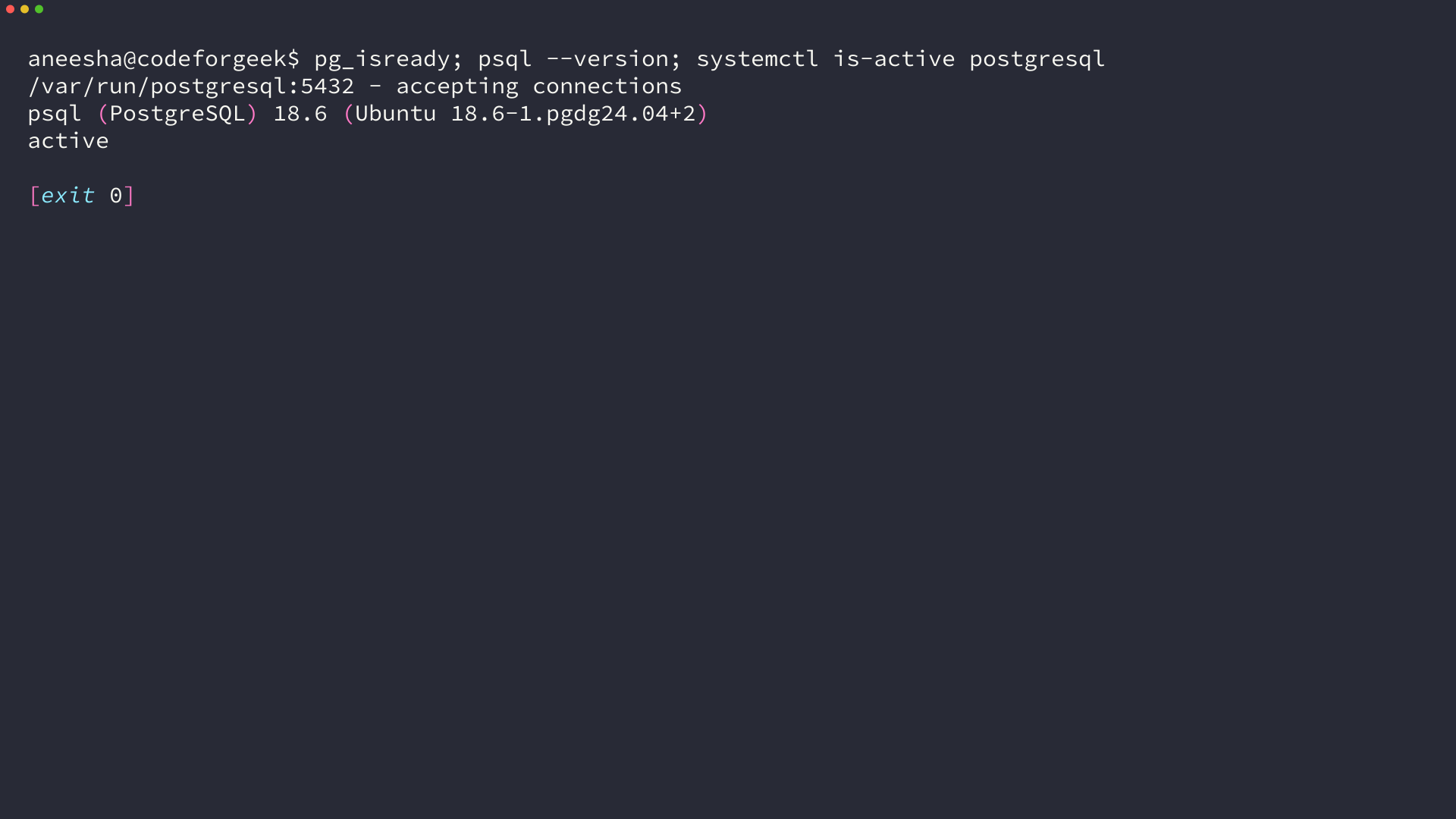
A cluster that did not start prints no response from pg_isready. The systemctl status postgresql output names the reason, and pg_lsclusters lists every cluster on the machine with its port and its state.
Configuration lives in /etc/postgresql/18/main/, and the pg_hba.conf file in that directory decides which authentication rule each connection matches.
This machine runs Ubuntu 24.04. The install step is the only part that differs on Windows and on macOS.
Create the database and login role your app will use
A fresh install creates one role named postgres, and that role is reachable only through the local socket. Your Node.js process connects over TCP, so it needs a role it can authenticate as with a password.
sudo -u postgres psql
The sudo prefix runs psql as the postgres operating system account, which is the identity peer authentication checks against. Plain psql from your own shell fails, because no role carries your Linux user name.
CREATE ROLE appuser WITH LOGIN PASSWORD 'localdev_only_pw';
CREATE DATABASE appdb OWNER appuser;
LOGIN is the attribute that turns a role into something a client can authenticate as. OWNER puts the new database under appuser, which is enough for it to create tables there without a separate grant.
Applications should not connect as the postgres role, because that role bypasses every permission check on the cluster. Anything the application gets wrong then runs with full access to every database it holds.
A role that only needs to read takes a different shape. Grant it CONNECT on the database and SELECT on the tables, and leave the LOGIN attribute as the only other thing it holds.
Replace that password with one you generate, and keep the replacement out of any statement you type at a prompt. Your shell history keeps a copy of everything typed at one.
Losing the password is not a rebuild. The ALTER ROLE statement sets a new one from the same psql session, and nothing else about the role changes when you reset it.
| Setting | Value used here | What it has to match |
|---|---|---|
| host | 127.0.0.1 | The address the server accepts TCP on. The default listens on the loopback address only. |
| port | 5432 | The cluster port that pg_lsclusters reports. |
| user | appuser | A role with the LOGIN attribute. |
| password | the value from CREATE ROLE | Checked by scram-sha-256 on every TCP connection. |
| database | appdb | The database the role is allowed to open. |
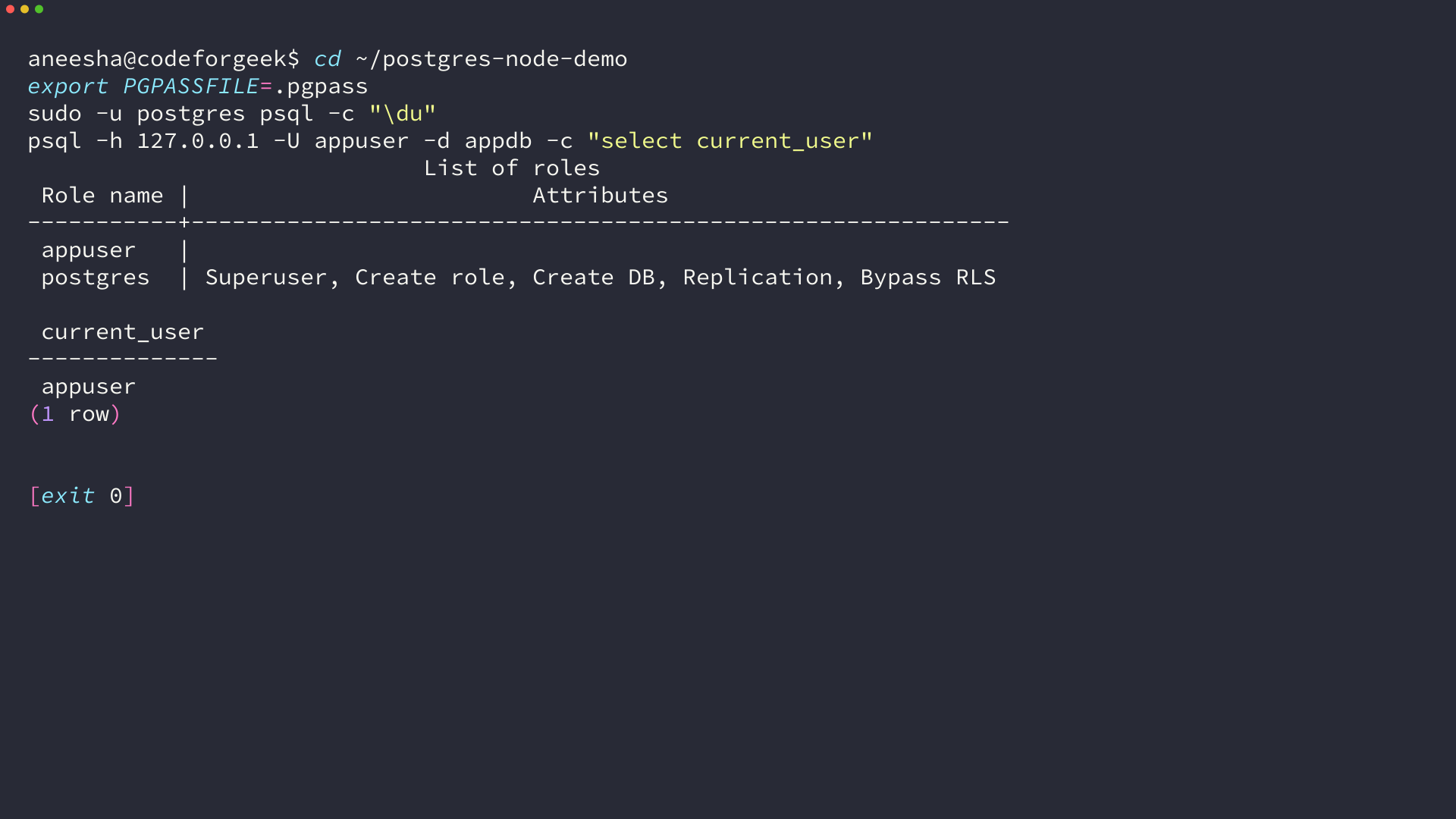
A .pgpass file keeps the password out of your shell history, and PostgreSQL ignores any .pgpass that another user can read. That is why the file is created with mode 600.
Why Node.js reports password authentication failed on Linux
Two authentication rules are already in place on this machine, and which one your client matches decides whether a password is consulted at all.
sudo grep -vE '^\s*#|^\s*$' /etc/postgresql/18/main/pg_hba.conf
local   all             postgres                                peer
local   all             all                                     peer
host    all             all             127.0.0.1/32            scram-sha-256
host    all             all             ::1/128                 scram-sha-256
local   replication     all                                     peer
host    replication     all             127.0.0.1/32            scram-sha-256
host    replication     all             ::1/128                 scram-sha-256
The local rows cover connections through the Unix socket in /var/run/postgresql, and peer means PostgreSQL takes the operating system user name from the kernel and compares it to the database role name. The host rows cover TCP connections to the loopback address, where scram-sha-256 demands a password.
A connection is checked against that file from the top down, and the first matching row decides the outcome. Every row after it is ignored for that connection.
node-postgres defaults PGHOST to localhost, so your program lands on the host rows. The postgres role has no password set on a fresh install, which is why a connection as postgres fails there.
SASL: SCRAM-SERVER-FIRST-MESSAGE: client password must be a string
That message comes from the client rather than the server. The server opened a SASL exchange and the client had no password string to send, because PGPASSWORD was never set.
What the socket route does instead
Pointing PGHOST at /var/run/postgresql moves the same program onto the peer route, and the role name PostgreSQL looks for is then your Linux user name. No Ubuntu install creates a role called ubuntu.
role "ubuntu" does not exist
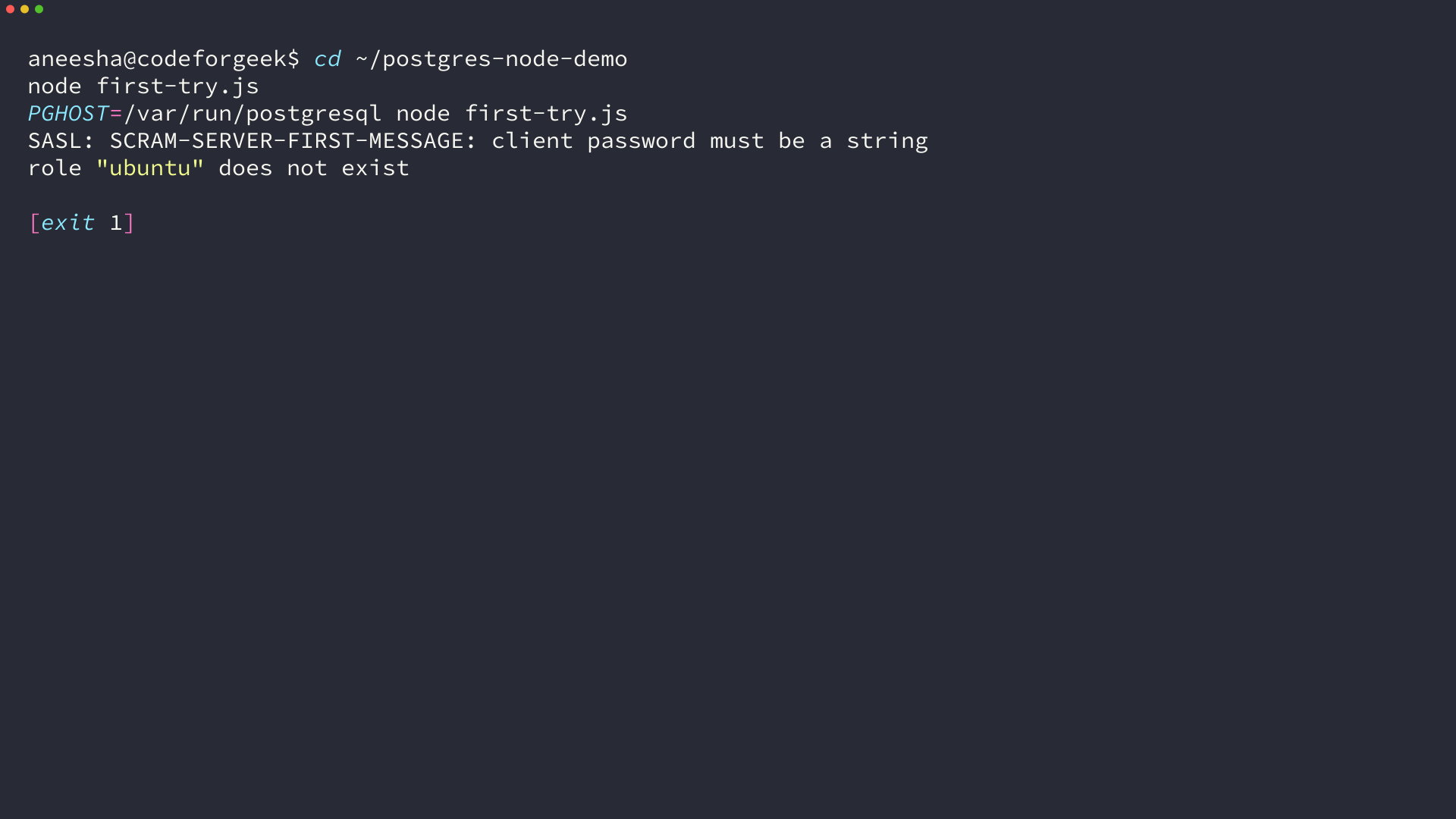
Both routes fail for the same missing role, and creating appuser with a password settles the TCP one. Leave PGHOST at 127.0.0.1, because the socket route keeps using peer.
A reload applies pg_hba.conf changes, and open connections survive it. The pg_ctlcluster command reloads one cluster by its version and name.
Reaching the server from another machine takes more than a password. The default listen_addresses setting is localhost, so nothing outside the machine can open a TCP connection until you change it and add a matching rule in pg_hba.conf.
Connect Node.js to PostgreSQL with the pg pool
node-postgres gives you two objects, and the choice between them decides how the program behaves once requests arrive at the same time.
mkdir postgres-node-demo && cd postgres-node-demo
npm init -y
npm install pg
npm install pg pulls the current release, which was 8.23.0 during this run. The package is pure JavaScript with no native build step.
If Node is not on the machine yet, start with the Node.js install guide for your platform.
PGHOST=127.0.0.1
PGPORT=5432
PGUSER=appuser
PGPASSWORD=replace-with-your-own
PGDATABASE=appdb
node-postgres reads the same environment variables libpq uses, so a pool built with no arguments picks up all five. Node loads that file itself with the –env-file flag, which removes the need for a separate configuration package.
- A pool for anything that serves concurrent requests, because it reuses open connections instead of completing a handshake for every query.
- A single client for a short script that runs a fixed sequence and exits.
- A pool plus an explicitly checked-out client when several statements have to share one connection.
A pool built with no arguments reads the environment, and passing the settings explicitly keeps the connection visible in the code.
const { Pool } = require('pg');

const pool = new Pool({
  host: process.env.PGHOST,
  port: Number(process.env.PGPORT),
  user: process.env.PGUSER,
  password: process.env.PGPASSWORD,
  database: process.env.PGDATABASE,
});

pool.on('error', (err) => {
  console.error('idle client error:', err.message);
});
The error handler is not optional in a long-running process. PostgreSQL and any load balancer in front of it close idle connections, and an unhandled error on an idle client ends the Node process.
Pool options worth setting early are max, idleTimeoutMillis and connectionTimeoutMillis. The default max is 10 per process, and every worker process you run multiplies that against the server’s max_connections.
Eight worker processes at the default max of 10 open up to 80 connections, and a fresh install allows 100 in total. Sizing the pool is arithmetic against the server rather than a guess.
connectionTimeoutMillis matters most when the database sits on another host. That value decides whether a request returns an error about a busy pool or hangs until the caller gives up.
Read and write rows with parameterized queries
One pool method covers nearly every statement, and it takes the values separately from the SQL text.
async function main() {
  await pool.query(`
    CREATE TABLE IF NOT EXISTS notes (
      id SERIAL PRIMARY KEY,
      body TEXT NOT NULL,
      created_at TIMESTAMPTZ NOT NULL DEFAULT now()
    )
  `);

  const inserted = await pool.query(
    'INSERT INTO notes (body) VALUES ($1) RETURNING id, body',
    ['first note']
  );

  const { rows } = await pool.query(
    'SELECT id, body, created_at FROM notes ORDER BY id'
  );

  console.log('inserted:', inserted.rows[0]);
  console.log('read back:', rows);
  await pool.end();
}

main().catch((err) => {
  console.error('failed:', err.message);
  process.exit(1);
});
The $1 marker is the reason to use this call rather than building the statement as a string. The driver sends the text and the values as two separate payloads, so a value containing a quote cannot change what the statement means.
PostgreSQL infers the parameter type from the statement, so a value bound for an integer column is parsed as an integer. When the inference is ambiguous, an explicit cast in the SQL text removes the doubt.
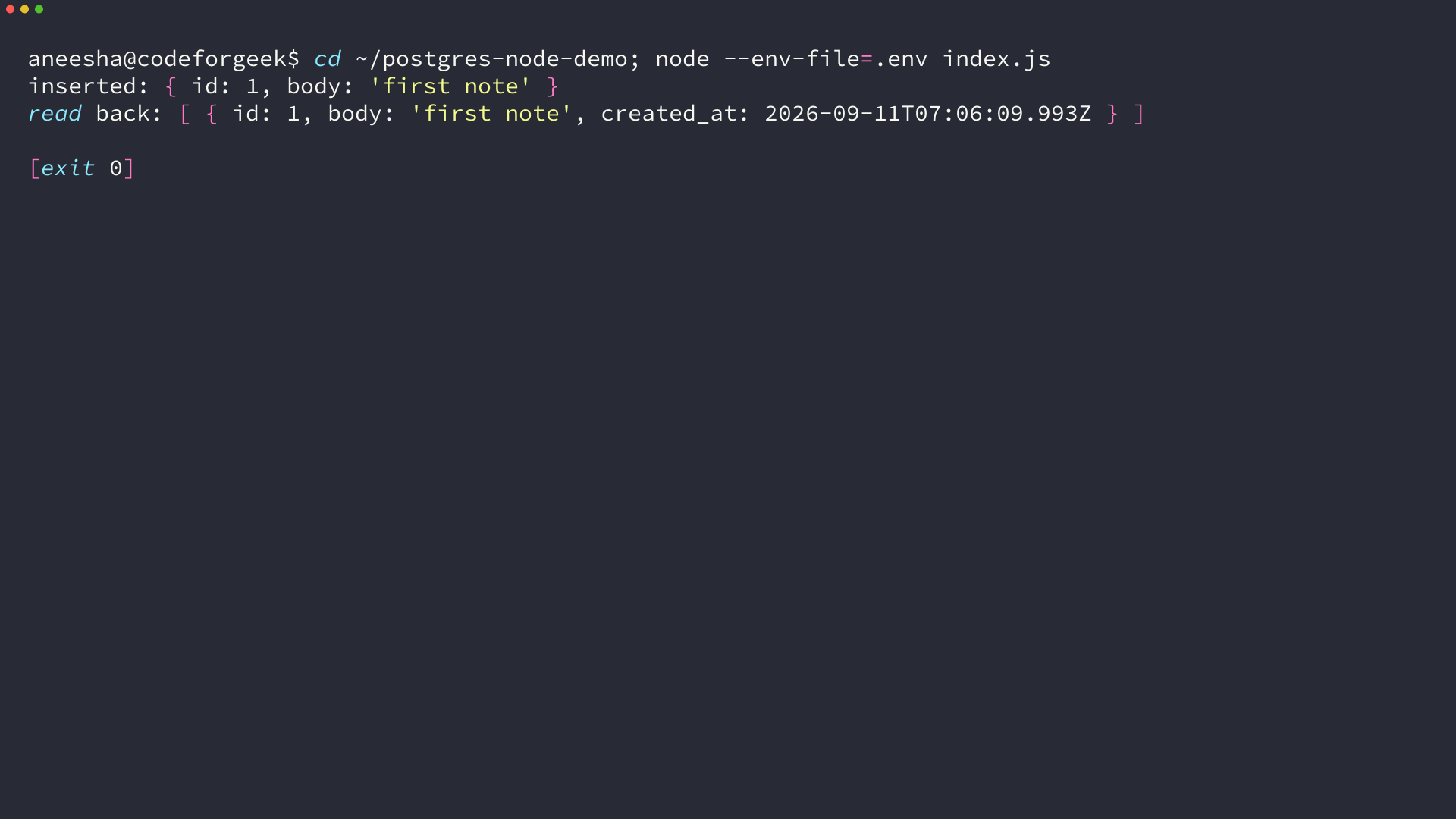
Every call returns a result object with rows, rowCount and fields, whether the statement selected anything or not. The process stays alive after the work finishes unless the pool is ended, because idle connections keep the event loop busy.
The rows themselves are plain JavaScript objects keyed by column name. A timestamp column arrives as a Date, a boolean arrives as a boolean, and a numeric column arrives as a string because PostgreSQL numerics hold more precision than a JavaScript number keeps.
Wrap related writes in a transaction
A pool can run each statement in a sequence on a different connection, which is fine until the sequence has to succeed or fail as one unit.
async function writeTwoRows(label, shouldFail) {
  const client = await pool.connect();
  try {
    await client.query('BEGIN');
    await client.query('INSERT INTO notes (body) VALUES ($1)', [`${label} one`]);
    await client.query('INSERT INTO notes (body) VALUES ($1)', [`${label} two`]);
    if (shouldFail) {
      throw new Error('simulated failure after the inserts');
    }
    await client.query('COMMIT');
    return 'committed';
  } catch (err) {
    await client.query('ROLLBACK');
    return `rolled back (${err.message})`;
  } finally {
    client.release();
  }
}
attempt 1: committed
attempt 2: rolled back (simulated failure after the inserts)
rows left behind: [ 'tx one', 'tx two' ]
The output shows the first pair committed and the second pair gone, because the rollback undoes everything since the BEGIN. Whatever was in the table before the failed write is still there afterwards.
Calling pool.query() with BEGIN, COMMIT and ROLLBACK around the same sequence does not work, because those statements can land on three different connections.
A checked-out client is a short-lived reservation rather than a workspace. The connection is unavailable to every other request until it is released, so anything slow that runs while a client is held stalls the rest of the application.
The release call in the finally block hands the connection back to the pool. Leave it out and the pool keeps handing out connections it never gets back, until every later query queues behind a connection that will never be returned.
Isolation stays at read committed unless you ask for something else, which means each statement sees rows committed before it started. Repeatable read is set per transaction, not per pool or per connection.
The connection errors you will hit, and what each one means
Four errors came out of the connection attempts during this run, and each one points at a different layer of the stack.
| Error text | Layer | Fix |
|---|---|---|
| SASL: SCRAM-SERVER-FIRST-MESSAGE: client password must be a string | Client | PGPASSWORD is unset or is not a string. Set it, or pass password in the pool options. |
| role “ubuntu” does not exist | Server, peer rule | The client is on the Unix socket with no matching role. Connect over TCP instead. |
| password authentication failed for user “appuser” | Server, scram rule | The password does not match the stored one. Reset it with ALTER ROLE. |
| connect ECONNREFUSED 127.0.0.1:5433 | Network | Nothing is listening on that address and port. Check the cluster port with pg_lsclusters. |
Each message names the layer that produced it. A client-side error means the connection settings are incomplete, a server-side error means the server rejected the identity, and a network error means the request never arrived.
A refused connection happens before any authentication, which is why that message names an address instead of a role. Running pg_isready against the same host and port tells you whether a server is there at all.
Everything above transfers to MySQL with a different module and a different default port, and the MySQL connection walkthrough covers where it differs. If you would rather not run a database server at all, SQLite needs no daemon and stores everything in a single file.