New to Rust? Grab our free Rust for Beginners eBook Get it free →
How to use TypeScript in NodeJS and ExpressJS Project

Express servers are written in JavaScript, and you can add type checking to one by writing it in TypeScript instead. The TypeScript compiler checks your code against the types you declare, then turns it into the JavaScript that Node.js runs.
In this piece, I’ll build one typed endpoint from a new project and show what its types don’t check at runtime.
What TypeScript changes in an Express project
TypeScript checks your source against declared types, then the compiler can emit JavaScript for Node.js to execute. Express still handles HTTP requests in JavaScript at runtime, so the setup has two distinct jobs: type-check and build the source, then run the generated server.
A type such as Request<{ name: string }> tells the compiler that this route expects a string parameter named name. It does not validate arbitrary request data sent by a client, so runtime validation remains a separate concern.
| Stage | What handles it |
|---|---|
| Type checks and JavaScript output | TypeScript compiler |
| HTTP routing and responses | Express running in Node.js |
Prerequisites for the tested setup
This setup uses Node.js, npm, TypeScript, Express 5 and the corresponding type packages. The tested runtime and package versions are recorded with the execution evidence, while the install command resolves current packages instead of copying old version numbers.
- Node.js with npm available in your shell.
- A terminal and a directory where you can create project files.
- Basic familiarity with JavaScript imports and HTTP routes.
Step 1: Build and run a typed Express endpoint
The project keeps TypeScript source and emitted JavaScript in separate directories, with the compiler’s root and output paths making that boundary explicit.
Step 1: Create the project and install packages
mkdir typescript-express
cd typescript-express
npm init -y
npm install express
npm install --save-dev typescript @types/node @types/express
Express is a runtime dependency because the server imports it when Node.js starts. TypeScript and the declaration packages are development dependencies because they are used to compile and check the source, not to execute the emitted JavaScript.
Step 2: Configure TypeScript output
Create tsconfig.json with a source root and a distinct build directory. The Node16 module mode uses Node’s package-aware CommonJS behavior here, while strict checking asks the compiler to reject values that do not match their declared types.
{
  "compilerOptions": {
    "target": "ES2022",
    "module": "Node16",
    "moduleResolution": "Node16",
    "rootDir": "src",
    "outDir": "dist",
    "strict": true,
    "esModuleInterop": true,
    "skipLibCheck": true
  },
  "include": ["src/**/*.ts"]
}
Current TypeScript releases no longer accept the old Node 10 module-resolution setting, so use a supported Node-aware mode rather than an obsolete configuration. The official TSConfig reference describes each compiler option and its effect.
Step 3: Add a route with a typed parameter
Place this handler in src/server.ts. The route parameter type narrows the expected shape of the value available to the handler, and the response type documents the string returned to the client.
import express, { Request, Response } from 'express';

const app = express();

app.get('/hello/:name', (req: Request<{ name: string }>, res: Response<string>) => {
  res.send(`Hello, ${req.params.name}`);
});

app.listen(3107, () => {
  console.log('Express server listening on port 3107');
});
Express places the URL segment after /hello/ in req.params.name, and the handler type describes expected source shape rather than runtime input.
Step 4: Add build and start scripts
Add these entries to the existing scripts object in package.json. The build command emits JavaScript into dist, and the start command launches the emitted entry point rather than asking Node.js to execute the TypeScript source.
"scripts": {
  "build": "tsc -p tsconfig.json",
  "start": "node dist/server.js"
}
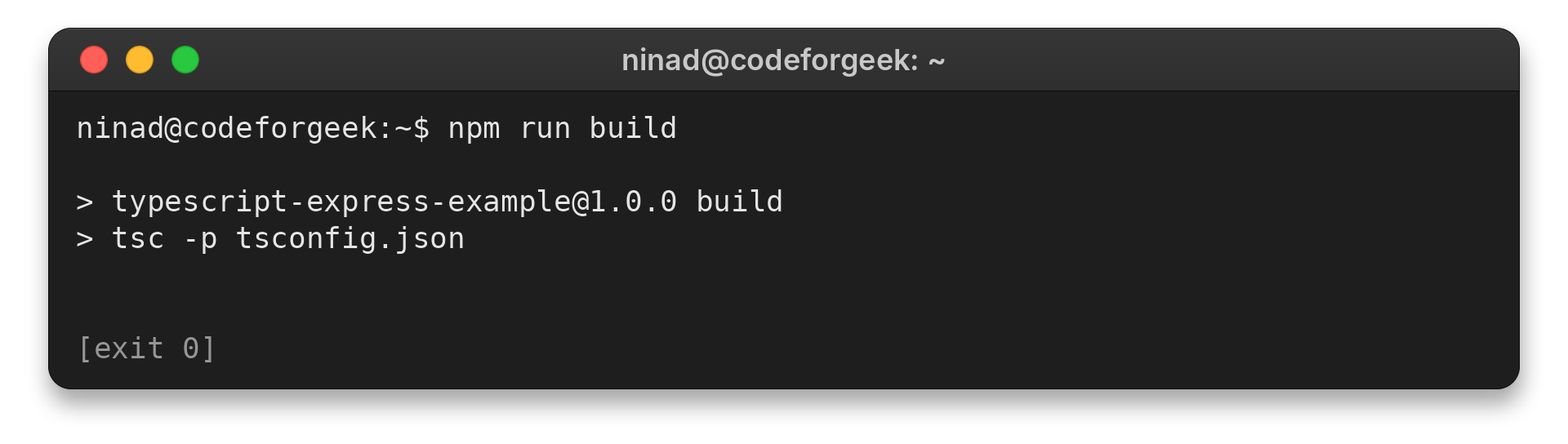
Run the build and start the server in separate terminal sessions. The compiler checks the source before it writes the output, while the running Express process handles the later HTTP request.
npm run build
npm start
Verify the build and HTTP response
The build completes when TypeScript reports no diagnostics and exits with status zero. I ran npm run build and saw no diagnostics.
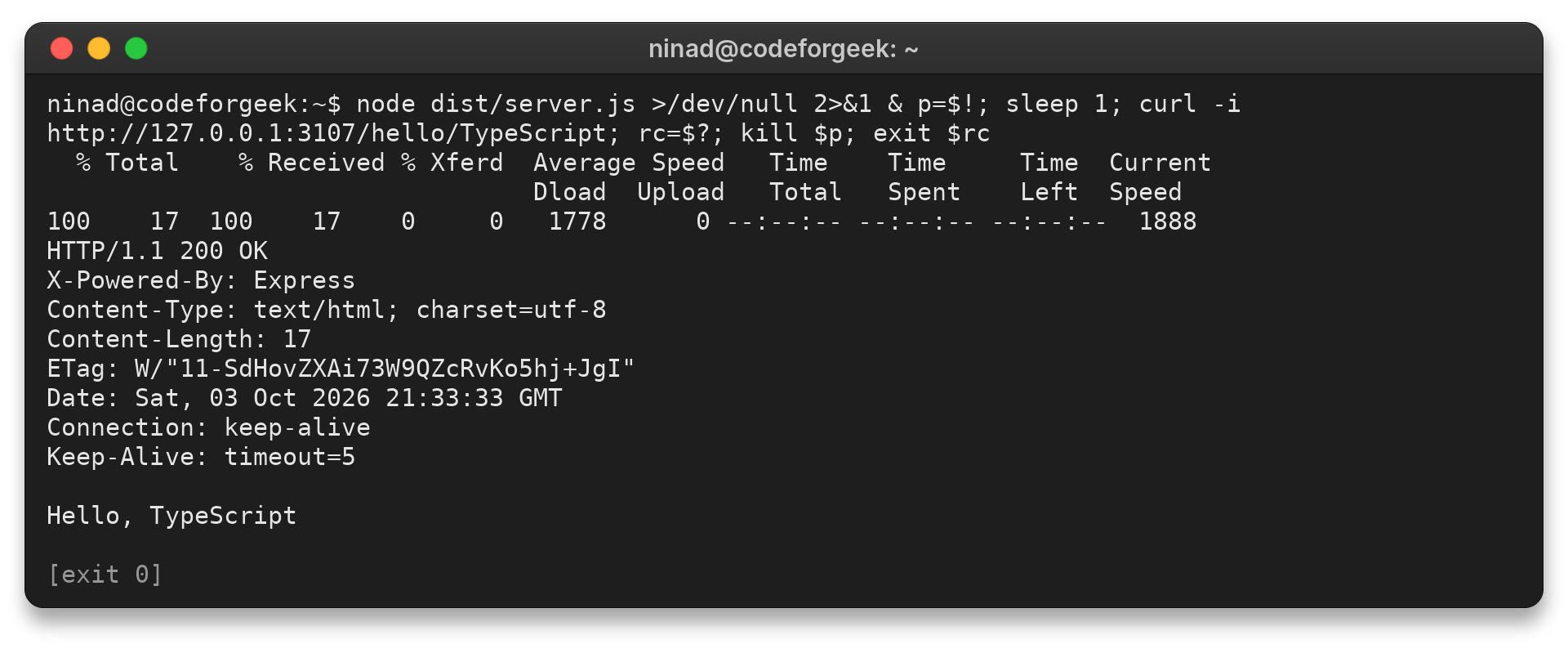
With the server running, request the route from another terminal. The response confirms the process serves the generated JavaScript through Express.
curl -i http://localhost:3107/hello/TypeScript
The request returned HTTP 200 and the body Hello, TypeScript in the executed test.
I ran the build and the HTTP request separately because their results answer different questions.
What the compiler cannot check at runtime
TypeScript types are removed from the emitted JavaScript, so they do not validate incoming HTTP data after the application starts. A typed route parameter helps catch mistakes in your source, but it is not a substitute for checking user-controlled values at runtime.
- Use compiler diagnostics to catch source-level type mismatches.
- Validate request bodies, query values and other untrusted input in the running application.
Node.js documents native TypeScript type stripping, while this example uses the compiler to check types and emit a separate build. The Node.js TypeScript documentation describes stripping’s limits, and the Express routing guide explains how handlers receive requests and send responses.
Keep the build output as the runtime boundary
Build first, then run the JavaScript that the compiler produced. That separation keeps type checking in the development step and leaves Node.js with an ordinary Express server to execute.
npm run build && npm start
TypeScript and Express questions
The setup questions below focus on the compiler/runtime split and the Express route behavior.
Does Express run TypeScript directly?
This setup compiles TypeScript to JavaScript with tsc, then Node.js runs the emitted JavaScript. Express handles the HTTP request in that Node.js process.
What does the Request type check in an Express route?
It describes the request shape that TypeScript expects in your handler source. It does not validate untrusted HTTP input at runtime, so validate external values separately when needed.
How do I compile a TypeScript Express project?
Configure the project in tsconfig.json, then run npm run build when the package script calls tsc -p tsconfig.json. Node.js can start the emitted entry point from the configured output directory.