New to Rust? Grab our free Rust for Beginners eBook Get it free →
Extract Live News with Mediastack API

A reader searching for a particular story needs a way to narrow a news feed by topic. The Mediastack API returns JSON news records that a Node.js application can request with keywords and other filters.
This article explains how to build that request and turn its results into a useful news list.
TL;DR
Fetch Mediastack news from Node.js with a server-side key, encoded filters, and checks for both HTTP and API errors.
- The news endpoint returns JSON records with article metadata.
- Keep the access key in your server environment, not browser code.
- Use pagination metadata and plan limits when requesting more results.
What does the Mediastack API return?
Mediastack exposes a REST endpoint: a client requests news over HTTP and receives JSON, a text format JavaScript parses into objects.
The official API documentation covers live and historical requests, with pagination details and a data array shown in its US news API example.
| Record field | How an application can use it |
|---|---|
| title | Display a headline |
| description | Show a short summary when present |
| url | Link to the source article |
| source | Label the publisher |
| image | Show an image when the value is usable |
| published_at | Display or sort by publication time |
| country, language, category | Describe the record’s feed metadata |
Records can omit descriptions or images, so make those fields optional and escape text in the rendering framework.
A news feed can group records by source or category.
For a US technology feed, the sample uses country and language filters.
How to fetch Mediastack news with Node.js
Node.js includes fetch, so this example sends one request and parses the returned JSON as an ES module.
Use a Mediastack access key and Node.js 18 or later, which includes fetch. The project below stores the key in the shell and reads it in the request script.
Step 1: Check Node.js and create a project
Node.js runs JavaScript outside a browser. Check the runtime before using its built-in fetch support.
node --version
The captured output is v26.7.0. That runtime includes fetch.
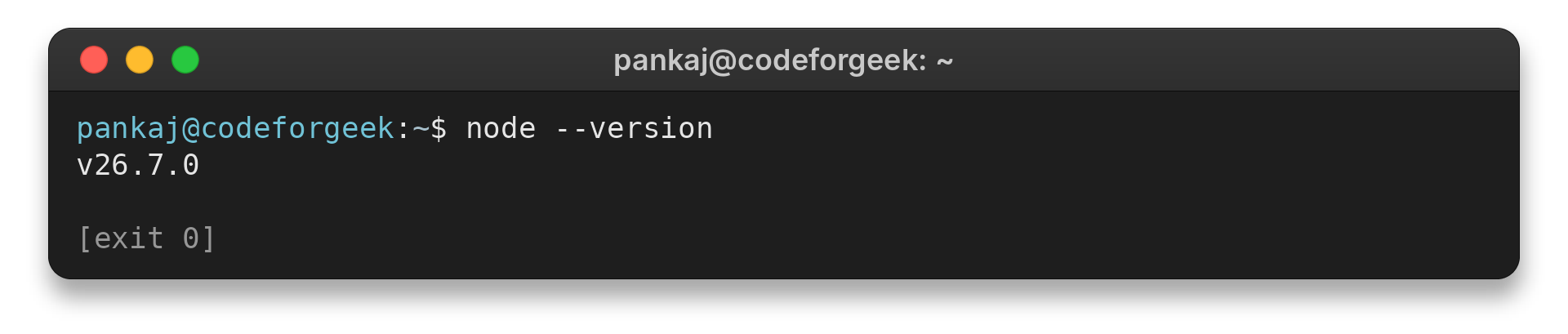
v26.7.0
Create a project directory for the script.
mkdir mediastack-demo
cd mediastack-demo
The second command makes the project directory the working directory for the later run command.
Step 2: Store the API key outside source control
Replace the placeholder locally before running the script.
export MEDIASTACK_ACCESS_KEY='your_access_key'
For a frontend, send filter choices to a backend that reads the key from server-side secret configuration.
Step 3: Build the request with URLSearchParams
Save the program as mediastack_news.mjs and use URLSearchParams to encode spaces and punctuation in a keyword.
const baseUrl = 'https://api.mediastack.com/v1/news';
const accessKey = process.env.MEDIASTACK_ACCESS_KEY;

if (!accessKey) {
  console.error('Set MEDIASTACK_ACCESS_KEY before running this example.');
  process.exitCode = 1;
} else {
  const params = new URLSearchParams({
    access_key: accessKey,
    keywords: 'technology',
    countries: 'us',
    languages: 'en',
    limit: '5'
  });

  try {
    const response = await fetch(`${baseUrl}?${params}`);
    const payload = await response.json();

    if (!response.ok) {
      console.error(`HTTP ${response.status}`);
      console.error(JSON.stringify(payload));
      process.exitCode = 1;
    } else if (payload.error) {
      console.error(JSON.stringify(payload.error));
      process.exitCode = 1;
    } else if (!Array.isArray(payload.data)) {
      console.error('The response did not include a data array.');
      process.exitCode = 1;
    } else {
      console.log(`HTTP ${response.status}`);
      console.log(`Articles returned: ${payload.data.length}`);
      for (const article of payload.data) {
        console.log(`${article.published_at ?? 'No date'} | ${article.source ?? 'Unknown source'} | ${article.title ?? 'Untitled'}`);
      }
    }
  } catch (error) {
    console.error(error.message);
    process.exitCode = 1;
  }
}
This request sends a topic, country, language, and result count alongside the key.
The access key travels in the request query string.
Step 4: Check the response and read article data
Before reading records, the program checks the HTTP status, provider error object, and data field type.
Without a key, the script stops before making a network request. I ran this guard and confirmed that it prints the configuration message.
Set MEDIASTACK_ACCESS_KEY before running this example.
exit=1
With a key configured, run the file from the same shell. Network, JSON parsing, HTTP, and provider errors each reach the script’s error handler.
node mediastack_news.mjs
The run covers the missing-key guard only. A live request needs an access key.
A connection failure has no HTTP response, while a provider error can appear in the response body.
Handle filters, pagination and API errors
The table summarizes the parameters used in this example.
| Parameter or field | Purpose | What to check |
|---|---|---|
| keywords | Match news to a topic | How multiple terms are combined |
| countries | Restrict coverage by country | Valid country codes and parameter name |
| languages | Restrict language | Supported language codes |
| categories | Filter by news category | Allowed category names |
| limit and offset | Control result size and page position | Default and maximum page size |
| data | Array of returned news records | Validate before iterating |
An empty data array can mean the selected filters matched no available records.
When results span several pages, read the returned pagination metadata and track the page or offset already requested.
The pricing page lists the free tier at 100 calls per month. It also lists delayed data and non-commercial use, so check plan terms before deployment.
The CodeForGeek guide to fetching data from a REST API in Node.js covers other request and response options. Its node-fetch guide is useful for projects that need that package, while this example relies on built-in fetch.
Restrict a production backend route to this API operation rather than proxying arbitrary URLs.
Frequent page refreshes can use a plan’s monthly allowance quickly. Cache results for a short period when freshness requirements permit, and avoid requesting the same page repeatedly for each component in the interface.
Try one broad query first, then add a country or category restriction. Remove one filter at a time if the result becomes empty.
Before displaying a record, validate its URL and keep the API response separate from HTML rendering. A URL supplied by a news record should be treated as external input, and the page should show a safe link destination rather than inserting provider text as raw markup.
Choose how the interface handles duplicate headlines and repeated requests in the application layer.
For diagnostics, record the request time, filter set, and sanitized error, without credentials.
Request another slice only when needed, and stop after the desired range.
How to search for a specific news story
Choose search terms from the story task, then widen them when the feed returns too few matches. A headline may name a person, event, place, or legal proceeding, while the API record contains only the publisher’s title and metadata.
Consider four example queries a news reader might need: a political reaction, an arts event, a local crime report, or a court hearing. These are distinct subjects, so one broad word such as news cannot reliably separate them.
- For a political response, combine the public figure’s name with the issue, then add another distinctive name if results are broad.
- For an arts event, pair the event name with its performer, then try a venue or phrase from the event title.
- For a local crime report, combine the location and incident type, then add a region or agency.
- For a court proceeding, start with the court and case subject, then try a hearing or filing term.
These examples explain query construction, not verified news coverage. A keyword request is a retrieval hint, not a guarantee that Mediastack carries a particular publisher or story.
Begin with a phrase that names the intended subject. If no records match, remove one term and try again. Each change tests a specific part of the query.
How to turn results into a useful news list
Render a compact list from fields that identify the story and lead the reader to its publisher. Treat descriptions and images as optional because a record can be incomplete.
Use the title as the visible link text, but check that the URL uses an allowed scheme and host policy before making it clickable. Keep the source label and publication time nearby so readers can judge who published the item and when.
| Field | Display decision | Fallback |
|---|---|---|
| title | Primary link label | Skip records with no usable title |
| url | Publisher destination | Do not create a link if invalid |
| source | Publisher attribution | Show a neutral unknown-source label |
| published_at | Time context | Show no date when absent |
| description | Optional summary | Omit the summary |
| image | Optional thumbnail | Use a layout without an image |
Do not put provider text into raw HTML. Framework text interpolation escapes content in common server-rendered views, while an explicit sanitizer is needed if an application deliberately accepts HTML.
Keep the API response as data until the presentation layer decides what to show. That separation lets the interface handle a missing summary without confusing it with a failed request.
Plan for freshness, duplicates, and incomplete coverage
Plan terms, filters, and available sources set a feed’s freshness and coverage. Check Mediastack’s documentation before promising live coverage. Build around the plan your application will use.
Mediastack’s pricing page lists the free tier as delayed and limited to non-commercial use, with 100 calls per month. Check the plan terms before building a production commitment around them.
Different headlines can describe the same event across publishers. The API documentation does not promise deduplicated records.
- Keep the publisher URL and source with each record so a reader can open the original reporting.
- Use a stable application key such as normalized URL when suppressing repeated records locally.
- Do not collapse records based on headline text alone, since two reports can use similar wording.
- Record the request filters and time when troubleshooting missing or stale results.
Pagination increases request volume, so fetch another page only when the interface needs it. A short cache can reduce repeat calls when the user task permits a delay, but the cache lifetime should follow the product’s freshness requirement.
When the feed misses an expected item, compare the exact keyword, country, language, category, date range, and plan access. Change one filter at a time so the cause is visible instead of replacing the full request with a guess.
Conclusion
A Node.js script can request news records and narrow results with filters.
Read the Mediastack API documentation and plan details before deployment.
FAQ
These answers cover setup and deployment questions for a Node.js integration.
Does Mediastack return article HTML?
No. The endpoint returns structured news data as JSON, including fields such as title, description, URL, source and publication time. Fetch the publisher’s URL for the full article.
Can I put the Mediastack access key in frontend JavaScript?
Do not put a private API key in browser code. Route requests through your backend and keep the key in a server-side secret configuration.
Why can a request return no articles?
The filters may not match available records, the date range may be empty, or the plan may not include the requested data. Check the HTTP status, any API error object and the current documentation before treating an empty array as a failure.