New to Rust? Grab our free Rust for Beginners eBook Get it free →
Can You Still Install the Atom Editor on Ubuntu 14.04?


The Atom .deb on GitHub looks like a way to install the editor on Ubuntu 14.04. I wanted to find out whether that route still works.
Look at the repository behind the old Ubuntu instructions to see why that recipe is stale. That will put the page you came to follow in context.
Atom is archived, so the old repository recipe is stale
You can still download an archived Atom .deb, but there is no maintained Atom installation path for Ubuntu 14.04. Whether it installs depends on the package architecture and libraries available from trusted repositories, and it receives no Atom security fixes.
GitHub announced the Atom sunset for December 15, 2022, and marks the repository read-only. Check Ubuntu support and the package’s declared dependencies before opening an installer.
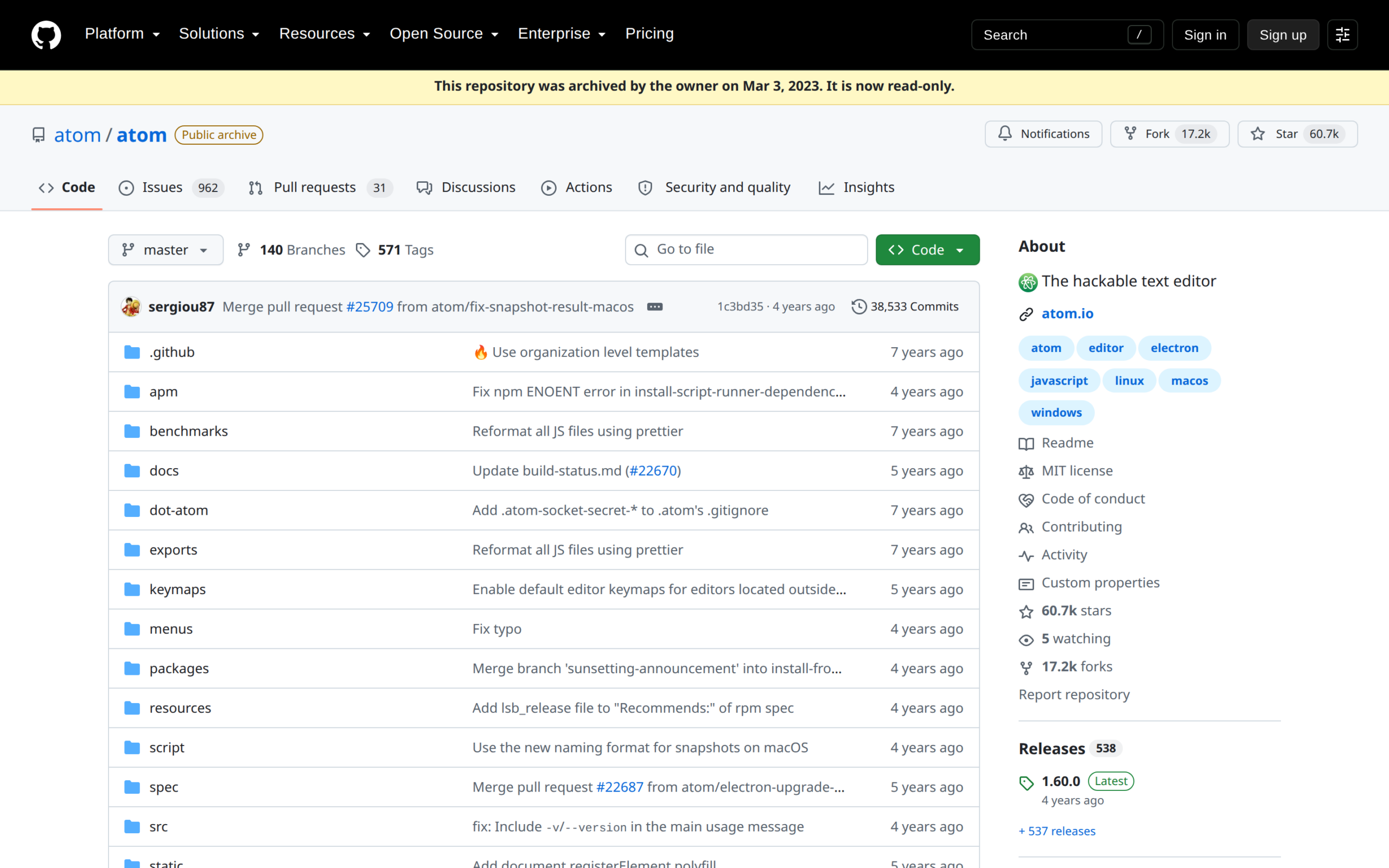
Check the release package before using it
Ubuntu 14.04 left standard security maintenance in April 2019. Canonical’s lifecycle table lists separate Ubuntu Pro and Legacy add-on coverage, so check that this machine is enrolled before treating its operating system as covered.
The official Atom release file is for amd64, or 64-bit x86, and it declares minimum library versions. A matching filename alone does not show that your Ubuntu repositories can satisfy those dependencies.
| Check | What the release shows | Why it matters |
|---|---|---|
| Operating system support | Ubuntu 14.04 standard maintenance ended in 2019 | An old editor package does not restore OS security updates |
| Architecture | The inspected Atom package is amd64 | The package architecture must match the computer |
| Dependencies | The package requires libnss3 version 2:3.22 or newer, among other libraries | The configured Ubuntu sources must provide compatible versions |
Inspect the archived Atom package
Use GitHub’s Atom releases page as the source for any archived Linux package. The release page lists an amd64 .deb, so stop if your system uses a different architecture.
Step 1: Check the Ubuntu support status
Before downloading Atom, check the Ubuntu release-cycle table for your release and any coverage attached to the machine. Ubuntu 14.04 is outside standard maintenance, even though Canonical lists an optional Legacy add-on period.
Step 2: Download the matching .deb from GitHub
Open the official release page and choose the Linux .deb only if its architecture matches your system. Avoid third-party download mirrors, since the archived project no longer publishes a maintained package channel.
Step 3: Read the package metadata
Inspect the downloaded file before asking Ubuntu to install it. I ran dpkg-deb against the official release package, and it reports version 1.60.0 for amd64 with libnss3 version 2:3.22 or newer.
dpkg-deb -f atom-amd64.deb Package Version Architecture Depends
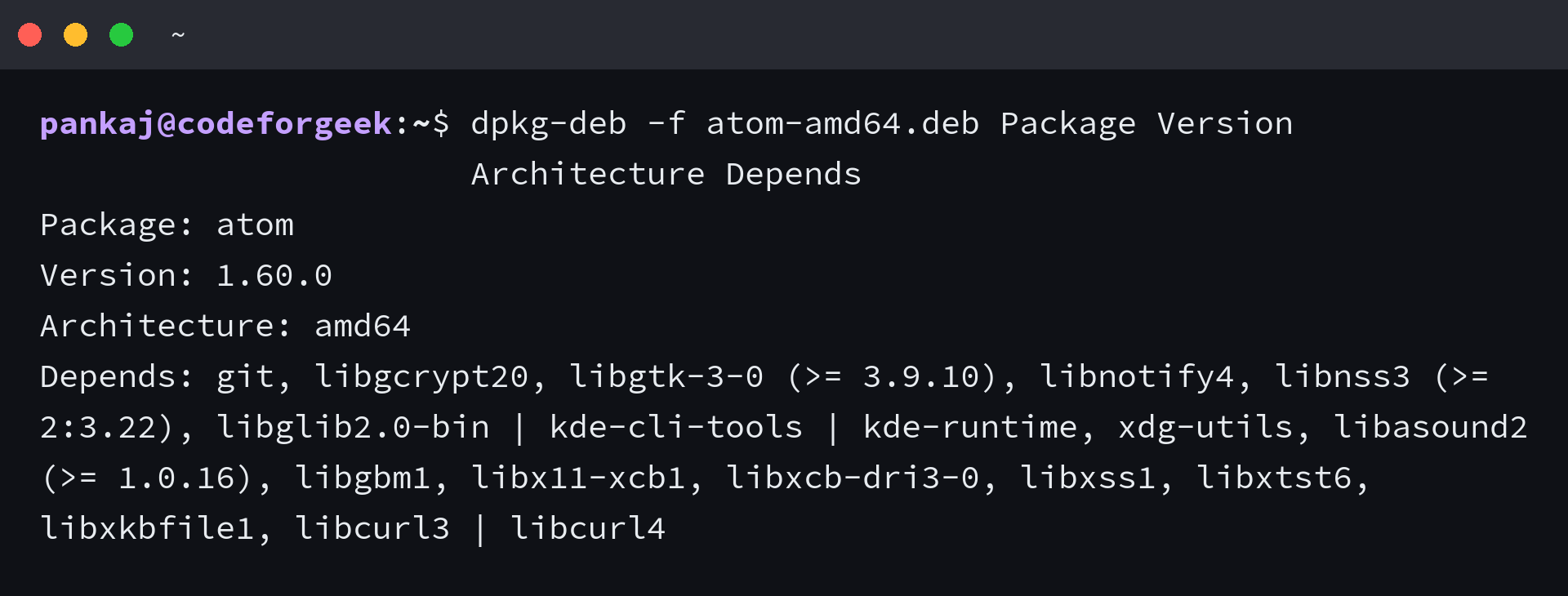
This command reads the .deb control fields without installing it. If the package manager cannot resolve a required library from trusted Ubuntu sources, cancel the installation instead of forcing the package or adding an unverified repository.
Only proceed through your system package installer when the architecture matches and every dependency can be resolved. A successful install still leaves Atom without project maintenance or security fixes.
Why Ubuntu 14.04 needs a separate decision
The old PackageCloud Atom package-index URL returned HTTP 402 instead of repository metadata, so the Advanced Package Tool (APT) cannot refresh its package list from that source.
A standalone .deb contains one package, while an APT repository provides the metadata used for package installation and later updates.
- If the package architecture differs from your computer, do not try to force it.
- If a required library is unavailable for Ubuntu 14.04, stop rather than install it from an unknown source.
- If the Atom repository returns an error, do not leave it enabled and treat a failed package index as a usable update channel.
Upgrade before choosing an editor
Do not use Ubuntu 14.04 as a connected workstation just because an Atom .deb remains online. Move the operating system onto a supported release first, then choose an editor that still receives fixes.
Run this command on your system to identify its Ubuntu release, then match that result against Canonical’s support table.
lsb_release -a
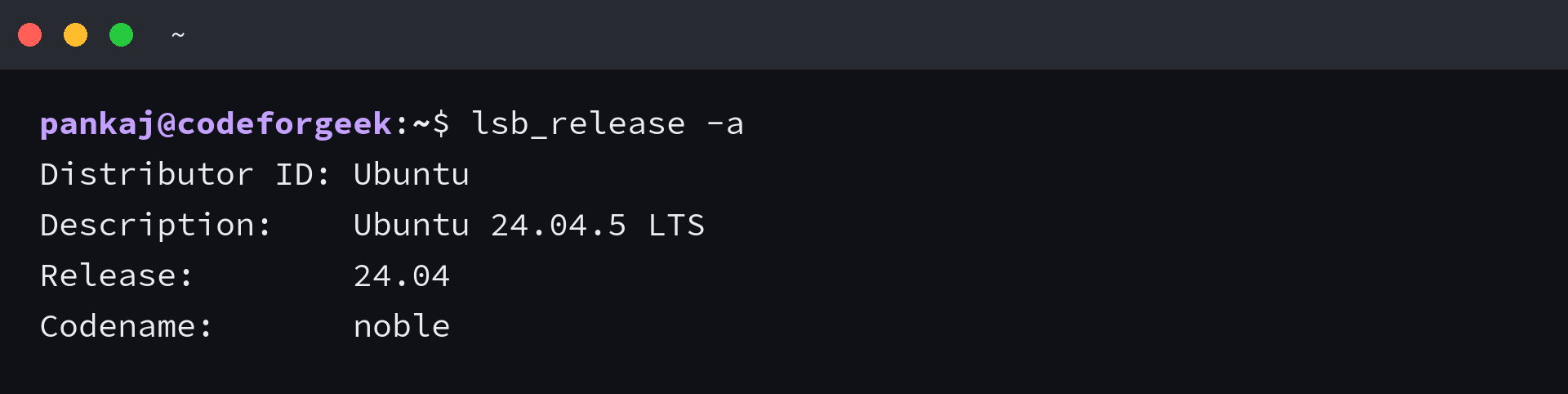
After the upgrade, use CodeForGeek’s Ubuntu setup checklist for follow-up tasks. Atom cannot extend Ubuntu’s security coverage, so move the operating system first if the machine will stay online.
Atom installation questions
Ubuntu supports the operating system separately from the software installed on it.
Does Ubuntu Pro provide updates for Atom?
No. Ubuntu Pro covers the operating system according to its plan. It does not restart maintenance for the archived Atom project.
Does installing the Atom .deb add an APT repository?
No. A downloaded .deb is a standalone package and does not configure an Atom APT source. It cannot deliver later Atom package updates by itself.