New to Rust? Grab our free Rust for Beginners eBook Get it free →
Set Up an Nginx Reverse Proxy for a Node.js App on Linux

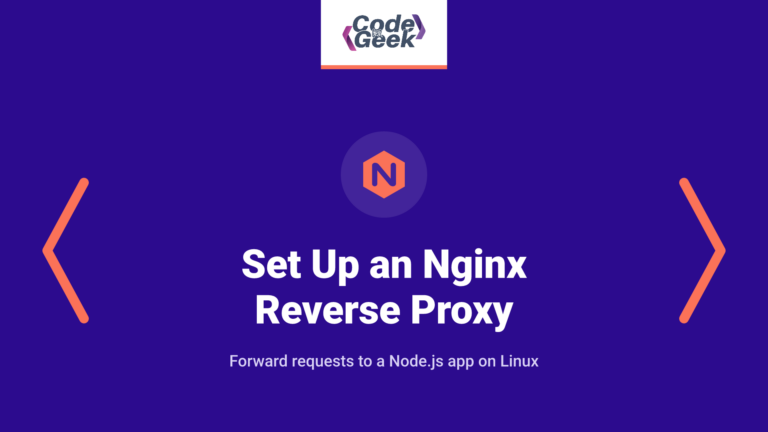
The `curl` response shows `Host: example.com` and `X-Forwarded-Proto: http` after the request passes through Nginx. I find the forwarded headers useful because they make that handoff visible in the app’s response.
Follow the `example.com` request through Nginx to Node. See what changes before the app responds.
What Nginx changes in front of a Node.js app
A reverse proxy receives a request for an application, sends it to an upstream server, then returns that server’s response to the client. Here Nginx accepts the public request while Node listens on a separate port on the same Linux host, so the app can stay off the public listener.
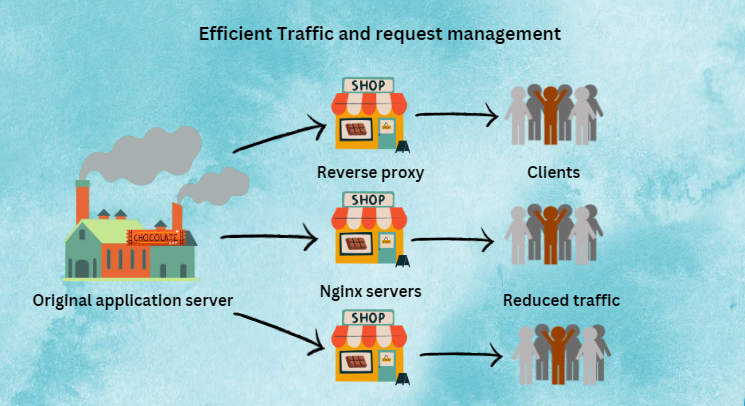
A service manager, not Nginx, restarts Node if the process exits. This block sends requests to one upstream.
This example uses the standard Nginx reverse-proxy directives. If you add response caching later, our Nginx caching guide covers that separate job.
What you need before configuring Nginx
The short example assumes that Nginx and Node.js run on one Linux host, and that Nginx owns the public HTTP listener. If Nginx is not installed, follow your distribution’s installation instructions first.
- Nginx is installed, and you can edit the active server configuration with administrator privileges.
- Node.js is installed, and the app can listen on a private port such as 3100.
- The app and Nginx share a host, so 127.0.0.1 points to the same machine for both processes.
- Your hostname resolves to the Nginx host, or you can test against localhost before changing DNS.
Ubuntu’s Nginx installation guide shows its package and service setup. A hosting panel may generate its own virtual-host files, so edit through that panel’s supported route rather than replacing a generated configuration.
Set up the Nginx reverse proxy
Keep the application listener separate from Nginx’s public listener. Because both processes share one host, Node can bind to 127.0.0.1:3100 while Nginx listens on port 80.
Step 1: Run a Node.js server on loopback
This small HTTP server returns its request path and proxy headers, so the response shows which process received the request. It binds to loopback, which keeps the application port off the public network when Nginx and Node share the host.
'use strict';

const http = require('node:http');

const host = '127.0.0.1';
const port = 3100;

const server = http.createServer((request, response) => {
  response.writeHead(200, { 'content-type': 'text/plain; charset=utf-8' });
  response.end([
    'Application: Node.js HTTP server',
    `Request path: ${request.url}`,
    `Host: ${request.headers.host}`,
    `X-Forwarded-For: ${request.headers['x-forwarded-for']}`,
    `X-Forwarded-Proto: ${request.headers['x-forwarded-proto']}`
  ].join('\n') + '\n');
});

server.listen(port, host, () => {
  console.log(`Node.js listening at http://${host}:${port}`);
});
Save the file as server.js, then start it in a terminal. Leave that process running while you configure Nginx.
node server.js
The process stays in the foreground so you can see startup errors, and Nginx can reach it only on this host.
Step 2: Add a proxy location to the active server block
Put this block in the Nginx configuration loaded for your hostname. Replace example.com with that hostname, and keep the upstream port aligned with the Node server.
server {
    listen 80;
    server_name example.com;

    location / {
        proxy_pass http://127.0.0.1:3100;
        proxy_http_version 1.1;
        proxy_set_header Host $host;
        proxy_set_header X-Real-IP $remote_addr;
        proxy_set_header X-Forwarded-For $proxy_add_x_forwarded_for;
        proxy_set_header X-Forwarded-Proto $scheme;
    }
}
On Ubuntu and Debian, Nginx site files commonly use the sites-available and sites-enabled layout described in the distribution’s installation guide.
Because Nginx forwards the hostname and original request details in the Host and X-Forwarded headers, the app can build absolute URLs or record the client scheme. Trust these values only from Nginx.
Step 3: Test the configuration, then reload Nginx
Validate the full Nginx configuration before applying it to the systemd service.
sudo nginx -t
sudo systemctl reload nginx
A syntax pass says Nginx can parse its files, but it does not prove that the upstream is listening or answers through the selected hostname. The next request checks whether that server block reaches Node.
Step 4: Verify the request through Nginx
Send a request to Nginx with the hostname configured in server_name, then read the response body to confirm it reached the Node.js process.
curl -i -sS -H 'Host: example.com' http://127.0.0.1/
I ran the request through Nginx and got HTTP 200 from Node. I tested /api too, and Node received that path with example.com in Host and http in X-Forwarded-Proto.
Fix a 502 or a route that does not match
Node can return a 404 when the request reaches the app but no route handles the URI, while an Nginx 502 means its upstream request failed. Check the Nginx error log first, because it names the failed upstream request.
| What you see | What to check first | What it means |
|---|---|---|
| 502 Bad Gateway and a log entry saying connection refused while connecting to upstream | Check that Node is running at the same address and port as proxy_pass. | Nginx could not open a connection to the upstream. A stopped app or port mismatch can cause this response. |
| The Nginx welcome page | Check DNS, server_name, and whether the edited server block is enabled. | The request reached Nginx, but another server block handled the hostname. |
| Node responds with “Cannot GET /api” | Check the request path and the route defined by the app. | The request reached Node, but the application did not handle that URI. |
| Node receives /items instead of /api/items | Compare the location prefix with the URI at the end of proxy_pass. | Nginx replaces a matching location prefix when proxy_pass includes a URI. |
I stopped Node to test the failure path. The same request returned HTTP 502, and Nginx logged connection refused while connecting upstream, unlike the route-level “Cannot GET /api” response.
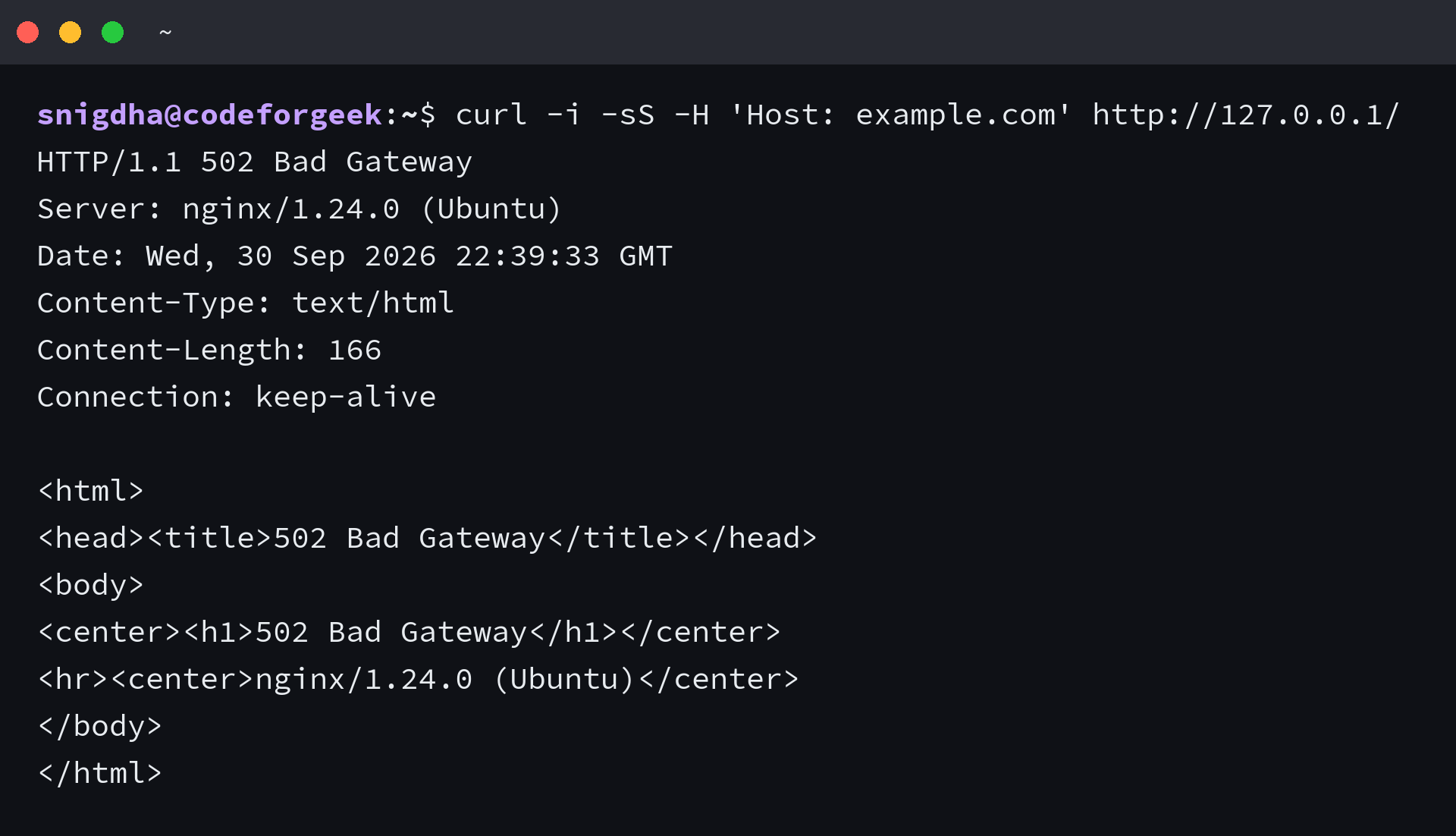
The Nginx error log records the upstream address and connection error, while the proxy_pass documentation explains how a location maps the request URI.
Keep the Node.js port off the public interface
Binding to 127.0.0.1 works only when Nginx and Node run on the same host. The example exposes Nginx on port 80 and leaves Node on a loopback address.
- Allow public traffic only on the Nginx ports your site needs.
- Add a separate TLS server block before serving sensitive traffic over the public network. This HTTP example does not configure HTTPS.
- Run Node under a service manager so it starts after a reboot. Nginx forwards requests but does not supervise the app process.
After this single upstream works, our Nginx load-balancing guide covers routing across multiple Node.js servers. Keep that as a separate step because this server block names one upstream address.
Let Nginx own the public request
Nginx should answer for the hostname while Node stays on loopback. After changing the server block, test the route again before moving traffic to it.
curl -i -sS -H 'Host: example.com' http://127.0.0.1/
Nginx reverse proxy questions
A single upstream handles this route, while traffic distribution and HTTPS require separate configuration decisions.
Can Nginx proxy to more than one Node.js process?
Yes, but this server block points to one upstream address. To distribute requests, define an Nginx upstream group with multiple Node.js servers and test that configuration separately.
Can Node.js run on a different host from Nginx?
Yes. Replace 127.0.0.1 with a private address that Nginx can reach, then restrict access to the Node.js port so it is not open to untrusted clients.
Does this Nginx configuration enable HTTPS?
No. It listens on HTTP port 80 only, so add and test a TLS server block before serving public traffic over HTTPS.