New to Rust? Grab our free Rust for Beginners eBook Get it free →
Getting Started with RethinkDB and Node.js

RethinkDB is a JSON document database with a query API and changefeeds, so your program can receive a matching row change instead of repeatedly asking whether data changed. You can start with one local server, one Node.js connection, and a table that holds a task.
Start RethinkDB locally
Run the database before you run the Node.js program. RethinkDB documents port 28015 for client drivers and port 8080 for its administrative interface.
Start the server
The official Docker image gives you an isolated local server when Docker is available. Keep this process running while you execute the Node.js examples in another terminal.
docker run --rm -p 8080:8080 -p 28015:28015 rethinkdb
Open http://localhost:8080 to inspect the server, tables, and query results. For another installation route, use the RethinkDB installation documentation rather than copying package names from an old operating-system tutorial.
Install the Node.js driver
Create an empty project directory, then add the JavaScript driver. The driver builds query terms in JavaScript and sends them over the connection you open next.
npm init -y
npm install rethinkdb
Connect and write one document
The sample creates the tasks table only when it is absent, then inserts one document and looks it up by its generated id. That conditional table creation makes repeated runs safe, while the generated key gives the read step a specific document to request.
const r = require('rethinkdb');

r.connect({ host: '127.0.0.1', port: 28015 }, (connectError, connection) => {
  if (connectError) throw connectError;

  r.db('test').tableList().run(connection, (listError, tables) => {
    if (listError) throw listError;

    const create = tables.includes('tasks')
      ? Promise.resolve({ tables_created: 0 })
      : new Promise((resolve, reject) => {
          r.db('test').tableCreate('tasks').run(connection, (error, result) => {
            if (error) reject(error);
            else resolve(result);
          });
        });

    create.then(() => {
      r.table('tasks').insert({ title: 'Ship the demo', done: false }).run(connection, (insertError, insertResult) => {
        if (insertError) throw insertError;
        r.table('tasks').get(insertResult.generated_keys[0]).run(connection, (readError, task) => {
          if (readError) throw readError;
          console.log(JSON.stringify(task));
          connection.close();
        });
      });
    });
  });
});
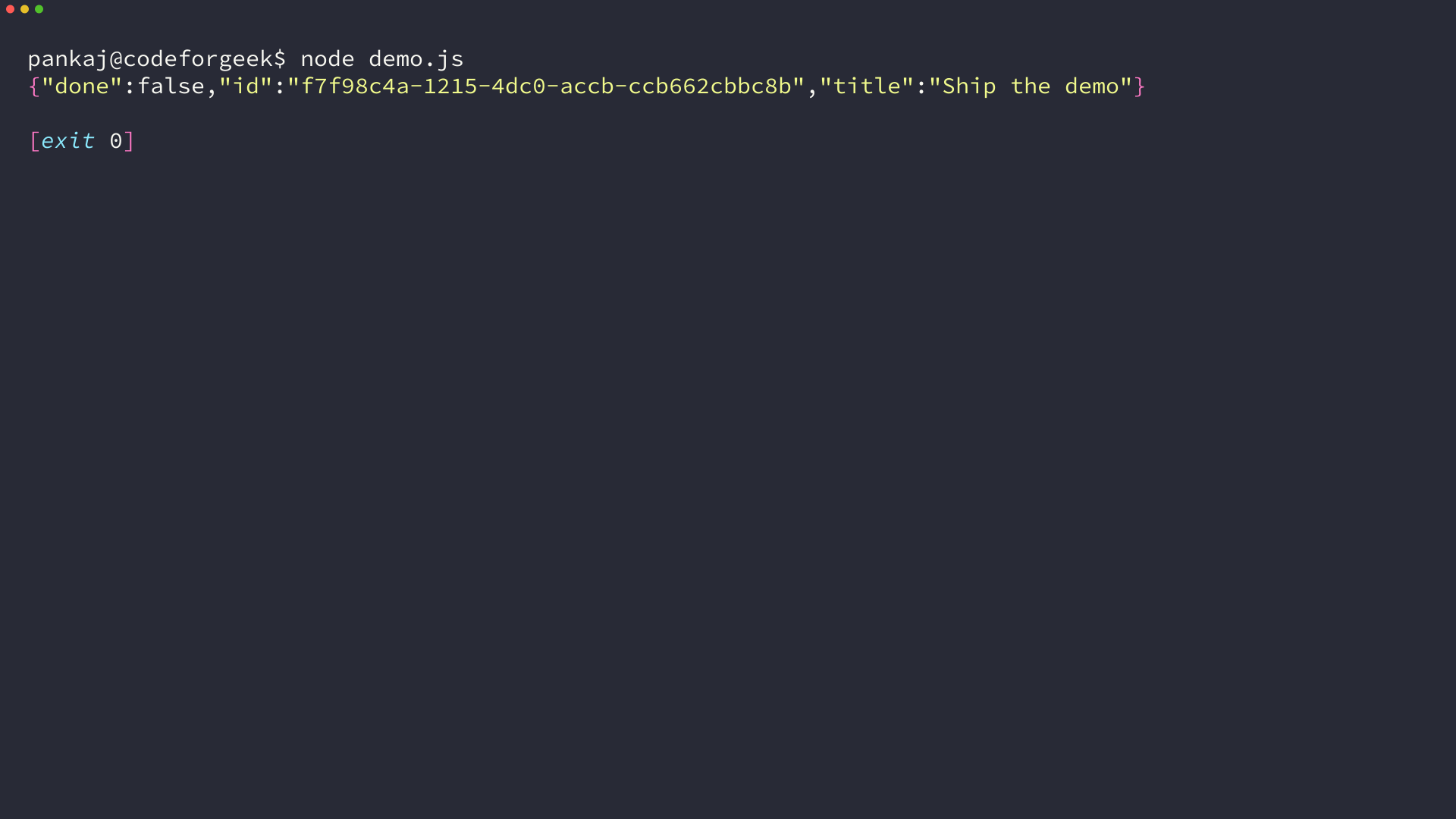
Save the file as demo.js and run node demo.js. I ran this program with Node.js 26.7.0 and rethinkdb 2.4.2, and the terminal output below records the inserted task and its generated id.
Understand the connection boundary
A successful driver install does not start a database server, so if port 28015 is not listening, fix the server process or connection settings before changing the query code.
Subscribe with a changefeed when your UI needs updates
Unlike a standard read, a changefeed keeps a cursor open and emits changes for a live task list or notification service that must react after a document changes.
const r = require('rethinkdb');

r.connect({ host: '127.0.0.1', port: 28015 }, (feedConnectError, feedConnection) => {
  if (feedConnectError) throw feedConnectError;

  r.table('tasks').changes().run(feedConnection, (feedError, cursor) => {
    if (feedError) throw feedError;

    cursor.next((nextError, change) => {
      if (nextError) throw nextError;
      console.log(JSON.stringify(change));
      cursor.close();
      feedConnection.close();
    });

    r.connect({ host: '127.0.0.1', port: 28015 }, (writeConnectError, writeConnection) => {
      if (writeConnectError) throw writeConnectError;
      r.table('tasks').insert({ title: 'Changefeed event', done: false }).run(writeConnection, (insertError) => {
        if (insertError) throw insertError;
        writeConnection.close();
      });
    });
  });
});
The first connection owns the feed, and the second inserts the document that triggers it. This avoids closing the feed cursor while its connection is still handling a write, and the printed change contains a new_val object for the inserted task.
Use the RethinkDB changefeed documentation when you need a filtered feed or need to handle deletes and updates. A feed can run for as long as the connection stays open, so close it when the client no longer needs updates.
Know the boundaries before you use it
RethinkDB stores documents, but it does not turn a database change into a browser update by itself. Your server must receive the feed event and decide how to deliver it to connected clients.
Do not collect a changefeed into an array as if it were a finite query result. It is an open stream, so define who owns the cursor, what ends it, and what happens when a client reconnects.
Next move
Replace the sample task with one document from your application, then run the write example before adding a filtered changefeed. The RethinkDB JavaScript guide covers additional queries once the connection, table, and document lifecycle are clear.