New to Rust? Grab our free Rust for Beginners eBook Get it free →
Online UTF8 Decode Instantly: Base64 Text


A Base64 value that represents text can be hard to read. The online UTF8 decoder turns it into readable text when its bytes use UTF-8, a way to represent text with bytes.
I’ll explain what UTF-8 decoding means and show how to use the online decoder.
TL;DR
Use the online UTF8 decoder for Base64 text that contains UTF-8 bytes: paste the complete Base64 string, select Decode UTF8, then read the output box.
- Base64 turns bytes into printable characters, while UTF-8 maps text to bytes.
- A successful decode depends on both the Base64 input and the byte-to-text encoding being correct.
- Use the online Base64 decoder for other Base64 formats, such as URL-safe data.
What Does UTF-8 Decoding Mean?
UTF-8 decoding turns byte sequences into Unicode characters.
| Layer | What it represents | Example job |
|---|---|---|
| Unicode | Characters as code points | Identifies the character 世 |
| UTF-8 | Text encoded as one or more bytes | Represents Unicode text as bytes |
| Base64 | Bytes represented with a text-safe alphabet | Transports those bytes through text fields |
The sample below is a Base64 value whose UTF-8 text reads “Hello, 世界”. The two non-ASCII characters demonstrate why the byte-to-text step matters.
SGVsbG8sIOS4lueVjA==
The W3C character-encoding guide explains how code points differ from encoded bytes. UTF-8 names the standard, while UTF8 is a common shorthand in tool labels and search queries.
Base64 carries no indication of which text charset to use. Check the source format’s documentation when choosing a character decoder.
This also differs from URL percent-encoding. A percent escape writes a byte with a percent sign and two hexadecimal digits. For example, %E4%B8%96 represents the UTF-8 bytes for 世.
| Representation | What it means | Next check |
|---|---|---|
| Base64 | Printable encoding of bytes | Recover the bytes first |
| Percent escape | Byte shown as % followed by hexadecimal digits in a URL | Use URL percent-decoding, then interpret bytes |
| Unicode escape | Code point written in a form such as \\u4e16 | Parse as a Unicode escape, not Base64 |
| UTF-8 | Byte encoding for Unicode text, with one to four bytes per character | Decode the bytes with UTF-8 rules |
Some visible symbols are formed from multiple code points, and the same character can have composed or decomposed forms. If text looks visually similar but differs in comparisons, inspect the code points and normalization requirements of the application that produced it.
How to Use the Online UTF8 Decoder
The embedded tool has one input box, one output box, a Decode UTF8 button and a Clear All button. Use it when your source gives you standard Base64 whose decoded bytes represent UTF-8 text.
Step 1: Copy the complete Base64 value
Copy the encoded value from its source, including any trailing equals signs.
When a value comes from a log or API response, copy only the field contents. If a JSON string contains backslash escapes, parse the JSON before copying its value.
Step 2: Paste it into Encoded Input
Paste the complete value into Encoded Input. The live page snapshot shows the tool trimming outer whitespace before decoding, but it does not document support for every alphabet or multiline input. Keep the copied value intact and avoid relying on undocumented cleanup.
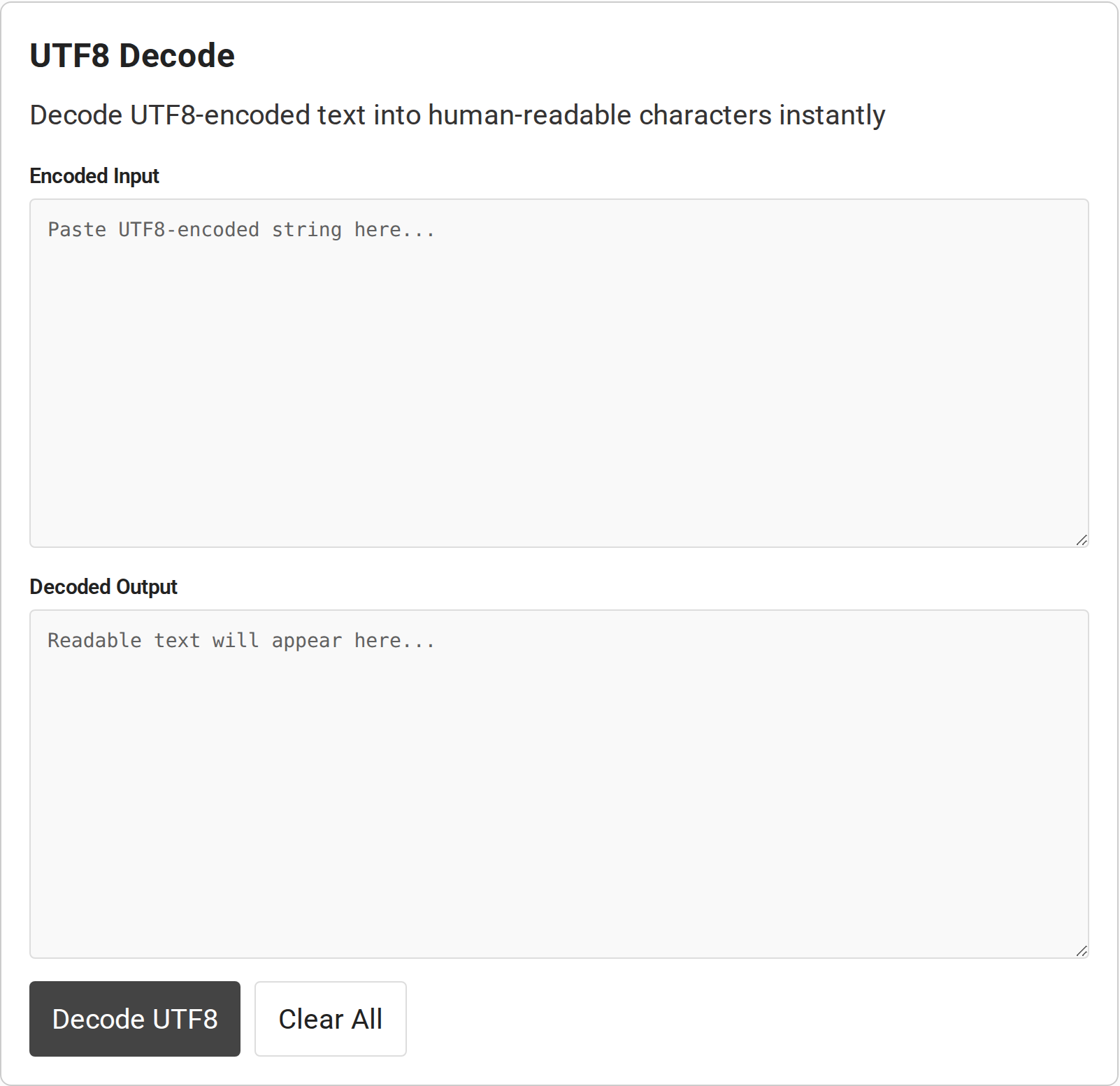
The interface labels the source field Encoded Input and the result field Decoded Output. The output is read-only in the page markup, so copy the result elsewhere if you need to edit it.
The decode button runs after you paste the value and select it. If the output field remains blank, check that the input is not empty and that the button action completed. The Clear All control resets both boxes for the next value.
Step 3: Decode and check the result
Select Decode UTF8. For the sample shown above, the expected text is “Hello, 世界”. The result should display as text, not as a sequence of Base64 characters.
I ran the following Node.js example with a strict UTF-8 decoder. It converts one Base64 sample into bytes, decodes those bytes, then escapes non-ASCII characters so the output stays legible in a text-only terminal.
const encoded = "SGVsbG8sIOS4lueVjA==";
const bytes = Buffer.from(encoded, "base64");
const text = new TextDecoder("utf-8", { fatal: true }).decode(bytes);
console.log(text.replace(/[^\x20-\x7e]/g, (character) => {
  return `\\u${character.codePointAt(0).toString(16).padStart(4, "0")}`;
}));
Run it with Node.js from a file named utf8_decode_demo.js:
node utf8_decode_demo.js
Hello, \u4e16\u754c
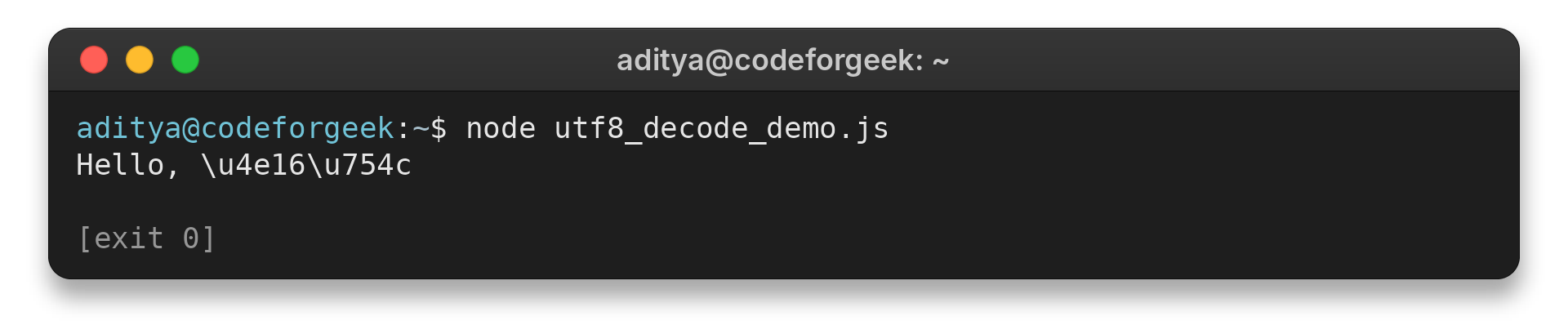
The escapes stand for the two Unicode characters in the sample and are a terminal display choice, not the decoded text’s actual appearance. The MDN atob() reference notes that its result is a binary string representing bytes. TextDecoder turns bytes into text, and fatal mode rejects malformed UTF-8 rather than substituting replacement characters.
Step 4: Copy the text or clear the fields
Copy the decoded text from Decoded Output for the next task. Select Clear All before entering a different value so the previous input and result do not get confused with the new decode.
The output is a read-only text area, so select and copy its result before pressing Clear All, which empties both fields.
Common Errors When Decoding Base64 as UTF-8
Unreadable output usually means a mismatch in the Base64 alphabet, the bytes, or the text encoding. Identify which layer is wrong before trying another decoder.
| Symptom | Likely cause | What to check |
|---|---|---|
| Invalid-character error | Copied punctuation or URL-safe Base64 characters | Compare the input alphabet with the decoder’s supported format. Use a Base64URL-capable decoder for hyphen and underscore. |
| Decode fails near the end | Truncated value or missing padding where required | Copy the full value. Some formats allow omitted padding, so do not add equals signs blindly. |
| Text contains � or garbled symbols | Bytes are malformed UTF-8 or use another charset | Inspect the bytes as hex and confirm the source’s character encoding. |
| Output looks like random bytes | Base64 represented binary data, not text | Use a byte or file decoder that matches the data type. Do not treat arbitrary bytes as a message. |
| Input begins with data: | Copied a full data URL instead of its Base64 payload | Check for a recognized data URL prefix and pass only its Base64 segment to a tool that expects bare input. |
A file payload may show control characters or replacement symbols in a text box. Use a hex view to inspect bytes, then choose a format-specific tool.
When a decode returns an empty field or a short fragment, compare the pasted value with the original source before repeating the operation. A decoder can process only the characters it receives. A successful click cannot restore data that was missing when copied.
Anyone who can read a Base64 value can decode it, so do not treat it as a way to protect passwords, keys or private messages. Avoid pasting sensitive values into a web page unless you have checked its data-handling terms and are comfortable with them.
Conclusion
Read the format label next to an encoded value before choosing a decoder, then check the displayed result before reusing it. Keep the original value until the receiving application accepts the decoded text.
For another Base64 workflow, use CodeForGeek’s online Base64 decoder. To encode text in the reverse direction, use the UTF8 encode tool.
The WHATWG Encoding Standard and MDN’s TextDecoder reference document the decoding behavior and supported options.
FAQ
These answers cover the distinction between text encoding and Base64 data that causes common decoding mistakes.
Is UTF-8 the same as Base64?
No. UTF-8 maps Unicode text to bytes, while Base64 represents bytes using printable characters. A Base64 value can contain UTF-8 bytes, but the formats do different jobs.
Why does atob() return strange characters for UTF-8 text?
atob() returns a binary string whose code units represent decoded bytes. Decode those bytes with a UTF-8 decoder such as TextDecoder to display non-ASCII text correctly.
Can I decode a Base64URL value with this tool?
The page snapshot documents the standard atob() path and does not document Base64URL support. Values using hyphen or underscore may need a decoder that explicitly accepts the URL-safe alphabet.
Does Base64 protect private data?
No. Base64 is an encoding, not encryption. Do not use it to keep a secret from someone who can read the value.
What do equals signs at the end of Base64 mean?
Equals signs are padding in a standard Base64 value. They mark an incomplete final group after the bytes are encoded. Some formats permit omitted padding, so do not add or remove it unless the source format allows that change. If a decoder rejects the value, compare it with the complete original rather than changing its final characters by trial and error.
Can I decode a partial Base64 value?
Use the complete value from its source. A truncated input can leave an unfinished Base64 group or cut through a UTF-8 byte sequence, so the tool may return an error or text that does not match the source. Recover the missing characters instead of guessing the suffix. If the source explicitly uses an unpadded variant, follow that format’s rules.
Will the tool display emoji?
It can display emoji when the original text was encoded as UTF-8 and the Base64 input is valid for this decoder. A different byte encoding or invalid sequence can produce an error or replacement characters.