New to Rust? Grab our free Rust for Beginners eBook Get it free →
8 Best terminal apps for a faster developer workflow in 2026

I spend more hours inside terminal apps than in any other piece of software I own, and the default one that ships with your OS is rarely the best choice anymore. Between Rust-based renderers, AI command agents and multiplexers that survive a dropped SSH connection, 2026 has more genuinely different terminal apps than any year I can remember. Here are the eight I actually use or have tested enough to recommend, refreshed with newer names like Warp, Ghostty and Zellij that older roundups still miss.
Windows Terminal: The default terminal app for Windows developers
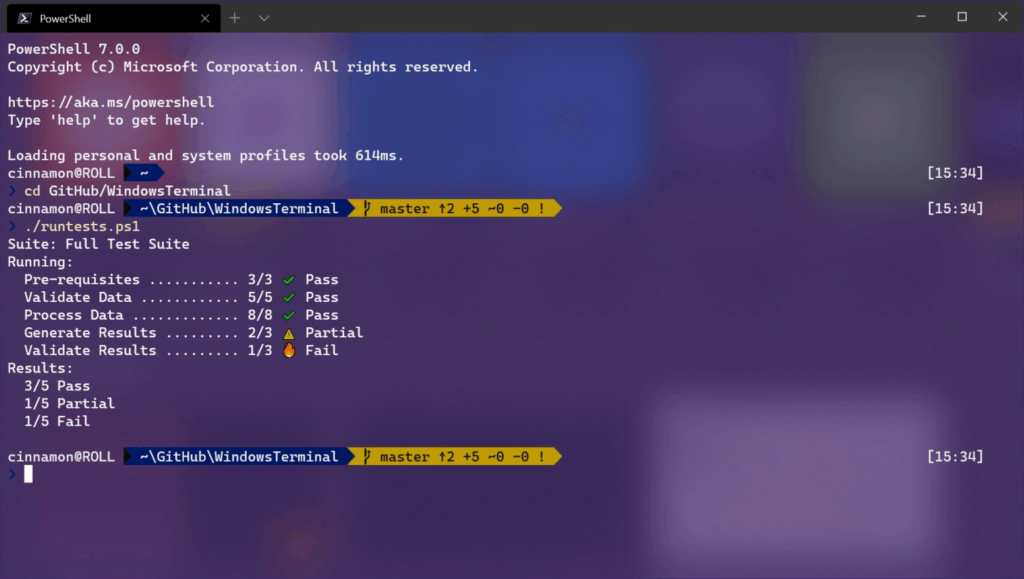
Windows Terminal ships free from Microsoft and is open source on GitHub. It runs PowerShell, Command Prompt and WSL distros as tabs inside one GPU-accelerated window.
The feature I use daily is quake mode, a hotkey that drops a terminal down from the top of the screen without switching windows. It’s also usually the first window I open to check which Node version I’m building against before starting anything else.
Best for: Windows and WSL developers who want a free, native upgrade over Command Prompt.
Pros:
- Free and open source
- GPU-accelerated rendering through DirectX
- Runs PowerShell, Command Prompt and WSL in one window
- Built-in quake-style drop-down mode
Cons:
- Windows only
- Settings require editing a JSON file, no GUI
- No built-in AI assistant or SSH manager
iTerm2: Still the macOS standard
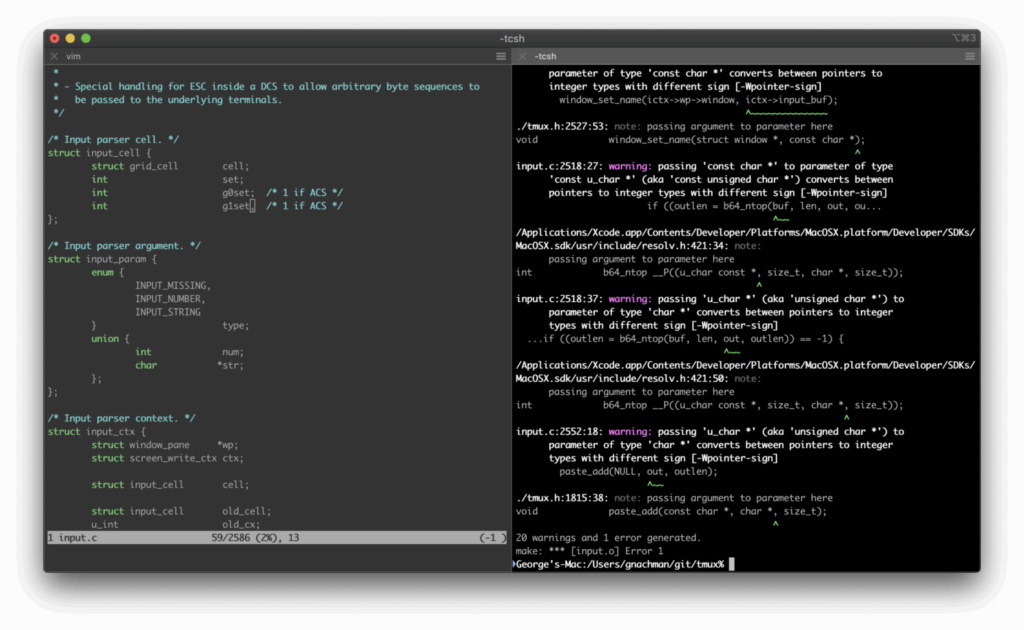
iTerm2 remains free and open source, and it’s still the terminal most Mac developers reach for over the stock Terminal app.
Split panes are the reason. Dividing a single tab into a grid of shells means you can edit in one pane, tail logs in another and run a dev server in a third.
Its search is unusually good at finding text you scrolled past minutes ago, and Shell Integration adds command status marks in the left margin so you can jump straight to the last failed command.
Best for: macOS developers who live in split panes and need fast scrollback search.
Pros:
- Free and open source
- Split panes for real multitasking
- Fast, reliable scrollback search
- Shell Integration marks failed commands
Cons:
- macOS only
- Hasn’t added major new capabilities recently
- No built-in AI features
Warp: The terminal app built around an AI agent
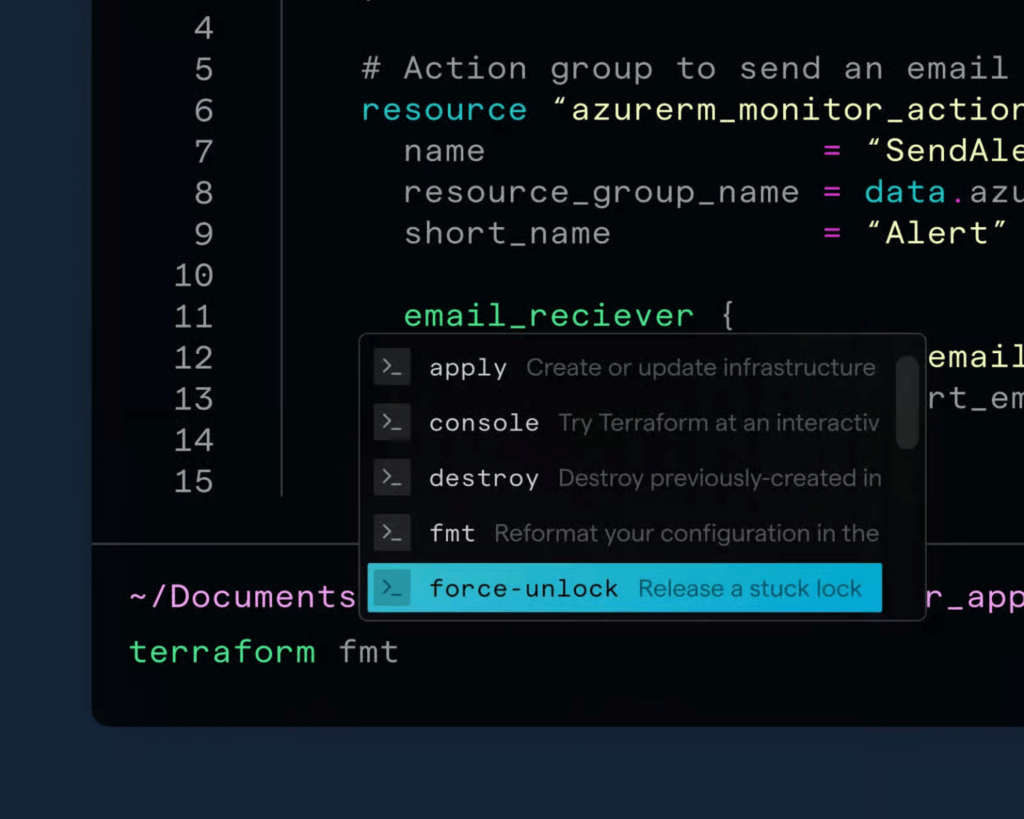
Warp is a Rust-based terminal that treats commands and their output as editable blocks instead of a stream of text. You can copy, rerun or share one command’s output without scrolling past everything around it.
The AI Agent is the real draw. Describe what you want in plain English and it writes the command, explains an error or works through a multi-step task with your approval, similar to how GitHub Copilot works inside an editor.
Warp’s terminal stays free forever on Windows, Mac and Linux. The free plan includes a small AI credit allowance, and paid plans start at $20 a month for more credits plus support for bringing your own API key.
Best for: developers who want an AI agent embedded directly in their command line.
Pros:
- AI agent writes and explains commands
- Block-based command and output history
- Cross-platform on Windows, Mac and Linux
- Terminal features stay free forever
Cons:
- AI usage needs a paid plan or your own API key
- Requires an account sign-up
- Collects telemetry by default
- Prompts route through Warp’s servers unless you connect your own API key
Ghostty: The fastest-growing terminal in 2026
Ghostty is the newest name on this list and the reason this roundup needed a refresh. It was built by Mitchell Hashimoto, the developer behind Vagrant and Terraform.
It’s free, open source and designed to need almost no configuration. Install it and the defaults already include Nerd Font support, sensible keybindings and GPU-accelerated rendering through Metal on macOS or OpenGL on Linux.
Platform support is the tradeoff. Ghostty is officially macOS and Linux only, with no supported Windows build yet, though community forks exist if you want to experiment.
Best for: Mac and Linux developers who want speed without spending time on configuration.
Pros:
- Free and open source
- Works well with zero configuration
- GPU-accelerated rendering
- Built by a well-known open source maintainer
Cons:
- No official Windows build yet
- Newer project with a smaller community
- Fewer built-in integrations than Warp
WezTerm: For developers who script their terminal
WezTerm is a Rust-based terminal that runs on Windows, macOS and Linux. It configures entirely through Lua instead of a settings GUI or JSON file.
That sounds like more work than it is. The default config is usable out of the box, and Lua only becomes relevant once you want conditional logic like different color schemes per machine.
It also ships a built-in multiplexer, so you get persistent panes and tabs without installing tmux separately. WezTerm sits in a useful middle spot: more configurable than Ghostty and less opinionated than Warp.
Best for: developers who want to script and version-control their terminal configuration.
Pros:
- Free and open source
- Cross-platform on Windows, Mac and Linux
- Built-in multiplexer
- Lua config for real scripting logic
Cons:
- Lua has a learning curve
- No GUI settings panel
- No built-in AI features
Zellij: A terminal multiplexer that teaches you as you go
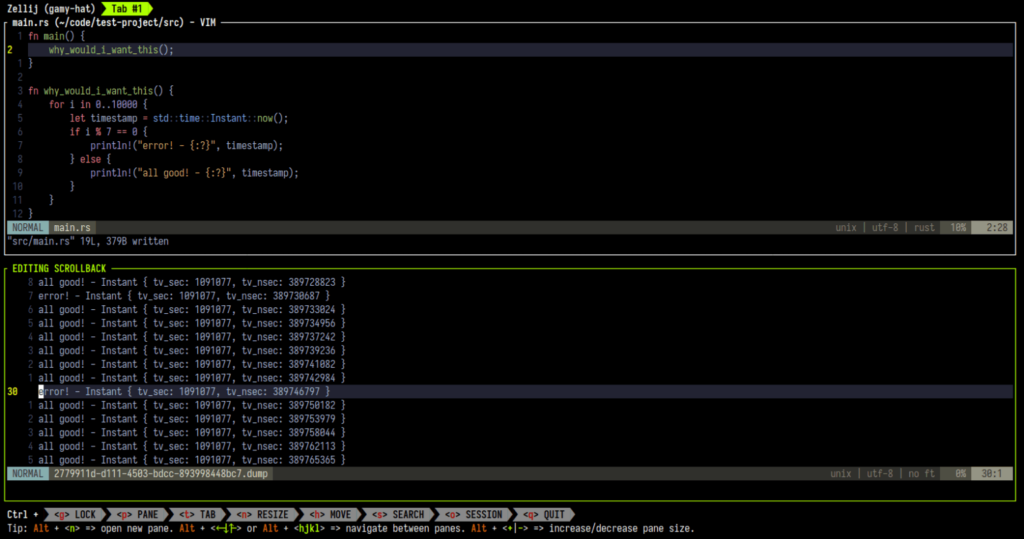
Zellij is a terminal multiplexer, meaning it runs inside whatever terminal app you already use and manages multiple sessions inside it. It’s the same job tmux and screen have done for decades.
What sets it apart is that it shows the active keybindings at the bottom of the screen at all times, so you don’t need to memorize a command before you can use it.
I reach for it mainly over SSH. Start a build on a remote server, disconnect and reconnect later to find the session exactly as I left it.
Best for: anyone who works over SSH and needs sessions to survive a dropped connection.
Pros:
- Free and open source
- Shows live keybindings for new users
- Sessions persist after you disconnect
- Written in Rust, low overhead
Cons:
- Not a standalone terminal app, needs one to run inside
- Adds an extra layer to learn
- No built-in AI features
Alacritty: Minimal and built for raw speed
Alacritty is the terminal most often cited as the fastest terminal emulator available. The reason is architectural: it renders entirely on the GPU and skips features like tabs and split panes.
That makes it a poor fit if you want an all-in-one app, but a strong fit if you already run tmux or Zellij and just want the fastest renderer underneath.
Configuration is a single TOML file. It’s open source, cross-platform and written in Rust, with updates that ship often enough to keep pace with newer terminals.
Best for: developers who already use a multiplexer and just want the fastest renderer.
Pros:
- Free and open source
- Fastest GPU-accelerated rendering available
- Minimal and low on resource use
- Simple single-file configuration
Cons:
- No built-in tabs or split panes
- No built-in SSH manager
- Needs a multiplexer like Zellij or tmux for sessions
Tabby: Cross-platform with SSH built in
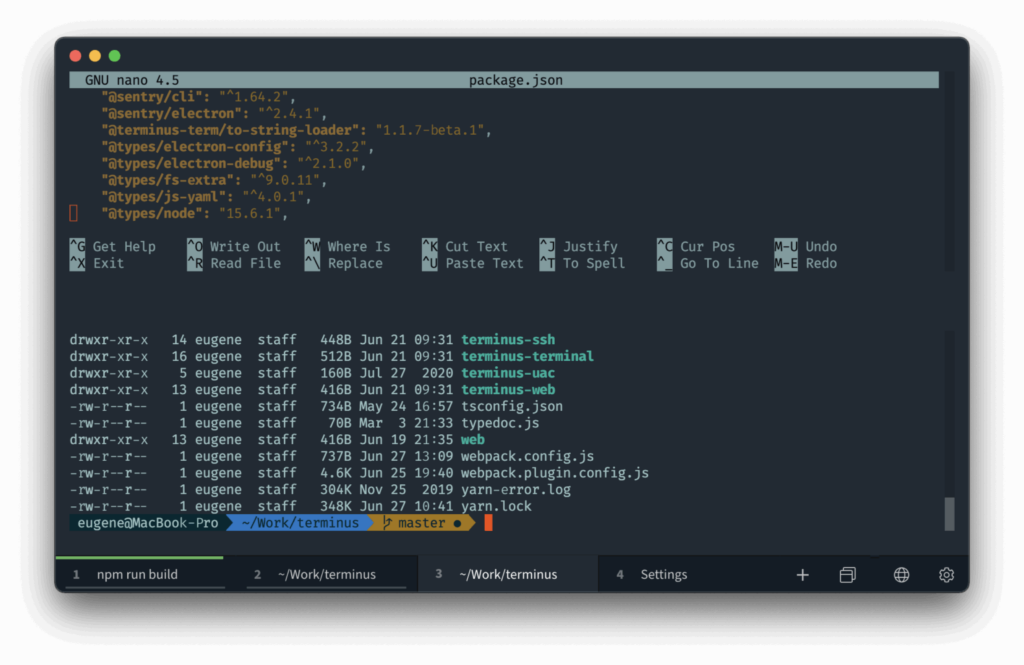
Tabby, formerly called Terminus, is an Electron-based terminal that runs the same way on Windows, macOS and Linux. That matters if you switch machines often and want one setup everywhere.
Its SSH and Telnet clients are built into the core app rather than bolted on, so managing a handful of remote servers doesn’t need a separate tool.
Plugins extend it further and are distributed as ordinary npm packages, so removing one that’s slowing down startup follows the same steps as removing any other npm dependency.
Best for: developers who manage several SSH connections and want plugins for extra features.
Pros:
- Free and open source
- SSH, Telnet and serial clients built in
- Plugin system built on ordinary npm packages
- One consistent app across Windows, macOS and Linux
Cons:
- Electron-based, heavier on memory than Rust terminals
- No built-in AI features
- Plugin quality varies since it’s community-built
AI-powered terminals vs Traditional terminals in 2026
AI is the biggest terminal trend of 2026. Warp led with a built-in agent, and GitHub Copilot Chat is now starting to show up inside other terminals too, including Windows Terminal Canary builds.
The real question isn’t whether to try an AI terminal. It’s whether the tradeoffs fit how you actually work.
What an AI-powered terminal adds
- Explains errors and stack traces in plain language
- Writes multi-step commands from a plain English description
- Walks through multi-step tasks with your approval at each step
- Saves time on commands you don’t use often enough to memorize
Where a traditional terminal still wins
- No account sign-up or cloud dependency required
- No telemetry leaving your machine unless you choose to send it
- Behavior stays the same between updates, so muscle memory holds
- Usually free with no credit allowance to track
If you already think in plain language when debugging, or want an assistant that can act inside your shell, an AI terminal like Warp is worth trying. If you want a terminal that behaves the same way every time with no account or data policy to think about, a traditional terminal like Ghostty, Alacritty or iTerm2 is the safer default.
Frequently asked questions
What is the best terminal app in 2026?
There’s no single best terminal app since it depends on your OS. Warp suits AI-heavy use and Ghostty suits Mac and Linux speed. Windows Terminal covers most Windows developers.
Is Warp free to use?
Warp’s terminal is free forever. Its AI agent draws from a small monthly credit allowance on the free plan, with paid plans starting at $20 a month for more credits.
What is Ghostty and why are developers switching to it?
Ghostty is a free, GPU-accelerated terminal built by Mitchell Hashimoto that works well with almost no configuration. Developers switch to it mainly for speed and near-zero setup time.
What is the fastest terminal emulator?
Alacritty is most often cited as the fastest terminal emulator because it renders entirely on the GPU and skips tabs and split panes to keep overhead low.
Do I need a multiplexer like Zellij if my terminal already has tabs?
Tabs close when your terminal quits or your SSH connection drops. Zellij keeps sessions running in the background so you can reconnect later exactly where you left off.
Can I use the same terminal app on Windows, macOS and Linux?
Warp, WezTerm, Alacritty and Tabby all run on Windows, macOS and Linux. Ghostty currently supports only macOS and Linux, with no official Windows build yet.
Is an AI-powered terminal better than a traditional terminal?
Neither is strictly better. AI terminals like Warp speed up unfamiliar commands and debugging, while traditional terminals stay lighter, avoid telemetry and don’t depend on an account or internet connection.
Summary
Picking a terminal app used to mean choosing between three or four options that hadn’t changed in years. That’s not the case anymore. Start with whichever fits your OS from the table above, run it for a week and switch again if it doesn’t stick. If you’re rethinking your setup end to end, it’s also worth pairing your terminal choice with a look at workflow automation tools that cut out repetitive steps elsewhere.