New to Rust? Grab our free Rust for Beginners eBook Get it free →
Swipe to delete implementation using Angular

A swipe-to-delete control needs more than a leftward animation. It must distinguish horizontal intent from scrolling, commit only after a threshold, and give keyboard users the same delete action. I verified the implementation below with Angular 22.1.0, two unit tests, and browser checks for swipe, undo, and the Delete key.
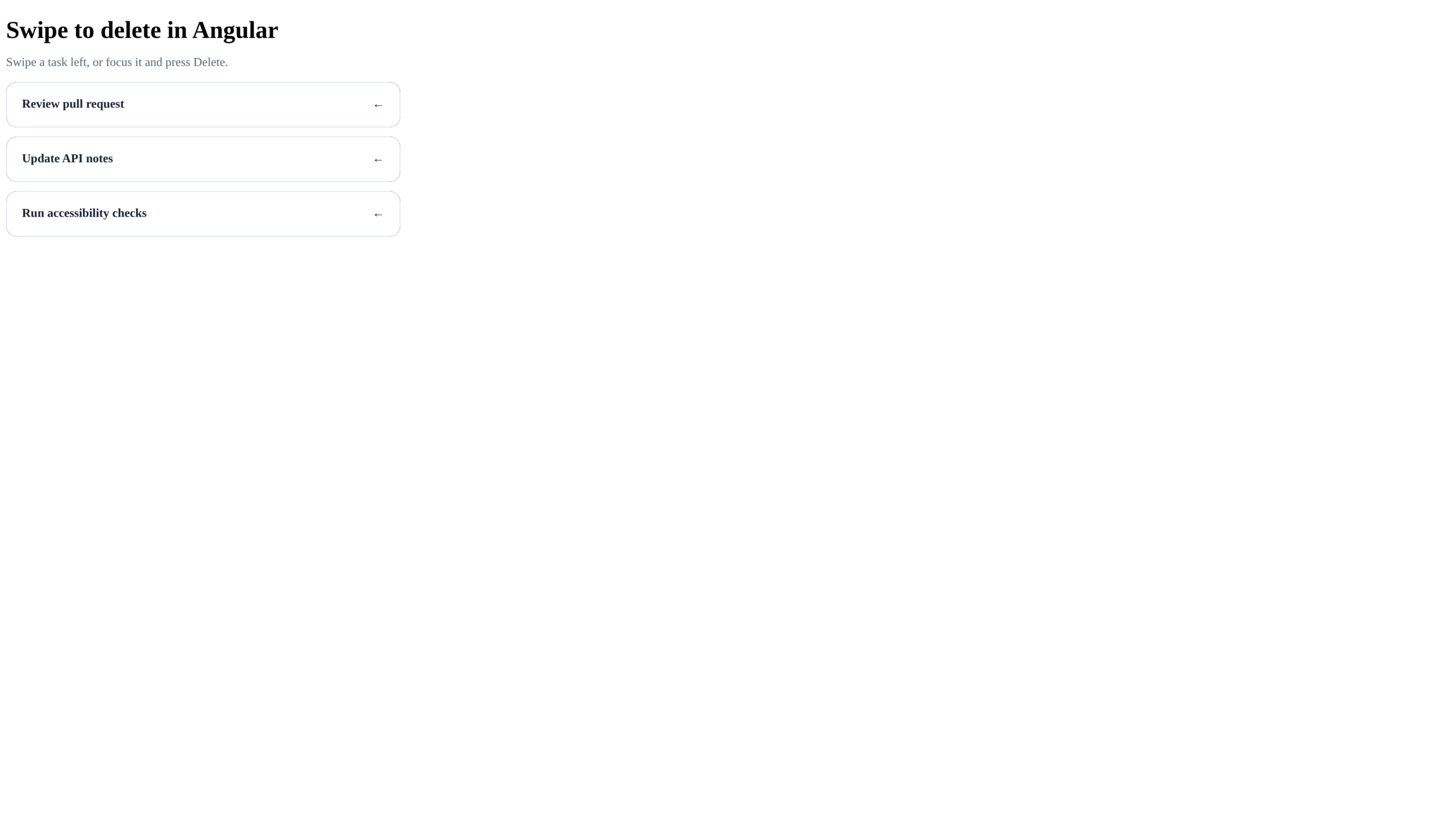
How the swipe decision works
The browser reports mouse, touch, and pen input through Pointer Events, so one handler path can cover all three input types without a gesture library.
The component stores the pointer’s starting coordinates and compares them with each move. A negative horizontal distance reveals the delete layer, while a vertical movement above 40 pixels cancels the translation so normal page scrolling wins.
- A drag shorter than 96 pixels returns the row to its starting position.
- A drag of 96 pixels or more removes the row from the task array.
- Pointer capture keeps move and release events attached to the row even when the pointer leaves its bounds.
- The Delete key calls the same remove method, so deletion is not restricted to a gesture.
Create the Angular component
Start with a standalone Angular application, then replace the generated component with the class below. The removed item keeps its prior index so Undo can restore the list order instead of appending the task at the end.
import { Component } from '@angular/core';

interface Task { id: number; label: string; offset: number; }

@Component({
  selector: 'app-root',
  templateUrl: './app.html',
  styleUrl: './app.css',
})
export class App {
  tasks: Task[] = [
    { id: 1, label: 'Review pull request', offset: 0 },
    { id: 2, label: 'Update API notes', offset: 0 },
    { id: 3, label: 'Run accessibility checks', offset: 0 },
  ];
  removed?: { task: Task; index: number };
  private start = { x: 0, y: 0 };
  private activeId?: number;

  startSwipe(event: PointerEvent, task: Task) {
    if (!event.isPrimary) return;
    this.activeId = task.id;
    this.start = { x: event.clientX, y: event.clientY };
    (event.currentTarget as HTMLElement).setPointerCapture(event.pointerId);
  }

  moveSwipe(event: PointerEvent, task: Task) {
    if (this.activeId !== task.id) return;
    const dx = Math.min(0, event.clientX - this.start.x);
    const dy = Math.abs(event.clientY - this.start.y);
    task.offset = dy > 40 ? 0 : Math.max(-128, dx);
  }

  endSwipe(task: Task) {
    if (this.activeId !== task.id) return;
    this.activeId = undefined;
    if (task.offset <= -96) this.remove(task);
    else task.offset = 0;
  }

  remove(task: Task) {
    const index = this.tasks.findIndex(item => item.id === task.id);
    if (index < 0) return;
    this.removed = { task: { ...task, offset: 0 }, index };
    this.tasks = this.tasks.filter(item => item.id !== task.id);
  }

  undo() {
    if (!this.removed) return;
    const { task, index } = this.removed;
    this.tasks = [...this.tasks.slice(0, index), task, ...this.tasks.slice(index)];
    this.removed = undefined;
  }
}
The offset is stored on each task because the template needs to update only the row being dragged, while the endSwipe method either removes the item or resets its offset.
Add the accessible task template
Each task is a button rather than an unlabelled div, which gives it keyboard focus while its accessible name explains both available actions.
<main>
  <h1>Swipe to delete in Angular</h1>
  <p class="hint">Swipe a task left, or focus it and press Delete.</p>
  <ul aria-label="Tasks">
    @for (task of tasks; track task.id) {
      <li>
        <div class="delete-layer" aria-hidden="true">Delete</div>
        <button
          class="task"
          type="button"
          [style.transform]="'translateX(' + task.offset + 'px)'"
          (pointerdown)="startSwipe($event, task)"
          (pointermove)="moveSwipe($event, task)"
          (pointerup)="endSwipe(task)"
          (pointercancel)="endSwipe(task)"
          (keydown.delete)="remove(task)"
          [attr.aria-label]="task.label + '. Swipe left or press Delete to remove.'">
          <span>{{ task.label }}</span><span aria-hidden="true">←</span>
        </button>
      </li>
    } @empty {
      <li class="empty">No tasks left.</li>
    }
  </ul>
  @if (removed) {
    <div class="notice" role="status">
      <span>Task deleted.</span><button type="button" (click)="undo()">Undo</button>
    </div>
  }
</main>
Angular’s track expression uses the stable task ID. That prevents the remaining rows from being recreated with new identities after one task is removed.
The status notice uses role status so assistive technology announces the deletion without moving keyboard focus, and Undo remains a normal button that restores the removed task.
Style horizontal movement without blocking vertical scrolling
Setting touch-action to pan-y lets the browser keep vertical scrolling while the component handles horizontal movement.
:root { font-family: Inter, system-ui, sans-serif; color: #172033; background: #f4f7fb; }
* { box-sizing: border-box; }
body { margin: 0; min-height: 100vh; display: grid; place-items: center; }
main { width: min(92vw, 520px); }
h1 { margin-bottom: .4rem; }
.hint { color: #596579; }
ul { list-style: none; padding: 0; display: grid; gap: 12px; }
li { position: relative; overflow: hidden; border-radius: 14px; background: #c93636; }
.delete-layer { position: absolute; inset: 0; display: flex; align-items: center; justify-content: flex-end; padding: 0 24px; color: white; font-weight: 700; }
.task { position: relative; width: 100%; border: 1px solid #dbe2ed; border-radius: 14px; padding: 20px; display: flex; justify-content: space-between; background: white; color: #172033; font: inherit; font-weight: 600; text-align: left; cursor: grab; touch-action: pan-y; transition: transform 160ms ease; }
.task:active { cursor: grabbing; transition: none; }
.task:focus-visible { outline: 3px solid #2563eb; outline-offset: 2px; }
.empty { background: white; color: #596579; padding: 20px; }
.notice { margin-top: 18px; display: flex; justify-content: space-between; align-items: center; padding: 14px 18px; border-radius: 12px; background: #172033; color: white; }
.notice button { border: 0; background: transparent; color: #93c5fd; font: inherit; font-weight: 700; cursor: pointer; }
Avoid touch-action none for a list inside a scrolling page because it disables browser panning when a user begins a slightly diagonal gesture.
Test the deletion boundary
My Vitest and Chromium runs covered the component and its served interface. The pointer swipe removed one row, Undo restored it, and pressing Delete on the focused row removed it again.
npm test -- --watch=false
npm run build
Test one offset below 96 pixels to confirm that the row returns, then test an offset beyond it to confirm deletion.
Choose when to update your backend
The sample changes only browser state. If deletion must survive a reload, send the item ID to your application programming interface (API) and reconcile the response with the local array.
An optimistic interface removes the row immediately and restores it when the request fails. A conservative interface waits for the server before changing the list, which is slower but avoids showing a deletion that the backend rejected.
For destructive data, keep Undo time-limited and make the server operation reversible when the product allows it. A gesture should never be the only route to a permanent action.
Common swipe-to-delete failures
Gesture bugs usually appear where browser scrolling, pointer ownership, and deletion state meet. Check the boundary that matches the visible symptom before changing the threshold.
The page scrolls sideways
Check that the task button uses touch-action pan-y and clamps positive movement to zero because a rightward drag should not move a left-delete row.
The row deletes during a vertical scroll
Compare vertical and horizontal distance before applying the transform. The sample cancels movement once the vertical distance exceeds 40 pixels, which protects scrolling when the gesture is diagonal.
Pointer events stop outside the row
Call setPointerCapture during pointerdown so pointermove and pointerup cannot move to another element and leave the row stranded halfway across the screen.
Keyboard users cannot delete
Use a focusable control and connect keydown.delete to the same remove method. Keep a visible focus outline and expose an accessible label that names the delete action.
Frequently asked questions
Do I need HammerJS for swipe to delete in Angular?
No. Pointer Events provide mouse, touch, and pen input through one browser API, which is enough for this implementation. A gesture library can help when your application needs recognizers for pinch, rotate, velocity, or competing gestures.
Why does the CSS use touch-action pan-y?
It preserves vertical browser scrolling while the component handles horizontal movement. Using touch-action none would block native panning on the task row.
How far should a user swipe before deletion?
Use a threshold that is large enough to reject accidental movement and test it on the target screen size. This sample commits at 96 pixels and reveals up to 128 pixels of the delete layer.
Should swipe delete data immediately?
That depends on the consequence. For recoverable tasks, an optimistic deletion with Undo feels responsive. For sensitive or irreversible records, require confirmation or wait for the server response.