New to Rust? Grab our free Rust for Beginners eBook Get it free →
Online RGB to HEX Converter


RGB to HEX Converter
Your stylesheet may ask for a HEX color when the source gives you RGB numbers. The online RGB to HEX converter turns those channel values into a six-digit CSS color code.
I’ll explain what RGB and HEX values mean, then show how to convert a triplet with the online tool.
TL;DR: Convert RGB to HEX
Enter the three red, green, and blue channel values in the converter, select Convert to HEX, and read the resulting six-digit color code.
- RGB gives a color as three channel values, commonly integers from 0 to 255.
- HEX writes those same channels as two hexadecimal digits each in the order red, green, blue.
- For example, RGB 255, 102, 0 becomes #FF6600.
What RGB and HEX Color Values Mean
RGB and six-digit HEX are notations for colors in the sRGB space. RGB lists red, green, and blue channel values, while HEX writes those values using base-16 digits.
In the common integer form, each channel ranges from 0 through 255. Zero means that channel contributes no intensity, and 255 is its maximum in this range. The triplet (255, 102, 0) therefore has full red, some green, and no blue.
HEX uses sixteen symbols: 0 through 9, followed by A through F. A pair can therefore represent values from 00 through FF.
| RGB channel | Decimal value | Two-digit HEX | Position in #RRGGBB |
|---|---|---|---|
| Red | 255 | FF | First pair |
| Green | 102 | 66 | Middle pair |
| Blue | 0 | 00 | Last pair |
The CSS spelling adds a hash sign before the six digits. Hexadecimal letters are case-insensitive, so #ff6600 and #FF6600 describe the same value.
CSS also permits a three-digit shorthand when every pair repeats the same digit. For example, #AABBCC can be shortened to #ABC. The converter returns the full six-digit form, which keeps each channel’s two positions visible and avoids needing to check whether shorthand applies.
The conversion can be checked one channel at a time. Decimal 102 is 6 times 16 plus 6, so its base-16 digits are 66. Decimal 10 is 0 times 16 plus 10, and the value ten is written as A, giving 0A after the required leading zero.
For any channel, divide the decimal value by 16. The quotient gives the first digit and the remainder gives the second. At 255, both are 15, which is written as F.
Across the 256 possible values in each channel, the full range has 16,777,216 whole-number triplets. This is the size of the 8-bit-per-channel sRGB range, not every color a physical display can reproduce.
Changing a color’s tint, shade, or palette is a different task from changing its notation. Use a picker or palette tool when you need to select or adjust colors rather than convert existing channel values.
A HEX value also cannot tell you whether text will be readable against a background. Contrast depends on the foreground and background together, so evaluate the pair in the page where it will appear. The W3C advises against using color as the only way to convey information.
| RGB triplet | Channel conversion | HEX result |
|---|---|---|
| (0, 0, 0) | 00 / 00 / 00 | #000000 |
| (255, 255, 255) | FF / FF / FF | #FFFFFF |
| (10, 15, 1) | 0A / 0F / 01 | #0A0F01 |
| (0, 128, 255) | 00 / 80 / FF | #0080FF |
Black and white are useful endpoint checks. The mixed example verifies that a one-digit channel keeps its leading zero.
How to Use the Online RGB to HEX Converter
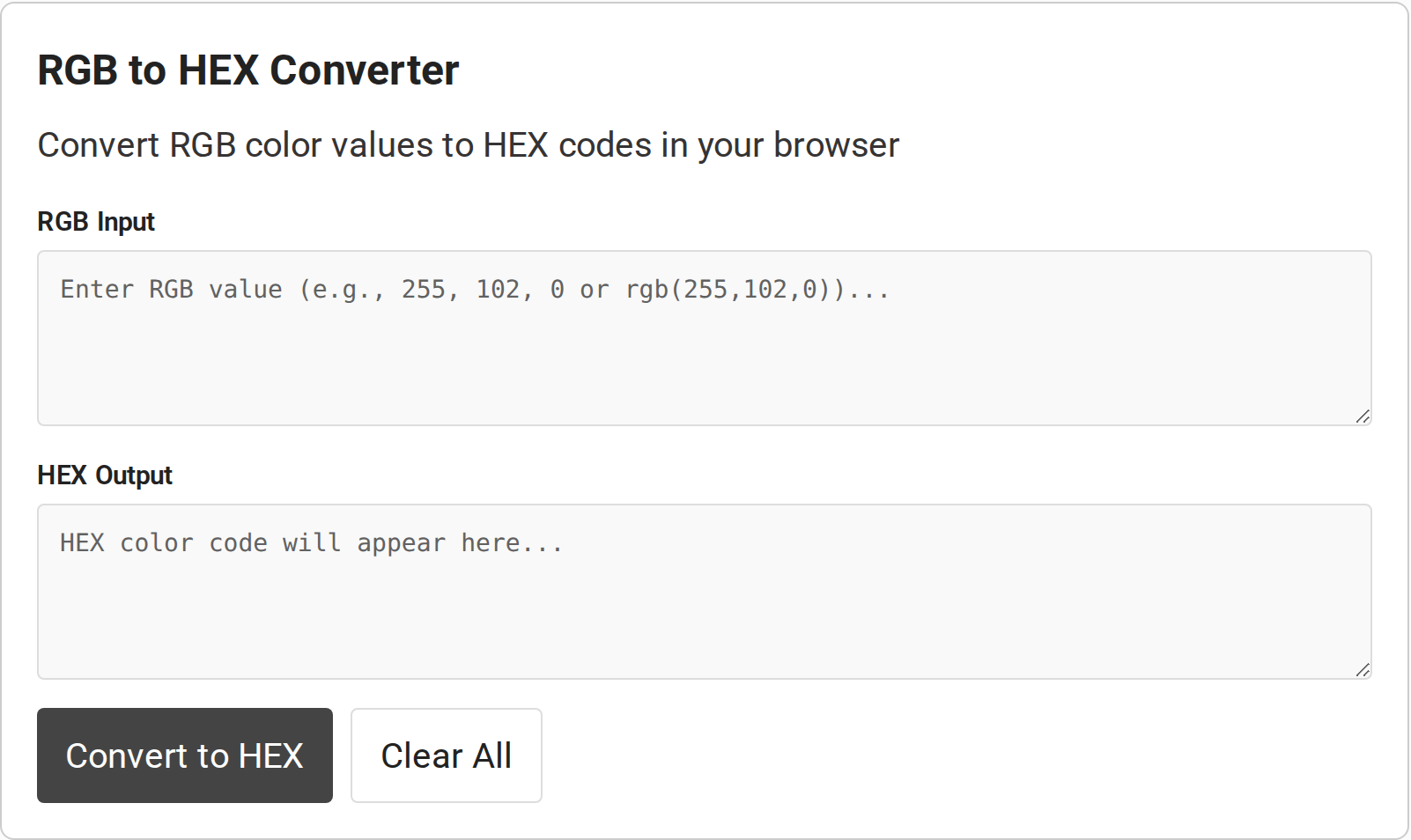
The converter has an RGB Input field, a read-only HEX Output field, a Convert to HEX button, and a Clear All button. Keep the supplied triplet in its original channel order, then use the displayed result in your stylesheet or color field. The visible page code handles conversion in the browser, while the documented input boundaries still apply.
Step 1: Prepare three channel values
Copy the red, green, and blue values from the source that supplied the color. Retain their original order rather than sorting them by size.
For the orange example, the input is 255, 102, 0. A missing value changes the meaning of the triplet, so use the source rather than guessing an unknown channel.
Step 2: Enter the RGB value
Paste the triplet into RGB Input. The tool’s code accepts plain values separated by commas or spaces, and the same values wrapped in rgb() notation.
The page interface shows separate input and output areas, so the original value remains visible while you convert. The screenshot below identifies the fields and controls. It shows the empty starting state, not a conversion result.
Step 3: Convert the triplet
Select Convert to HEX. The page’s JavaScript reads the input, separates it into three parts, checks the values, converts each number to base 16, and pads a one-character result with a leading zero.
For (255, 102, 0), the channel pairs are FF, 66, and 00. Joined in the same order, they form #FF6600. Check that the first, middle, and last pairs still correspond to red, green, and blue before you paste the result into another tool.
Step 4: Use or replace the result
Copy the HEX value from the read-only output area and place it where a six-digit CSS color is accepted. In a CSS declaration, the value can follow a property such as background-color. Keep the hash sign when the destination expects a CSS hex-color value.
For another color, replace the input and select Convert to HEX again. Clear All empties both fields when you want to start with a blank form.
RGB to HEX Input Limits and Common Errors
The converter’s parser expects three whole-number values from 0 to 255. CSS allows other forms, including percentage channels and optional transparency, that this input does not handle.
| Input case | What to expect | What to do |
|---|---|---|
| Three whole-number channels from 0 to 255 | Valid intended input | Keep red, green, blue order |
| One or two channel values | Rejected because the converter requires three parts | Supply the missing channel from the original color source |
| A channel below 0 or above 255 | Rejected as outside the accepted range | Check the source notation and correct the value |
| Fractional channel such as 10.5 | The parser does not reject fractions. JavaScript converts it to a fractional hex string such as A.8, which is not a valid channel pair | Use a whole-number channel from the source |
| Percentage channel values | Not supported as percentages by this parser | Convert to the supported integer form with a color-aware source |
| Alpha or slash-separated transparency | Not handled as a fourth channel | Use a workflow that preserves RGBA or HEX alpha when transparency matters |
| Malformed text or extra components | May fail the three-part or number checks | Remove labels and unsupported characters, then enter only the triplet |
If the converter reports an error, check the number of components, their numeric form, and their range. Do not silently clamp an out-of-range value to 0 or 255. Return to the source and confirm its color space and channel scale.
Some workflows return a packed integer rather than a six-character CSS string. For an embedded system or programming API, confirm whether the destination expects text, an integer, or a hardware-specific color depth.
A text color such as #0080FF carries channel pairs in readable CSS notation. Keep the hash sign unless the destination’s documentation specifies another representation.
Check the scale supplied by another source before entering it. A normalized value from 0.0 to 1.0 or a percentage needs conversion to the tool’s integer range. For instance, 50% represents half the channel range, while the integer 128 is a rounded value on the 0–255 scale.
A converter transforms values already supplied to it. Sampling a pixel from a picture is a separate operation, and the measured color can depend on the selected pixel and image color profile.
CMYK belongs to print workflows. An RGB-to-HEX conversion stays within screen color notation and does not produce print-ready CMYK values.
When a color looks different after you paste the code, check whether the source and destination use the same color space and profile. A six-digit HEX value records channel numbers. It does not carry a monitor profile or guarantee identical appearance across calibrated and uncalibrated displays.
This distinction matters with screenshots and images too. An image may carry an embedded color profile, while a plain CSS color value has no image metadata attached. For ordinary stylesheet work, use the numeric sRGB conversion, then test the rendered page on the target display.
Conclusion: Keep the Channel Order
Keep the color space and channel scale in view when using a six-digit CSS color. The converter is for three-channel sRGB values, not for changing alpha or preparing a print color.
For the formal rules, see MDN’s CSS rgb() reference, its hex-color reference, and the W3C CSS Color Module Level 4. Use those references when your input includes alpha, percentages, or a color space beyond the standard triplet covered here.
If you need the reverse direction after receiving a CSS color, CodeForGeek’s online HEX to RGB converter handles that adjacent task. For the underlying number system, its HEX to decimal converter helps decode hexadecimal values. Use the color converter when you need separate red, green, and blue channels.
FAQ
These answers cover common questions about the notation and this converter’s input boundary.
How do I convert RGB to HEX?
Convert each red, green, and blue channel to a two-digit hexadecimal number, then join the pairs in that order after a hash sign. For example, (255, 102, 0) becomes #FF6600.
What does each pair in a HEX color mean?
In #RRGGBB, the first pair represents red, the middle pair green, and the last pair blue. Each pair is a base-16 value from 00 to FF.
Can I convert RGBA with this RGB to HEX tool?
The converter accepts three RGB channel values and returns a six-digit HEX color. It does not preserve an alpha or transparency component.
Why does my RGB input show an error?
The tool expects exactly three numeric channel values in the 0 to 255 range. Check for a missing component, extra value, percentage, alpha value, or out-of-range number.