New to Rust? Grab our free Rust for Beginners eBook Get it free →
Online Password Generator: Strong & Random Passwords

Use this online password generator when you need a unique password that you can save in a password manager. It generates the value in your browser with the Web Crypto API, so the page does not send the password to a server.
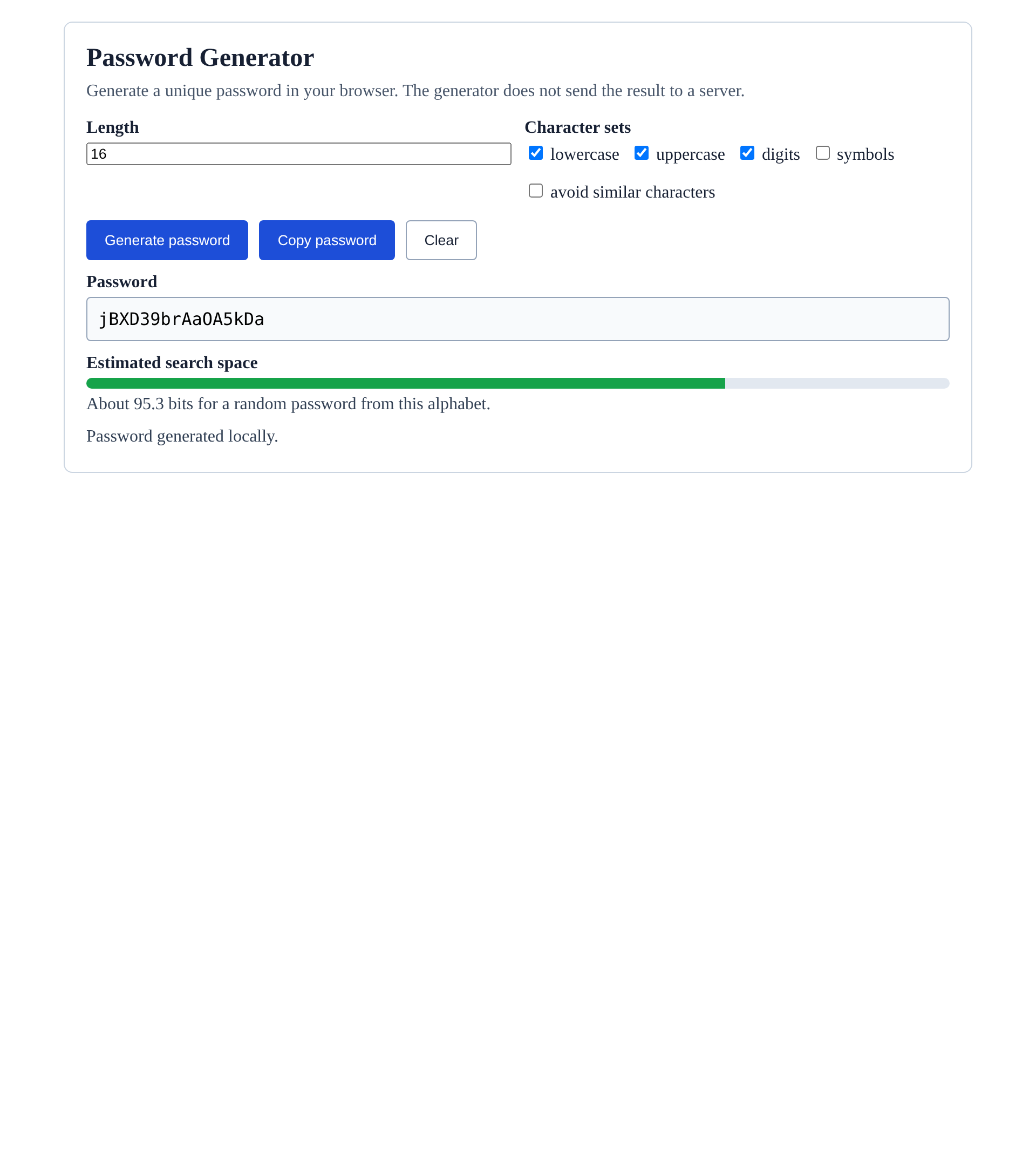
Password Generator
Generate a unique password in your browser. The generator does not send the result to a server.
Character sets
Generate a password you can use
Choose the length and the character sets the site accepts, then generate a new value. If you select several sets, the generator places at least one character from each before it shuffles the finished password.
The estimate describes the size of the random search space, not a promise about how a particular site stores or protects passwords. A site can impose limits, rate limits, multi-factor authentication, and breach checks that this page cannot inspect.
Why the generator uses browser cryptography
The browser Web Crypto API provides cryptographically strong random values through getRandomValues(), and the generator uses rejection sampling rather than a simple remainder operation so each character has the same chance of appearing.
A random password stays useful only when it is unique, saved in a password manager, and paired with multi-factor authentication where the account offers it.
Choose length before complexity rules
Length expands the number of possible passwords with every additional character, and NIST says a verifier should permit a maximum password length of at least 64 characters even though the account you are joining may enforce a smaller limit.
Add symbols when the site accepts them and when you need them. Avoid-similar-characters mode removes l, I, o, O, 0, and 1, which helps when you must read or type the value yourself.
Use the password safely
- Generate a separate password for every account.
- Save the result in a password manager instead of a note or message.
- Use the account’s multi-factor authentication option when available.
- Change a password when a service tells you about a breach or you suspect access.
If you build sign-in flows, password generation solves only the user side of the task. Your application must also store credentials with an appropriate password-hashing design, as shown in this Node.js password hashing guide.
Password generator FAQ
These answers cover the boundary between generating a password in the browser and securing an account after you use it.
Does this password generator send my password to a server?
No. The generator uses your browser’s Web Crypto API and builds the password in the page. It does not make a network request.
Why does the generator include every selected character set?
It chooses one character from each selected set, fills the remaining positions from the combined alphabet, then shuffles the result. Selecting symbols therefore guarantees at least one symbol in the generated password.
Should I reuse a generated password?
No. Use a unique password for each account and save it in a password manager. Reuse can let a breach at one service affect another account.
Generate the password, save it to your password manager, and use it once for the account that needs it.