New to Rust? Grab our free Rust for Beginners eBook Get it free →
Implement Continuous Documentation for Developer Teams

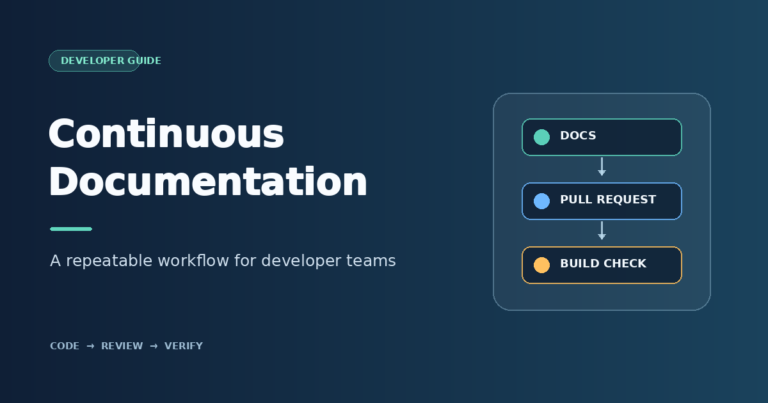
Software changes can leave a setup guide with steps that no longer match the product. Continuous documentation keeps useful guidance aligned with software changes during normal development.
I’ll show how to choose a pilot and make documentation changes part of code review and pull-request checks.
TL;DR
Continuous documentation keeps useful docs current as the product changes. Start with one guide, keep its source in version control, include a doc decision in review, run the site build in pull-request CI, and verify the published page after merge.
- Pick a small, high-risk doc set such as install steps or an API guide.
- Put a named owner and reviewer beside a shared team contribution rule.
- Make the documentation update visible in the same pull request as the code change.
- Block merge on repeatable checks, then verify the live page and route any failure to an owner.
What Is Continuous Documentation?
Continuous documentation keeps useful guidance aligned with changes to software behavior, setup steps, and interfaces during normal development.
Docs-as-Code keeps text-based docs in version control for review. The sample uses MkDocs because its Markdown source stays readable beside the site configuration.
The generator assembles the site, while people decide what a page needs to explain and whether its examples reflect product behavior.
How to Implement Continuous Documentation Step by Step
Use a small pilot to agree on ownership and checks before moving every team document. The steps below work with a documentation site and can be adapted to a repository README, an API reference, or an internal guide.
Step 1: Choose a pilot and sort the existing docs
Choose one important page that changes often, such as local setup, a release procedure, or an API quickstart. Search the repository root, docs tree, issue templates, and API specs for duplicate instructions, then identify maintained source rather than generated output. Keep the pilot to one reader task so the team can test the handoff before expanding it.
Use the Diátaxis framework to classify pages by reader task: tutorials teach a skill, how-to guides solve a problem, reference pages record facts, and explanations give context.
For each pilot page, record where it lives, who uses it, and what can go wrong if its steps become stale. Define an acceptance question, such as whether a new teammate can complete the setup from the current guide. If several pages qualify, prioritize these:
- Setup steps every new teammate must complete.
- Recovery procedures people need during an incident.
- API or integration guides that change with releases.
Step 2: Store docs where contributors can find and maintain them
Store editable source in a Git repository the contributors can access. Markdown works well for text-heavy guides because reviewers can read it in a diff and common static-site tools can publish it. Use a predictable directory such as docs/ with an index page and one focused file per task.
Docs can live beside the application or in a separate repository when teams have different release cycles. If the source is separate, document how contributors propose, preview, and publish an edit. Avoid links to personal branches or file paths that will disappear.
Choose a format that fits the publishing system. CodeForGeek’s guide to Markdown and MDX in Next.js shows an application-site option, while MkDocs or another generator can serve a documentation site. Record the local preview command and supported runtime, keep credentials outside the docs repository, and publish internal guides from an access-controlled build.
Step 3: Tie the doc change to the code review
Add a documentation-impact field to the pull-request template. Name the pages affected, preview status, or a reason no reader-facing update is needed. Apply the rule to renamed settings, new commands, changed API responses, and revised permissions or recovery steps.
Have the author draft the edit while implementation context is fresh. Ask a subject-matter reviewer to compare it with a relevant test or release note. Involve a technical writer when the subject needs more research.
Name a maintainer for navigation and publishing, even if a small team combines author and reviewer roles. Apply the rule to common changes:
- A renamed environment variable means updating the setup page, sample configuration, and any command readers copy.
- A removed API response field means revising the reference and migration guidance, then showing how a supported client finds the replacement.
- A tighter authorization scope means updating permission examples and expected errors, including what a caller sees when access is denied.
Step 4: Build and check docs in pull-request CI
For the sample project, run the strict build from continuous-docs-demo/:
mkdocs build --strict --quietThe strict option makes build warnings fail the check. Quiet mode leaves successful output blank. The command runs from continuous-docs-demo/, where the included mkdocs.yml lives.
[exit 0]The sample used MkDocs 1.6.1. Pin the builder and its plugins in the project’s dependency file so local previews and CI use the same tools.

- Include docs/, mkdocs.yml, and the docs dependency file in path filters so documentation-only changes run the build.
- Have CI name the failing file and line. Run checks without production credentials, and require only signals reviewers can act on.
- Separate broken internal paths from external-site timeouts. Record narrow exceptions for valid links unavailable to public requests.
- Use the current GitHub Actions documentation for trigger syntax. CodeForGeek’s older GitHub Actions walkthrough explains the general workflow.
Step 5: Publish after review and verify the result
Run deployment after the required review and checks pass. A merge may trigger a static-site deploy or an internal portal update. Store credentials in the approved secret store, grant the job only the permissions it needs, and alert the team when deployment fails.
Use a preview deployment to review rendering and access before release, then promote the reviewed artifact. For versioned docs, publish from the same release tag as the software and show a version selector or label.
After publishing, smoke-test a representative path for navigation, code, images, a changed link, intended version, and reader access. Keep the last successful artifact ready to restore while a failed source or deploy configuration is repaired through review.
Step 6: Route feedback and keep the process small
Use a docs issue template to collect the page URL, the reader’s goal, and the product version. This gives triage enough context to reproduce the problem.
In one developer discussion about stale onboarding, a poster called an old guide “actively harmful” after obsolete steps cost a new teammate time. That account is specific to one team, but it illustrates the risk of stale setup instructions.
- After the first few edits, ask contributors whether they can find the source, reviewers know what to verify, and readers can get their task done from the published page.
Sort reports as missing steps, incorrect behavior, unclear wording, or an unavailable page. Fix a failure that blocks setup or recovery before polishing a low-impact description. The category points toward a change in docs source, product behavior, or publishing pipeline.
Common Problems With Continuous Documentation
I grouped the common failures by where they occur because each needs a different response. The table maps symptoms to a practical next step.
| Problem | What it means | Practical response |
|---|---|---|
| The build passes but the steps are wrong | Syntax and rendering checks cannot confirm product behavior. | Ask a subject-matter reviewer to compare the page with the code or tested workflow. |
| A broken-link check blocks every pull request | External sites may time out or redirect. The signal may be noisy. | Separate internal from external checks, inspect the target, and record narrow exceptions. |
| Docs and code changes are in separate queues | The release can land before the related explanation is ready. | Connect the release steps and make the required doc status visible. |
| A single person owns every documentation task | Review and updates stall when that person is unavailable. | Share page edits and subject review. Keep one maintainer for the publishing system. |
| Old screenshots no longer match the interface | The current UI can differ from the captured image. | Update or remove the screenshot when the UI changes, then inspect the rendered page. |
| A manual edit disappears after a docs build | The generator recreates output from the source files. | Edit the Markdown page or schema, then rebuild instead of patching generated HTML. |
| The process adds work but no time | “Update docs” is a request without planned capacity or review. | Include the doc task in the feature plan and trim low-value checks before adding more. |
Before publishing a command with production impact, verify it against the supported release and include the safe recovery path.
Conclusion: Keep Documentation With the Change
Use the next review to test the guide from a new teammate’s point of view. If a step depends on context the page never provides, record what is missing while the task is fresh.
For the implementation details, see the official guides to building and deploying MkDocs, GitHub Actions workflows, and the Diátaxis documentation framework. For a project-specific publishing path, see CodeForGeek’s guides to Markdown and MDX in Next.js and GitHub Actions.
FAQ
These answers address common choices teams make when they move docs into the development workflow.
Do the docs have to live in the same repository as the code?
No. Keeping them together makes a paired change easy to review, but a separate docs repository can work if the code pull request links to it and the release process waits for required documentation.
Can CI automatically update the documentation?
CI can generate reference pages from source or run checks, but it cannot reliably supply missing explanations about intent, trade-offs, and changed user steps. A person still needs to review what the generated output says.
How do we keep documentation current without hiring a full-time writer?
Share edits among the people changing the product, make a subject-matter review visible, and assign a maintainer for the docs system. Plan larger writing or research tasks as part of the feature rather than relying on an unowned reminder.
Does a successful documentation build prove the page is accurate?
No. A build checks that pages render and the configuration loads. Ask a reviewer to compare commands and examples with supported behavior, then test setup or recovery steps in a safe environment.
Which documentation checks should block a pull request?
Require a strict site build and a reliable internal-link check. Report flaky external links separately rather than blocking a pull request.