New to Rust? Grab our free Rust for Beginners eBook Get it free →
Integrating a Developer Portal for Your Team

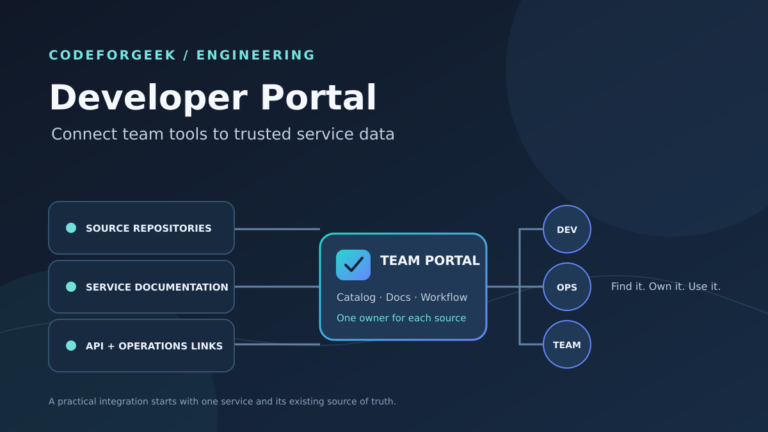
Teams starting work on a service need a clear place to find its owner and setup information. A developer portal is a maintained entry point where engineers can find service owners and documentation, then open tools for changing a service.
In this piece, I’ll walk through connecting one service to a developer portal and piloting one workflow with its owning team.
TL;DR
Integrate a developer portal by connecting one service to its owner, source repository, documentation and first useful workflow, then let its team test that path.
- Choose one first audience and one team accountable for service metadata.
- Keep the authoritative record beside its source code or in the provider the team already maintains.
- Link documentation and API references without copying credentials into catalog fields.
- Add a low-risk self-service task after ownership and links are correct.
What Is a Developer Portal for a Team?
A developer portal is a maintained entry point for engineers. It helps them find service owners and documentation, then open tools for changing a service.
Use an internal portal for company engineers or an API portal for external consumers because those audiences need different identity and support paths. If one product serves both, define which pages require company login and which channel supports outside users.
| Portal entry | What the engineer sees | Where to maintain it |
|---|---|---|
| Service | Name, owner and repository | Catalog descriptor or connected provider |
| Documentation | Setup and operating instructions | Docs source owned with the service |
| API | Purpose and specification link | API definition and approved access system |
Backstage separates components, systems and API entities. A System can group related components, while an API entity describes a contract. Check your chosen product’s model before writing descriptors because other portals may group records differently.
Create a separate API entity when its contract has independent consumers, then link it to the component that provides it.
Map the portal’s team identities to the groups used by service owners because a login name alone does not resolve ownership.
What You Need Before Connecting a Service
Choose one team and a recurring task before comparing portal routes. Keep this demonstration local. It uses a fictional descriptor and has no live integration.
| Field | Possible source | Question to settle |
|---|---|---|
| Owner | Catalog group | Who maintains its membership? |
| Service details | Repository descriptor | Who reviews changes? |
| Documentation | Docs source and build | Where do failed builds appear? |
| API contract | Maintained specification | Who approves its changes? |
Before choosing, export one sample record and check whether its links, custom fields and ownership references survive a migration. Verify that identifiers remain usable in the destination.
| Route | Fits when | Check before choosing |
|---|---|---|
| Extend existing portal | Its team already owns identity and catalog integrations | It can represent the required sources and user groups |
| Open framework | The platform team needs control over extensions | Someone can maintain plugins, upgrades and hosting |
| Managed product | The team wants fewer portal services to operate | Records can be exported and access rules fit |
The example checker uses Python’s standard library. Its portal.example.com annotations are placeholders rather than Backstage fields. Replace them with annotations supported by your chosen portal.
Set a freshness expectation for a scheduled provider. Its error report should identify the failed record and the team that can correct it because stale metadata can mislead a user.
The sample is fictional and uses reserved example URLs. Replace its repository and documentation addresses with locations the team can access before registering the record. Keep examples free of tokens, account names and private service data.
How to Integrate a Developer Portal With Your Team
Follow a service record from its source to the portal view. I ran three local checks on the sample descriptor. They read local files and do not connect to a live portal.
Step 1: Name the First User Team and Its Owner
Pick a service the group already uses and create a Component record. Point spec.owner to an entity that exists in the catalog. Use the default branch the service team reviews.
Save this example as catalog-info.yaml beside the service. Its JSON syntax lets the checker use Python’s built-in parser, though standard YAML notation works too.
- Identity: Backstage uses kind, namespace and metadata.name. Choose a durable name and update references deliberately if the repository moves.
- Registration: backstage.io/source-location points to code, but a catalog location or discovery provider must ingest the descriptor. Check its repository, branch and file path.
{
  "apiVersion": "backstage.io/v1alpha1",
  "kind": "Component",
  "metadata": {
    "name": "orders",
    "description": "Order processing service",
    "annotations": {
      "backstage.io/source-location": "url:https://github.com/example/orders",
      "backstage.io/techdocs-ref": "dir:.",
      "portal.example.com/audience": "orders team",
      "portal.example.com/pilot": "true"
    },
    "links": [
      {
        "title": "OpenAPI reference",
        "url": "https://docs.example.com/orders/openapi"
      },
      {
        "title": "Operations dashboard",
        "url": "https://monitoring.example.com/orders"
      },
      {
        "title": "Runbook",
        "url": "https://docs.example.com/orders/runbook"
      }
    ]
  },
  "spec": {
    "type": "service",
    "lifecycle": "production",
    "owner": "group:default/orders"
  }
}
Save the checker below as portal_integration_check.py in the same directory. It checks one part of the sample at a time and fails if a required local field is missing.
#!/usr/bin/env python3
"""Check a local Backstage-style descriptor. This does not contact a portal."""
import json
import sys
from pathlib import Path

DESCRIPTOR = Path(__file__).with_name("catalog-info.yaml")


def load_descriptor():
    return json.loads(DESCRIPTOR.read_text(encoding="utf-8"))


def require(condition, message):
    if not condition:
        raise ValueError(message)


def sensitive_field_count(value):
    terms = ("password", "token", "secret", "api_key", "apikey")
    found = 0
    if isinstance(value, dict):
        for key, child in value.items():
            if any(term in str(key).lower() for term in terms):
                found += 1
            found += sensitive_field_count(child)
    elif isinstance(value, list):
        for child in value:
            found += sensitive_field_count(child)
    return found


def main():
    if len(sys.argv) != 2 or sys.argv[1] not in {"scope", "sources", "pilot"}:
        print("Usage: python3 portal_integration_check.py {scope|sources|pilot}")
        return 2

    phase = sys.argv[1]
    try:
        record = load_descriptor()
        metadata = record["metadata"]
        annotations = metadata["annotations"]
        owner = record["spec"]["owner"]
        links = metadata.get("links", [])
        if phase == "scope":
            audience = annotations["portal.example.com/audience"]
            require(record["kind"] == "Component", "kind must be Component")
            require(bool(audience.strip()), "set a pilot audience")
            require(bool(owner.strip()), "set a team owner")
            print(f"PASS scope: audience={audience}; owner={owner}")
        elif phase == "sources":
            repo = annotations["backstage.io/source-location"]
            docs = annotations["backstage.io/techdocs-ref"]
            api_link = any(
                link.get("title") == "OpenAPI reference"
                and link.get("url", "").startswith("https://")
                for link in links
            )
            runbook = any(
                link.get("title") == "Runbook"
                and link.get("url", "").startswith("https://")
                for link in links
            )
            require(repo.startswith("url:https://"), "source location must use HTTPS")
            require(docs.startswith(("dir:", "url:")), "set a documentation source")
            require(api_link and runbook, "add HTTPS API and runbook links")
            print("PASS sources: repository=HTTPS; docs=dir:.; API and runbook links=HTTPS")
        else:
            pilot = annotations.get("portal.example.com/pilot") == "true"
            credential_fields = sensitive_field_count(record)
            require(pilot, "mark this as a pilot record")
            require(bool(owner.strip()), "set a named owner")
            require(credential_fields == 0, "remove credential-shaped fields")
            print(f"PASS pilot: local metadata only; owner={owner}; credential fields={credential_fields}")
    except (KeyError, TypeError, ValueError, OSError, json.JSONDecodeError) as error:
        print(f"FAIL {phase}: {error}")
        return 1
    return 0


if __name__ == "__main__":
    raise SystemExit(main())
Run the first phase to confirm the record names its audience and owner.
python3 portal_integration_check.py scope
PASS scope: audience=orders team; owner=group:default/orders

[exit 0]
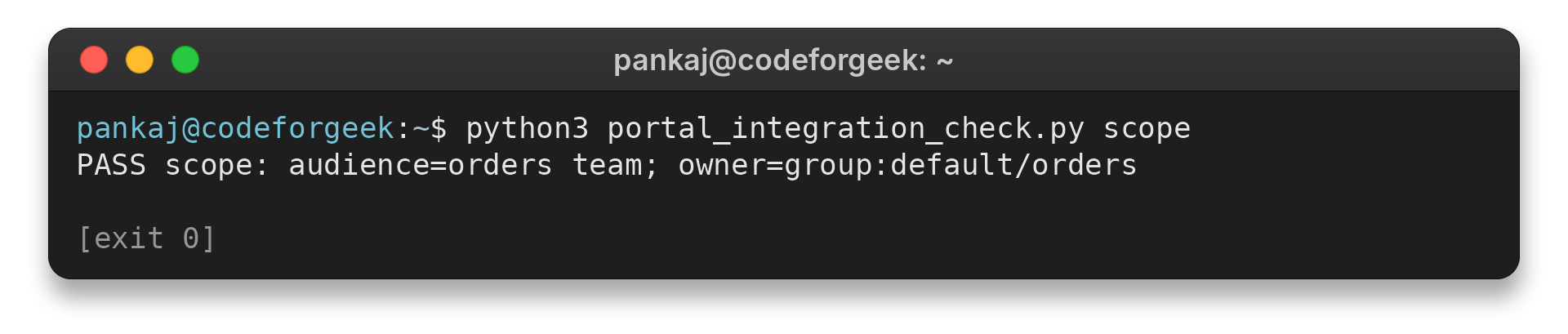
Confirm that the printed group:default/orders value resolves to the intended catalog entity before registration.
Step 2: Link the Repository, Documentation and API
Match the repository connection to the team’s normal change process. Backstage offers source-control locations and catalog providers.
Give the discovery connector read-only repository access, then store its credential in the portal’s secret feature, outside catalog annotations, and follow the team’s rotation policy.
Backstage TechDocs displays Markdown kept with code on a catalog entity. The sample points to the repository root and needs adjustment when docs live elsewhere. Confirm the built docs appear on the service page, then inspect its log if they are missing.
- API: link to the owner’s maintained specification, confirm its audience and replace fictional addresses.
- Access: the local source check verifies HTTPS-shaped fields, not authentication or destination availability.
python3 portal_integration_check.py sources
PASS sources: repository=HTTPS; docs=dir:.; API and runbook links=HTTPS

[exit 0]
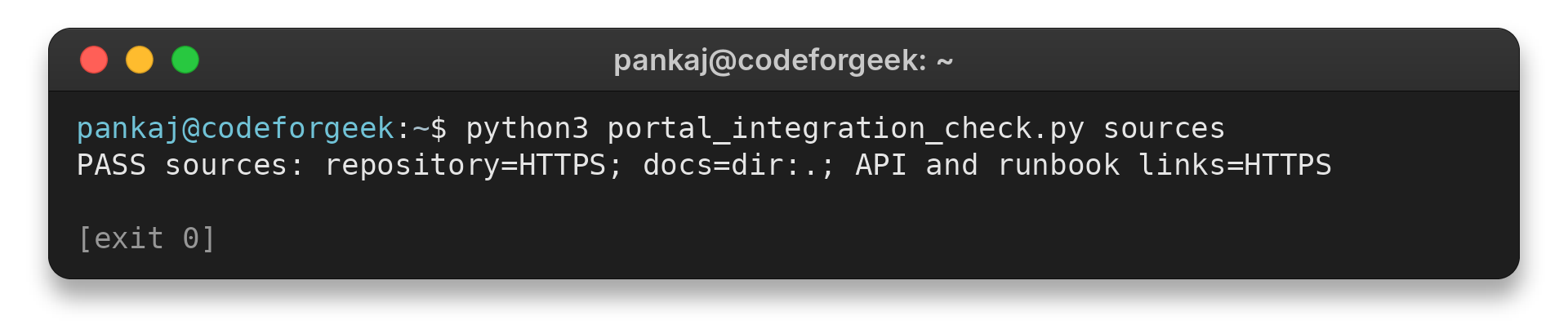
Portal visibility and destination permissions are separate checks. If a pilot engineer opens a runbook link and gets a 403 response, test the target as that user and correct its access rule at the source. Keep private documentation behind its intended access policy.
Step 3: Pilot One Workflow With the Owning Team
A Backstage Software Template can scaffold and publish a repository through a configured location. The result can register a catalog component.
Choose a repeatable task with a named owner and a safe recovery path. A service-repository scaffold can still go through the team’s usual review. Keep deployments and access grants behind their existing approvals because a portal shortcut should not widen its authority.
Limit template inputs to the repository’s name and owning group. Use a service-owned integration identity rather than requesting a user’s access token. The local checker flags credential-shaped key names, so inspect field values separately.
python3 portal_integration_check.py pilot
PASS pilot: local metadata only; owner=group:default/orders; credential fields=0

[exit 0]
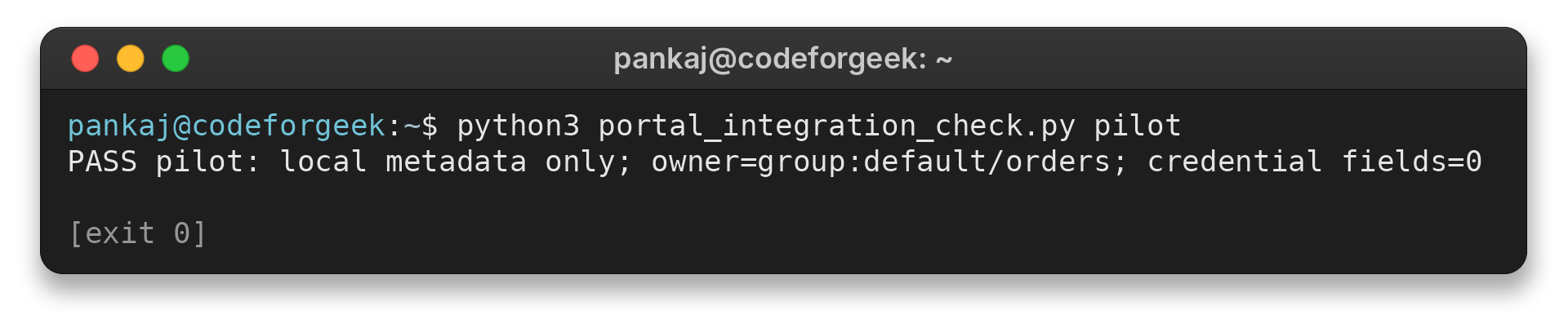
Use the task log to locate a failed template step and verify that rollback removes partial output. Test first with a sandbox repository and inspect the generated metadata before opening the workflow to a pilot.
| Pilot check | Evidence to collect | Response if it fails |
|---|---|---|
| Find the service | A team member can locate its owner and repository | Fix catalog ingestion or naming before adding more records. |
| Open its docs | A team member can read the setup page | Correct the source reference or access policy. |
| Try one workflow | The template creates the expected repository in the agreed location | Pause the template and inspect its inputs and integration scope. |
After the walkthrough, note which answer the user could not find and who can correct it. Compare the result with the team’s normal onboarding path before expanding the catalog.
What Can Go Wrong When You Connect a Portal?
Use the symptom to identify whether ownership, synchronization, access or automation needs attention because each needs a different first check.
| Symptom | What to check | Next action |
|---|---|---|
| Service has no owner | Inspect the source descriptor and confirm the group reference resolves. | Ask the service team to set an accountable group before registering the record. |
| Portal data is stale | Compare the portal fields with the repository or provider that owns them. | Fix the source, then check its ingestion schedule and processing errors. |
| Docs open for admins only | Test the link as a normal member of the pilot group. | Align the document’s audience with the portal’s access rules. |
| API details expose credentials | Search metadata keys and links for values that grant access. | Remove them and rotate any credential already exposed. |
| Template run creates a bad repository | Review its task output, repository permissions and generated files. | Keep the workflow paused until review and rollback are clear. |
| Teams skip the portal | Ask a pilot user to complete one onboarding or lookup task. | Fix the missing entry point before adding more portal features. |
Backstage’s Software Catalog includes an Unprocessed Entities view for records that did not process correctly. Check its errors when a file appears valid but an entity is missing. Compare the configured locations in each environment before changing the provider, since they may scan different repositories.
If two records appear to describe the same service, compare their kind, namespace and name, then verify both repository URLs with the service owner before changing either entry.
If a field remains stale, compare the portal value with the provider’s last successful ingestion. Check the processing log before changing the record, since a later refresh can overwrite a manual edit.
For a Kubernetes operations example, see this CodeForGeek guide to application performance monitoring. For documentation built alongside code, the continuous documentation guide for developer teams covers that workflow.
Conclusion: Keep Each Portal Entry Tied to Its Source
A portal is ready for a wider audience when its users can identify who maintains an entry and reach the sources that answer their next question. Review that result with the owning team before expanding the portal’s scope.
For Backstage-specific details, read the Software Catalog guide, the entity descriptor reference and the TechDocs guide. They describe Backstage behavior. Check your chosen portal’s documentation for its own registration and update rules.
FAQ
These answers cover two practical choices that often come up after the first service is connected.
Should every team use the same developer portal?
Use one portal when its identity rules, data sources and support model fit those teams. Keep distinct access rules where team data requires them, and do not add a second portal without an owner for its integrations.
Where should service catalog metadata live?
Keep it with the service repository when the team already reviews that repository and your portal can ingest its descriptor. If another provider owns the data, document that source and its update path instead of maintaining a second copy.
How can I keep portal information current?
Name the owner of each source, update records in that source, and check the portal after the provider’s documented sync or processing cycle. Review missing entities and broken links with the pilot team before expanding the catalog.