New to Rust? Grab our free Rust for Beginners eBook Get it free →
Best Free AI Image Generators of 2025

I treat free AI image generators as draft tools, not finished design systems. They are useful when you need a blog header idea, a social post mockup, a character concept, or a quick visual direction before you spend time in a full editor. The best free image AI tool for you depends on how much control you need, how strict the free credit limit is, and whether you want text-to-image only or a wider creative suite.
Every pick below has a usable free path, although exact credits and model access can change inside each product dashboard. Check the pricing screen before you build a workflow around one generator.
Top free AI image generators to try
Use this list as a practical shortlist. I kept the focus on tools that are easy to open, test, and compare without starting with a paid subscription.
1. Craiyon
Craiyon is still the easiest place to start if you want a fast text-to-image result without learning many controls. Type a prompt, wait for the image grid, then download the version that is close enough for a draft or meme-style visual.
Website: craiyon.com
Free access: Craiyon advertises both free and paid tiers. The free version fits casual generation, and paid plans remove some waiting and ads.
- Good for quick drafts, memes, thumbnails, and low-pressure experiments.
- Simple prompt box, image grid output, and very little setup.
- Less control than advanced tools, so expect to revise prompts more often.
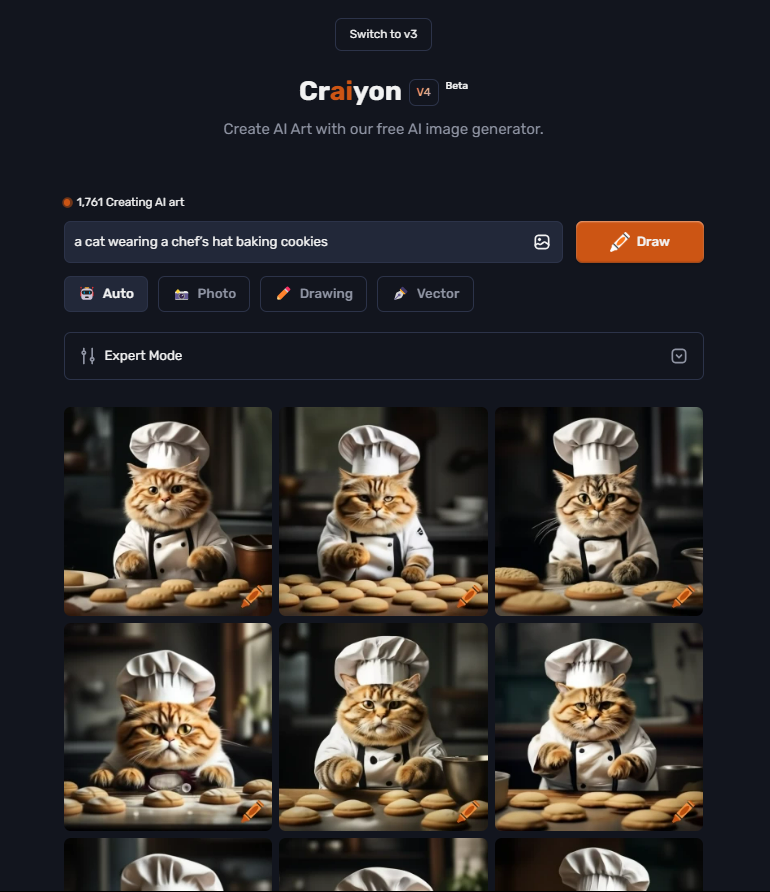
Best for: Quick concept images when you care more about speed than fine editing controls.
If you want a closer walkthrough of this specific tool, my Craiyon AI image generator guide explains prompt entry, output choices, and download steps.
2. DreamStudio by Stability AI
DreamStudio is the Stability AI option for people who want more control over style, aspect ratio, and generation settings. The public DreamStudio experience has shifted over time, so the safest way to judge its free value is to sign in and check the current credit balance and model choices in your account.
Website: dreamstudio.ai
Free access: Stability AI uses a credit model for hosted generation. New account credits and per-image costs can change, so confirm the available balance before a project.
- Better control over output style and dimensions than beginner-only tools.
- Useful when you want a cleaner illustration, product-style shot, or article image concept.
- Credit usage depends on model choice and generation settings.
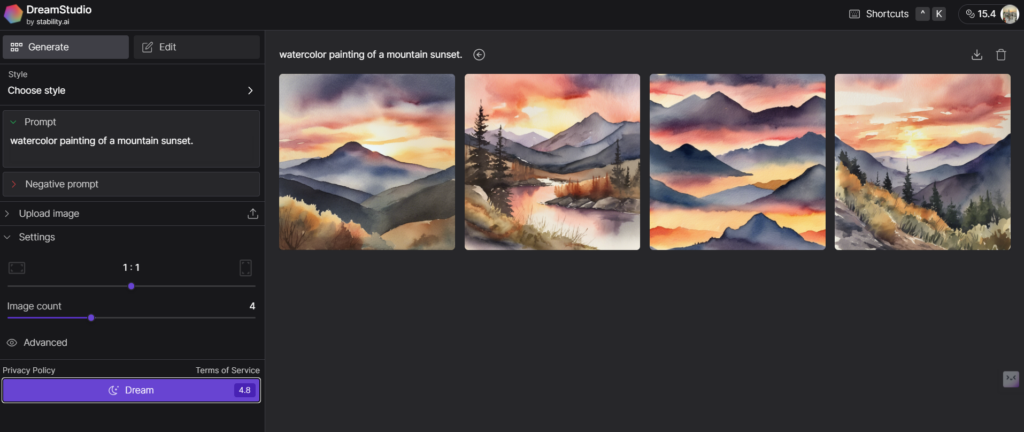
Best for: Controlled image drafts where prompt quality and settings matter.
3. NightCafe Studio
NightCafe Studio combines AI image generation with a community gallery, challenges, and several model choices. It suits you if you like browsing examples before writing your own prompt, because the public gallery gives you a useful sense of styles that work.
Website: nightcafe.studio
Free access: NightCafe uses credits and commonly offers free ways to earn or receive them. Check the account page for the current daily allowance and any challenge rewards.
- Multiple generation modes for art, fantasy scenes, portraits, and abstract visuals.
- Community examples help you learn prompt phrasing faster.
- The credit system rewards careful prompts instead of constant random generation.
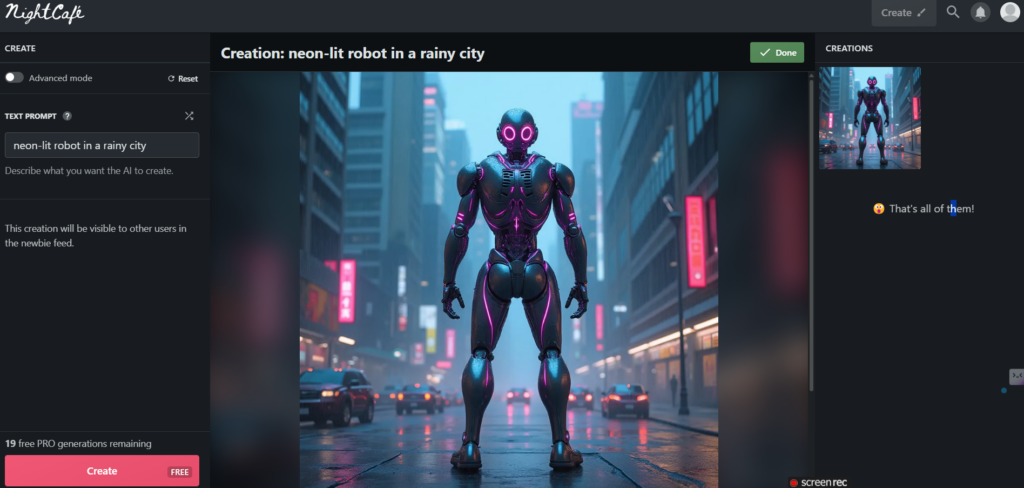
Best for: Stylized art, fantasy images, community inspiration, and prompt practice.
4. Artbreeder
Artbreeder works differently from a plain prompt box. You can blend, adjust, and remix images, which makes it useful for faces, characters, landscapes, and visual exploration. The pricing page currently shows a free plan with a small monthly credit allowance, so treat it as a focused tool rather than an unlimited generator.
Website: artbreeder.com
Free access: Artbreeder lists a free plan with limited monthly credits. Paid plans increase credits, rendering speed, and download options.
- Strong fit for character ideas and image blending.
- Good visual controls when you want to push an image in a specific direction.
- Free credits are limited, so save them for ideas that need Artbreeder’s remix workflow.
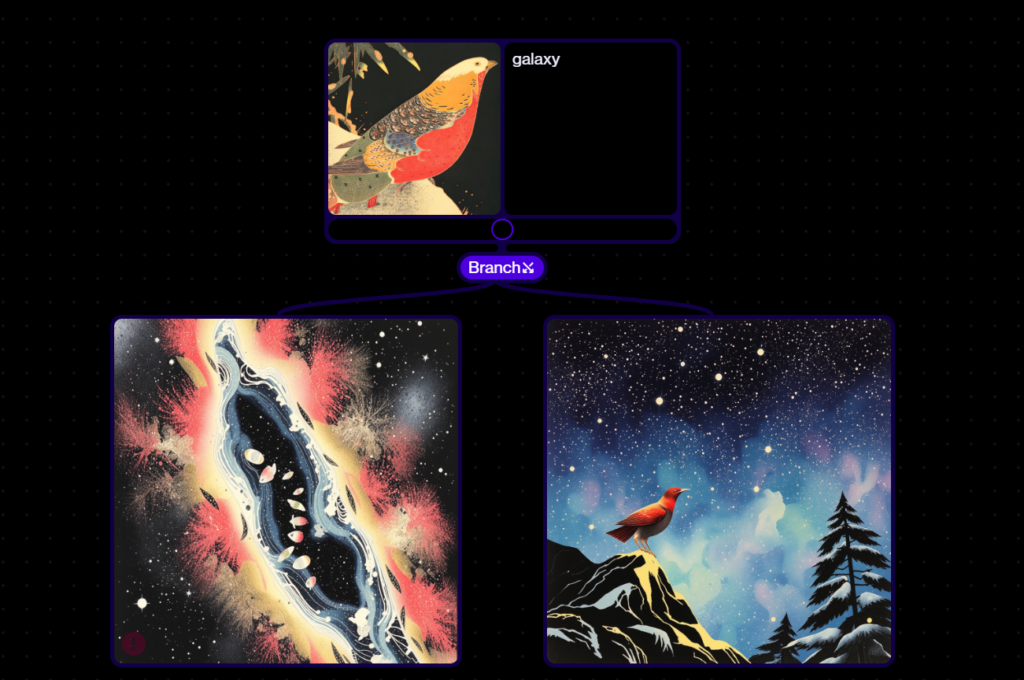
Best for: Character design, portrait exploration, landscape concepts, and remixing existing images.
5. Runway
Runway is a broader AI creative suite, not just an image generator. The reason to include it here is simple: if your image work may become a video, storyboard, product mockup, or social campaign, Runway keeps those tools in one place.
Website: runwayml.com
Free access: Runway’s pricing page lists a Free plan with a one-time credit deposit. Paid plans add monthly credits and more export options.
- Good choice when image generation is part of a larger AI media workflow.
- Includes tools for image, video, and editing tasks.
- Free credits can go fast when you test video models, so use them carefully for image drafts.
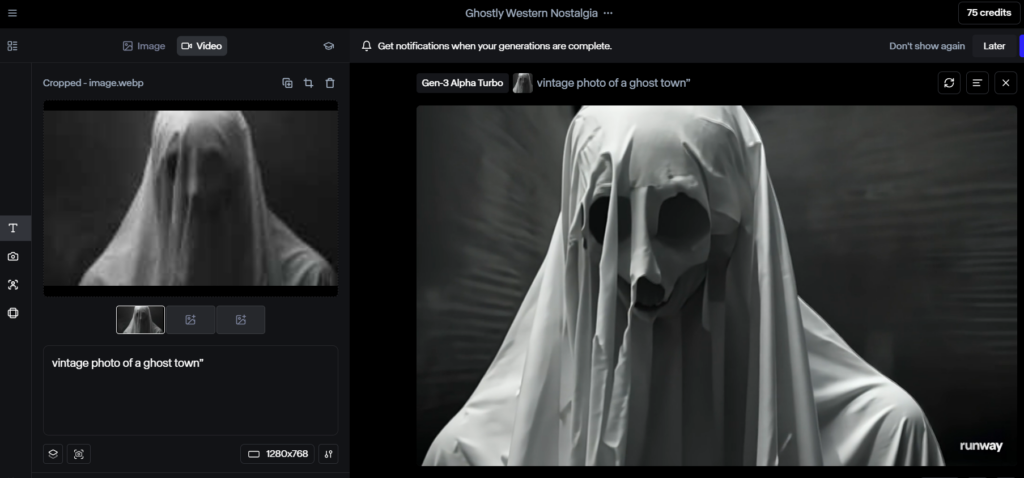
Best for: Image ideas that may later move into AI video, storyboards, or campaign assets.
Free AI image generator comparison
| Tool | Best use | Free-plan note |
|---|---|---|
| Craiyon | Fast drafts and meme-style visuals | Free tier with paid upgrades |
| DreamStudio | Controlled text-to-image generation | Credit-based hosted generation |
| NightCafe | Stylized art and prompt practice | Credit system with free earning options |
| Artbreeder | Character concepts and image remixing | Free plan with limited monthly credits |
| Runway | AI images inside a larger media suite | Free plan with a one-time credit deposit |
How to choose the right free image AI tool
Start with Craiyon when you only need a quick idea. Move to DreamStudio when you care about settings and image quality. Use NightCafe when community examples help you learn faster.
Use Artbreeder when you want to blend or evolve a visual instead of starting from a blank prompt. Choose Runway when the same project may need images and video.
Free limits matter more than the headline feature list. A tool with fewer credits can still be the better choice if it gives you cleaner drafts per prompt. If your project also needs copy or motion, pair this list with my guides to free AI writing tools and free AI animation tools so the workflow stays consistent.
Prompt quality also changes the result. Keep the subject, style, mood, and format in the same prompt. For example, ask for “a flat vector illustration of a coffee shop loyalty app screen, warm colors, clean background” instead of only “coffee app.” If you already use ChatGPT for brainstorming, my ChatGPT complete guide can help you turn rough ideas into clearer prompts before you spend credits.
Practical usage examples
- Social posts: Generate a few visual directions for a product launch, then recreate the best one in your brand style.
- Blog images: Draft header ideas before you decide whether a custom illustration is worth the budget.
- Presentations: Create concept art or simple scene illustrations when stock photos feel too generic.
- Character and game ideas: Use Artbreeder or NightCafe to explore faces, outfits, settings, and art styles.
Conclusion
The best free AI image generator is the one that fits your next visual decision. Craiyon is the fastest starting point, DreamStudio gives more control, NightCafe adds community discovery, Artbreeder handles remixing well, and Runway makes sense when images are part of a broader media project. Test one prompt across a few tools, compare the outputs, then spend your free credits where the results need the least cleanup.