
New to Rust? Grab our free Rust for Beginners eBook Get it free →
Express Complete Tutorial Part 4: Manage Sessions


A user signs in, then expects the next request to keep them signed in. Express sessions let an app keep login data on the server while the browser sends a session ID with later requests.
I’ll walk through adding login and logout, then explain what to check before deploying sessions.
TL;DR
Use express-session to keep login data on the server and send the browser a signed session ID. Put the middleware before routes, regenerate the ID after valid credentials, and destroy the session when the user logs out.
- Install with npm install express express-session.
- Keep the session secret outside source control.
- Replace MemoryStore before deploying multiple processes.
What is an Express session?
An Express session gives an app a way to preserve user-specific state between separate HTTP requests because HTTP does not retain application state.
The browser receives a signed ID cookie, while session data remains in the configured store. Signing detects tampering rather than encrypting the ID, so keep it out of URLs and logs because anyone who copies it could replay requests until the server invalidates the session.
| Part | Where it lives | Job |
|---|---|---|
| Session ID cookie | Browser | Identifies the session on a later request |
| Session record | Configured server-side store | Holds values such as the authenticated user ID |
| req.session | Express request | Lets a route read or change that request’s session data |
MemoryStore keeps records in the Node process, letting this single-process test preserve login across requests, but a restart erases them and another app process cannot read them. Express warns it can retain memory, so use it only for local development. The Redis session guide covers shared storage.
How to add session login and logout in Express
The example adds a login route, a protected profile route, and logout. I chose a tiny form-encoded request and an in-process test so the sample shows the cookie continuing across requests without setting up a browser or external service.
Use Node.js 18 or newer for Express 5. In a project directory, initialize npm and install the current Express packages:
npm init -y
npm install express express-session
Save the following as session-demo.js. The fixed demo credentials only exercise route flow, and the local process generates a temporary secret when none is set. Replace the credential check with password-hash verification and configure SESSION_SECRET consistently across production instances.
const express = require('express');
const session = require('express-session');
const assert = require('node:assert/strict');
const { randomBytes } = require('node:crypto');

function createApp() {
  if (process.env.NODE_ENV === 'production' && !process.env.SESSION_SECRET) {
    throw new Error('SESSION_SECRET is required in production');
  }
  const app = express();
  app.use(express.urlencoded({ extended: false }));
  app.use(session({
    name: 'sid',
    secret: process.env.SESSION_SECRET || randomBytes(32).toString('hex'),
    resave: false,
    saveUninitialized: false,
    cookie: {
      httpOnly: true,
      sameSite: 'lax',
      secure: process.env.NODE_ENV === 'production',
      maxAge: 15 * 60 * 1000
    }
  }));

  app.post('/login', (req, res, next) => {
    // Demonstration only. Replace with a real password-hash check.
    if (req.body.username !== 'sam' || req.body.password !== 'demo-only') {
      return res.status(401).send('Invalid credentials');
    }
    req.session.regenerate((error) => {
      if (error) return next(error);
      req.session.user = { id: 1, name: 'Sam' };
      req.session.save((saveError) => {
        if (saveError) return next(saveError);
        res.send('Signed in');
      });
    });
  });

  app.get('/profile', (req, res) => {
    if (!req.session.user) return res.status(401).send('Sign in required');
    res.send(`Hello, ${req.session.user.name}`);
  });

  app.post('/logout', (req, res, next) => {
    req.session.destroy((error) => {
      if (error) return next(error);
      res.clearCookie('sid');
      res.send('Signed out');
    });
  });
  return app;
}

async function test() {
  const server = createApp().listen(0, '127.0.0.1');
  await new Promise((resolve) => server.once('listening', resolve));
  const base = `http://127.0.0.1:${server.address().port}`;
  let cookie;
  try {
    const before = await fetch(`${base}/profile`);
    assert.equal(before.status, 401);
    console.log(`Before login: ${before.status} Sign in required`);

    const login = await fetch(`${base}/login`, {
      method: 'POST',
      headers: { 'content-type': 'application/x-www-form-urlencoded' },
      body: 'username=sam&password=demo-only',
      redirect: 'manual'
    });
    assert.equal(login.status, 200);
    cookie = login.headers.get('set-cookie').split(';')[0];
    console.log(`Login: ${login.status} Signed in`);

    const profile = await fetch(`${base}/profile`, { headers: { cookie } });
    assert.equal(profile.status, 200);
    assert.equal(await profile.text(), 'Hello, Sam');
    console.log(`Profile with session: ${profile.status} Hello, Sam`);

    const logout = await fetch(`${base}/logout`, {
      method: 'POST', headers: { cookie }, redirect: 'manual'
    });
    assert.equal(logout.status, 200);
    console.log(`Logout: ${logout.status} Signed out`);

    const after = await fetch(`${base}/profile`, { headers: { cookie } });
    assert.equal(after.status, 401);
    console.log(`After logout: ${after.status} Sign in required`);
    console.log('TEST PASS: login, protected route, and logout');
  } finally {
    await new Promise((resolve, reject) => server.close((error) => error ? reject(error) : resolve()));
  }
}

if (require.main === module) {
  test().catch((error) => {
    console.error(error);
    process.exitCode = 1;
  });
}

module.exports = createApp;
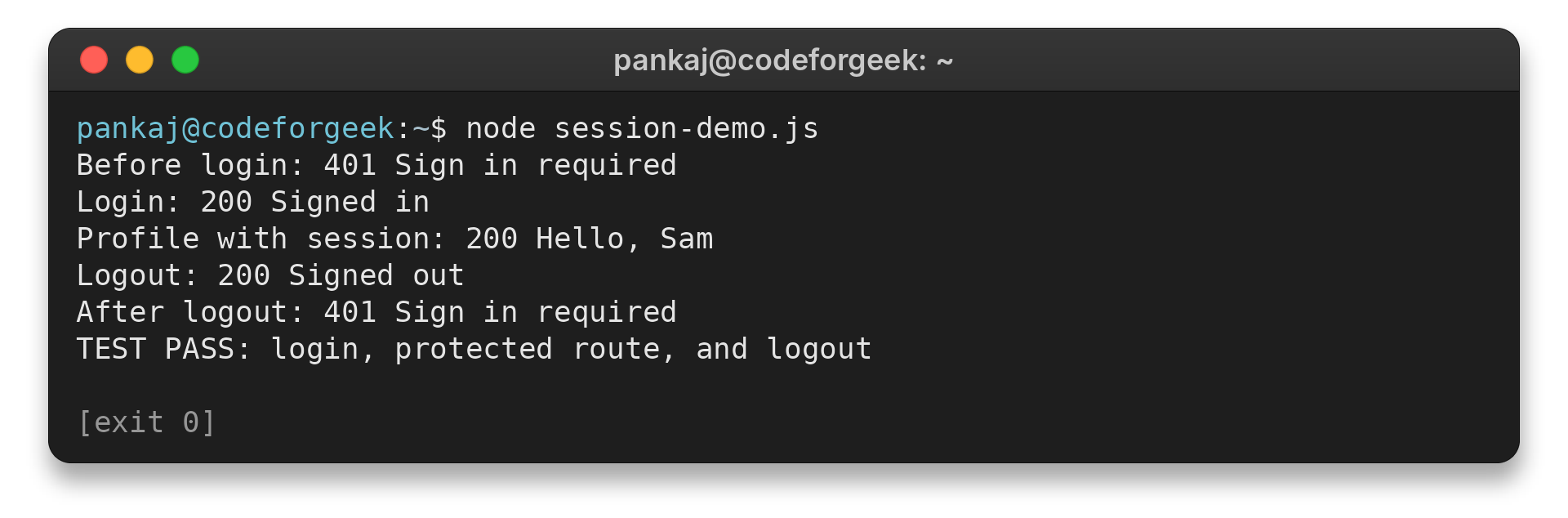
The test starts on an available local port, sends requests through the app, and closes its server in a finally block. Run the same file with Node:
node session-demo.js
I ran this test with Node.js 26.7.0. The app uses Express 5.3.0 and express-session 1.19.0. Each response matches the test’s expected status, while password verification and production storage remain outside this test.
The test client copies the cookie header manually, so it verifies session persistence between requests but not browser enforcement of cookie attributes. It also does not exercise a TLS-terminating proxy. After deployment, inspect the Set-Cookie response and confirm that the browser returns the cookie on a later HTTPS request.
Step 1: Register the middleware before routes
express-session adds req.session for later route handlers and manages its own cookie, so cookie-parser is not needed for that job. The app parses form data before mounting session middleware for its routes. With saveUninitialized: false, this example skips creating unchanged anonymous sessions.
resave: false avoids unnecessary writes when a session is unchanged, but confirm the selected store supports that behavior.
Step 2: Verify credentials, then regenerate and save
Verify credentials with a password hash before regenerating the session ID. On failure, return 401 without setting an authenticated user. After success, save the minimal session record before any response or redirect that depends on it, and pass store errors to Express with next(error).
Step 3: Check the session on protected routes
The /profile route uses session state to decide whether to return protected content. The test checks requests before login, with the session cookie, and after logout. Part 3 of this series covers how Express routes receive requests.
The demo keeps a display name in the session so its response is clear in the test output. A larger app can store the user ID and load current profile details from its database on this route. Then account changes can take effect without relying on a stale session copy.
Return 401 when no user is signed in and 403 when a signed-in user lacks permission.
app.get('/profile', (req, res) => {
  if (!req.session.user) return res.status(401).send('Sign in required');
  res.send(`Hello, ${req.session.user.name}`);
});
node session-demo.js
Before login: 401 Sign in required
Login: 200 Signed in
Profile with session: 200 Hello, Sam
Logout: 200 Signed out
After logout: 401 Sign in required
TEST PASS: login, protected route, and logout
Move the same check into authorization middleware when several routes share it. The test covers session handling, while login-page design and credential storage require separate code.
Step 4: Destroy the record on logout
After req.session.destroy() completes, clear the cookie with the same options used to set its scope. The test then sends the old cookie again and verifies a 401 response.
What to check before deploying sessions
Deployment choices depend on where HTTPS ends and how many app processes serve requests, because both affect cookie delivery and store access.
| Setting or symptom | What to verify |
|---|---|
| Session store | Select a production-ready store shared by app instances. MemoryStore is for local development. |
| Secret | Load a high-entropy secret from deployment configuration and use a consistent value across instances. |
| Browser script access | Set httpOnly so scripts cannot read the cookie directly. It does not stop injected scripts from making requests as the user. |
| Cross-site requests | Choose sameSite for the login flow. Cross-site cookies need Secure and explicit CSRF defenses. |
| Symptom | First check |
|---|---|
| Cookie missing over HTTPS | Enable secure and configure trust proxy for the intended TLS-terminating proxy only. |
| Apps sharing a host | Choose a distinct cookie name and limit Domain and Path to the required requests. |
| Session store is unavailable | Fail closed on private routes rather than treating a missing record as an authenticated user. |
These are individual reports, not prevalence evidence. Issue 983 discusses secure-cookie behavior, while issue 167 describes data missing across back-to-back requests.
Several requests from one browser can run at once, especially when a page loads API data. If two handlers change the same session field, one write can overwrite the other. resave: false avoids writing unchanged sessions but does not serialize conflicting application updates.
Choose a session timeout deliberately
Set the browser cookie’s expiry and the store record’s lifetime as separate policy decisions. The local sample uses a 15-minute cookie age.
| Expiry situation | What happens | What to decide |
|---|---|---|
| Cookie expires first | The browser stops sending its session ID, even if the store still has a record. | Choose an idle timeout that fits the app’s sign-in experience. |
| No explicit cookie age | The browser treats it as a session cookie, while store expiry remains separate. | Set maxAge only when the desired browser lifetime is known. |
| Store record expires first | The browser may send an ID that no longer resolves to a session. | Configure the store TTL alongside cookie age. |
| Rolling cookie | rolling: true refreshes cookie expiry after responses. | Check that the store renews its record as expected. |
| Absolute session limit | Rolling expiry can extend an active session’s idle window. | Enforce a separate application rule when sign-in must end after a fixed duration. |
Do not expose logout as a GET action because browsers or link previews can request a URL without an intentional form submission. Use POST for logout and protect state-changing requests against CSRF. sameSite can reduce cross-site cookie sending, but it is not a complete CSRF defense.
Conclusion: keep the session ID and session data distinct
This example isolates the login-session lifecycle. Password verification, CSRF protection, and persistent shared storage depend on the surrounding application’s design.
For the next step, check the official Express session middleware documentation for store methods and cookie options, then use a shared store when the app runs in more than one process.
FAQ
These answers cover the session behavior in the example.
Does express-session store session data in the browser cookie?
No. The browser cookie carries the signed session ID. Session data stays in the configured server-side store.
Why should the session ID change after login?
Regenerating the ID after successful authentication separates the signed-in session from an ID that may have existed before login.
Is MemoryStore suitable for production?
No. The express-session documentation says MemoryStore is intended for development and does not scale across multiple processes. Choose a production-ready shared store for deployment.
What does logout need to do?
Destroy the server-side session record, then clear the matching session cookie in the browser.