New to Rust? Grab our free Rust for Beginners eBook Get it free →
Solving NPM Refusing to Install Package as a Dependency of Itself Error

I use npm init command to generate new fresh Node.js project. I did that and tried to install the node module using following command.
npm i --S mqtt
But it responded with big error stack trace like this.
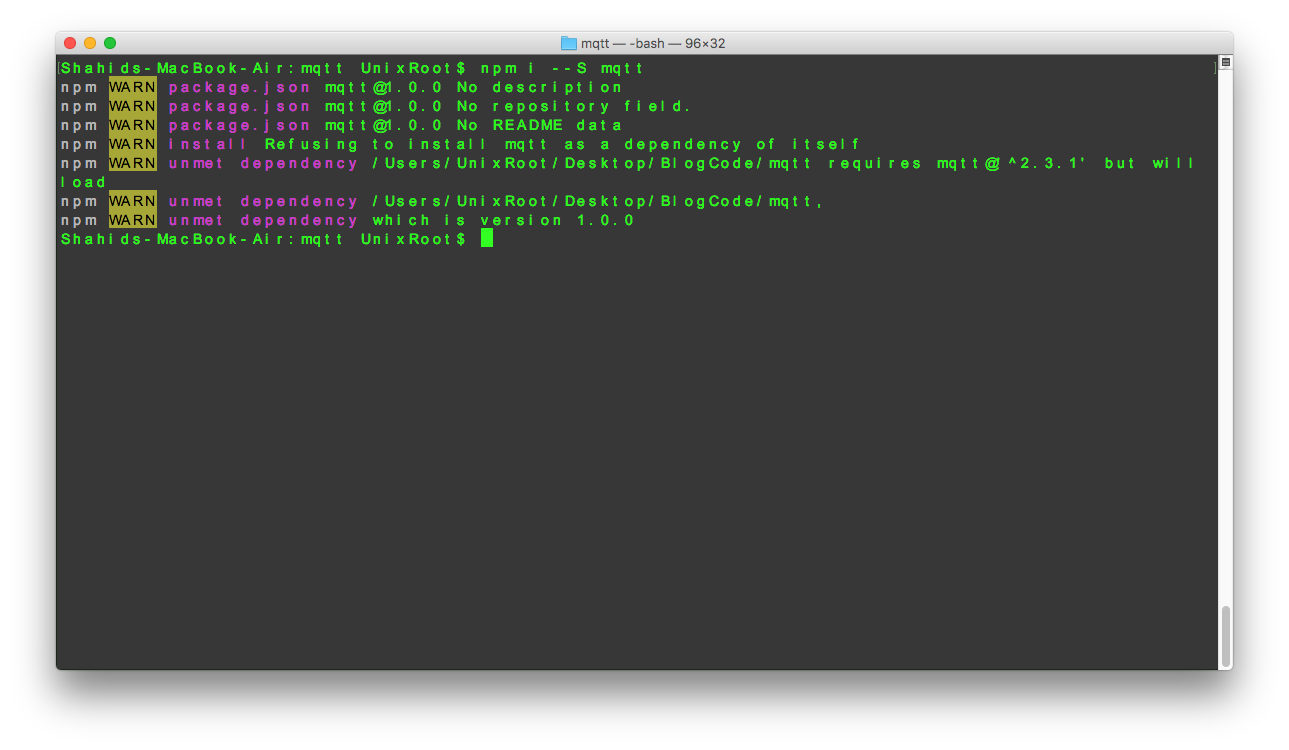
I received this error for the first time since I started with Node.js development.
I wasted my next 10 minutes to figure out what went wrong and when I figured it out, I felt like this!
So this is how I solved it.
This error means that the Node module which you are trying to install as the dependency is actually your project name!
To fix that, open your package.json file and change the name of the project.
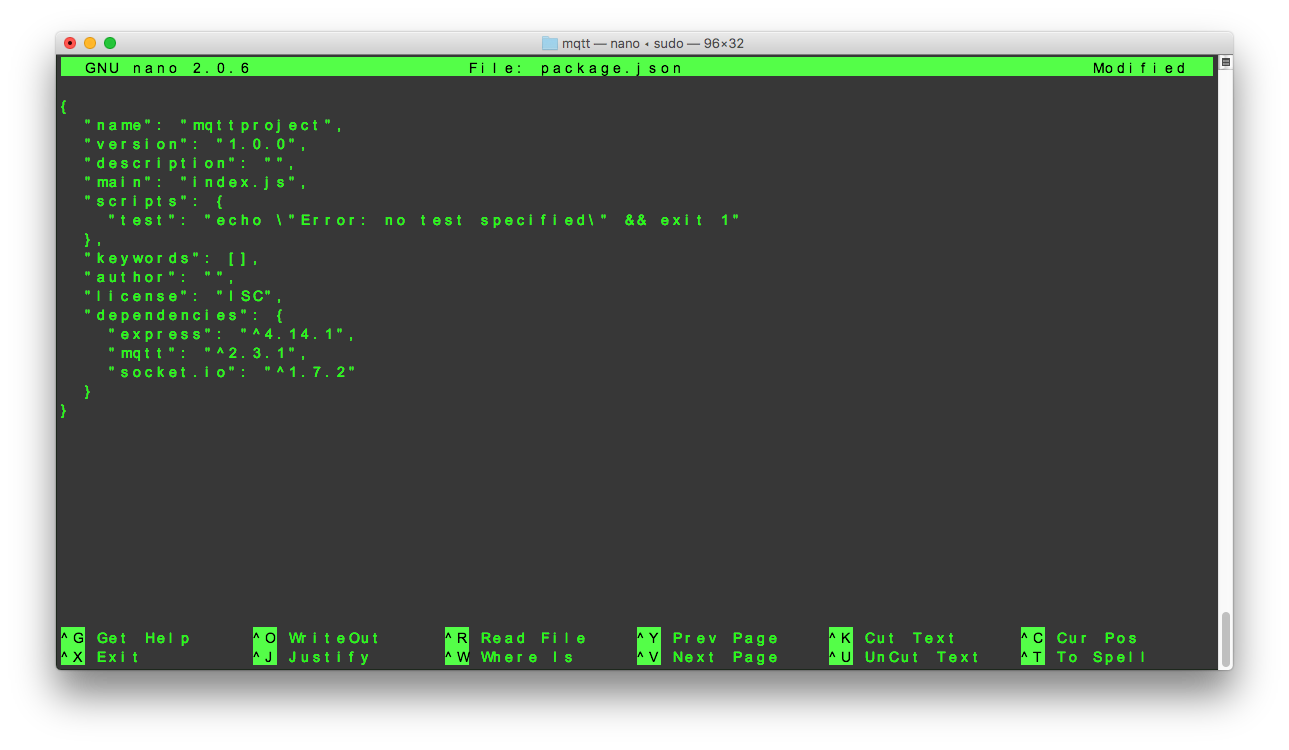
Now, try to install the module again.
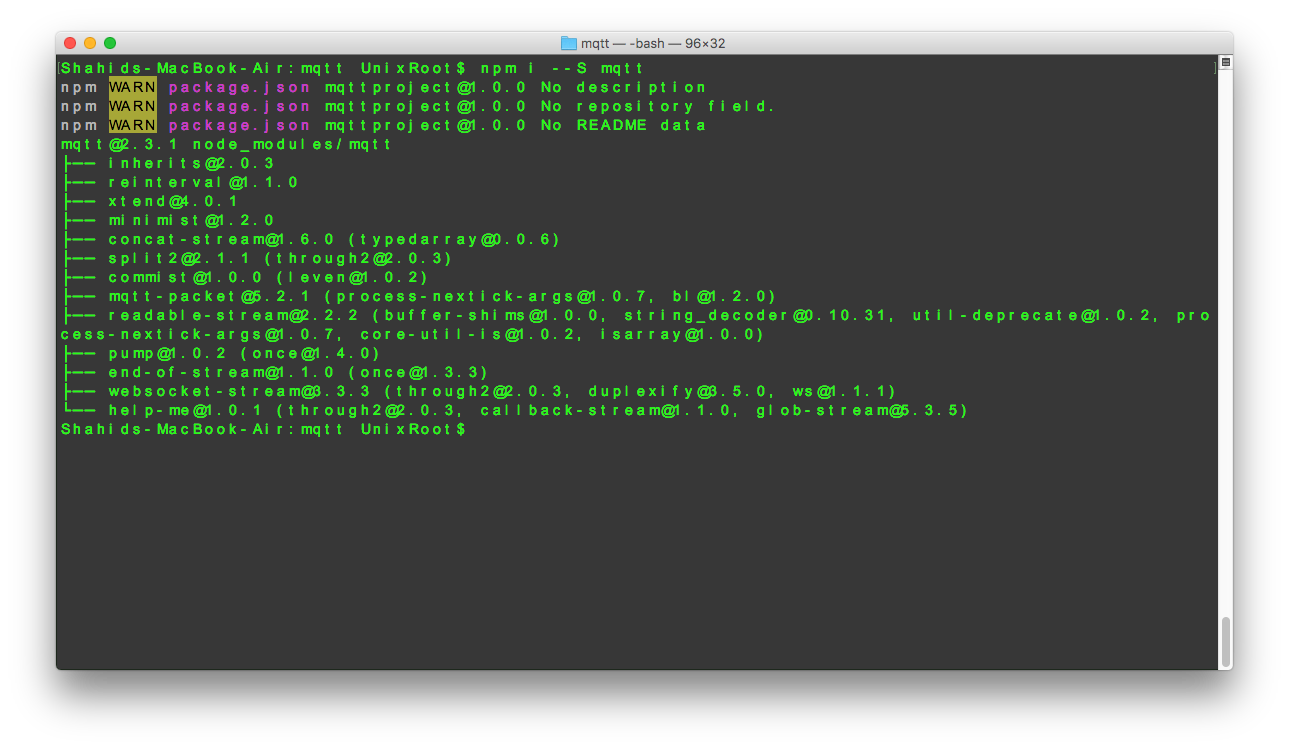
It worked!
This was just a tip to save your time to fix this stupid error.
Do you think NodeJS should give the error in a more descriptive way? Let me know in comments.