New to Rust? Grab our free Rust for Beginners eBook Get it free →
Multimodal AI for Developer Workflow | From Zero to AI Hero

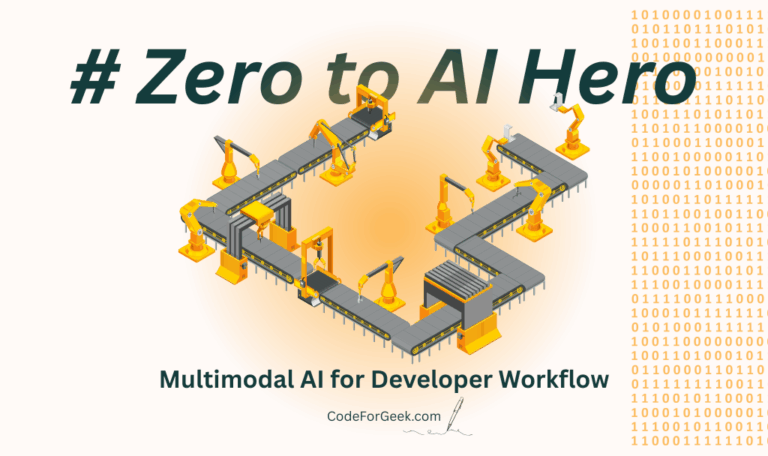
Up to this point, we have focused on AI that handles text: your code, your documentation, and your written prompts. Multi-modality is the revolutionary concept where a single AI model can understand and reason across multiple types of data simultaneously, such as text, images, video, and structured data.
Mastering multimodal AI for developer workflow means you can ask your AI assistant to “Fix this error” while showing it a screenshot of the broken UI, eliminating hours of manual transcription and context setup.
The Limitations of Text-Only AI
In articles like Article #1 on RAG for codebases explained, we learned that AI is context-limited. If you only give it text, it can only reason with text.
Imagine a bug report:
- Text-Only Report: “The user profile page is not showing the avatar. Console error:
Image not found: /user/default.png“
The text-only AI (using its Chain-of-Thought reasoning from Article #3) knows the file path is wrong. But it does not know what the page should look like, or if the avatar is even the main problem.
The Multi-Modality Advantage for Developers
Multimodal AI for developer workflow bridges this gap by letting the model see the visual evidence alongside the text. The AI processes the visual data (the screenshot) by converting it into a specialized numerical representation (an embedding) that can be understood alongside the textual code embeddings (Article #2) and the prompt.
1. Visual-to-Code Generation (Design Mockups)
One of the most immediate benefits is transforming designs into code.
- Input: A developer uploads a Figma design screenshot or a hand-drawn sketch and types, “Convert this hero section into responsive React code.”
- Multimodal Action: The model simultaneously analyzes the visual layout, identifies elements (buttons, text fields, images), and translates the visual hierarchy into code structure (HTML, CSS, JavaScript).
This dramatically accelerates the prototyping phase, allowing developers to go from concept to functional code in minutes.
2. Enhanced Debugging and Error Reporting
Multi-modality makes debugging far more intuitive and accurate:
- Debugging: A developer submits a screenshot of a broken UI and pastes the corresponding network request error (a JSON payload). The multimodal AI connects the visual element that is missing (the avatar in the previous example) to the specific error message in the structured data, generating a fix that is highly targeted.
- Agentic Workflows: When building complex agentic workflows (Article #4), the agent can use its “eyes” to observe the environment. For example, a testing agent can take a screenshot after an automated action and visually confirm that a button click worked, rather than just relying on a terminal output.
3. Understanding Documentation and Graphs
Multi-modal models can look at data visualizations, system architecture diagrams, or complex flowcharts and extract meaning directly, eliminating the need for tedious textual descriptions.
This level of contextual awareness also improves safety. A sophisticated guardrail system (Article #7) can use multi-modality to check that the AI-generated code corresponds correctly to the security flow shown in an architectural diagram.
Performance and Tuning Challenges
Integrating images adds complexity, especially regarding speed. As noted in Article #8 on LLM latency optimization for developers, processing large inputs (like a high-resolution screenshot) adds significant time to the Time to First Token.
- Optimization: Developers must focus on optimizing the image-to-embedding process through techniques like compression or careful model selection.
- Tuning: Multimodal models benefit significantly from specialization. You can use LoRA fine-tuning for code LLMs (Article #5) to teach a model to better recognize and translate your company’s unique UI components or internal data formats. This form of specialization is essential for high-quality, relevant outputs.
Multimodal and the Core Technology
The ability to fuse information from different sources is a key evolution of the Transformer architecture (Article #10). The self-attention mechanisms allow the model to align the features extracted from an image (visual features) with the features extracted from the text (language features) in a shared semantic space, enabling true cross-modal understanding.
Frequently Asked Questions (FAQs)
Is a model that generates images from text a multimodal AI?
Yes. Multimodal AI includes the ability to generate outputs in a different modality than the input (e.g., text-to-image), as well as the ability to process multiple inputs simultaneously (e.g., image plus text to generate code).
How does the AI “see” an image?
The image is passed through a computer vision component (often a separate visual encoder) that converts the pixels into a numerical vector (an embedding). This visual embedding is then merged with the text embedding and fed into the main LLM, which is trained to interpret the combined signals.
What is the term for a model that can process both vision and language?
It is often called a Vision-Language Model (VLM). This is the foundation of many multimodal developer tools.
Does RAG work with multimodal data?
Yes. RAG is the retrieval architecture. You can create embeddings for images, videos, and structured data, store them in a vector database, and retrieve them when needed, exactly like text. The only difference is the data type being vectorized.
How does multi-modal AI help with testing?
Multimodal agents can be used to generate automated test cases from a written requirement and a corresponding UI mockup, ensuring the test covers the intended visual appearance as well as the functional requirement.
Does multimodal AI make instruction tuning harder?
It makes it more critical. Since the model has multiple inputs, the instruction must be perfectly clear to tell the model how to combine and prioritize the different modalities (e.g., “Prioritize the design elements in the image over the suggested colors in the text prompt”).
Conclusion
Multimodal AI is the future of developer tools because it allows for a more natural, human-like interaction with codebases and systems. By understanding and implementing the concepts of multimodal AI for developer workflow, from generating code from designs to debugging with screenshots, developers can unlock unprecedented levels of automation and efficiency. The relentless innovation from companies like Google and others in integrating different modalities into a single, unified model is fundamentally transforming how we build software.