New to Rust? Grab our free Rust for Beginners eBook Get it free →
Customer Feedback Management Systems – Definition, Process, Automation Tools


Customers tell you what is working and what is broken long before your dashboards do. A customer feedback management system collects that input from every channel, organizes it, and turns it into product and service decisions you can act on.
“Feedback is the breakfast of champions,” says Brian Halligan, CEO of HubSpot.
Most unhappy customers never complain. They simply stop buying, which is why waiting for feedback to reach you does not work.
You need a process that asks for it, a system that organizes it, and a habit of acting on it.
Below you will find what customer feedback management systems are, how the customer feedback management process works step by step, and which tools can automate it for your business in 2026.
What a Customer Feedback Management System Means
A customer feedback management system (CFMS) is a tool or service that collects feedback from multiple sources, centralizes it, and helps you turn it into product improvements. Instead of digging through email threads, survey exports, and support tickets, you get one place where feedback is captured, deduplicated, prioritized, and routed to the right team.
A single survey gives you a snapshot. A feedback management system gives you a repeatable loop: collect, analyze, act, then tell the customer what changed.
Closing that loop matters most: when customers see their suggestion ship, they send more feedback.
The Customer Feedback Management Process
The process scales with your company. A five-person startup can run it in an afternoon.
An enterprise needs owners, tooling, and review cycles. The four steps stay the same either way:
- Define aims and objectives
- Moderate your feedback management plan to your objectives
- Collect feedback from multiple mediums and sources
- Take the right action and close the loop
1. Define Aims and Objectives
Decide what the feedback should change before you collect any of it. Reducing churn after onboarding, fixing checkout friction, and validating a roadmap idea each pull toward different questions and different channels. One clear objective keeps the effort focused and makes the results usable.
2. Moderate Feedback Management to Objectives
Pick metrics that match the objective. A Customer Satisfaction Score (CSAT) tells you what percentage of customers are happy with a specific interaction or department.
A Net Promoter Score (NPS) measures long-term loyalty by asking how likely customers are to recommend you. A Customer Effort Score (CES) measures how hard it was for customers to get something done, which predicts churn better than satisfaction alone.
You do not need all three at once. CSAT suits transactional moments like a support ticket.
NPS suits quarterly relationship tracking. CES suits onboarding and self-service flows.
3. Collect Feedback from Multiple Sources
Customers speak up in different places: post-purchase surveys, in-app widgets, social media polls, review sites, and support conversations. Meet them where they already are instead of forcing every response through one form.
Mix solicited feedback (surveys and polls you send) with unsolicited feedback (reviews, social mentions, support tickets). The score tells you something changed. The comment usually tells you what to fix.
4. Take the Right Action and Close the Loop
Analyze what you collected, prioritize by impact, and fix the issues that block customers from getting value. A broken 404 page outranks an unpleasant UI detail because one stops the journey and the other just slows it.
Then close the loop: tell the customers who reported the problem that you fixed it. This is the step most teams skip and the one customers remember. It converts a one-time complaint into an ongoing conversation.
Best Customer Feedback Management Systems Automation Tools
I rechecked every tool below against its official pricing and product pages before publishing this update, including plan shapes and current availability. Here are the tools worth automating your feedback management with this year.
#1 Canny
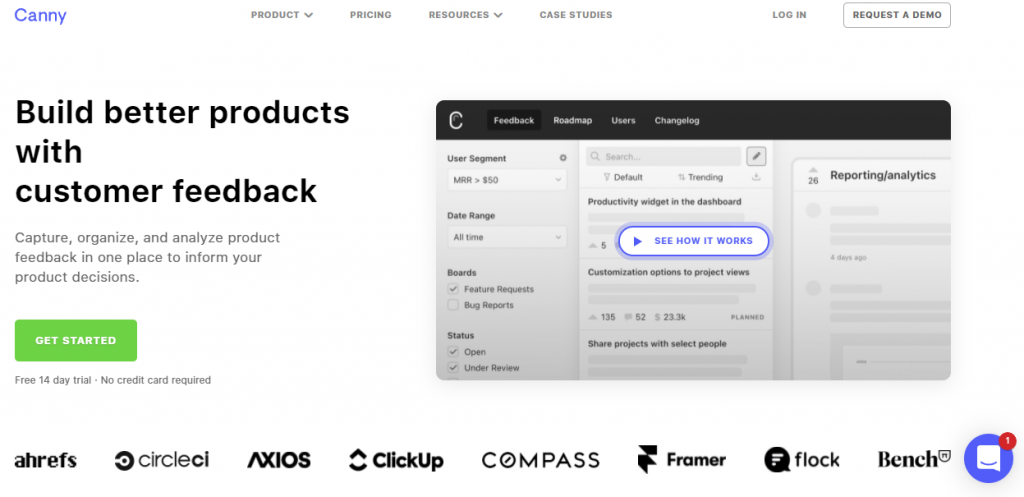
Canny runs public feedback boards where customers post ideas, vote on them, and comment, so your roadmap priorities come straight from demand rather than the loudest email. Its AI Autopilot now captures and triages feedback from Intercom, Zendesk, Slack, and other tools automatically. Pricing starts with a free plan for 25 tracked users, with paid plans from $79 per month billed yearly that scale by tracked user count.
If you want to read more about how automated responses fit into customer communication, see my guide to AI-powered customer service with chatbots.
#2 SurveyMonkey
SurveyMonkey remains one of the most widely used survey platforms for structured feedback programs. You get hundreds of templates for CSAT, NPS, and event feedback, AI-assisted analysis, logic and branching, and enterprise features such as SSO, governance controls, and regional data centers. There is a free Basic plan, while team plans are priced per user billed annually with yearly response limits.
#3 SurveyLegend
SurveyLegend focuses on visually polished surveys built with a drag-and-drop editor, one question per screen on mobile, conditional logic, and live analytics. Paid plans start at $15 per month billed annually ($19 monthly). It fits small businesses that want good-looking feedback forms without enterprise overhead.
#4 Userwell
Userwell is a product feedback management platform from Vienna aimed mainly at B2B software teams. It gathers feedback from multiple channels into one portal, lets stakeholders vote and comment, and connects priorities to roadmaps. If your main source of feedback is B2B customers and account managers rather than consumer traffic, its feedback-portal model is a good match.
#5 Featurebase
Featurebase combines a feedback board, public roadmap, changelog, and helpdesk in one subscription, which keeps feedback and support conversations from living in separate tools. There is a free plan, and paid tiers run from $29 to $99 per seat per month billed yearly. It suits startups that want Canny-style boards plus a support inbox without paying for both separately.
How to Choose the Right Feedback Tool
- Purpose: survey-first tools (SurveyMonkey, SurveyLegend) measure sentiment at scale, while board-first tools (Canny, Userwell, Featurebase) prioritize feature requests. Most teams need one of each, not two of the same kind.
- Pricing shape: check whether you pay per seat, per tracked user, or per response, and estimate the cost at your actual volume, not today’s.
- Integrations: the tool should sit inside the channels where feedback already arrives, such as Intercom, Zendesk, or Slack.
If you are building feedback collection on WordPress, my roundup of email marketing tools for WordPress covers the distribution side of the same loop.
What is a customer feedback management system?
A customer feedback management system collects feedback from multiple channels, centralizes it, analyzes it, and routes insights to the teams who can act on them.
What are the steps in the customer feedback management process?
Define your objectives, choose metrics that match them such as CSAT, NPS, or CES, collect feedback across channels, then act on it and tell customers what changed.
Which customer feedback management tools are best in 2026?
Canny and Userwell work well for product feedback boards, SurveyMonkey and SurveyLegend suit large-scale surveys, and Featurebase combines boards, roadmaps, and a helpdesk in one platform.
Conclusion
Feedback only pays off when a process stands behind it. Set a clear objective, pick the metric that matches it, collect from the channels your customers already use, and close the loop when you ship a fix. Any of the tools above can automate the collection and organization so your team can spend its time on the acting part.
For deeper reading, the HubSpot customer feedback guide covers survey design, and the HappyFox blog covers turning feedback tickets into action.