New to Rust? Grab our free Rust for Beginners eBook Get it free →
Build a Hacker News App with Angular
Learn how to use Angular HttpClient and the Hacker News API to display top stories in a standalone Angular app.

A Hacker News app is a useful Angular exercise because its API returns story IDs first and story records second, which means your component has to manage request order, loading state, and partial data instead of rendering a single response.
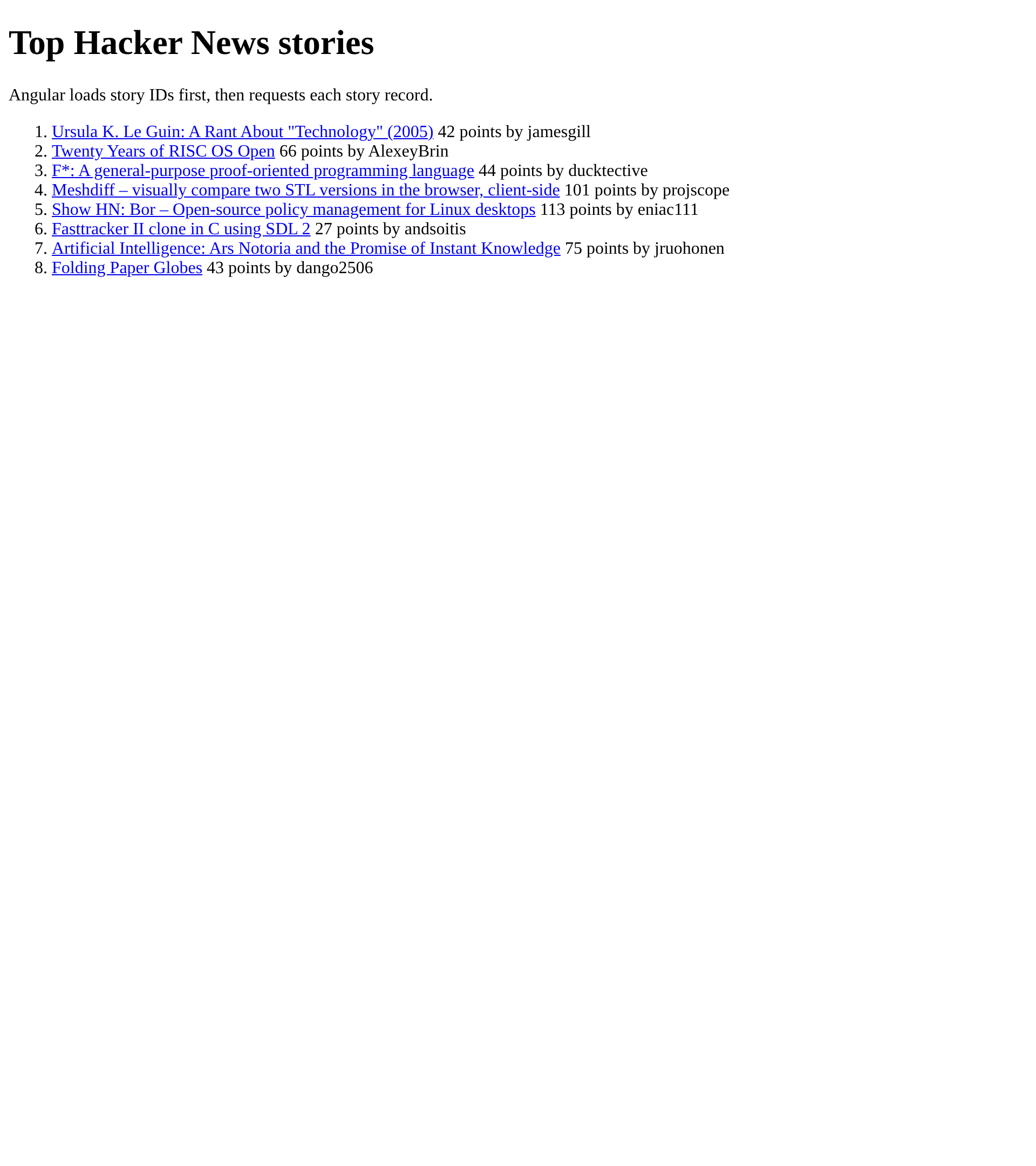
I rebuilt the example with a fresh Angular project, Angular HttpClient, and the public Hacker News API, then confirmed that the app loads eight top stories and renders each title, score, and author after the item requests finish.
Build the app around the Hacker News API
The Hacker News API exposes a topstories endpoint that returns an array of numeric IDs. Each item endpoint returns one record, which can be a story, comment, job, or a deleted item.
That split is why the code below first limits the ID list, then requests each item with forkJoin. The helper keeps the original ID order and removes deleted or dead records before the template receives them.
Create a standalone Angular project
Start in an empty directory. Angular CLI creates a standalone app by default, so you do not need the old AppModule or HttpModule setup.
npx @angular/cli new hn-browser --defaults --skip-git --skip-tests --style css --ssr false
cd hn-browser
npm run build
Angular’s HTTP setup guide uses provideHttpClient to make HttpClient available through dependency injection. Add it to the application configuration.
import { ApplicationConfig, provideBrowserGlobalErrorListeners } from '@angular/core';
import { provideHttpClient } from '@angular/common/http';

export const appConfig: ApplicationConfig = {
  providers: [provideBrowserGlobalErrorListeners(), provideHttpClient()]
};
Test the story filter before the component
I wrote a Node test that expected a deleted record to disappear while the remaining stories stayed in the order supplied by topstories.json, then added the small helper that makes the test pass.
export function selectStories(ids, items) {
  return ids
    .map((id) => items.get(id))
    .filter((item) => Boolean(item?.title) && !item?.deleted && !item?.dead);
}
Load story IDs and item records with HttpClient
Angular HttpClient returns an Observable for each request, and the component subscribes to the ID request, slices it to eight IDs, then uses forkJoin so the loading state changes only after all selected item requests resolve.
private loadStories(ids: number[]): void {
  forkJoin(ids.map((id) =>
    this.http.get<HackerNewsItem>(`https://hacker-news.firebaseio.com/v0/item/${id}.json`)
  )).subscribe({
    next: (items) => {
      this.stories.set(selectStories(ids, new Map(items.map((item) => [item.id, item]))));
      this.loading.set(false);
    },
    error: () => this.fail()
  });
}
The Hacker News endpoint can return null, deleted records, and non-story items over time. A production feed also needs a cache or backend when you need more than a compact list, because every item requires a separate request.
Render the stories and handle failures
Angular’s control-flow blocks keep the template direct by showing a loading message before requests resolve and an alert if either the ID request or item requests fail.
@if (loading()) {
  <p aria-live="polite">Loading stories…</p>
}

@if (error()) {
  <p role="alert">{{ error() }}</p>
}

<ol>
  @for (story of stories(); track story.id) {
    <li>
      <a [href]="story.url || 'https://news.ycombinator.com/item?id=' + story.id" target="_blank" rel="noopener noreferrer">{{ story.title }}</a>
      <span> {{ story.score ?? 0 }} points by {{ story.by ?? 'unknown' }}</span>
    </li>
  }
</ol>
Run the app
Start the development server and open the local URL it prints, where each loaded title links to its external story URL or to the Hacker News discussion when no external URL exists.
npm start
Change ids.slice(0, 8) to test a different feed size, or swap topstories.json for newstories.json to follow newer submissions. Keep the limit modest in a browser-only example, then move aggregation behind a backend if the app needs pagination, caching, or a stable editorial feed.