New to Rust? Grab our free Rust for Beginners eBook Get it free →
Generate an Ethereum Private Key and Address with Ethers

An Ethereum account is controlled by a private key. With ethers, Wallet.createRandom() creates a new wallet from a cryptographically secure random source and exposes its checksum address. Keep the key and recovery phrase out of source control, terminals, chat, and browser code.
Create a new Ethereum wallet
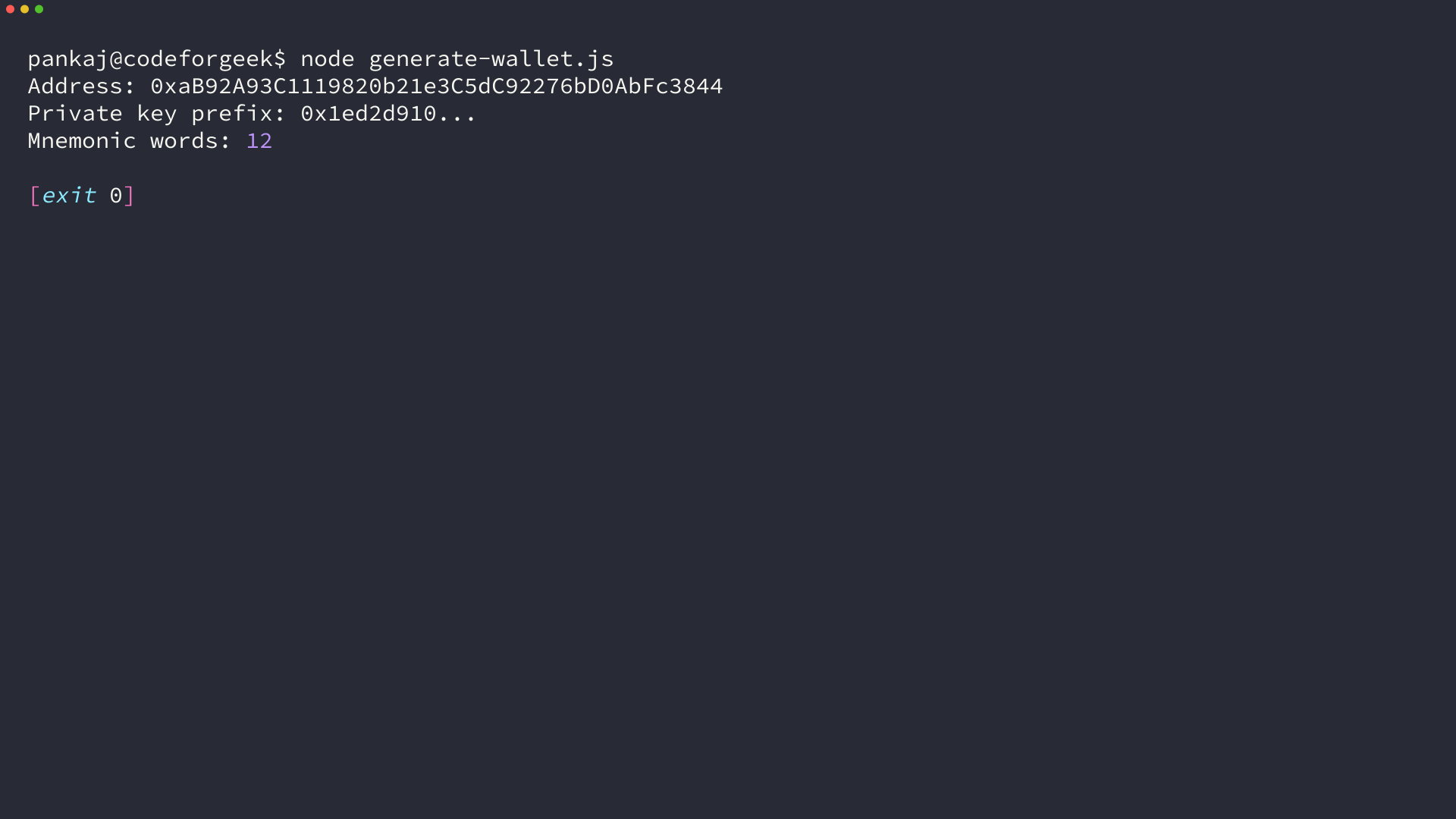
Install ethers in an empty Node.js project. This example generates a wallet locally and prints only a short key prefix, so the output can demonstrate the result without exposing a usable credential.
npm install ethers
Save the following file as generate-wallet.js, then run node generate-wallet.js.
import { Wallet } from "ethers";

const wallet = Wallet.createRandom();

console.log("Address:", wallet.address);
console.log("Private key prefix:", `${wallet.privateKey.slice(0, 10)}...`);
console.log("Mnemonic words:", wallet.mnemonic.phrase.split(" ").length);
The command prints an address, a masked private-key prefix, and a 12-word recovery phrase count. Wallet.createRandom() returns an HDNodeWallet that includes a mnemonic for a newly generated wallet.
Understand what the address represents
The private key signs transactions, while the public address identifies the account on Ethereum and other Ethereum Virtual Machine networks.
Network state records balances and contract data, while the private key proves that you can authorize a transaction from the address.
Derive an address from an existing private key
Construct a Wallet with a valid private key to calculate its address, and read the key from an environment variable instead of placing it in the source file.
import { Wallet } from "ethers";

const privateKey = process.env.PRIVATE_KEY;

if (!privateKey) {
  throw new Error("Set PRIVATE_KEY before running this script.");
}

const wallet = new Wallet(privateKey);
console.log("Address:", wallet.address);
Set the variable in your shell before you run the script because shared terminal history and cloud IDE output are unsafe places for a production key.
PRIVATE_KEY="0xyour_private_key" node from-private-key.js
Keep generated credentials safe
Generated wallet material needs a storage plan before it can control funds because anyone who obtains an unencrypted private key can authorize transactions from the account.
- Use a hardware wallet or audited wallet software for funds you care about.
- Store recovery material offline or in an encrypted secret store with access controls.
- Use a separate test wallet for local development and testnet transactions.
- Never commit private keys, mnemonic phrases, or environment files containing them.
Why a provider is not required here
Generating a wallet and deriving its address use local cryptography. You only need a provider when you want to read chain data, estimate gas, or broadcast a signed transaction.
That boundary matters when you test this code. The address appears without an RPC URL because no network request is needed.
Next step
Generate a test wallet, keep its recovery material out of your repository, then connect the wallet to a testnet provider only when you are ready to sign a test transaction.