New to Rust? Grab our free Rust for Beginners eBook Get it free →
Load Balancing Node.js Application Servers with Nginx


A response from `http://127.0.0.1:8080/` can identify `node-b` even though three Node.js processes are listening. I’m curious how NGINX chooses which process gets the request.
You’ll put the listeners in a named upstream and send requests through one NGINX address. Following a request from NGINX to that upstream gives you a concrete picture of its role in front of Node.js.
What NGINX does in front of Node.js
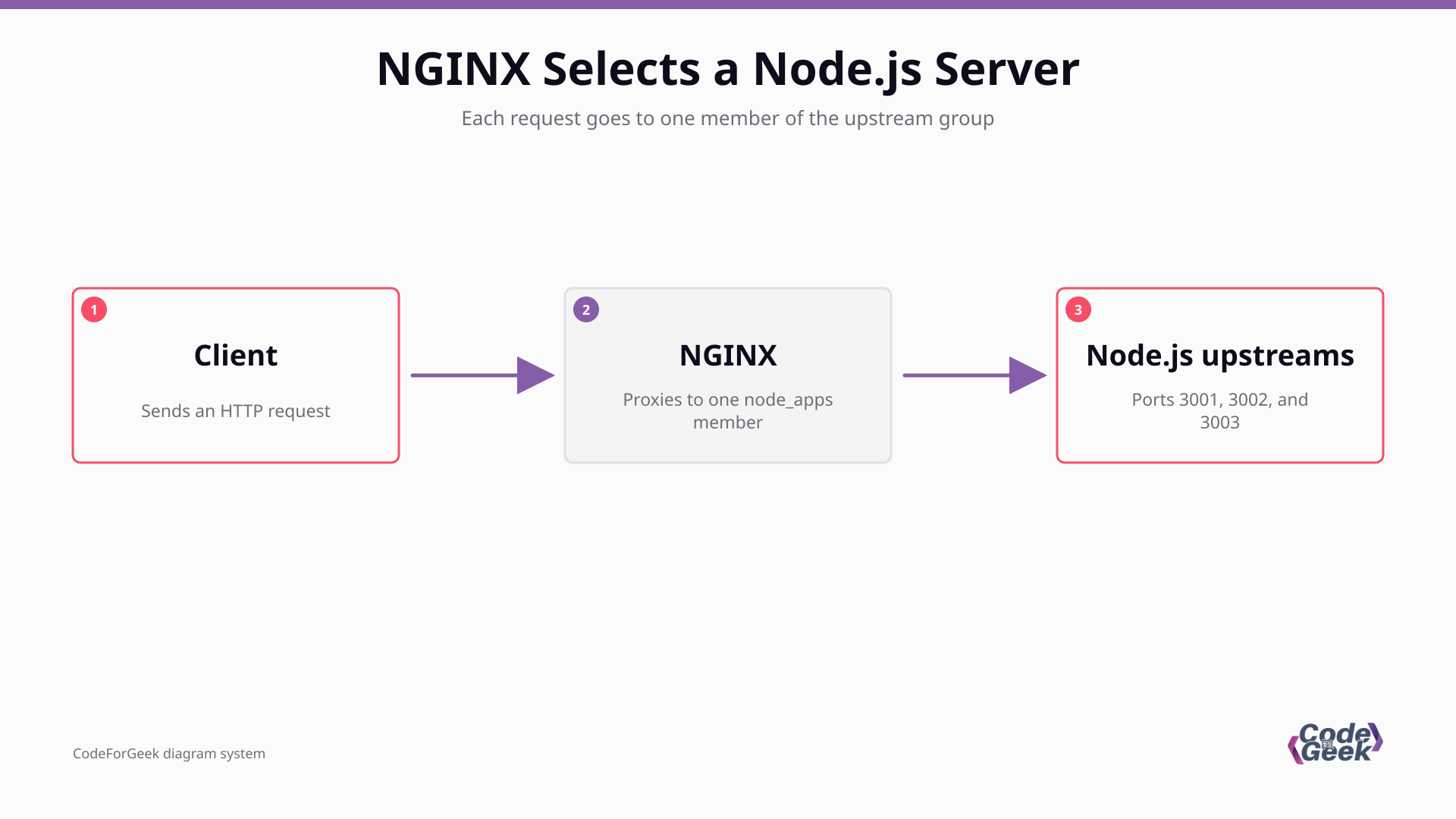
NGINX can act as an HTTP load balancer by proxying requests to a named group of application servers. Each member of that upstream group is a separate Node.js process listening on its own address and port.
The upstream block names the servers, while proxy_pass connects a location to that group. NGINX then sends each request to one selected process and returns its response to the client.
What you need before configuring NGINX
Use a machine with Node.js and NGINX installed, plus three unused ports for the local processes.
- The example uses Node.js’s built-in HTTP module and needs no application package.
- The three example listeners use consecutive ports starting at 3001.
- For processes on other hosts, use addresses that the NGINX machine can reach.
- The complete local NGINX configuration listens on port 8080 and uses its own prefix, so it does not replace the machine’s existing site configuration.
Run three Node.js application servers
Give each process a visible name so the response tells you which server handled the request. The same file serves the root path and a direct health endpoint.
1. Create one HTTP server
Save the code as server.js. Node.js’s built-in HTTP module creates the server, so this example does not need Express or a third-party package.
const http = require('node:http');

const host = '127.0.0.1';
const port = Number(process.env.PORT ?? '3001');
const name = process.env.SERVER_NAME ?? `node-${port}`;

const server = http.createServer((request, response) => {
  const payload = request.url === '/health'
    ? { status: 'ok', server: name }
    : { server: name, path: request.url };

  response.writeHead(200, { 'content-type': 'application/json; charset=utf-8' });
  response.end(`${JSON.stringify(payload)}\n`);
});

server.listen(port, host, () => {
  console.log(`${name} listening on ${host}:${port}`);
});
I added the process name to each response so you can see which upstream answered instead of inferring it from timing. The separate health route lets you test Node.js directly when the NGINX listener is down.
2. Start each process on its own port
Run each command in a separate terminal because the Node.js server keeps its terminal open while it listens.
SERVER_NAME=node-a PORT=3001 node server.js
SERVER_NAME=node-b PORT=3002 node server.js
SERVER_NAME=node-c PORT=3003 node server.js
Before NGINX is involved, probe a process directly. A successful response names the process and confirms that Node.js is listening on that port.
curl --fail --silent http://127.0.0.1:3001/health
Route requests through an NGINX upstream
With the Node.js listeners running, NGINX needs a named upstream and a location that proxies to it. Save the complete configuration below as nginx.conf in the directory where you will run the isolated test.
3. List the backend servers and proxy location
pid logs/nginx.pid;
error_log logs/error.log info;

events {}

http {
    access_log logs/access.log;

    upstream node_apps {
        server 127.0.0.1:3001;
        server 127.0.0.1:3002;
        server 127.0.0.1:3003;
    }

    server {
        listen 8080;
        server_name localhost;

        location / {
            proxy_set_header Host $host;
            proxy_set_header X-Real-IP $remote_addr;
            proxy_set_header X-Forwarded-For $proxy_add_x_forwarded_for;
            proxy_set_header X-Forwarded-Proto $scheme;
            proxy_pass http://node_apps;
        }
    }
}
| Configuration | What it does |
|---|---|
| upstream node_apps | Names the group and lists the three backend addresses. |
| proxy_pass http://node_apps | Sends requests from this location to the named group. |
| proxy_set_header | Passes the host and client connection details to the Node.js process. |
| listen 8080 | Exposes the isolated example without binding the privileged port 80. |
This is a full local configuration, including its own events and http blocks. For a system-managed NGINX install, place the upstream and server blocks inside the existing http context instead of copying those outer blocks into a conf.d file.
4. Test and start NGINX
Create the local log directory, validate the syntax, then start this NGINX instance with the same prefix.
mkdir -p logs
nginx -t -p "$PWD/" -c nginx.conf
nginx -p "$PWD/" -c nginx.conf
When you change the configuration, test it again before signaling this instance to reload. Logs and the PID stay under the prefix.
nginx -t -p "$PWD/" -c nginx.conf && nginx -p "$PWD/" -c nginx.conf -s reload
Choose a balancing method for the workload
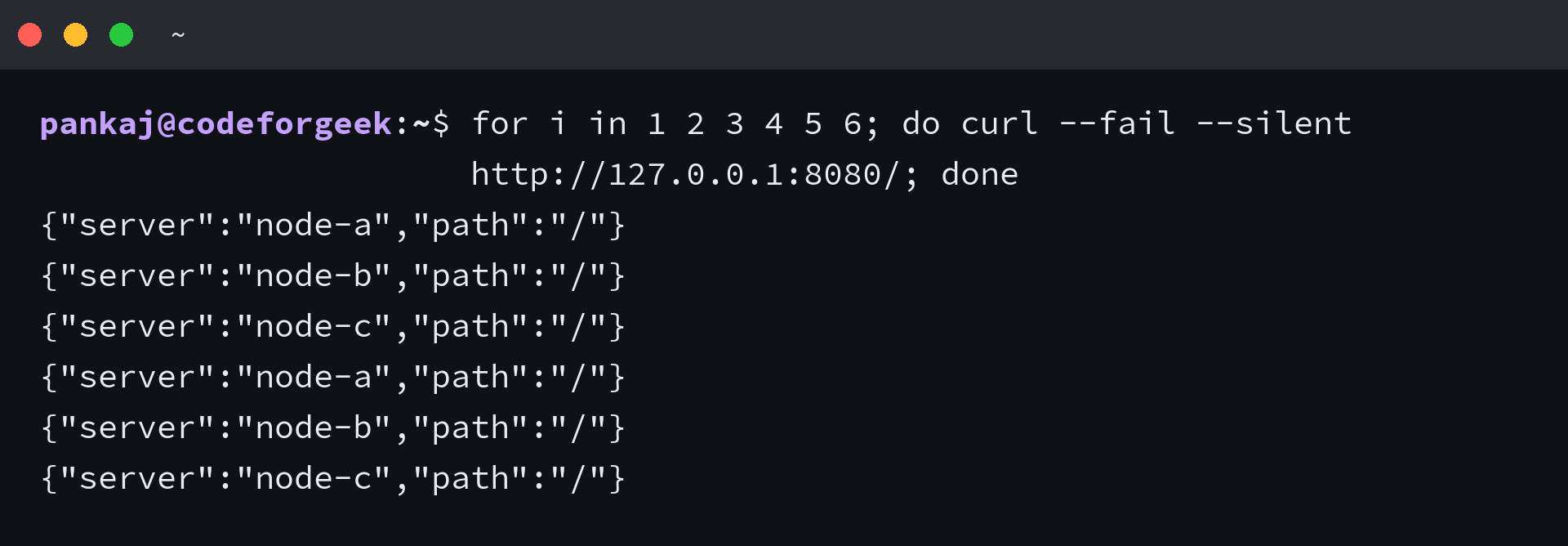
NGINX defaults to weighted round robin. The six responses show each backend returning in sequence, which verifies request routing rather than performance.
| Method | Use it when | Boundary |
|---|---|---|
| Round robin | You want the default request distribution across the group. | It does not account for differences in request duration. |
| least_conn | Requests keep connections open for different lengths of time. | Fewest active connections is not the same as lowest CPU use. |
| ip_hash | You need a client IP to map consistently to an upstream. | It does not share session data, and clients behind one NAT address can map together. |
| least_time | You use NGINX Plus and need selection based on response-time measurements. | This method is not available in NGINX Open Source. |
Choose least_conn when long-lived connections make active-connection counts a better routing signal, and use shared session storage when a session must survive a request landing on another process. Round robin remains the default for an evenly weighted pool.
For method details, use the NGINX HTTP load-balancing documentation and the upstream module reference. Active application health checks are a separate NGINX Plus feature, not a directive to paste into this Open Source example.
Diagnose an NGINX 502 from the upstream
In this setup, NGINX can retry another server after one process stops. When every listed process refuses the connection, the local test returns HTTP 502 and the error log identifies the failed upstream address.
The loop prints each Node.js health response or names an unreachable port. Probe those ports directly before changing proxy settings.
for port in 3001 3002 3003; do curl --fail --silent "http://127.0.0.1:$port/health" || printf 'port %s is unreachable\n' "$port"; done
- If one direct probe fails, check that process and its configured port before editing NGINX.
- If all direct probes pass but the proxy returns 502, compare the upstream addresses with the ports Node.js actually listens on.
- Run the NGINX syntax test, then inspect the error log for the failed upstream and connection error.
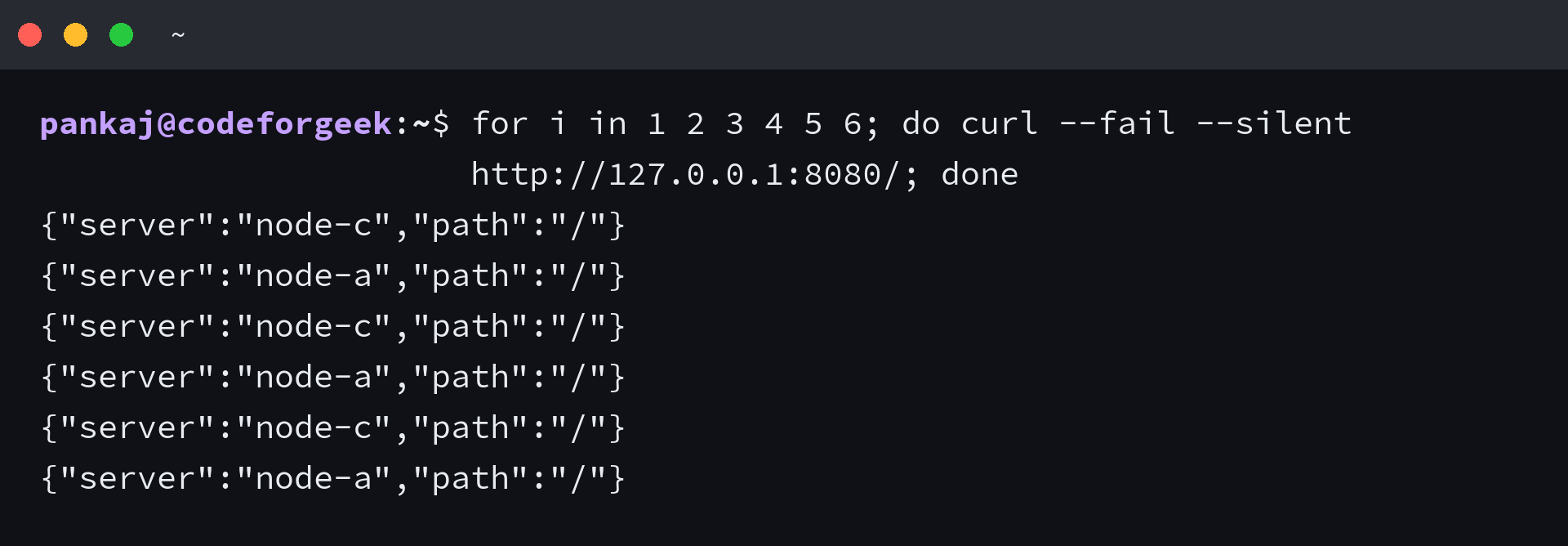
When node-b stops, a direct probe to port 3002 returns curl exit 7, while NGINX continues returning responses from node-a and node-c. When all three processes stop, the error log identifies a connection refusal from the configured upstreams, which points to backend reachability rather than a broken Node.js route.
Open Source NGINX observes backend failures through proxied traffic, while the upstream server reference lists passive failure parameters. NGINX Plus adds active health checks.
Keep a direct health check for each process
A direct health route separates a Node.js process failure from a proxy failure. A process manager such as PM2 or systemd supervises workers, while NGINX routes HTTP requests, so production deployments need both responsibilities covered.
curl --fail --silent http://127.0.0.1:3001/health
When a direct probe succeeds but the proxy fails, check the upstream address and NGINX error log. A failed direct probe points to the Node.js listener or port.
Node.js and NGINX load-balancing questions
The addresses in an upstream group are network targets, while a process manager has a separate job from NGINX.
Can the Node.js upstreams run on separate hosts?
Yes. Each address in the upstream group must be reachable from NGINX. Use loopback only when the process shares the NGINX host or network namespace.
Do I need PM2 to run multiple Node.js servers?
No. PM2 and systemd can supervise separate processes, while NGINX distributes requests. They handle different jobs.
Does ip_hash share session data between processes?
No. ip_hash can map a client IP to an upstream, but your application still needs shared session storage or another explicit persistence strategy.