New to Rust? Grab our free Rust for Beginners eBook Get it free →
Z.ai vs ChatGPT: Which AI Fits Your Work in 2026?

Z.ai vs ChatGPT is a choice between a low-cost GLM model stack built around coding volume and a broader assistant with stronger consumer features. I rechecked both products on July 18, 2026, and the decision comes down to your workload, data requirements, preferred interface, and whether you need a chat subscription or an application programming interface (API).
Z.ai vs ChatGPT at a glance
Z.ai deserves the first look when you need long-context coding, open model weights, or inexpensive API calls, and ChatGPT is the safer default when you want one polished assistant for research, files, images, voice, scheduled tasks, custom GPTs, and Codex.
| Decision | Choose Z.ai | Choose ChatGPT |
|---|---|---|
| Browser chat | You want to try the GLM interface and agent tools | You want a mature general assistant across web, desktop, and mobile |
| Coding | You run long agent sessions or large repository tasks | You want Codex plus the wider ChatGPT workspace |
| Model access | You want GLM-5.2, GLM-5-Turbo, and GLM-4.7 | You want GPT-5.5 Instant and GPT-5.6 reasoning models |
| Open weights | You may self-host GLM-5.2 under its MIT license | You accept a hosted, closed model service |
| API budget | You value lower token prices and free Flash models | You value OpenAI’s ecosystem and model capabilities more than the lowest rate |
| Team controls | You can work within Z.ai’s supported coding tools and policies | You need Business or Enterprise administration and data controls |
The products overlap less than their chat boxes suggest
Z.ai is the company behind the General Language Model (GLM) family. Its browser product handles chat and agent tasks, and its separate GLM Coding Plan connects models to tools such as Claude Code, Cline, and OpenCode.
ChatGPT combines OpenAI’s models with search, file uploads, image generation, voice, memory, projects, custom GPTs, deep research, and Codex, and the ChatGPT complete guide maps the main workspace before you compare plans.
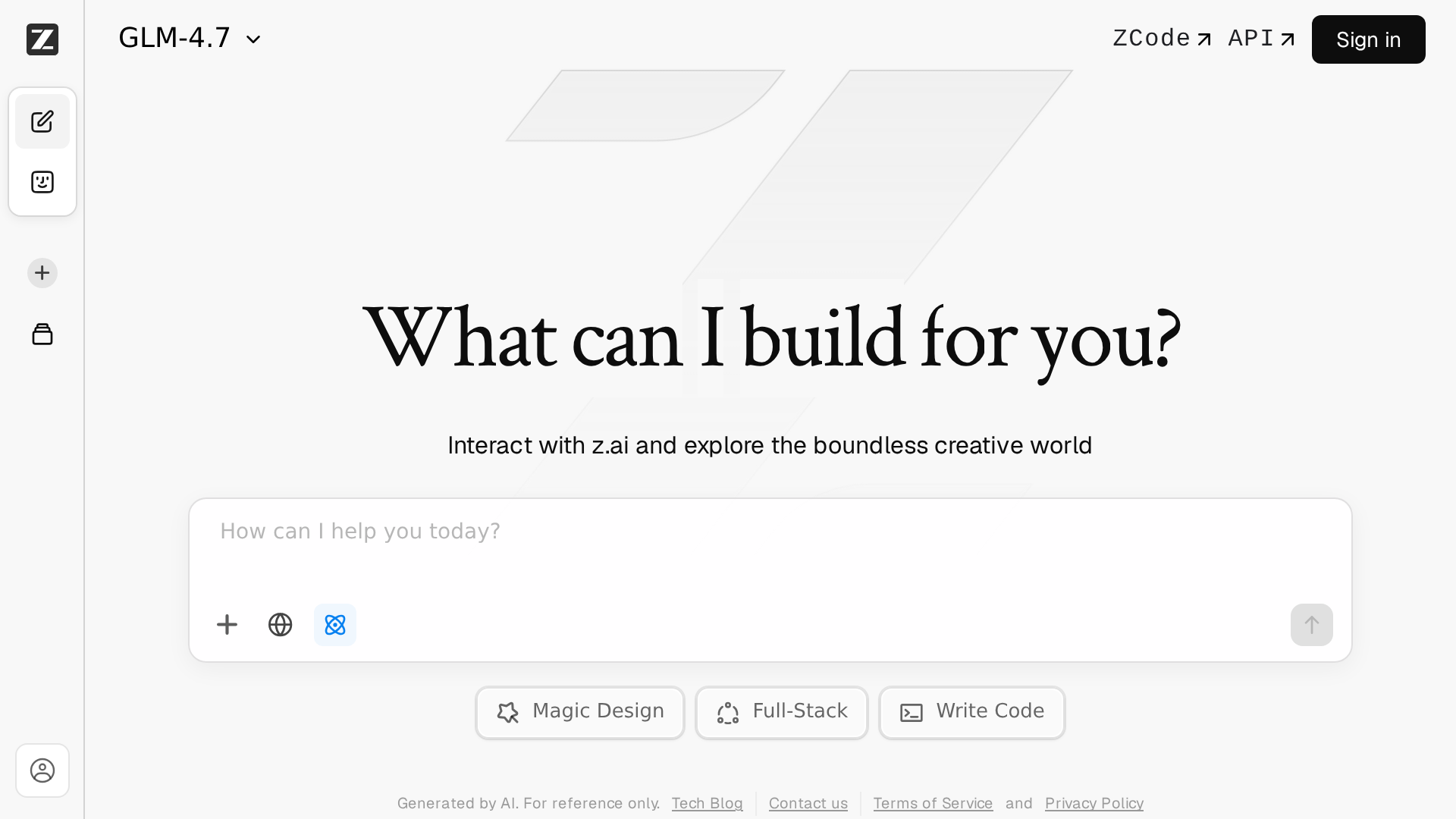
The Z.ai homepage I opened showed a GLM-4.7 selector plus Magic Design, Full-Stack, and Write Code actions. Z.ai’s product metadata names GLM-5.2 as the assistant’s flagship, so the model shown in a fresh workspace may differ from the flagship advertised for demanding tasks.
GLM-5.2 gives Z.ai its clearest technical edge
Z.ai’s GLM-5.2 documentation lists a 1 million-token context window and a 128,000-token maximum output, which suit repository audits, cross-file refactors, long-running agents, and other jobs that need to retain a large body of code.
The same page documents thinking controls, streaming, function calls, context caching, structured output, and Model Context Protocol (MCP) connections. Z.ai reports scores of 81.0 on Terminal-Bench 2.1 and 62.1 on SWE-bench Pro, though those vendor-published results should start your evaluation rather than finish it.
Open weights let you inspect or self-host GLM-5.2 under the MIT license, though the model’s size puts full deployment beyond ordinary developer hardware.
ChatGPT covers more work inside one subscription
OpenAI’s July 18 pricing page lists Free at $0, Go at $8 per month, Plus at $20 per month, and Pro from $100 per month. Regional prices and taxes can change the checkout total.
Go expands messages, uploads, image creation, memory, deep research, and Codex access over Free. Plus adds GPT-5.6 reasoning models, projects, scheduled tasks, custom GPTs, broader ChatGPT Work access, and early feature access.
Pro targets research and coding with 5x or 20x usage options, GPT-5.6 Sol Pro reasoning, maximum Codex tasks, faster image creation, maximum deep research, and larger memory and context. Compare the lower tiers in the ChatGPT Go, Plus, and Free guide before paying for capacity you will not use.
Subscriptions and API billing solve different problems
A chat subscription pays for an interface and a bundle of usage. API billing charges your application for tokens, tool calls, images, or other metered operations, so a $20 chat plan does not become API credit.
| Option | Price | Best fit |
|---|---|---|
| Z.ai GLM-5.2 API | $1.40 input, $0.26 cached input, $4.40 output per 1M tokens | Production calls that need the flagship GLM model |
| Z.ai GLM-4.7 API | $0.60 input, $0.11 cached input, $2.20 output per 1M tokens | Routine coding and lower-cost agents |
| Z.ai GLM-4.7-Flash API | Free input, cached input, and output | Prototypes and lightweight tasks |
| Z.ai web search | $0.01 per use | Applications that need fresh web retrieval |
| ChatGPT Free | $0 | Trying ChatGPT with limited usage |
| ChatGPT Go | $8 per month | Longer conversations and more everyday usage |
| ChatGPT Plus | $20 per month | Advanced work, reasoning, research, and Codex |
| ChatGPT Pro | From $100 per month | Heavy research and coding workloads |
Z.ai’s API page also lists GLM-4.5-Flash as free and charges $0.01 per generated image with CogView-4, and OpenAI API rates belong on a separate application budget when you are building software rather than choosing a personal ChatGPT plan.
The GLM Coding Plan has quotas hidden behind the monthly price
Z.ai’s official Coding Plan overview starts at $18 per month and includes GLM-5.2, GLM-5-Turbo, and GLM-4.7 across Lite, Pro, and Max. Z.ai estimates up to 80 prompts per rolling 5-hour window and 400 per week on Lite, 400 and 2,000 on Pro, and 1,600 and 8,000 on Max.
One user prompt can invoke the model 15 to 20 times inside an agent, and GLM-5.2 and GLM-5-Turbo normally spend quota at 3x during 14:00 to 18:00 UTC+8 and 2x outside that window, with a temporary 1x off-peak rate through September 2026.
The plan restricts usage to supported coding tools and also caps MCP calls at 100 per month on Lite, 1,000 on Pro, and 4,000 on Max. Occasional scripts usually fit pay-as-you-go API billing better, and steady agent work is where the subscription becomes easier to budget.
Pick from the workload, not the benchmark headline
Choose Z.ai for large code contexts, open weights, low token rates, or sustained agent sessions in supported tools. Test your own repository first because vendor benchmark wins do not measure your framework, tests, latency, or review burden.
Choose ChatGPT when your work crosses research, documents, images, voice, scheduled tasks, custom assistants, and coding. The broader interface can justify a higher spend when you would otherwise maintain separate products.
Choose neither for sensitive code until you have approved the provider’s data handling and deployment region. Z.ai’s open weights create a self-hosting route for well-resourced teams, and OpenAI’s Business and Enterprise plans add organizational controls that individual subscriptions do not provide.
Another low-cost model may fit a narrower job, so compare the DeepSeek and ChatGPT tradeoffs for budget model access or the Perplexity and ChatGPT comparison when source-led research matters more than coding volume.
Is Z.ai better than ChatGPT for coding?
Z.ai is a stronger value for long-context coding, low API prices, open weights, and high-volume agent work. ChatGPT is a better fit when you want Codex inside a wider workspace with research, files, images, voice, projects, and custom GPTs.
Is Z.ai free to use?
Z.ai provides a browser chat, and its API lists GLM-4.7-Flash and GLM-4.5-Flash at no token charge. The separate GLM Coding Plan starts at $18 per month for supported coding tools.
Does ChatGPT Plus include API usage?
No. ChatGPT Plus is a $20 monthly subscription for the ChatGPT product. OpenAI API usage is metered and billed separately through the developer platform.
Which option should a developer try first?
Start with the free browser products, then run the same repository task through both. Measure test success, review time, latency, and usage limits before buying a coding plan or moving production calls to an API.