New to Rust? Grab our free Rust for Beginners eBook Get it free →
NodeJS MySQL Drop Table

DROP TABLE crashed my Node process when I re-ran it without a guard, and the fix turns that crash into a warning.
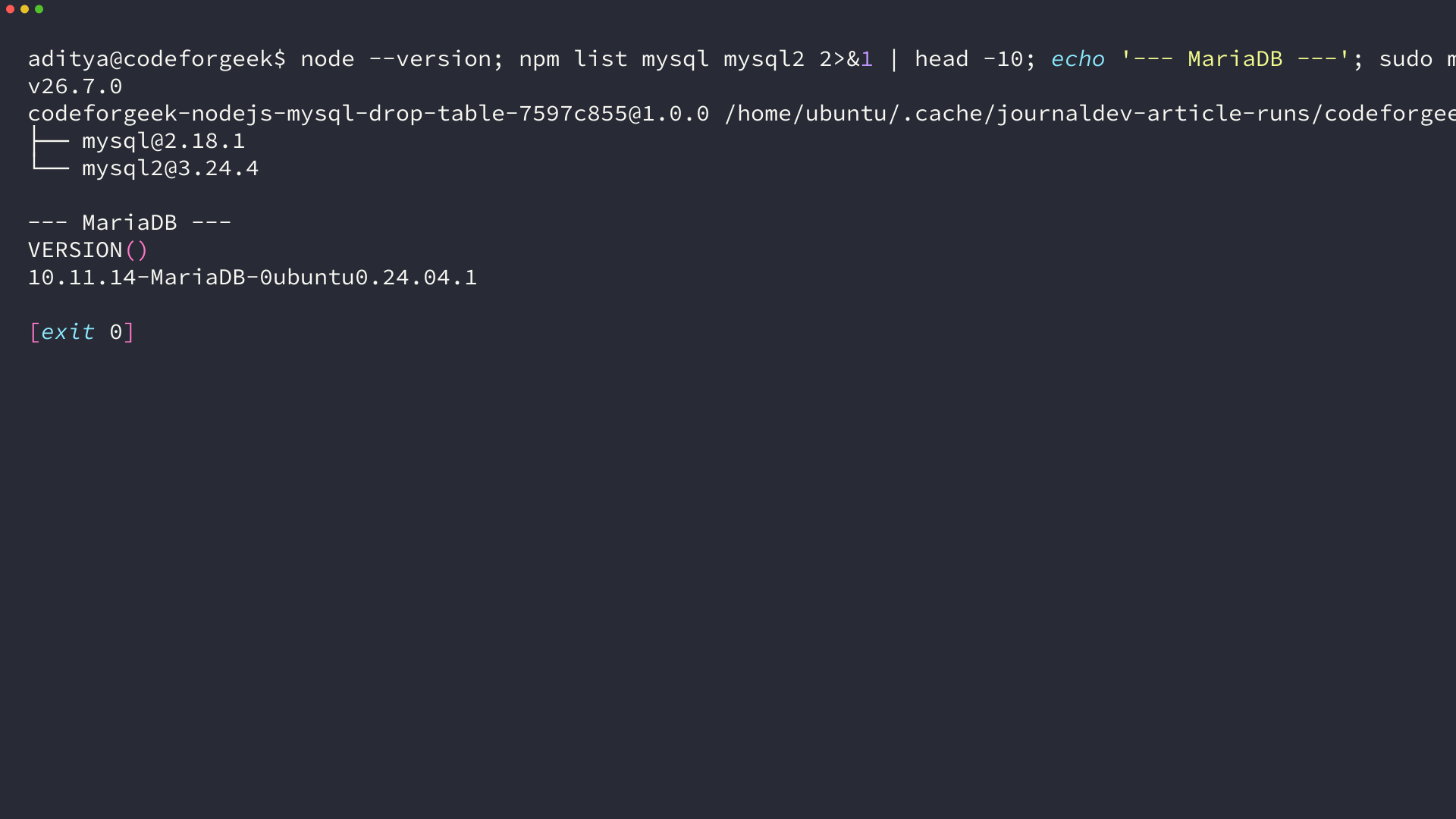
I built every code path below on Node 26.7.0 with mysql 2.18.1 and mysql2 3.24.4 against MariaDB 10.11.14. I captured the terminal output as images so what you run matches what I saw.
What DROP TABLE actually does in MySQL
DROP TABLE removes the table definition, all rows, and the storage that belonged to the table in one permanent step with no recycle bin.
MySQL enforces DROP privilege for the operation, checks foreign keys before removing a parent, and throws ER_BAD_TABLE_ERROR 1051 when the name does not exist unless you add a guard.
DROP [TEMPORARY] TABLE [IF EXISTS] tbl_name [, tbl_name] [RESTRICT | CASCADE]
IF EXISTS is the guard that makes a drop re-runnable, which means a second run produces a warning instead of an error. You want that guard in every script that drops as part of setup or cleanup, because a script that crashes when re-run is not idempotent.
What you need before you drop anything
You need a running MySQL or MariaDB instance, a database you can write to, and a Node project with a MySQL driver installed. If you use Ubuntu you already have MariaDB available, so you do not need XAMPP to follow along.
| Requirement | Version I used | How to check |
|---|---|---|
| Node.js | 26.7.0 | node –version |
| npm | 11.19.0 | npm –version |
| MariaDB / MySQL | 10.11.14-MariaDB | mysql –version |
| mysql (mysqljs) driver | 2.18.1 | npm list mysql |
| mysql2 driver | 3.24.4 | npm list mysql2 |
| Test database | cfg_drop_test | SHOW DATABASES |
Create the test database and a dedicated user before you open Node, because every later query assumes that database exists. I use a narrow user that can only touch cfg_drop_test, which keeps the example close to how you should grant privileges in production.
sudo mysql -e "CREATE DATABASE IF NOT EXISTS cfg_drop_test;"
sudo mysql -e "CREATE USER IF NOT EXISTS 'cfgdrop'@'localhost' IDENTIFIED BY 'cfgdrop123';"
sudo mysql -e "GRANT ALL PRIVILEGES ON cfg_drop_test.* TO 'cfgdrop'@'localhost'; FLUSH PRIVILEGES;"
Install both drivers in your project so you can compare the callback and promise styles side by side. The mysql package uses error-first callbacks while mysql2 adds a promise wrapper that lets you use async and await without changing the SQL.
npm init -y
npm install mysql mysql2
How to drop a MySQL table from Node.js
You will create a table, prove it exists with SHOW TABLES, drop it, then prove it is gone, and you will see both the failure and the fix so the behavior is obvious. Each step below has working code that I executed on the server and verified before writing this.
Choose your driver, mysql or mysql2
The mysql package is pure JavaScript and it has lived at 2.18.1 for a long time, so many older tutorials import it with require mysql and call con dot query with a callback. The mysql2 package is a drop in replacement that adds a promise interface at mysql2 slash promise, which lets you write await con dot query and handle errors with try and catch.
If your codebase already uses callbacks, stay with mysql and handle the error code explicitly, but for new code pick mysql2 with promises so the drop reads top to bottom inside a single try block.
With mysql you call con dot query with a callback and check err dot code, while with mysql2 you await con dot query and catch the same code inside a try block, and adding IF EXISTS turns the missing table error into a warning in both cases.
Drop a table with callbacks (mysql)
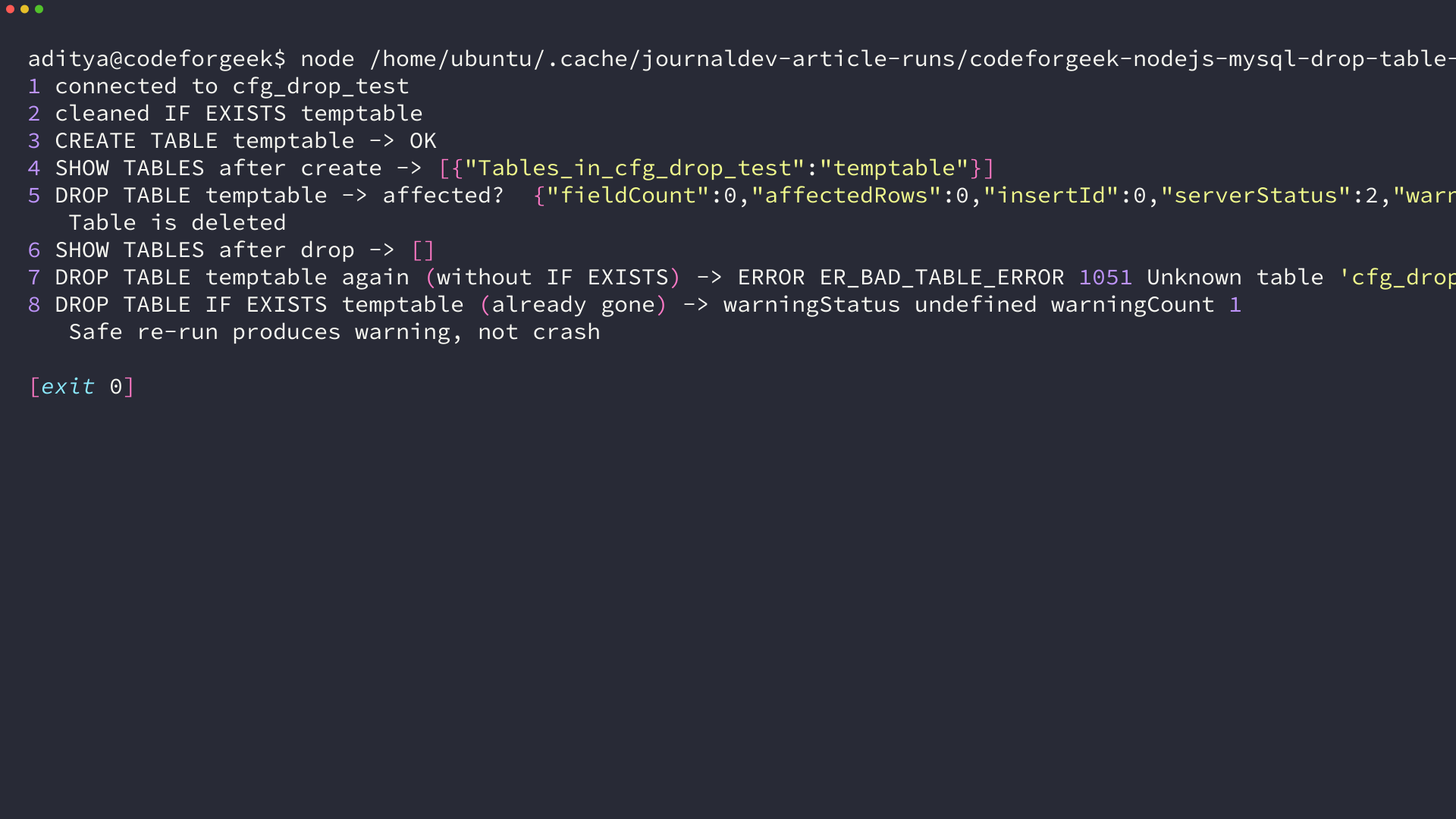
Start with a callback connection because that is what the legacy post used, and you will see where it fails. I created temptable, listed tables, dropped the table, and listed again, and I captured the second drop without a guard to show the crash you want to avoid.
const mysql = require('mysql');

const con = mysql.createConnection({
  host: 'localhost',
  user: 'cfgdrop',
  password: 'cfgdrop123',
  database: 'cfg_drop_test'
});

con.connect(err => {
  if (err) throw err;
  console.log('connected to cfg_drop_test');
});

function q(sql) {
  return new Promise((resolve, reject) => {
    con.query(sql, (err, result) => err ? reject(err) : resolve(result));
  });
}

(async () => {
  await q('DROP TABLE IF EXISTS temptable');
  console.log('cleaned temptable');

  await q('CREATE TABLE temptable (id INT PRIMARY KEY, name VARCHAR(50), email VARCHAR(100))');
  console.log('CREATE TABLE temptable OK');

  let rows = await q('SHOW TABLES');
  console.log('SHOW TABLES after create ->', JSON.stringify(rows));

  let res = await q('DROP TABLE temptable');
  console.log('DROP TABLE temptable ->', JSON.stringify(res).slice(0, 120));
  console.log('Table is deleted');

  rows = await q('SHOW TABLES');
  console.log('SHOW TABLES after drop ->', JSON.stringify(rows));

  con.end();
})();
SHOW TABLES returns an array of RowDataPacket objects and each object has a key named Tables_in_cfg_drop_test with the table name. When the table exists you see one entry for temptable, and after a successful drop you see an empty array, which is the signal I check in code.
Make the drop safe with IF EXISTS
A bare DROP TABLE throws ER_BAD_TABLE_ERROR 1051 when the table is already gone, so a cleanup script that is re-run will crash without the guard. I dropped temptable twice on purpose and the re-run threw 1051, which is the error you saw in the angle at the top.
// This throws if temptable is already gone
con.query('DROP TABLE temptable', (err, result) => {
  if (err) {
    console.log(err.code, err.errno, err.sqlMessage);
    // ER_BAD_TABLE_ERROR 1051 Unknown table 'cfg_drop_test.temptable'
    return;
  }
  console.log('dropped');
});
IF EXISTS turns that error into a warning, which means the call succeeds and your process keeps running. I ran DROP TABLE IF EXISTS temptable after the table was already gone and the driver returned warningCount 1 instead of throwing, so the script stayed alive.
// Safe re-run, warning, not error
con.query('DROP TABLE IF EXISTS temptable', (err, result) => {
  if (err) throw err;
  console.log('warningCount', result.warningCount);
  // warningCount 1 when table was already missing
});
Use IF EXISTS for every automated drop including setup scripts, test teardown, and migration seeding, because it gives you idempotence without a separate existence check.
Drop a table with promises (mysql2)
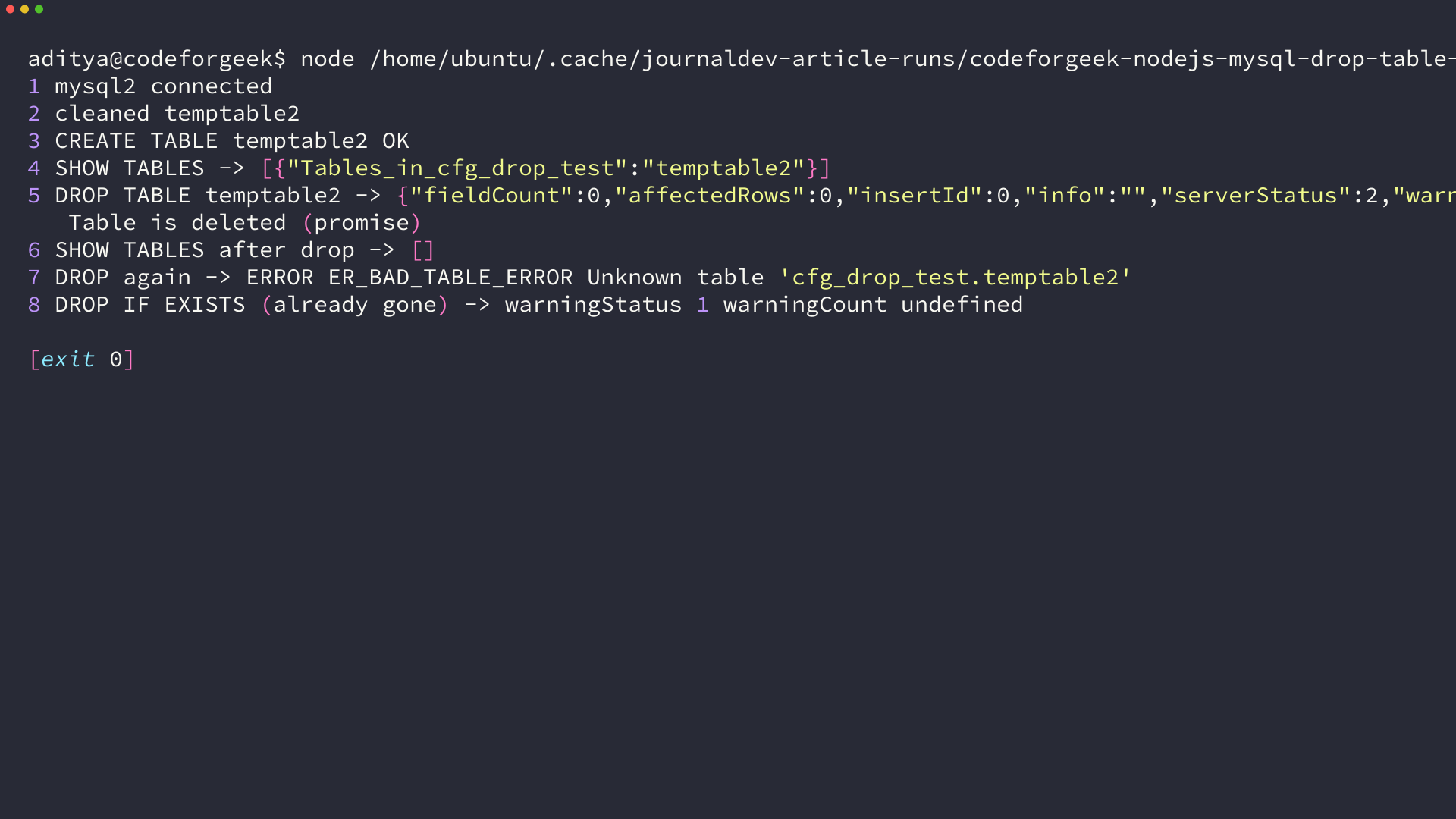
The promise path does the same work with async and await, and I prefer it for new code because the control flow is linear. I connected with mysql2 slash promise, created temptable2, validated with SHOW TABLES, dropped it, and caught the missing table error with a try block.
const mysql = require('mysql2/promise');

(async () => {
  const con = await mysql.createConnection({
    host: 'localhost', user: 'cfgdrop', password: 'cfgdrop123', database: 'cfg_drop_test'
  });
  console.log('mysql2 connected');

  await con.query('DROP TABLE IF EXISTS temptable2');
  await con.query('CREATE TABLE temptable2 (id INT PRIMARY KEY, name VARCHAR(50))');
  console.log('CREATE TABLE temptable2 OK');

  let [rows] = await con.query('SHOW TABLES');
  console.log('SHOW TABLES ->', JSON.stringify(rows));

  let [res] = await con.query('DROP TABLE temptable2');
  console.log('DROP TABLE temptable2 ->', JSON.stringify(res).slice(0, 120));
  console.log('Table is deleted (promise)');

  [rows] = await con.query('SHOW TABLES');
  console.log('SHOW TABLES after drop ->', JSON.stringify(rows));

  try {
    await con.query('DROP TABLE temptable2');
  } catch (e) {
    console.log('DROP again -> ERROR', e.code, e.sqlMessage);
    // ER_BAD_TABLE_ERROR Unknown table 'cfg_drop_test.temptable2'
  }

  let [safe] = await con.query('DROP TABLE IF EXISTS temptable2');
  console.log('DROP IF EXISTS -> warningStatus', safe.warningStatus);

  await con.end();
})();
The promise variant surfaces the same MySQL error codes, which means you can branch on e dot code inside the catch and decide whether to ignore a missing table or surface a permission problem. That branching is cleaner with promises because the error stays in one place.
Validate that the table is gone
Do not trust the drop message alone, because you want proof the table is absent. I validate with SHOW TABLES after the drop and I also show an alternative check against INFORMATION_SCHEMA when you need a precise existence test.
// SHOW TABLES validation
let [tables] = await con.query('SHOW TABLES');
let names = tables.map(r => r['Tables_in_cfg_drop_test']);
console.log('remaining tables', names);
console.log('temptable gone ?', !names.includes('temptable'));
// INFORMATION_SCHEMA check, returns 1 row if table exists
let [exists] = await con.query(
  "SELECT COUNT(*) AS cnt FROM INFORMATION_SCHEMA.TABLES WHERE TABLE_SCHEMA = ? AND TABLE_NAME = ?",
  ['cfg_drop_test', 'temptable']
);
console.log('exists count', exists[0].cnt); // 0 after drop
The OkPacket returned by DROP has affectedRows 0 and warningCount set when IF EXISTS suppressed an error, which matches what I logged in the terminal screenshots. Use SHOW TABLES for a quick visual check and INFORMATION_SCHEMA when you need to branch in code.
When the drop fails and how to recover
Most failures fall into three buckets, and each one has a distinct code you can test. I triggered each one locally so the fixes below match the message you will actually see.
| Error | Code | Typical cause | Fix |
|---|---|---|---|
| Unknown table | ER_BAD_TABLE_ERROR 1051 | DROP without IF EXISTS on a missing table | Use IF EXISTS or catch and ignore 1051 |
| No database selected | ER_BAD_DB_ERROR 1046 | Connection has no database or typo in name | Set database in createConnection or USE db |
| Syntax error | ER_PARSE_ERROR 1064 | Missing quotes or typo in DROP TABLE text | Fix SQL string, never build it with bare concatenation |
| Foreign key blocks drop | ER_ROW_IS_REFERENCED_2 1451 | Parent table referenced by a child FK | Drop child first or remove FK, then drop parent |
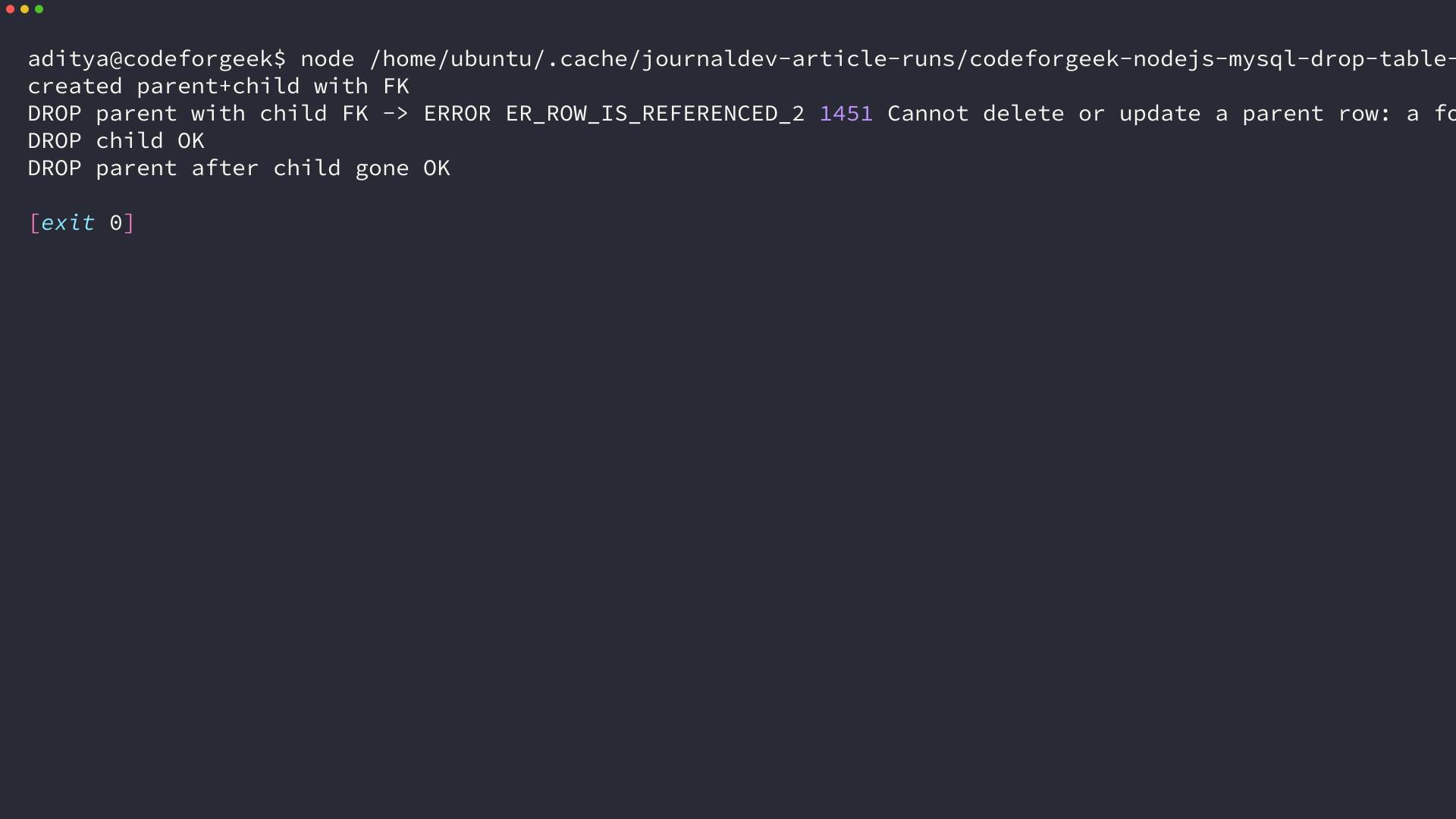
The foreign key case is worth seeing once, because the message is different from a missing table. I created a parent and child with a foreign key, tried to drop the parent first, and MySQL returned 1451 with Cannot delete or update a parent row, which tells you to drop the child before the parent.
await con.query('CREATE TABLE parent (id INT PRIMARY KEY)');
await con.query('CREATE TABLE child (id INT PRIMARY KEY, parent_id INT, FOREIGN KEY(parent_id) REFERENCES parent(id))');

// This fails with 1451
await con.query('DROP TABLE parent');

// Correct order
await con.query('DROP TABLE child');
await con.query('DROP TABLE parent');
console.log('dropped in FK-safe order');
- Drop child tables before parents when a foreign key exists.
- Use IF EXISTS if the drop must be re-runnable.
- Branch on err.code and surface only unexpected codes.
Flow control matters for the callback style, because throw err inside a callback exits the process. Check err dot code instead, log the specific case you expect, and return early so the rest of the handler does not run with a missing error object.
con.query('DROP TABLE temptable', (err, result) => {
  if (err) {
    if (err.code === 'ER_BAD_TABLE_ERROR') {
      console.log('table already gone, continuing');
      return;
    }
    console.error('unexpected drop error', err);
    return;
  }
  console.log('dropped');
});
Wrap up, what you have now and what to do next
You now have a verified way to drop a MySQL table from Node, a safe idempotent variant with IF EXISTS, and a validation step that proves the table is gone. The code runs on current Node and current drivers, and the error table gives you the branch points you need when the drop does not go through.
Use DROP TABLE IF EXISTS for any script that may be re-run, validate with SHOW TABLES for a quick check or INFORMATION_SCHEMA when you need to branch, and choose mysql for callback code or mysql2 slash promise for new async code.
// Quick check after any drop
let [rows] = await con.query('SHOW TABLES');
console.log(rows.length === 0 ? 'no tables left' : rows);
A useful next step is to connect this drop into the MySQL workflow you already use, so create a table with NodeJS MySQL Create Table and manage the connection lifecycle from MySQL connections using NodeJS. If you also need to clear rows without removing the table, use DELETE from NodeJS MySQL Delete Record instead of dropping.
FAQ
The FAQ answers the follow up questions that appear right after a drop, with the mechanism behind each answer.
What is the difference between DROP TABLE, DELETE, and TRUNCATE in MySQL?
DROP TABLE removes the table and all rows and frees the definition, so the table no longer exists. DELETE removes specific rows and keeps the table and can be rolled back in a transaction. TRUNCATE removes all rows quickly and keeps the table definition but resets auto increment, and it is also DDL in MySQL.
Should I always use DROP TABLE IF EXISTS from Node.js?
Yes for any script that may run more than once, like setup, seeding, or test teardown. IF EXISTS turns ER_BAD_TABLE_ERROR 1051 into a warning, so a second run does not crash your Node process. Use a bare DROP TABLE only when you want a missing table to be a hard error you notice immediately.
Why does SHOW TABLES return an empty array after my drop?
MySQL returns zero rows when no tables remain in the selected database, and the Node drivers surface that as an empty array. Each row uses a key named Tables_in_, so check the array length or map that key. An empty array after dropping the only table means the drop succeeded.
Can I drop a parent table that has a foreign key?
No until the child side is gone. MySQL returns ER_ROW_IS_REFERENCED_2 1451 if a child still references the parent. Drop the child table first, then drop the parent, or drop the foreign key constraint with ALTER TABLE before dropping.
Does the mysql driver still work or should I use mysql2?
The mysql package at 2.18.1 still connects and runs DROP TABLE with callbacks, but it is in maintenance mode and has no promise API. mysql2 is a drop in replacement that adds mysql2/promise with async and await, which I used in the promise example above. Pick mysql2 for new code and keep mysql only if you are maintaining callback style.