New to Rust? Grab our free Rust for Beginners eBook Get it free →
10 Best Video Editing Software for Ubuntu

Blackmagic’s Linux download lists Rocky Linux or CentOS, leaving an Ubuntu user with a practical support question. That difference between a Linux download and Ubuntu support is what I want to pin down.
Judge the job first: does it call for putting clips together on a timeline? That gives you a starting point for deciding what kind of video app belongs on your shortlist.
Full editor, capture app, or converter?
On Ubuntu, video-editing software means a desktop app where you arrange source clips on a timeline and export a finished sequence. A recorder captures video, while a transcoder converts one media file into another format.
| Tool | Best fit | What to check |
|---|---|---|
| Kdenlive | General multi-track editing | Official Flatpak or AppImage |
| Shotcut | Direct timeline editing across varied media | Ubuntu 22.04 or later is listed by the vendor |
| OpenShot | Short projects with titles and transitions | Linux Snap is available |
| Blender | Editing beside 3D or compositing work | Its Video Sequencer sits inside a broader creative suite |
| Flowblade | Linux-focused multi-track editing | It relies on media support available through FFmpeg |
| Lightworks | Proprietary desktop editing | The vendor lists Ubuntu 20.04 and later |
| Cinelerra-GG | Advanced Linux post-production | Project offers an AppImage and community Ubuntu packages |
| Avidemux | Clip cuts and filters | It is not a multi-track timeline editor |
| LosslessCut | Fast clip trimming | It is a cutter, not a full editor |
| PiTiVi | A smaller Linux editing workflow | The download page lists release 2023.03 |
Check your footage and system before choosing
A supported editor can still struggle with a particular video file or computer. Check these constraints before moving a project into a new application.
- Media formats: confirm that the editor can read the footage and audio you already have. Support for FFmpeg does not guarantee every codec is installed or licensed on your system.
- Playback: high-resolution footage asks more of the CPU and memory. Kdenlive documents proxy clips and lower preview resolution as ways to reduce playback load.
- Export: decide which container and audio format your destination accepts, then test a short export before building a long sequence.
- Ubuntu support: check the vendor’s listed Ubuntu release and package format. A Linux download alone does not promise support for every distribution.
Full timeline editors for Ubuntu
These four editors all offer timeline-based editing, but each suits a different project.
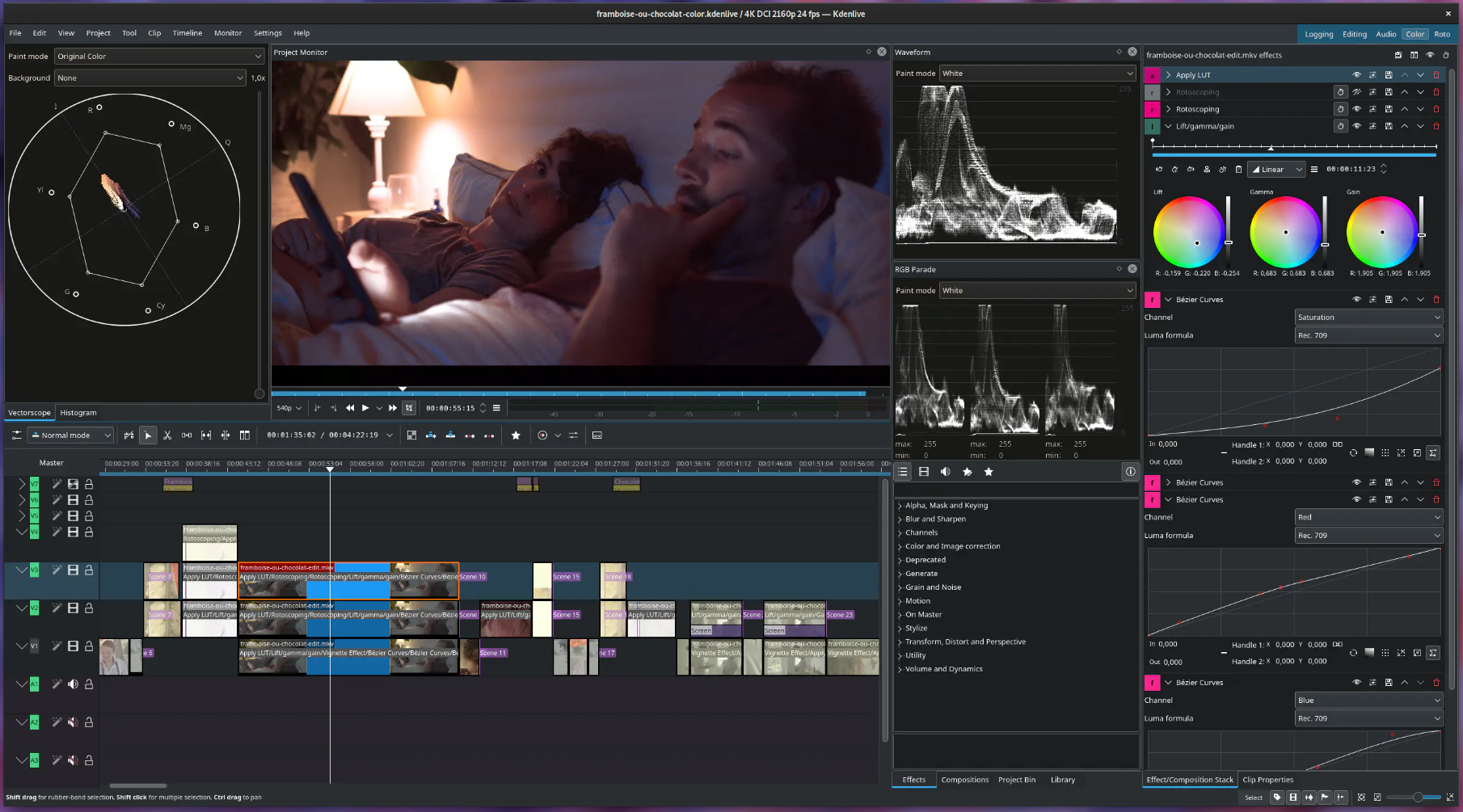
Kdenlive for general multi-track editing
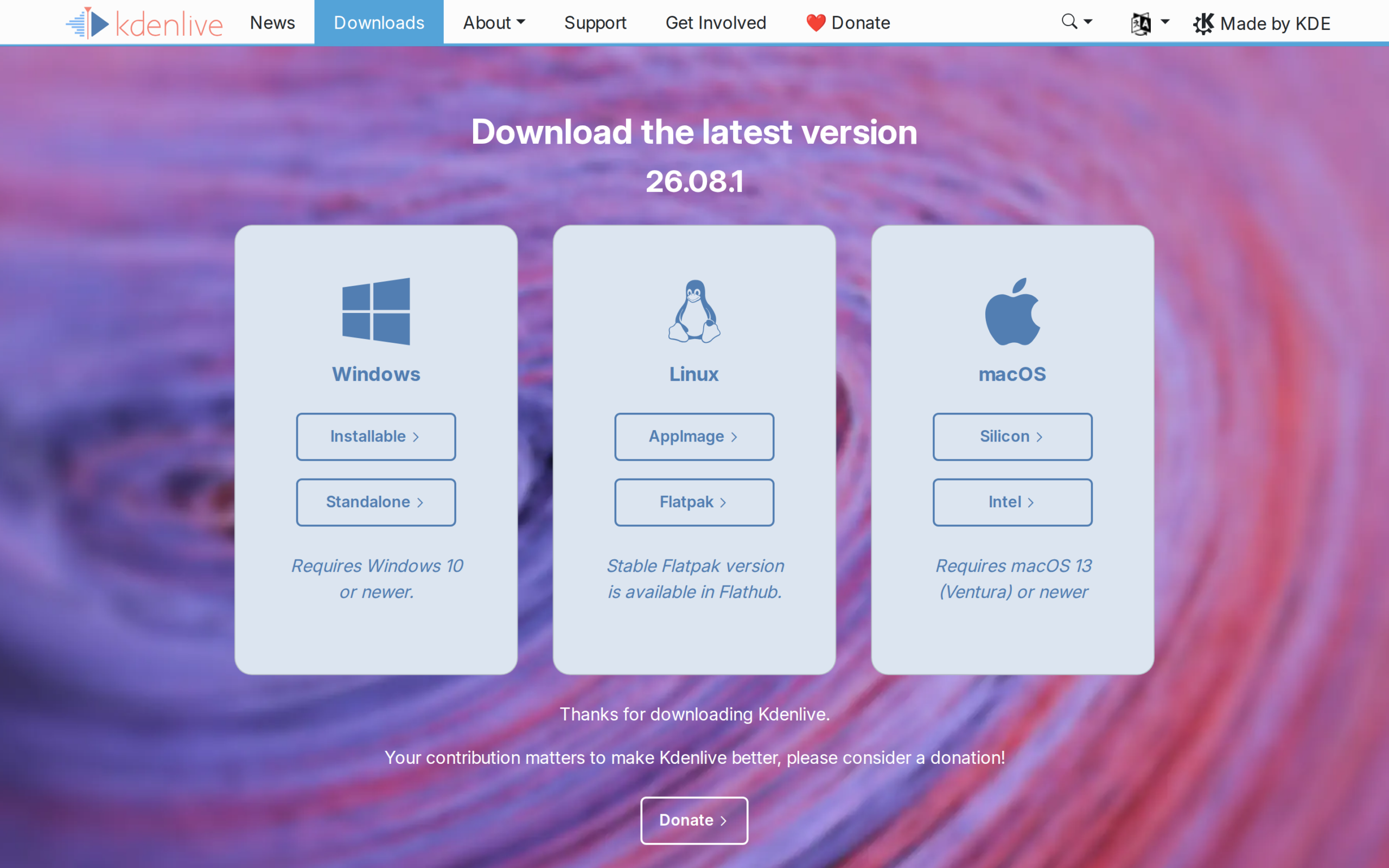
Start with Kdenlive for a conventional multi-track timeline that arranges clips and audio. Its manual documents proxy editing and timeline preview rendering, and its official Linux packages are AppImage and Flatpak.
The installation manual says Kdenlive runs on non-KDE desktops too, so Ubuntu’s default desktop does not rule it out. Proxy clips use lower-resolution working copies to reduce timeline preview load.
Shotcut for direct timeline editing
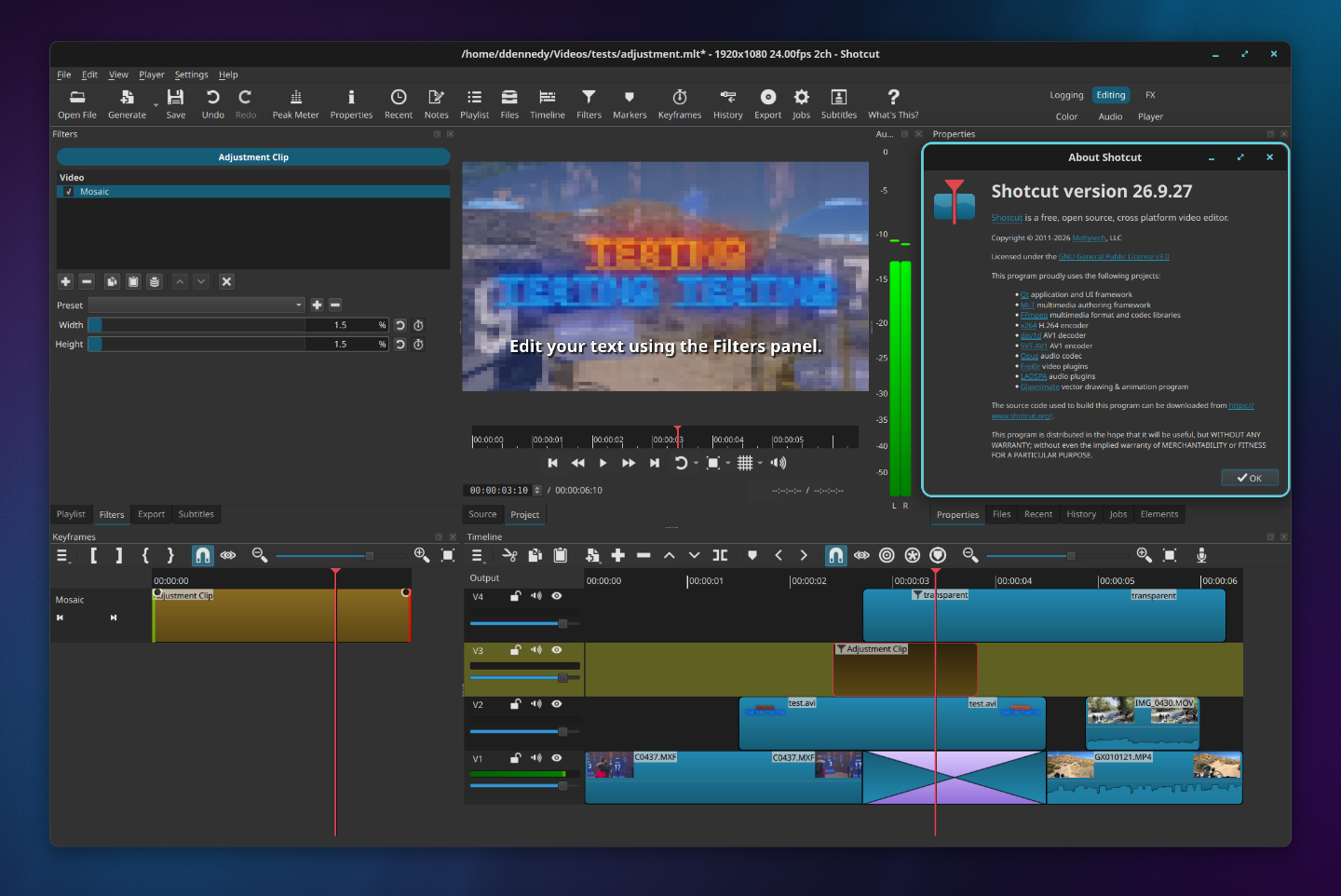
Shotcut suits you when you want a direct timeline across varied source formats. Its feature list says one project can mix resolutions and frame rates without a separate import step.
Shotcut’s download page lists version 26.9.27 and names Ubuntu and Pop!_OS 22.04 or later as supported. Linux AppImage and portable tar packages are offered.
OpenShot for a straightforward timeline
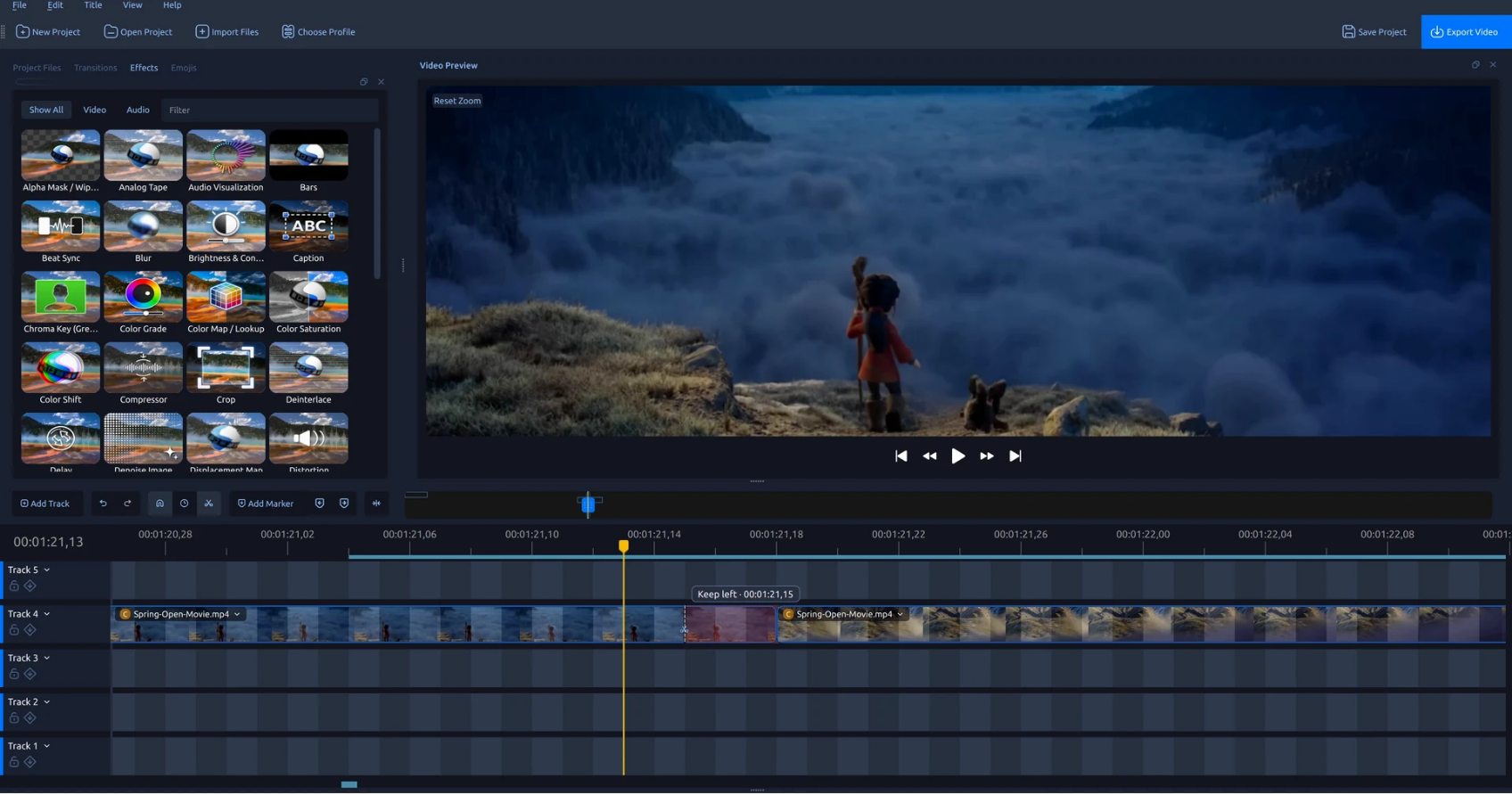
OpenShot suits short edits with titles and transitions on a clip timeline. Its feature page documents multiple tracks and keyframe animation, so you can animate clip properties over time.
OpenShot’s feature set includes color controls and scopes, but check its official download page and 4.0.1 release notes before committing the full edit.
Blender when editing connects to 3D work
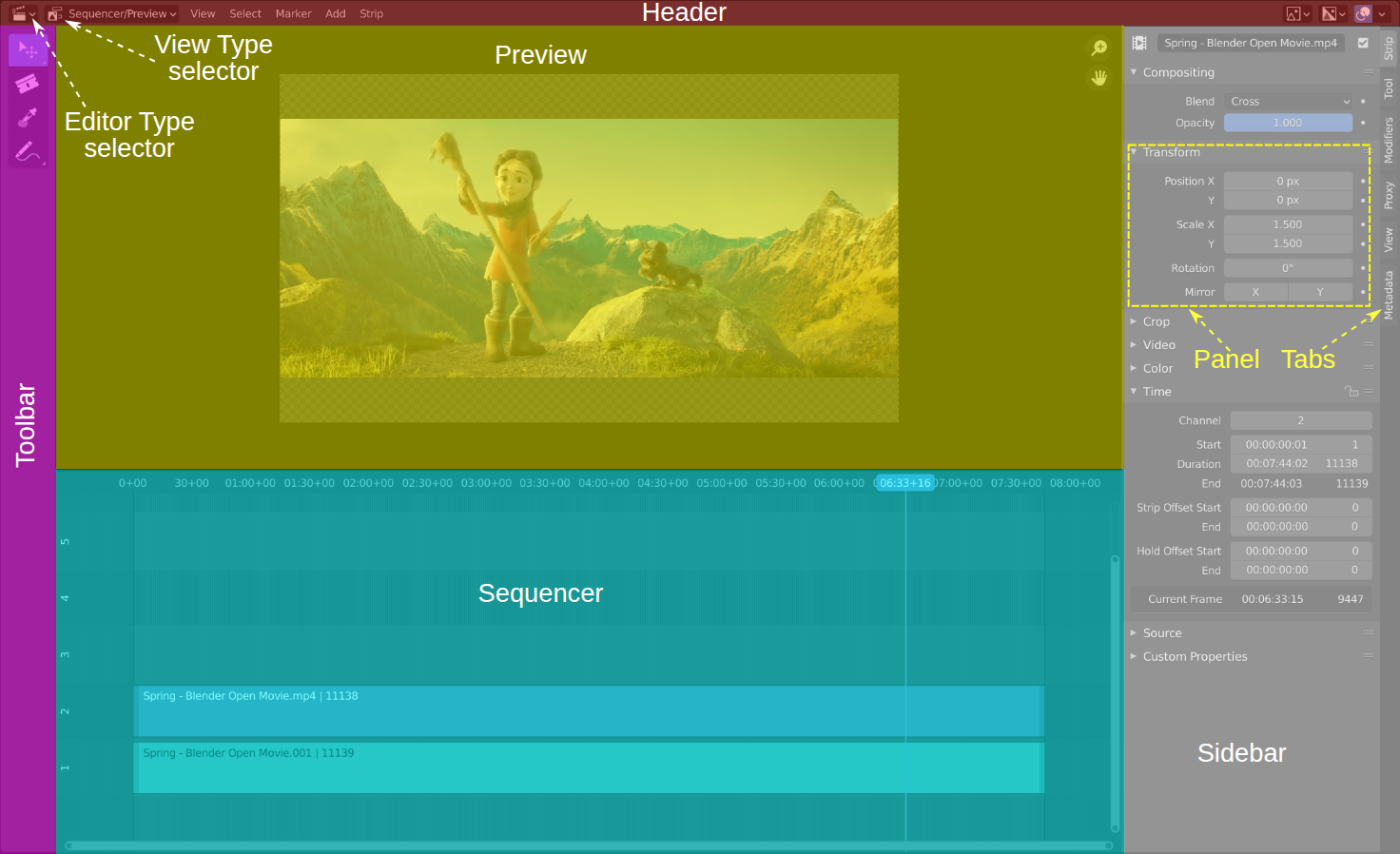
Blender’s Video Sequencer arranges clips and audio inside the same application as its 3D and compositing tools. It fits projects that use those tools, but its wider interface adds little if you only cut footage.
The Blender 5.2 manual shows the Video Sequencer layout, with the preview above the timeline and labels for its tool areas.
Specialist tools for narrower editing jobs
Flowblade and Cinelerra-GG keep a multi-track timeline. Avidemux and LosslessCut focus on clip-level operations.
| Tool | Use it for | Boundary |
|---|---|---|
| Flowblade | Linux multi-track editing | Its media support depends on the available FFmpeg libraries |
| Lightworks | A proprietary editing workflow | Check account and license terms before building a project |
| Cinelerra-GG | Advanced Linux post-production | Its interface and workflow are distinct from the beginner picks above |
| Avidemux | Clip cuts and filters | Not designed around a layered multi-track project |
| LosslessCut | Fast trimming and cutting | Does not replace titles, effects, or a full timeline edit |
| PiTiVi | A smaller Linux editing workflow | Official download page lists release 2023.03 |
Flowblade for a Linux-focused timeline
Flowblade is a multi-track editor built for Linux. Its project site says it uses media available through the system’s FFmpeg libraries, so those libraries set the format boundary.
Lightworks for its proprietary workflow
Lightworks is proprietary, and its installation guide lists Ubuntu 20.04 and newer as supported. Lubuntu and Xubuntu are listed too.
Cinelerra-GG for advanced Linux post-production
Cinelerra-GG Infinity is separate from the other Cinelerra editions. The project lists multicamera editing and color grading among its capabilities, and its March 2026 release has an AppImage plus community Ubuntu packages.
Avidemux for cuts and filters
Avidemux handles clip cuts and filters, with options to encode the result. Choose it for a single-file job rather than a multi-track edit.
LosslessCut for quick trimming
LosslessCut focuses on fast lossless operations through an FFmpeg-based desktop interface. It suits quick trimming when the media allows lossless cuts, but it does not replace a multi-track editor.
PiTiVi with a release-age caveat
PiTiVi is a Linux video editor with a GStreamer-based workflow. Its download page lists 2023.03 as the latest release, so weigh that release history before choosing it for a new project.
Read Linux support literally
Check the exact distribution in a vendor’s support list before choosing an editor.
- DaVinci Resolve: Blackmagic’s download page lists Rocky Linux 8.6 or CentOS 7.3 for Linux, not Ubuntu. If Ubuntu is fixed, do not treat an installer workaround as vendor-supported.
- OBS Studio: OBS describes itself as software for video recording and live streaming. Use it to capture footage, then open that footage in an editor with a timeline.
- HandBrake: HandBrake is a video transcoder. It can convert media, but it does not assemble clips into a multi-track edit.
Test the editor on your own footage
For a general timeline project, start with the Kdenlive download page and choose its AppImage or Flatpak. Test one representative clip and a short export before moving the full project.
Frequently asked questions about Ubuntu video editing
Is Kdenlive free to use?
Yes. Kdenlive is free software under the GNU General Public License, and its official Linux downloads include AppImage and Flatpak packages.
Can I use DaVinci Resolve on Ubuntu?
Blackmagic’s download page lists Rocky Linux 8.6 or CentOS 7.3 for Linux, not Ubuntu. Treat an installer workaround as unsupported unless Blackmagic lists Ubuntu for the version you plan to use.
Is OBS Studio a video editor?
No. OBS describes its software as a tool for recording video and live streaming, while an editor arranges clips on a timeline and exports the result.
Which editor should I choose for a YouTube project on Ubuntu?
Kdenlive and Shotcut both offer multi-track timelines and Ubuntu download options. Use OBS to record a screen or stream, then bring that footage into an editor.