New to Rust? Grab our free Rust for Beginners eBook Get it free →
How to Build a Reverse Proxy with Express.js

A service has a public route, but requests to that route need to reach a separate backend. An Express.js reverse proxy receives requests on an application path and forwards matching requests to an upstream service.
This article shows how to install the proxy middleware and send a health request through Express to a local backend.
TL;DR
Express.js can forward selected requests to another service by mounting proxy middleware on a path and setting its upstream target.
- Use http-proxy-middleware when Express should own application-level routing.
- Match a narrow route such as /catalog and set the exact backend URL.
- Handle upstream failures and trust forwarded headers only from proxies you control.
- The app.use mount handles every HTTP method on its path. This demo exercises GET only.
- Place authentication middleware before the proxy for protected routes.
- Use a separate path and target for each additional upstream service.
What Is a Reverse Proxy in Express.js?
An Express reverse proxy receives requests at a public application route and forwards matching ones to the upstream service that handles them.
| Component | Role |
|---|---|
| Client | Requests the public application URL |
| Express proxy | Matches a route and forwards the request |
| Upstream | Handles the request and returns a response |
I use a single upstream here because it shows the request path without adding a load-balancing policy. Caching and load balancing are optional features. A CDN can cache at edge locations, while a load balancer can distribute requests among service copies when its product supports it.
How to Build a Reverse Proxy with Express.js
The example sends /catalog/health through Express on port 3100 to a small upstream service on port 3101. It was tested with Node.js v26.7.0 and the installed Express and http-proxy-middleware packages.
Step 1: Install the packages
Create a Node.js project, then add Express and the middleware dependency. Keep the lockfile generated by npm so later installs use the versions resolved for this project.
npm install express http-proxy-middleware
up to date, audited 77 packages in 1s

30 packages are looking for funding
  run `npm fund` for details

3 high severity vulnerabilities

To address all issues (including breaking changes), run:
  npm audit fix --force

Run `npm audit` for details.
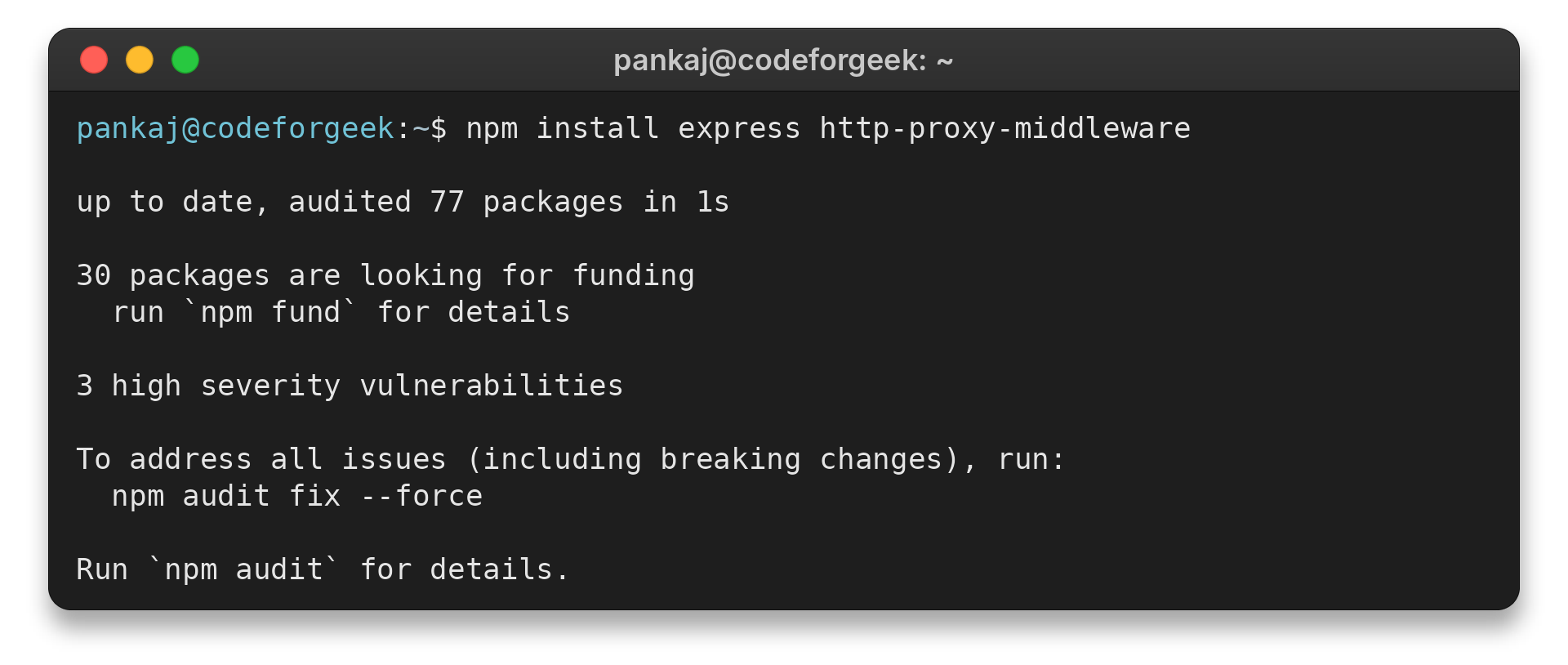
npm audit reported three high-severity findings in braces through micromatch. Its suggested remediation downgrades http-proxy-middleware to release 0.2.0, a breaking change. I left that downgrade unapplied and would move to a compatible update before relying on this dependency in production.
The package file uses Express and the proxy middleware as dependencies, with npm recording the resolved versions in a lockfile. In a new project, the install command adds both dependencies, and the application can then import the middleware as an ES module. Use the module format already configured in your project rather than mixing CommonJS and ES module syntax.
Step 2: Create the upstream and proxy routes
Save this as reverse-proxy-demo.js. It starts a local upstream, mounts middleware at /catalog, sends an HTTP request through the proxy and closes both listeners after the response arrives.
import express from 'express';
import { createProxyMiddleware } from 'http-proxy-middleware';

const upstream = express();
upstream.get('/health', (req, res) => res.json({ service: 'catalog', status: 'ok' }));
const upstreamServer = upstream.listen(3101, '127.0.0.1');

const app = express();
app.use('/catalog', createProxyMiddleware({
  target: 'http://127.0.0.1:3101',
  changeOrigin: true,
  on: {
    error(err, req, res) {
      console.error(`upstream error: ${err.code ?? err.message}`);
      if (!res.headersSent) res.writeHead(502, { 'Content-Type': 'text/plain' });
      res.end('Upstream service unavailable');
    },
  },
}));

const proxyServer = app.listen(3100, '127.0.0.1', async () => {
  try {
    const response = await fetch('http://127.0.0.1:3100/catalog/health');
    console.log(`GET /catalog/health -> ${response.status}`);
    console.log(await response.text());
  } finally {
    proxyServer.close();
    upstreamServer.close();
  }
});
The route mount removes its prefix before forwarding the request, so the upstream receives /health rather than /catalog/health. Set the target base path or rewrite the URI only when the backend route needs that prefix.
Query parameters remain available to the upstream. For example, the backend can read limit=5 from a catalog request and use it to constrain the returned records.
Use changeOrigin only when a name-based upstream expects its target hostname in the Host header, leaving the public host unchanged otherwise.
Use a narrow mount instead of a catch-all proxy so an unrelated path cannot reach this backend. A path-specific route makes the routing boundary visible in the application.
Mount the proxy before a JSON or form parser when the upstream needs the original POST stream, since parsers consume it. If the app must parse first, use the installed middleware version’s documented body-fix hook and test the received payload.
Step 3: Run the request through the proxy
Run the named file from the project directory. The output comes from a request sent to port 3100, not a direct call to the upstream on port 3101.
node reverse-proxy-demo.js
GET /catalog/health -> 200
{"service":"catalog","status":"ok"}

I tested the route through port 3100 and verified that the upstream returned its expected health response.
This check covers the route and upstream response. Use separate readiness tests for database dependencies and WebSocket upgrades when the deployment requires them.
Reverse Proxy Edge Cases to Check
A route that works locally can behave differently behind a load balancer or in a container network. Check the upstream address, forwarded headers and request-body handling before exposing the route.
| Symptom | Likely cause | Check or fix |
|---|---|---|
| 502 or connection refused | Wrong target address or the upstream is down | Check the service from the proxy’s network namespace |
| Unexpected Host header | Virtual-host routing expects the target hostname | Enable changeOrigin only when the backend needs it |
| Empty proxied POST body | Body parsing consumed the request stream | Mount the proxy before the parser or use the documented body-fix hook |
I bound both listeners to loopback for this same-host demo. In separate containers, localhost identifies the Express container, so point the target at the upstream’s reachable service address.
Set trust proxy to the immediate proxy source, using loopback for this same-host demo or the verified subnet remotely, so Express derives request IP and protocol from trusted forwarded values.
app.set('trust proxy', 'loopback');
HTTPS may terminate at an edge proxy before Express receives an internal HTTP request. Keep the application listener private and configure the public protocol value at the edge.
http-proxy-middleware separates proxyTimeout, which bounds waiting for the target, from timeout, which bounds the incoming request. Choose both against service response times and the client’s deadline, then handle timeout errors in the proxy callback.
The middleware’s error callback handles connection failures in the example and sends a generic 502 response. The proxy forwards a backend 404 or 500 response, so distinguish application status from connection failure. Log diagnostic details on the server and keep private target names out of client responses.
Backend services need their own network access controls, even behind a reverse proxy. Use an edge proxy when several applications need a shared TLS boundary or network policy.
When the backend redirects, check whether Location or Set-Cookie exposes an internal host or path, then rewrite that value only if the public route requires it.
WebSocket upgrades use a different handshake from ordinary HTTP requests. Configure the middleware’s documented upgrade handling and test a complete connection, since an HTTP health response does not exercise that path.
Conclusion: Keep Routing and Edge Duties Separate
Keep a health route for each upstream and test it through Express after changing a target or mount. This checks that the intended backend responds on the application path. The Nginx guide for a Node.js app covers a server-level proxy route, and the Express.js production checklist covers application deployment checks.
FAQ
These answers cover common choices when routing requests through an Express application.
Can Express.js act as a reverse proxy?
Yes. Express can mount proxy middleware on a path and forward matching requests to an upstream service. Use a dedicated edge proxy when you need network-level features such as centralized TLS, caching or health-aware load balancing.
What does changeOrigin do in an Express proxy?
It changes the outgoing Host header to the target host. Enable it when the upstream uses name-based virtual hosting and expects its own hostname.
Why does an Express reverse proxy return 502?
A 502 commonly means the proxy could not get a usable response from its upstream. Check that the service is running, the target hostname and port are reachable from Express, and the path matches what the upstream serves.