New to Rust? Grab our free Rust for Beginners eBook Get it free →
Lorem Ipsum Generator Fast for Layouts

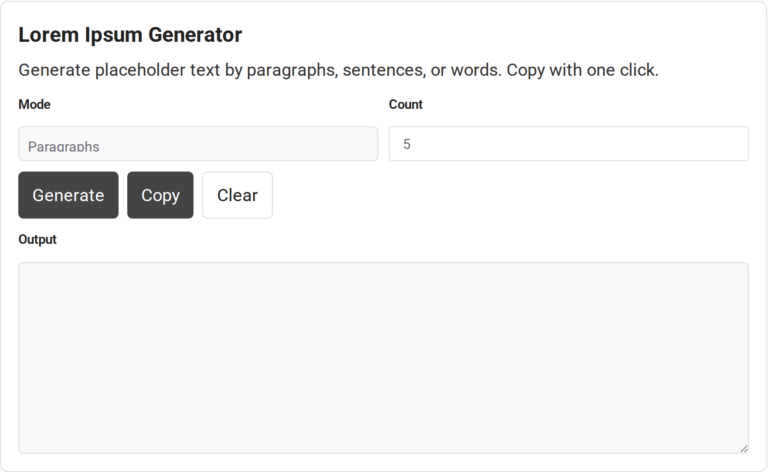
Before final wording is ready, a mockup still needs text to show its layout. A Lorem Ipsum generator makes pseudo-Latin placeholder text for that layout.
I’ll show you how to choose a text unit and count, then copy the generated text into a mockup or document.
TL;DR
Choose words for a tight text limit, sentences for a short UI message, or paragraphs for a page layout, then generate and copy the filler into your mockup.
- Keep placeholder length close to the space the final copy will occupy.
- Use the Emmet Lorem Ipsum abbreviation and a numeric suffix while editing HTML.
- Replace filler before a page or document is delivered to readers.
What Is a Lorem Ipsum Generator?
The classic Lorem Ipsum passage is pseudo-Latin filler, not copy written to describe the page where it appears.
A Latin-like block avoids the repeated look of labels such as “text here.” Varied words, punctuation, and sentence breaks give an early view of text density, paragraph rhythm, and headings in context.
Lipsum.com credits Latin professor Richard McClintock with tracing “consectetur” to sections 1.10.32 and 1.10.33 of Cicero’s De Finibus, which the page dates to 45 BC. It says a 1914 translation of the passage was altered for Letraset’s Body Type sheets, and that the sample was used in typesetting from 1966.
Where does Lorem Ipsum come from?
The familiar passage has a traceable source, but the filler used in design draws on only part of it. The Lipsum account connects it to Cicero’s Latin work and reproduces the original passage alongside H. Rackham’s 1914 English translation.
The source is an ethical argument, while the mockup text serves a different purpose. Because the familiar passage has been shortened and altered, cite the source directly when discussing Cicero instead of quoting generated filler. In a layout, the filler occupies space until the intended words are ready.
Why use placeholder text in a layout?
A repeated label such as “text here” makes it hard to judge a paragraph block. Varied word lengths and punctuation give a designer a rough view of line wrapping, heading spacing, and the relative weight of nearby elements.
Use the result for a temporary layout check. Replace filler with approved wording before reviewing whether the content is clear to readers or works in translation. The page can help compare visual density, but the final message still needs its own review.
A representative content sample can reveal awkward wraps that generic Latin filler hides, especially when the approved wording differs in length from the placeholder.
How to Generate Lorem Ipsum Text
Choose a mode and amount, generate the sample, and copy it to the destination where you are building the layout.
Step 1: Choose the text unit
Select the unit in Mode. Words are useful for a field with a compact limit. Sentences suit a card description, while paragraphs help you judge the rhythm of a larger content area.
| Layout you are checking | Choose | Reason |
|---|---|---|
| Button or short label | Words | Small areas are sensitive to length |
| Card or short summary | Sentences | Sentence breaks show the block’s height |
| Article column or page section | Paragraphs | Paragraph spacing affects page flow |
A word count estimates the amount of text. The final layout depends on font size and column width, even when the sample has the same number of words. Check the mockup at the viewport where readers will see it.
When a component has a strict character limit, measure the copied result separately because this generator selects words rather than enforcing a character cap. Use approved sample copy to test a label or error message, especially when a translation must fit a fixed space.
Repeat the layout check after the final wording is ready. Placeholder text can show where a block sits and roughly how dense it looks, but it cannot confirm that the actual message is clear or that its line breaks make sense.
Step 2: Set the count
The Count field on this page accepts numbers from 1 through 100. A blank field uses 1, while values above the limit are capped. For a longer sample, create separate batches and keep the output from each if you need to preserve the wording.
| Mode | What the count controls | Length to expect |
|---|---|---|
| Words | Requested word total | Exact word count |
| Sentences | Number of sentences | Each sentence has 8 to 18 words |
| Paragraphs | Number of paragraph blocks | Each has 3 to 6 sentences, so total words vary |
A 10-sentence setting can produce 80 to 180 words, a rough volume to compare with the target component before checking its width.
Step 3: Generate and inspect the text
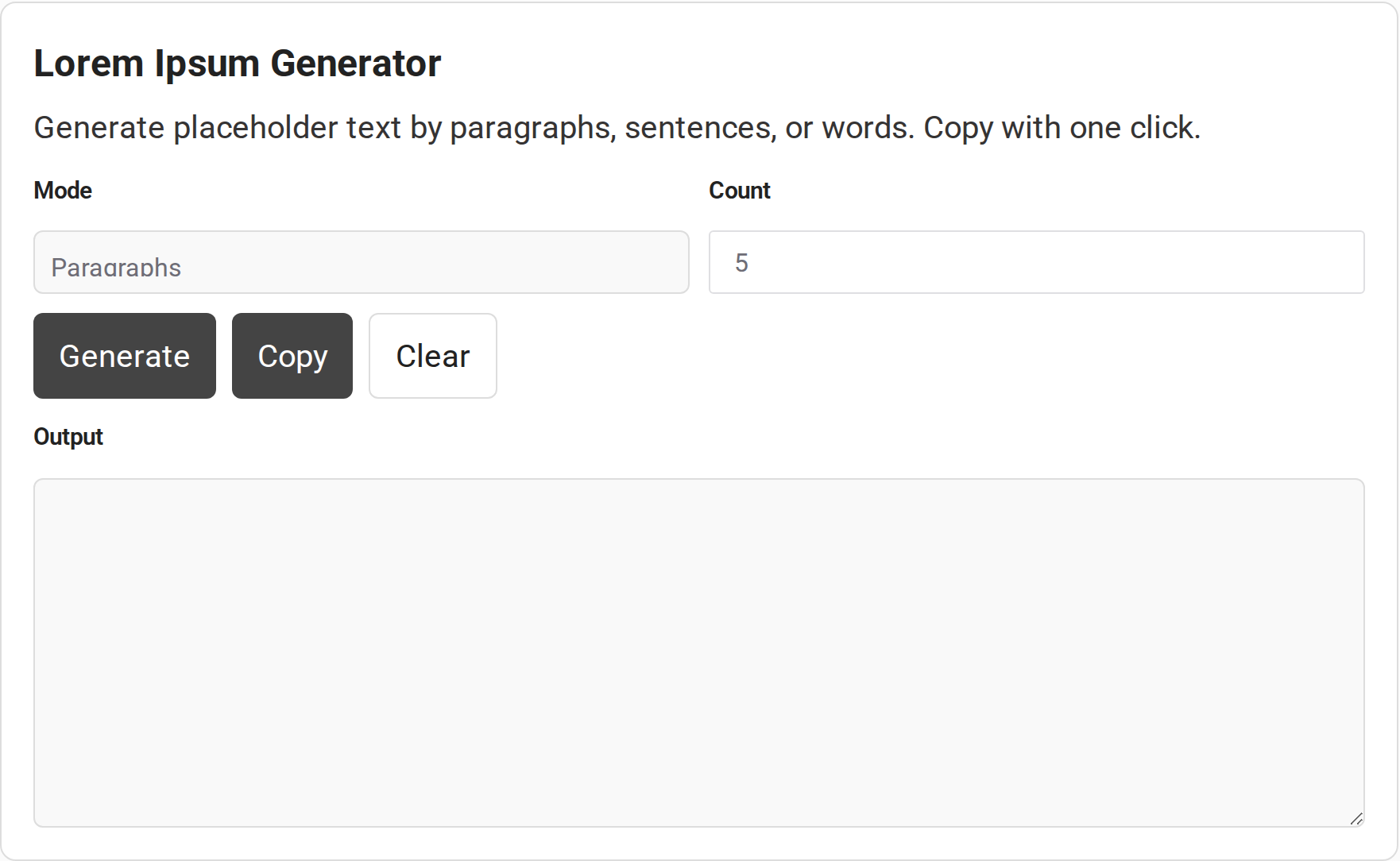
Press Generate to fill the Output field. The page script selects words at random from a fixed list, so a new sample may use different wording. Copy a version that fits before you generate again.
The screenshot shows the generator controls in their default state, before a sample is generated.
Step 4: Copy and place the output
Press Copy, then paste the text into your mockup, document, or code editor. Check the pasted result because line breaks may shift. In HTML, add the paragraph and inline tags you need.
Press Clear to remove the current output before starting another sample.
| Destination | Use this route | Why |
|---|---|---|
| Several apps or a document | Generate here, then Copy | One sample can be pasted into different destinations |
| Figma design layer | Figma’s Lorem Ipsum tool | It can insert directly into a selected text layer |
| HTML file in an Emmet-enabled editor | Expand the Lorem Ipsum abbreviation | Generated text can be placed in the active markup context |
| Word document | Word’s built-in sample-text feature | Microsoft documents paragraph and line controls for both localized and pseudo-Latin samples |
The Figma Lorem Ipsum generator supports word, sentence, and paragraph amounts, up to 50 paragraphs. It offers styling for lists and links and can insert text into a selected layer.
Word’s =rand(p,l) formula inserts localized sample text. p and l set paragraph and line counts, with three of each by default. Insertion can depend on Replace text as you type.
Explore the wider CodeForGeek developer tools collection, including the text-to-PDF tool when a sample belongs in a document.
Can Lorem Ipsum Be Used for Usability Testing?
A usability review can range from an internal prototype walkthrough to a study with participants.
- For a visual prototype review, placeholder text can show hierarchy, spacing, and density while a designer checks the arrangement.
- For participant testing, use approved task copy, including field labels, errors, and localized strings that the participants need to interpret.
What to Check Before Using Lorem Ipsum
Google says its ranking systems prioritize helpful, reliable information created for people. Its guidance does not say Lorem Ipsum triggers a separate automatic penalty, so assess the finished page against its audience and purpose.
| Case | What can go wrong | Check or fix |
|---|---|---|
| Exact word or character cap | A selected mode may not enforce a character limit | Measure the pasted result with the destination’s rule |
| Localized interface | Latin-like filler does not model translated words or accents | Review actual supported language copy and direction |
| Small screen or narrow column | Text wraps differently as the width changes | Check the component at each supported breakpoint |
| Word sample text does not insert | Replace text as you type may be disabled | Check Word’s AutoCorrect Options in Proofing |
- For an accessibility review, do not let placeholder content stand in for a control’s accessible name or instructions. Screen readers may announce visible text in reading order.
- Emmet’s documentation gives a 30-word default and a numeric suffix, such as “lorem100,” to set the word count. The editor must support Emmet, and expansion shortcuts depend on its settings.
- Before publishing, search the page or document for “Lorem ipsum” and other temporary strings, then confirm any matches are intentional and not displayed as final copy.
Conclusion: Match the Text to the Layout
When you hand off a mockup, include the viewport and content states you reviewed so another person can reproduce the same layout checks.
For the generator’s background and the familiar passage, see Lipsum’s overview. For editor-side placeholder expansion, see the Emmet Lorem Ipsum documentation.
- Microsoft’s Word sample-text guide explains localized and pseudo-Latin options.
- Google’s people-first content guidance sets the standard for finished page copy.
FAQ
These answers cover common details that are not a substitute for checking the text in its final layout.
Does the generator create the same text on every click?
No. The page script selects words at random from a fixed list, so another generation can return different wording. Copy the sample if you need to preserve it.
Does Lorem Ipsum trigger an automatic Google penalty?
Google’s people-first guidance does not name Lorem Ipsum or establish an automatic penalty for it. It prioritizes helpful, reliable information for people, so replace filler with useful page copy.
Can I generate Lorem Ipsum directly in HTML?
The page’s Copy button provides plain text. Paste it into your markup and add the needed HTML elements, or use Emmet’s Lorem Ipsum abbreviation in an editor that supports it.
Can Word insert Lorem Ipsum sample text?
Yes. Microsoft documents a built-in sample-text feature for localized and pseudo-Latin text. It supports paragraph and line counts, and Microsoft notes that AutoCorrect’s Replace text as you type option can affect insertion.