New to Rust? Grab our free Rust for Beginners eBook Get it free →
Best Conky Themes for Linux and How to Install Them


Unpacking a Conky theme leaves you with a folder of config files, and that folder is where the install usually stops. The config inside points at scripts, fonts and images by path, and when those paths do not resolve the widget draws nothing.
I started a theme from a live hub on Ubuntu 24.04 and Conky printed the path it wanted. The fix was one line in its config.
What a Conky theme is made of
Conky reads one text file per running widget, and a theme is that file plus the assets it needs. The assets are the part people forget: a Lua script that draws rounded gauges, a background image, and the fonts the author designed the layout around.
Since Conky 1.10 the file is a Lua table with two halves. The conky.config block sets window behaviour, fonts and colours, and the conky.text block holds what appears on screen.
Variables inside the body are written with a dollar sign and braces, so cpu returns CPU load, mem returns free memory and fs_used returns disk usage, and Conky re-evaluates each one on every update.
conky.config = {
    alignment = 'top_right',
    own_window = true,
    own_window_type = 'desktop',
    use_xft = true,
    font = 'DejaVu Sans Mono:size=11',
};

conky.text = [[
${time %H:%M}
${cpu cpu0}%  ${mem}
]];
Run conky -C in a terminal and the build prints its own default config, every key named and commented. That output is the reference for what the version you installed accepts.
None of the files outside those two blocks is checked before Conky starts, which is how a theme loads without complaint and still draws an empty window. Nord-Conky loads its rings from scripts/rings-v1.2.1.lua by path, and an unpacked copy in the wrong directory fails on that missing file.
Before you install a theme
Conky is packaged on every desktop distribution, and the name is the only difference. Debian, Ubuntu and Mint want conky-all, which is the build with Lua, X11 and Xft support compiled in.
| System | Package | Checked 2026-09-16 |
|---|---|---|
| Ubuntu 24.04, Debian, Mint | conky-all | Installed on this server, version 1.19.6 |
| Arch, Manjaro | conky | Install section of the Arch Wiki Conky page |
Conky is an X11 client, so a Wayland session runs the widget through XWayland rather than a native Wayland surface. The Arch Wiki notes the X requirement on its installation section, and it is worth knowing before you blame a theme for not appearing.
Fonts are the second dependency, and the failure they cause is hard to read, because the widget still appears with the text missing. Themes declare them in their own metadata. Thuban, the current hub theme tested for this piece, lists Feather, Bebas Neue, Monoton, Fantasque Sans Mono Nerd Font and Inter before it will draw.
Check what your machine already resolves before you install anything. fc-match answers the same question Xft will ask when the widget starts.
fc-match "Inter"
Inter-Regular.otf: "Inter" "Regular"

fc-match "Feather"
DejaVuSans.ttf: "DejaVu Sans" "Book"
How to install a Conky theme
The sequence is short: install Conky, unpack the theme, match the paths inside its config, start it in the foreground, then let your session start it for you. Every step below ran on Ubuntu 24.04 with Conky 1.19.6, so the output shown is the output it produced.
Install Conky and check the build
Print the version before you unpack a theme, because the config format changed inside the 1.x line and a theme’s file tells you which era it belongs to.
conky --version
conky 1.19.6 compiled 2024-04-01 for Linux aarch64
Unpack the theme and read its header
Authors document their requirements in comments above the conky.config line, and that header is the cheapest place to find a dealbreaker. Thuban’s file says it is part of Ardana ThemeHub and cannot run independently, which is worth knowing before you debug a widget that was never meant to stand alone.
--  THUBAN
--  A part of Ardana ThemeHub
--  This theme requires Ardana ThemeHub and cannot run independently.
Put the files where the config looks for them
A theme that ships Lua names its script by path, and the path is often absolute. Nord-Conky asks for the file under ~/.config/conky/Nord-Conky/, and running it straight from your downloads folder gets you a reported missing file and an empty widget.
Moving the unpacked folder to the path the config names fixes it, and so does editing the lua_load line to match where the folder already sits. Nord-Conky ships a start script that copies the theme to its expected location, which is why its own instructions never mention the path.
Start it in the foreground
Run the config by path with -c, and add -i 2 so Conky draws twice and exits instead of sitting on your desktop while you work out what is wrong. The output tells you whether the config parsed and whether the window was created.
cd ~/.config/conky/starter
conky -c conky.conf -i 2
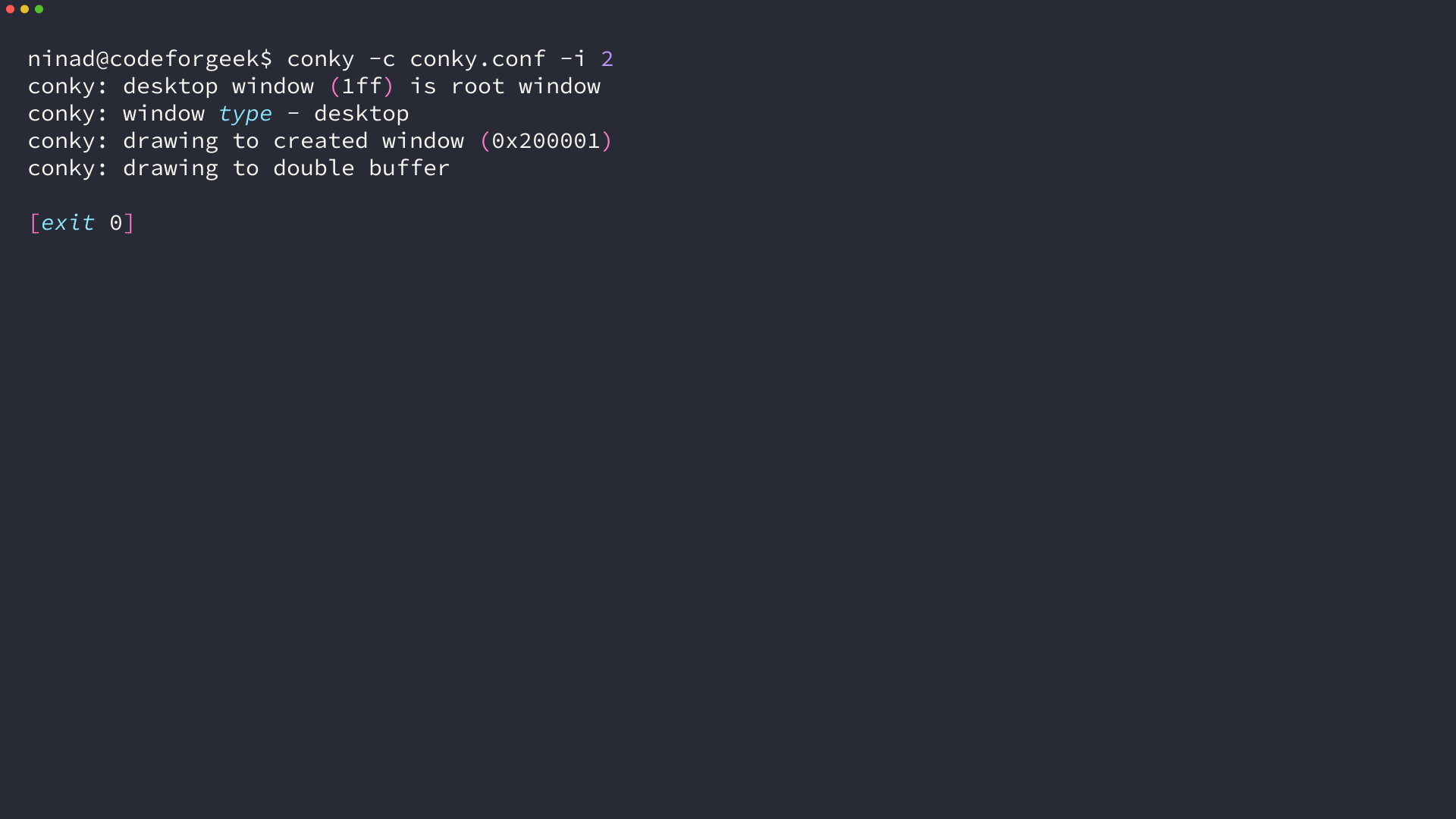
An exit status of zero means the config loaded and Conky created its window. A missing Lua script, a missing font or a broken link all appear in the same stream, so a clean terminal is the confirmation you want.
Start it with your session
Once the widget draws, add a desktop entry so the session starts it at login. The Exec line takes the same argument you just typed, and the pause flag gives your panel time to come up first.
[Desktop Entry]
Type=Application
Name=Conky widget
Exec=conky -c /home/you/.config/conky/starter/conky.conf -p 5
X-GNOME-Autostart-enabled=true
Save that file as ~/.config/autostart/conky.desktop and the widget returns at every login.
Best Conky themes you can still download
Theme galleries are where the volume is. pling, GNOME-Look, the KDE Store and DeviantArt host hundreds of Conky sets, and gallery entries outlive the files they point at. I checked every entry below on 2026-09-16, and each one resolves from a repository rather than a download page, which means you get files a maintainer still keeps.
Ardana ThemeHub by Closebox73 keeps its themes in a single repository, and every theme there ships a metadata file naming the fonts it needs. If you want a hub theme, download the zip for it and the fonts it lists.
| Theme | Fonts its metadata declares | Source |
|---|---|---|
| Thuban | Feather, Bebas Neue, Monoton, Fantasque Sans Mono Nerd Font, Inter | ardana-themehub, themes/Thuban.zip |
| Spica | Quicksand Bold, Roboto Condensed Regular and Bold | ardana-themehub, themes/Spica.zip |
| Alcyone | monofonto rg, Bebas Neue | ardana-themehub, themes/Alcyone.zip |
| Ruchbah | Beckman Free, Anurati | ardana-themehub, themes/Ruchbah.zip |
| Dnoces | Outfit Regular and Bold | ardana-themehub, themes/Dnoces.zip |
The repository root is github.com/closebox73/ardana-themehub, and the hub itself is what resolves the provider scripts these themes load.
Nord-Conky
A Nord-palette system monitor written in Lua, with a normal and a multicolour variant in the same download. The install script copies the theme to the path its config expects, which is the cleanest example of the path rule above. Source: github.com/all-junks/Nord-Conky.
conky-widget
A single widget covers the date, kernel, per-core CPU load and frequency, an NVIDIA GPU through nvidia-smi, top processes by CPU and memory, and disk usage. Its README lists Conky 1.10 or newer with Lua, Fira Mono and Open Sans Light, and it warns that one Lua file it loads is not part of the download. Source: github.com/Gren-95/conky-widget.
Conky Colors
A Python installer that generates a themed Conky from a menu instead of handing you a config to edit, with nine interface languages. Its install block pulls python-statgrab, lm-sensors and conky-all, then runs sensors-detect for the temperature lines. Source: github.com/helmuthdu/conky_colors.
conky-config
A Lua widget library rather than a finished theme. It is worth keeping beside your own config when you want gauges or bars without adopting someone else’s layout. Source: github.com/JayBeeDe/conky-config.
The 2021-era names still circulate. Conky Orange, Conky Grapes, Future Blue and the HUD sets from that roundup appear in every list on the subject, and their download pages move between galleries. Search the gallery for the name, then read the config header before you unpack it, because a theme built for a 2020 desktop is the kind that lands on the failures below.
Conky Manager 2 is the GUI that lists themes and starts them for you. Its README states support for Ubuntu 16 to 22 and Mint 18 to 21, so on a current release the config file is what you work with and the manager is optional. Source: github.com/zcot/conky-manager2.
If you would rather change the whole screen than add one panel to it, the roundup of Linux distributions and their layouts is the better starting point than a widget theme.
When a theme does not start
Conky writes the reason to the terminal, and the message names the fix. These four states came up while I tested themes for this piece.
A Lua script the config cannot open
A missing Lua file is the path problem in its clearest form. Conky names the absolute file it tried to open, keeps running, and leaves you with a window that draws nothing.
conky: llua_load: cannot open /home/ubuntu/.config/conky/Nord-Conky/scripts/rings-v1.2.1.lua: No such file or directory
conky: llua_do_call: function conky_ring_stats execution failed: attempt to call a nil value
Copy the theme folder to the path in the message, or point lua_load at where you put it.
A provider the theme assumes you have
Managed themes load shared files from their hub, and those files are not in the theme download. Placing Thuban exactly where its config asks gets you a second error about a provider that the hub supplies at runtime.
[Ardana] Failed to load provider: time
cannot open /home/ubuntu/.config/Ardana/providers/time.lua: No such file or directory
conky: llua_do_call: function conky_draw_main execution failed: .../text.lua:55: attempt to index a nil value (field 'time')
That is the boundary of a hub theme, and it is written in the header. Themes that ship a config, their own scripts and a start script are the ones that run from a plain folder.
A font the widget draws with
A missing font is reported twice and the widget still appears, just without that text. The message names the family and the size Conky asked for.
conky: can't load font 'Poiret One:size=16'
Both conditions have to hold at once: the font has to be installed where fontconfig finds it, and the config has to set use_xft to true. Without Xft, Conky asks the X server for a core font name and a family you just dropped into your home directory will not resolve, which is why the same error can survive a correct install.
I hit exactly that split. fc-match resolved Poiret One, and Conky still reported the font as unloadable until use_xft was set in the config. So install the font, add the Xft line, and then check the family again.
mkdir -p ~/.local/share/fonts
cp Inter-Regular.otf ~/.local/share/fonts/
fc-cache -f
fc-match "Inter"
A config written for an older Conky
Configs from before 1.10 open with bare directives rather than a Lua table, and Conky does not refuse them. It prints a syntax error, assumes the old format, converts the file and continues.
conky: Syntax error (/home/ubuntu/.config/conky/conky-orange/conkyrc:2: syntax error near 'yes') while reading config file.
conky: Assuming it's in old syntax and attempting conversion.
The converted theme drew for me, with one visible consequence. The old file set background to yes, so Conky forked itself to the background and the terminal returned before the widget appeared, which reads like a crash if you are watching the prompt.
A widget that hides behind your windows
own_window_type decides the layer the widget lives on, and the default is rarely the one you want. The desktop value keeps it under normal windows, dock reserves a strip along an edge, and override bypasses the window manager entirely.
If the widget is missing when you click the desktop, the window type is the setting to change first. Pair it with own_window_hints when you want it out of the taskbar and off the window list.
Build your own widget from any theme
The window block at the top of a theme carries the layout work its author already solved, from the layer and the transparency to the hints that keep the widget out of your taskbar. I keep that block and replace the body, because the layer and the hints are the fiddly half.
This is the config I ran for the screenshot below. It is fourteen lines and it covers the four numbers I check through the day.
conky.config = {
    alignment = 'top_right',
    gap_x = 40,
    gap_y = 60,
    minimum_width = 260,
    own_window = true,
    own_window_type = 'desktop',
    own_window_transparent = true,
    own_window_hints = 'undecorated,below,sticky,skip_taskbar,skip_pager',
    use_xft = true,
    font = 'DejaVu Sans Mono:size=11',
    default_color = 'white',
    update_interval = 1.0,
    double_buffer = true,
    background = false,
};

conky.text = [[
${time %H:%M}  ${time %a %d %b}
${hr 1}
CPU   ${cpu cpu0}%  ${cpubar cpu0}
RAM   ${mem}/${memmax}  ${membar}
DISK  ${fs_used /}/${fs_size /}
UP    ${uptime}
]];

Keep -i 2 on the command while you edit, because a config that quits after two updates cannot fight you for the desktop. Then drop the flag once the layout settles and the widget stays on screen.
Adding a line is the whole edit loop, so the variable names are the only vocabulary you need, and each one maps to a line you can watch change.
The next command is the one that tells you whether it worked. Run conky -c conky.conf -i 2 from the folder that holds the file.
Conky theme questions
These come up in the forum threads and search results around Conky theming often enough to answer directly.
Do I need Conky Manager to install a theme?
Conky Manager is a GUI over the same config files, and it starts Conky with the same -c argument you would type by hand. Its current fork states support for Ubuntu 16 to 22 and Mint 18 to 21, so on a newer release you run the config yourself and skip the manager.
Why does my Conky theme show no text?
Either a font it names is missing, or the config never enables Xft. Check the family with fc-match, install what is missing into ~/.local/share/fonts, run fc-cache -f, and make sure use_xft is set to true in the config.
Does Conky work on Wayland?
Conky is an X11 client, so a Wayland session runs it through XWayland, and transparency depends on your compositor rather than on the theme.
How do I stop or remove a Conky theme?
Stop every running instance, then remove the pieces you added so it does not return at login.
pkill conky
rm -rf ~/.config/conky/starter
rm ~/.config/autostart/conky.desktop