New to Rust? Grab our free Rust for Beginners eBook Get it free →
Build a Deno API Server with MySQL

Build a Deno API server with MySQL by keeping HTTP handling separate from database work. The handler below rejects an empty name, creates a user, and lists users, while MySQL2 owns parameterized SQL.
Install Deno and prepare MySQL
Install Deno with the current Deno installation instructions. Deno can import npm packages, including MySQL2, through its npm: specifier.
Create a database account with only the permissions this example needs. The MySQL account documentation covers account creation and grants.
CREATE DATABASE article_api;

CREATE USER "article_api"@"127.0.0.1" IDENTIFIED BY "choose-a-secret";
GRANT SELECT, INSERT ON article_api.* TO "article_api"@"127.0.0.1";

USE article_api;
CREATE TABLE users (
  id INT NOT NULL AUTO_INCREMENT PRIMARY KEY,
  name VARCHAR(100) NOT NULL
);
Replace choose-a-secret before you run the command and keep that value outside source control because the database user can read users and insert users, which matches the two routes in this example.
Build the HTTP handler
The handler takes a UserStore instead of importing a database client, so you can test HTTP status codes with a small store and attach MySQL without duplicating route logic.
export type User = { id: number; name: string };

export type UserStore = {
  list(): Promise<User[]>;
  create(name: string): Promise<User>;
};

export function handler(store: UserStore) {
  return async (request: Request): Promise<Response> => {
    const url = new URL(request.url);

    if (url.pathname === "/users" && request.method === "GET") {
      return Response.json(await store.list());
    }

    if (url.pathname === "/users" && request.method === "POST") {
      const body = await request.json().catch(() => null);
      if (!body || typeof body.name !== "string" || body.name.trim() === "") {
        return Response.json({ error: "name is required" }, { status: 400 });
      }
      return Response.json(await store.create(body.name.trim()), { status: 201 });
    }

    return Response.json({ error: "not found" }, { status: 404 });
  };
}
GET /users asks the store for rows, and POST /users rejects missing or blank names before it calls the store, then returns the inserted user with status 201.
Connect the handler to MySQL2
Deno documents MySQL2 support through npm:mysql2/promise. MySQL2 execute calls keep values separate from the SQL text, so the name is bound to the placeholder rather than concatenated into a query.
import mysql from "npm:mysql2/promise";
import type { User, UserStore } from "./app.ts";

const pool = mysql.createPool({
  host: Deno.env.get("DB_HOST") ?? "127.0.0.1",
  user: Deno.env.get("DB_USER"),
  password: Deno.env.get("DB_PASSWORD"),
  database: Deno.env.get("DB_NAME"),
});

export const users: UserStore = {
  async list() {
    const [rows] = await pool.execute("SELECT id, name FROM users ORDER BY id");
    return rows as User[];
  },
  async create(name) {
    const [result] = await pool.execute("INSERT INTO users (name) VALUES (?)", [name]);
    const id = (result as { insertId: number }).insertId;
    return { id, name };
  },
};
Set DB_HOST, DB_USER, DB_PASSWORD, and DB_NAME in your shell or deployment configuration before you start the HTTP server with the store.
import { handler } from "./app.ts";
import { users } from "./db.ts";

Deno.serve({ hostname: "127.0.0.1", port: 4510 }, handler(users));
deno run --allow-env --allow-net server.ts
Run the handler checks
The checked run used a MySQL-backed store with a local MariaDB server and returned 400 for an empty POST, 201 for a valid user, and 200 when GET /users returned the stored rows.
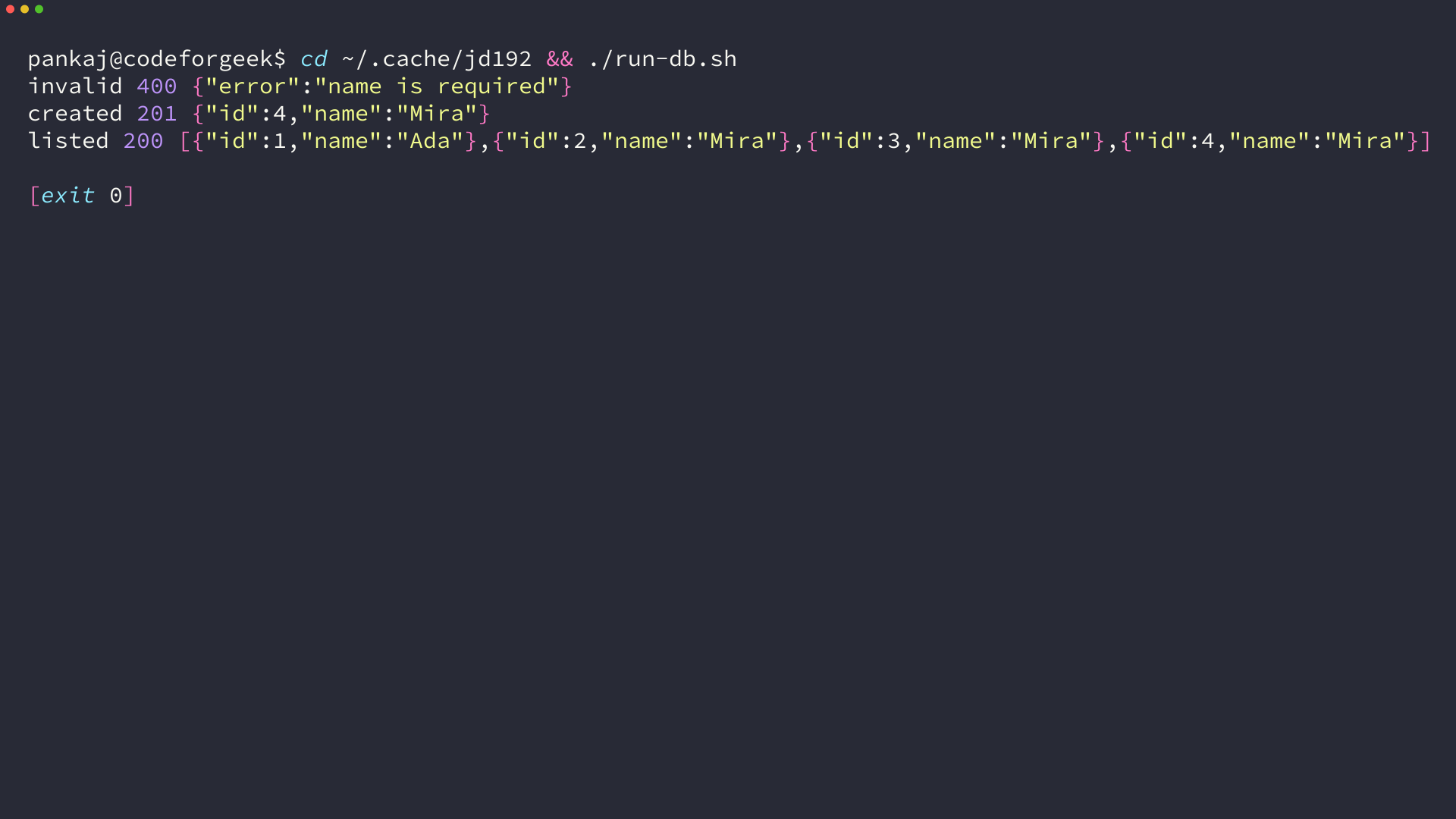
Run the same requests against your database before deploying because a connection to your own MySQL host also checks credentials, network access, and the grants you chose.
Set a production boundary
This example only handles a name and two routes. Add authentication, request-size limits, migrations, connection monitoring, and pagination before exposing a user API beyond a controlled environment.
Start by keeping the store boundary intact. You can add GET /users/:id or an update route without moving SQL into the HTTP handler.