New to Rust? Grab our free Rust for Beginners eBook Get it free →
Online Code Bug Finder: Browser-Local Security Checker

An online AI bug finder can provide contextual feedback, but sending unpublished source to an unknown service is a poor default. The checker below takes a narrower approach by scanning the text inside your browser for common security smells without uploading it.
The tool is a browser-local, rule-based checker. It does not claim to understand your application, execute the snippet, or replace a security review.
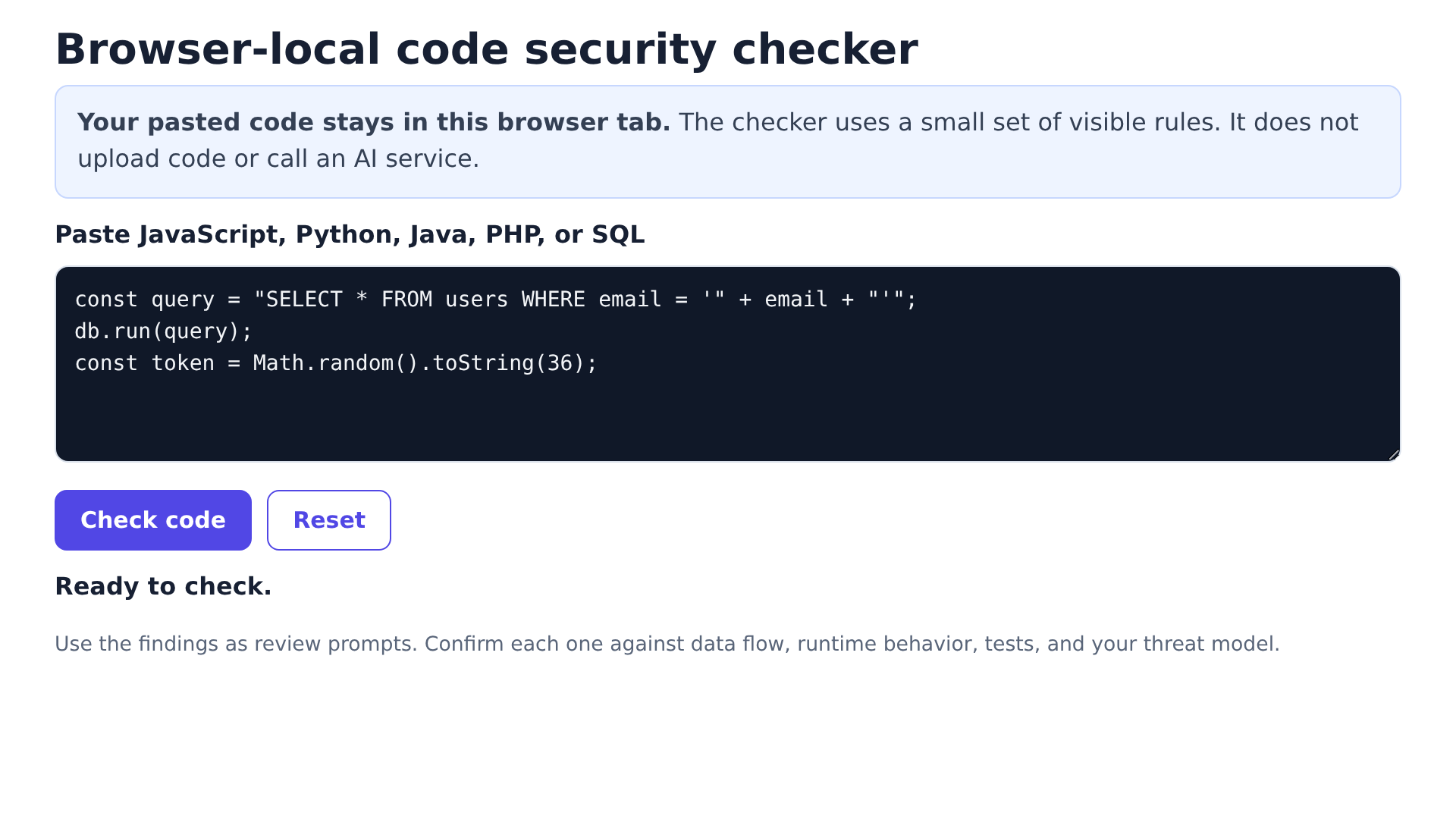
How to check a code snippet
Use a small function or query so you can judge each finding against its surrounding data flow. Remove secrets before pasting code into any website, even when the page says the check stays local.
- Paste JavaScript, Python, Java, PHP, or SQL into the editor.
- Select Check code to run the local rules.
- Read each review prompt and inspect the named sink or value.
- Confirm the finding with your tests, framework documentation, and threat model.
- Select Reset to restore the sample.
What the local checker looks for
The scanner searches the pasted text for a limited set of security-sensitive APIs and code shapes. A match means “inspect this,” not “a vulnerability is proven.”
- Dynamic execution through eval() or Function().
- String-built SQL that may need parameter binding.
- Shell command construction and shell-enabled subprocess calls.
- Hardcoded credential candidates assigned to password, secret, key, or token names.
- Browser HTML sinks such as innerHTML and document.write().
- Weak password digests based on MD5 or SHA-1.
- Non-cryptographic randomness used where a token may be intended.
- Debug output that deserves a production check.
How the scan works
Selecting the button runs JavaScript inside a sandboxed iframe, checks your text against local regular expressions, builds finding cards, and makes no fetch request.
The iframe permits scripts but does not receive same-origin access to the parent page. Mozilla Developer Network documents that leaving allow-same-origin out of a sandboxed srcdoc frame restricts access between the embedded document and its parent.
How to interpret a finding
For SQL construction, start by identifying whether untrusted input can reach the query string and whether the database driver supports placeholders.
Validation middleware, framework escaping, database permissions, and runtime configuration can turn a warning into a false positive or expose a risk that this text scan misses.
High severity prompts
High labels identify APIs that can create a direct injection or credential exposure path, though severity still depends on whether attacker-controlled data can reach the operation.
Medium and low prompts
Medium and low labels point to choices that often need context. Math.random() is fine for a visual shuffle, for example, but not for a reset token or session identifier.
What this checker cannot prove
Open Worldwide Application Security Project (OWASP) notes that static analysis can produce false positives and false negatives because a tool may lack full data flow, external components, and runtime configuration. This checker is narrower than a full static application security testing (SAST) engine because it does not parse an abstract syntax tree or follow values across files.
- It cannot prove that input is attacker-controlled.
- It cannot evaluate authentication, authorization, or business logic across your application.
- It cannot inspect dependencies, containers, deployment settings, or cloud permissions.
- It cannot confirm that a proposed fix preserves behavior.
- It does not find every instance of the listed issue classes.
A clean result only means that none of the configured rules matched. Run tests and use a language-aware scanner before treating the snippet as reviewed.
When an AI reviewer is the better choice
Use an AI reviewer when you need an explanation across several functions, a suggested refactor, or help tracing intent through unfamiliar code. Review the service’s retention policy and access controls before sending proprietary source.
If you want that broader workflow, compare the local check with GitHub Copilot in Visual Studio Code. The wider discussion of AI in coding workflows also helps separate code generation from review and testing.
A safer review sequence
Use this page as an early prompt, then move to tools that understand your repository. The useful sequence is local text check, formatter and linter, language-aware security scan, tests, dependency scan, and human review for authorization and business logic.
Keep each finding attached to evidence. A failing test, reachable data-flow path, or documented unsafe API call gives you a reason to change code that a label alone cannot supply.
Frequently asked questions
These answers define the privacy and accuracy boundaries that matter before you act on a finding.
Is this an AI bug finder?
No. It is a browser-local, rule-based checker. It can flag configured code shapes, but it does not send a prompt to an AI model or produce model-generated review.
Does pasted code leave the browser?
No network request is used by the checker. The scan runs inside the sandboxed iframe in your browser, but you should still remove credentials before pasting code into any web page.
Does a clean result mean my code is secure?
No. It only means that none of the configured rules matched the snippet. Runtime tests, language-aware analysis, dependency checks, and human review remain necessary.
Which languages can I paste?
You can paste text from JavaScript, Python, Java, PHP, SQL, and other languages. The rules target a small set of shared APIs and code shapes rather than complete language grammars.
Can this replace SAST or code review?
No. It does not parse your project, follow data flow across files, inspect dependencies, or evaluate authorization and business logic. Use it as an early review prompt.