New to Rust? Grab our free Rust for Beginners eBook Get it free →
Free Unit Test Generator: Build Test Scaffolds in Your Browser


A publication-day check found that the hosted AI worker returned HTTP 503 for a minimal function. The free unit test generator below therefore uses browser-local text rules, labels its limits, and creates runnable skipped scaffolds without sending your code to a server.
What This Unit Test Generator Does
Paste one JavaScript or Python function and the tool identifies its name and parameters. It returns a short test plan plus a scaffold for Node.js node:test or Python unittest.
The tool does not infer correct expected values. Every generated case starts skipped, which prevents an unreviewed guess from passing in your suite. Replace each skip with representative inputs and an exact assertion from the function contract.
How Your Code Is Handled
All parsing happens inside the sandboxed frame in your browser, and the tool neither stores pasted code nor sends it to CodeForGeek or an AI provider.
That privacy boundary narrows the capability because a local parser can identify a function declaration and prepare test slots, but it cannot understand repository imports, side effects, service contracts, or business rules.
How to Build a Test Scaffold
- Choose JavaScript with node:test or Python with unittest.
- Paste one self-contained function declaration.
- Select Build scaffold and review the extracted function name and parameter count.
- Copy the output into your project, replace each skip, and use exact expected values.
- Run the complete suite before committing the test file.
If you need semantic suggestions across several files, a hosted AI assistant can inspect more context. Start with the practical roles AI can play in coding, then decide whether sending repository context to a provider fits your security requirements.
A Verified JavaScript Example With node:test
The following subject turns a price into integer cents. Its contract defines two useful outcomes, a normalized object for valid input and null for missing or invalid input.
export function normalizePrice(input, currency = "USD") {
  if (input == null) return null;
  const cleaned = String(input).replace(/[^0-9.-]/g, "");
  if (!cleaned) return null;
  const value = Number(cleaned);
  if (Number.isNaN(value)) return null;
  return { cents: Math.round(value * 100), currency };
}
Save that function as subject.js, then save this test as subject.test.js.
import test from "node:test";
import assert from "node:assert/strict";
import { normalizePrice } from "./subject.js";

test("converts a currency string to cents", () => {
  assert.deepEqual(normalizePrice("$12.34"), {
    cents: 1234,
    currency: "USD",
  });
});

test("returns null for missing or invalid input", () => {
  assert.equal(normalizePrice(null), null);
  assert.equal(normalizePrice("not a price"), null);
});
Run the suite with Node.js.
node --test subject.test.js
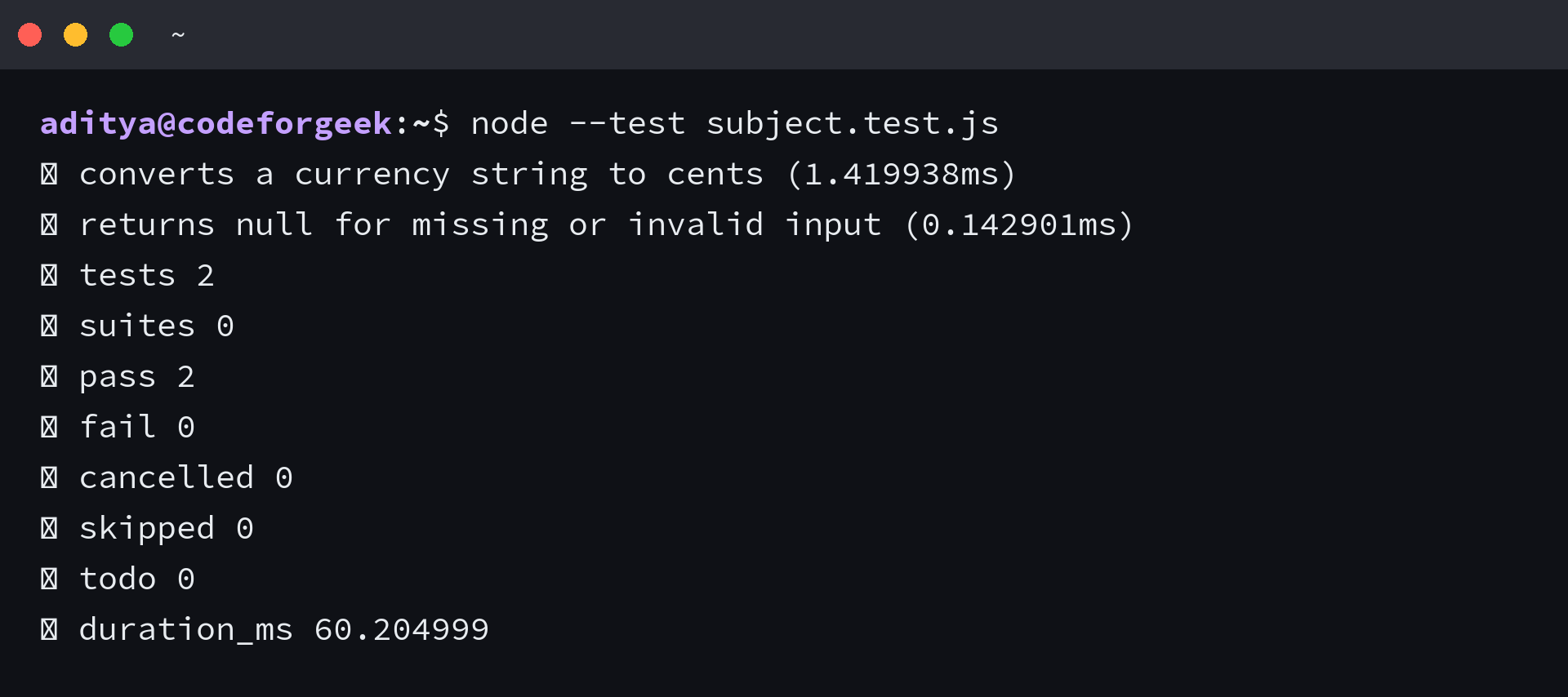
The executed suite passes both tests. The invalid string matters because Number of an empty cleaned string becomes zero, so the function must reject the nonnumeric result before conversion.
A Verified Python Example With unittest
This Python function converts words into a lowercase slug while removing punctuation. The tests cover a representative sentence plus missing and blank input.
def slugify(text):
    if text is None:
        return ""
    parts = [part for part in text.lower().split() if part]
    return "-".join("".join(ch for ch in part if ch.isalnum()) for part in parts)
Save the function as subject.py and the following suite as test_subject.py.
import unittest

from subject import slugify


class TestSlugify(unittest.TestCase):
    def test_words_become_lowercase_slug(self):
        self.assertEqual(slugify("Hello, World!"), "hello-world")

    def test_missing_and_blank_input(self):
        self.assertEqual(slugify(None), "")
        self.assertEqual(slugify("   "), "")


if __name__ == "__main__":
    unittest.main()
Run the suite through the unittest module.
python3 -m unittest -v test_subject.py
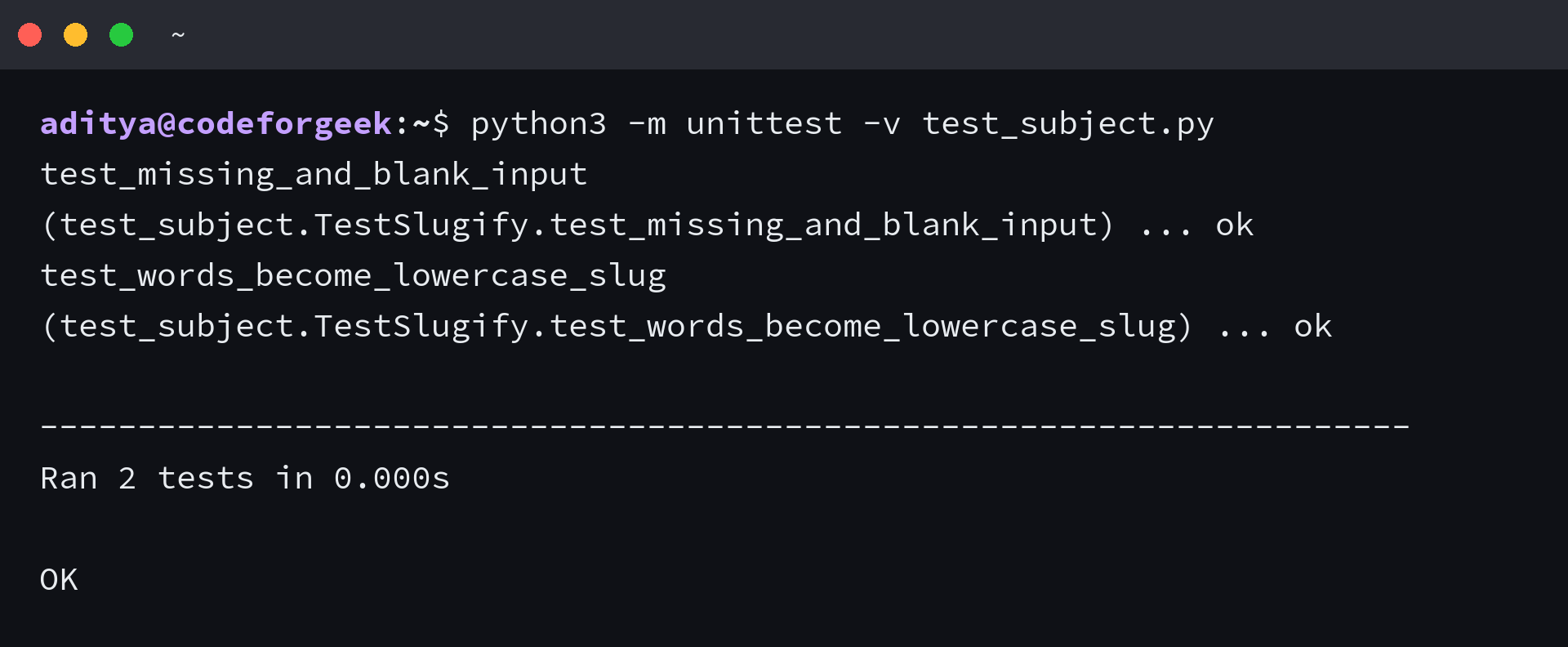
The test runner reports two passing cases. Add a Unicode case if your application accepts international text because isalnum() preserves letters outside ASCII.
When a Generated Scaffold Is Not Enough
Generated slots help you begin, but they do not prove that the assertions match the intended behavior. Review the source contract, run the suite, and inspect failures before accepting any generated test.
Mocking also needs judgment. Mock an external boundary such as a payment client or network call, not the function you are trying to verify. For another local inspection step, use the browser-based code explainer to break down a small function before writing its assertions.
Unit Test Generator Questions
Does this unit test generator use AI?
No. It uses browser-local text rules to identify a JavaScript or Python function and create skipped test scaffolds. Your pasted code does not leave the browser.
Why are generated tests skipped?
The tool cannot know your intended expected values. Skipped cases keep the scaffold runnable without turning an unreviewed guess into a passing assertion.
Can I use the scaffold for integration tests?
The output targets isolated unit tests. Integration tests need the application environment, service boundaries, fixtures, and cleanup that this browser-local tool cannot infer.
Which test frameworks are supported?
The tool creates scaffolds for the Node.js node:test module and Python unittest. Both ship with their runtimes, so the generated files need no third-party test package.
Is it safe to paste private code?
The tool makes no network request, but you should still follow your organization’s policy for browser tools. Do not paste secrets because test planning never requires credentials.
Use the scaffold as a checklist, then let the function contract determine each input and assertion. The useful stopping point is a small suite that fails for the defect you care about and passes after the fix.