New to Rust? Grab our free Rust for Beginners eBook Get it free →
JavaScript setInterval: How to Repeat Code

Repeating work in JavaScript starts with choosing a function and a delay. setInterval() schedules that function to run repeatedly and returns a handle that clearInterval() can cancel.
I’ll show how to save and clear the handle, then explain why recursive setTimeout() kept this example to one task running at a time.
TL;DR
Use setInterval() with a callback and delay, save its returned handle, and clear it when the repeated work should stop.
- Pass a function reference such as tick, not a call such as tick().
- The first callback runs after the delay, not immediately.
- Choose recursive setTimeout() when each asynchronous task must finish before the next begins.
What is setInterval in JavaScript?
setInterval() asks the browser or Node.js timer system to call a function repeatedly. It returns a handle that identifies this scheduled work, and clearInterval(handle) cancels later ticks.
Delays are written in milliseconds. A value of 1000 is one second.
| Timer | Calls | Cancel with |
|---|---|---|
| setInterval() | Repeats after each delay | clearInterval(handle) |
| setTimeout() | Runs once after a delay | clearTimeout(handle) |
I keep the delay unit explicit because the comparison run uses a 40 ms interval and 90 ms of pending work.
How to use setInterval step by step
Store the handle as soon as you schedule the callback so the same code can cancel future ticks.
Step 1: Pass a callback function
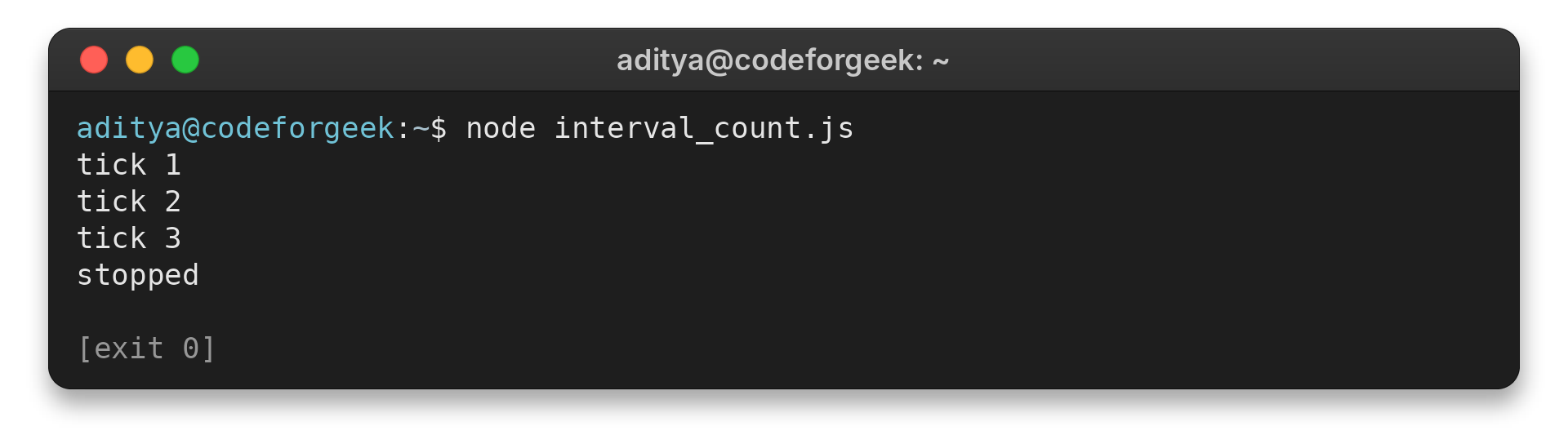
This small Node.js program prints three ticks, then clears its interval. Save it as interval_count.js and run node interval_count.js.
let count = 0;
const intervalId = setInterval(() => {
  count += 1;
  console.log(`tick ${count}`);

  if (count === 3) {
    clearInterval(intervalId);
    console.log('stopped');
  }
}, 100);
I ran node interval_count.js and got three ticks before the program printed stopped:
tick 1
tick 2
tick 3
stopped
Step 2: Clear the saved interval handle
The count check clears the same interval ID after its third tick, so later ticks stop.
On a page, the callback can update an element instead of printing. The existing counter and clock images below show those two kinds of display.


Edge cases: delayed ticks, stopping and async work
Timers need a little care when the callback is called incorrectly or starts work that lasts longer than one interval.
Pass the function, not its result
Writing tick() calls the function immediately and passes its return value, undefined, to setInterval(). Pass tick as a function reference instead.
function tick() {
  console.log('tick');
}

try {
  setInterval(tick(), 1000);
} catch (error) {
  console.log(`${error.name} [${error.code}]: ${error.message}`);
}
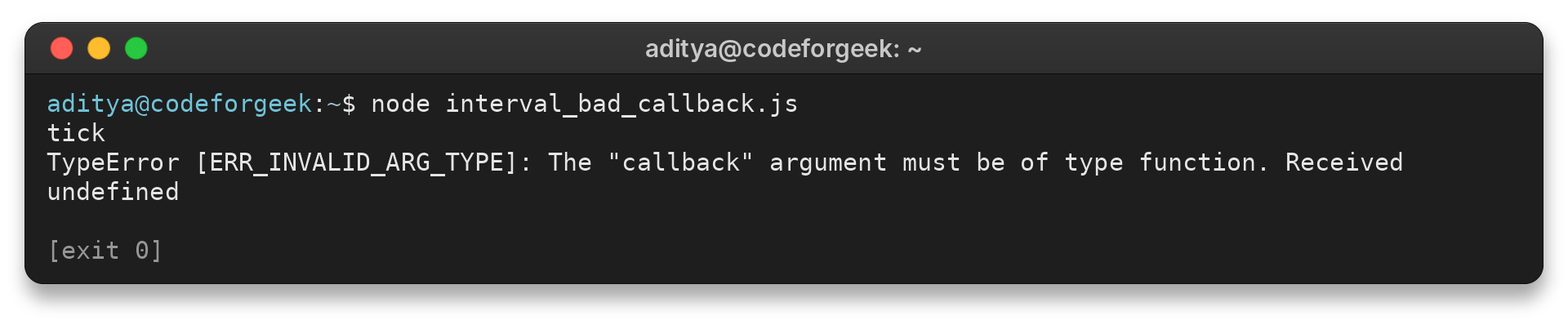
I ran node interval_bad_callback.js. The output starts with tick and then shows the TypeError below.
tick
TypeError [ERR_INVALID_ARG_TYPE]: The "callback" argument must be of type function. Received undefined
Call tick() separately before scheduling if the first update must happen on page load.
Reset an interval or run its first update
An interval has no pause state. To restart after stopping, create a new interval and save its handle. Call the update function once before scheduling if the first display must appear immediately.
| Case | What happens | Next action |
|---|---|---|
| Resume after stopping | The old handle is no longer active | Schedule a new interval and save its handle |
| Show an immediate first value | The first scheduled callback waits for its delay | Call the update function once before scheduling |
| A tick arrives late | A busy thread or background tab delays it | Treat the delay as a minimum, not a clock guarantee |
The callback’s synchronous code runs on the JavaScript thread, but a fetch can remain pending after that callback returns. A later tick may therefore start another request before the earlier request finishes.
Use recursive setTimeout for work that must finish first
I ran node interval_async_demo.js with four delayed tasks. For sequential polling, I prefer recursive setTimeout because it kept the measured maximum at one task in flight instead of three.
const delay = (ms) => new Promise((resolve) => setTimeout(resolve, ms));

async function withInterval() {
  let inFlight = 0;
  let maximum = 0;
  let starts = 0;

  return new Promise((resolve) => {
    const id = setInterval(async () => {
      starts += 1;
      inFlight += 1;
      maximum = Math.max(maximum, inFlight);
      await delay(90);
      inFlight -= 1;

      if (starts === 4) {
        clearInterval(id);
        resolve(maximum);
      }
    }, 40);
  });
}

async function withRecursiveTimeout() {
  let inFlight = 0;
  let maximum = 0;
  let starts = 0;

  async function run() {
    starts += 1;
    inFlight += 1;
    maximum = Math.max(maximum, inFlight);
    await delay(90);
    inFlight -= 1;

    if (starts < 4) {
      setTimeout(run, 40);
    }
  }

  await run();
  while (starts < 4 || inFlight > 0) {
    await delay(10);
  }
  return maximum;
}

(async () => {
  const intervalMaximum = await withInterval();
  const timeoutMaximum = await withRecursiveTimeout();
  console.log(`setInterval: 4 starts, max ${intervalMaximum} tasks in flight`);
  console.log(`recursive setTimeout: 4 starts, max ${timeoutMaximum} task in flight`);
})();
Save that program as interval_async_demo.js and run node interval_async_demo.js. It uses a short timer to model pending work, so the result compares scheduling choices rather than network speed.
setInterval: 4 starts, max 3 tasks in flight
recursive setTimeout: 4 starts, max 1 task in flight
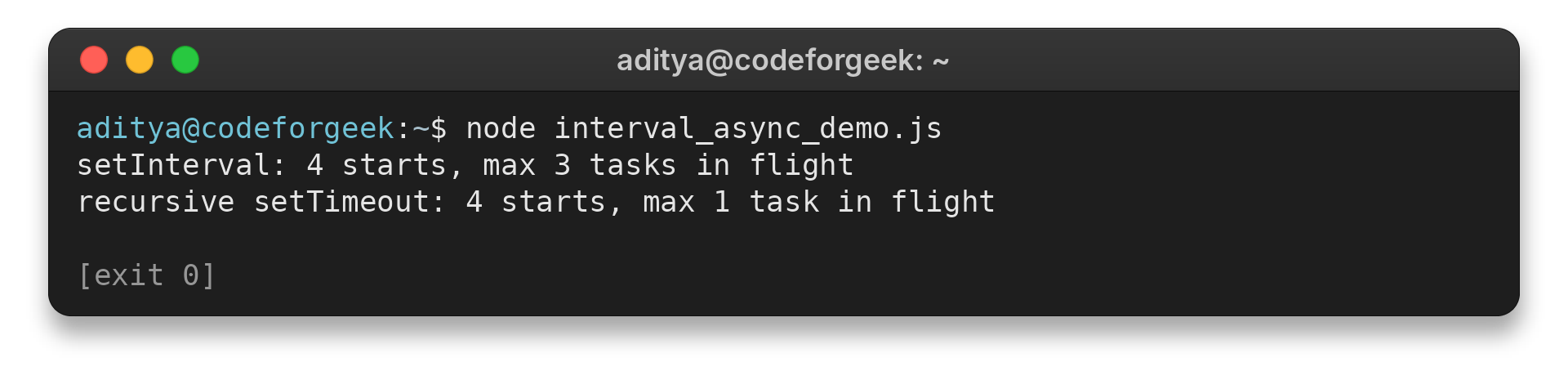
The test uses a 40 ms interval and 90 ms of work per task to make pending operations visible. It compares scheduling rather than network speed.
Conclusion
A timer delay does not promise a wall-clock schedule. Check MDN’s API notes before relying on closely timed browser callbacks.
For browser behavior, see MDN’s setInterval() and clearInterval() references. The JavaScript Date guide explains the time values used by a clock, and CodeForGeek’s Node.js Timers guide covers the server-side timer APIs.
FAQ
These answers cover the timer questions that come up when setting up a repeating callback.
Can I pass arguments to a setInterval callback?
Yes. Put extra arguments after the delay, such as setInterval(callback, delay, arg1, arg2). The timer passes them to the callback on each tick.