New to Rust? Grab our free Rust for Beginners eBook Get it free →
How to Compile Solidity Contracts with solc in Node.js

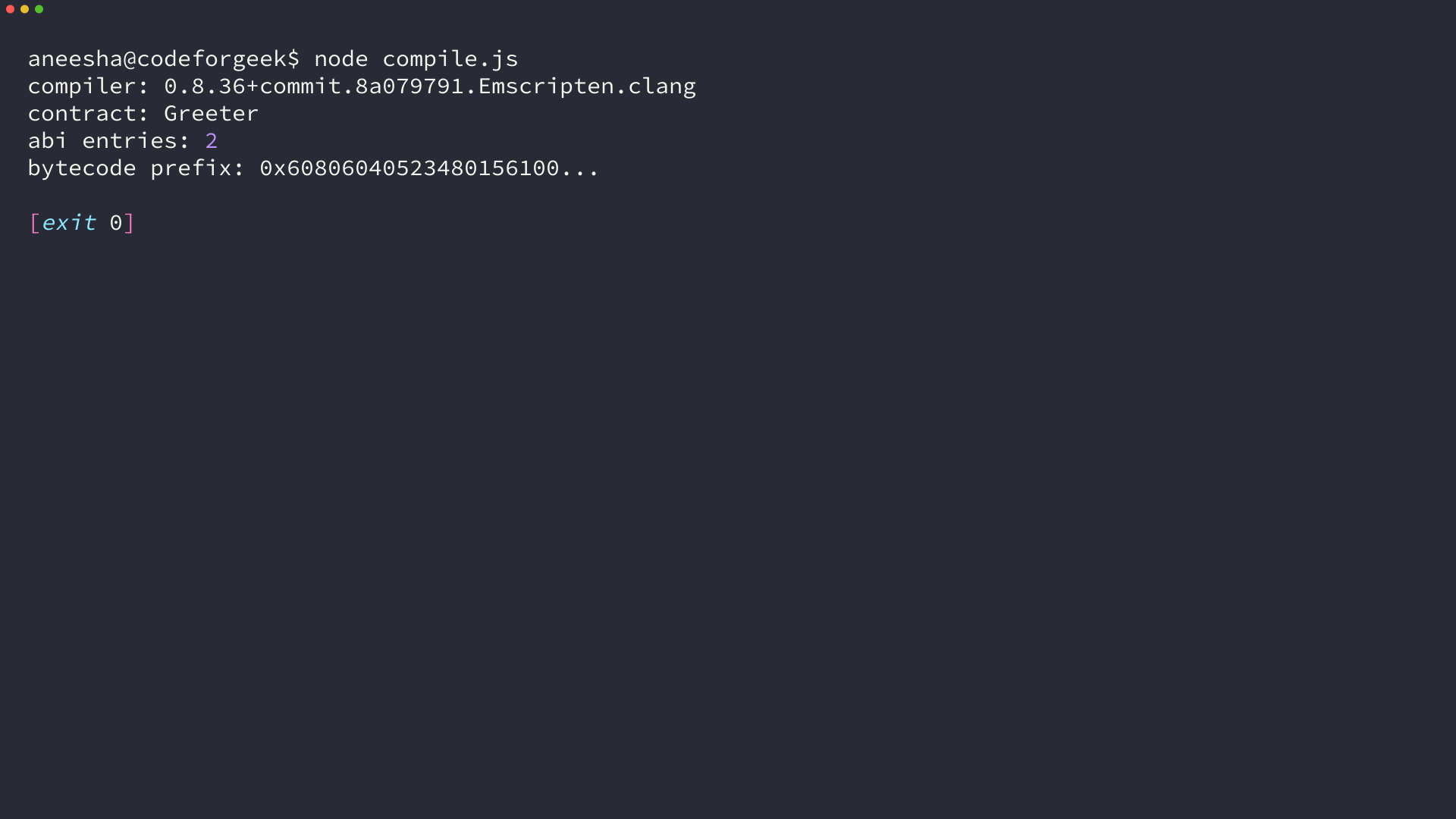
solc compiles Solidity source into the artifacts a deployment tool needs, including an application binary interface (ABI) and EVM bytecode. I ran node compile.js and recorded solc 0.8.36 producing a Greeter ABI with two entries and a bytecode prefix in the execution receipt.
Install solc in a fresh Node.js project
Solidity’s installation documentation distinguishes the solc-js npm package from the native solc command-line compiler. Use the package from a Node.js program rather than expecting a global solc command.
mkdir solc-compile-demo
cd solc-compile-demo
npm init -y
npm install solc
The compiler receives source text through a standard JSON input object and returns a JSON output object, so keep the contract and compiler script in the project directory.
Compile a Solidity contract with standard JSON input
Standard JSON input lets you name each source file and request only the artifact fields you need. Solidity’s compiler documentation describes this structured input and output interface.
Create the contract
Save this contract as Greeter.sol. The pragma accepts Solidity 0.8.x compilers and matches the compiler recorded in the terminal receipt.
// SPDX-License-Identifier: MIT
pragma solidity ^0.8.0;

contract Greeter {
    string private greeting;

    constructor(string memory initialGreeting) {
        greeting = initialGreeting;
    }

    function getGreeting() external view returns (string memory) {
        return greeting;
    }
}
Create the compiler script
The outputSelection field asks solc for the ABI and bytecode object. Create compile.js beside Greeter.sol, then let the error check stop the script when compilation reports an error.
const fs = require('node:fs');
const path = require('node:path');
const solc = require('solc');

const contractPath = path.join(__dirname, 'Greeter.sol');
const source = fs.readFileSync(contractPath, 'utf8');

const input = {
  language: 'Solidity',
  sources: {
    'Greeter.sol': { content: source }
  },
  settings: {
    outputSelection: {
      '*': {
        '*': ['abi', 'evm.bytecode.object']
      }
    }
  }
};

const output = JSON.parse(solc.compile(JSON.stringify(input)));
const messages = output.errors || [];
const failures = messages.filter((message) => message.severity === 'error');

for (const message of messages) {
  console.log(`${message.severity}: ${message.formattedMessage.trim()}`);
}

if (failures.length > 0) {
  process.exitCode = 1;
} else {
  const contract = output.contracts['Greeter.sol'].Greeter;
  console.log(`compiler: ${solc.version()}`);
  console.log('contract: Greeter');
  console.log(`abi entries: ${contract.abi.length}`);
  console.log(`bytecode prefix: 0x${contract.evm.bytecode.object.slice(0, 20)}...`);
}
A successful Node.js run prints the compiler build, contract name, ABI entry count, and the first bytes of the creation bytecode.
node compile.js
Read ABI and bytecode from compiler output
The output lives under output.contracts, indexed first by source filename and then by contract name. The ABI describes callable functions and constructor inputs, while evm.bytecode.object holds hex bytecode without the 0x prefix.
| Artifact | Where to read it | What you use it for |
|---|---|---|
| ABI | contract.abi | Create a contract client and encode calls |
| Creation bytecode | contract.evm.bytecode.object | Deploy the contract |
Add 0x when a library expects a hexadecimal byte string, but do not deploy the bytecode when the compiler output contains an error because the requested artifact may be absent or incomplete.
Handle compiler messages and version boundaries
solc can return warnings and errors together in output.errors, so print every message and exit with a nonzero status when any message has error severity to prevent a build or deployment step from continuing with a failed compilation.
A pragma such as pragma solidity ^0.5.0 needs a compiler that supports that range, so select a matching compiler release or use a toolchain that manages compiler selection before compiling an older contract.
The solc-js README documents the JavaScript API used here, and the Solidity compiler reference explains the full compiler output surface. Pass the ABI and bytecode into your deployment script once this command exits successfully.